Discipline, striking work-life balance help Siegwerk India President stay productive during WFH
Pradhan starts his day early with exercises at home followed by some reading.
By Maleeva Rebello, ET Bureau |

Agencies
Ashish Pradhan, President of Siegwerk India and Greater China, has organised a home office with all the necessary tools required to fulfill his responsibilities.
He told ET Panache, "My home office is just another office location. I have built my schedule and interactions accordingly. Hence, clear compartmentalisation is of paramount importance. I structure my calendar in a way that I enter my office at 9 am and leave the office at 7 pm with a few scheduled breaks in between."
Pradhan starts his day early with exercises at home followed by some reading which puts him in a positive frame of mind that is required to face a 'work from home day'.
"I connect with my management team twice a day over Microsoft Teams. We use Teams for all official virtual meetings. Sometimes, I also use WhatsApp for more informal interactions with my India team and WeChat for my China team," the President of Siegwerk India and Greater China said.
Pradhan feels working from home reduces non-productive time, like the time spent travelling to office. It also gives more time to connect with friends and family.
"However, one needs to be extremely disciplined in order to maintain the right balance between work delivery and personal pursuits. Another point to be considered, is the duration of work from home. It’s one thing to work from home for a day or two and another thing to be working from home for several weeks, which is what we are experiencing now. It can get tiring and binding, especially for someone who used to travel a lot. It requires one to find productive avenues to channel the energies that would otherwise be used for engaging with the outside world," he shared.
The biggest challenge is maintaining a positive attitude and showing emotional resilience, feels Pradhan. "When one gets up every morning and the long day stretches ahead without any physical contact with the outside world, it needs a strong mental make up to ensure that one remains focused and calm in the face of this adversity. Another challenge is fatigue, especially since I handle two countries (India and China) and have to keep up with operational and business issues, keeping everyone productively occupied and having the operations running as best we can, since we are part of the essential services value chain. Physical challenges are eye fatigue and back strain. The infrastructural challenges include Wi-Fi bandwidth," he said.
Keeping a time schedule helps Pradhan. "I keep Saturdays and Sundays free to recuperate from the tough week and spend quality time with family. During weekdays, time before I start work is 'Me time' and time after work is 'Family time'," he said.
Pradhan's fitness regimen includes floor exercises, spot jogging and yoga. "Thanks to my wife, I also maintain a healthy diet. Keeping mentally fit is also crucial which I try and achieve through meditation, reading and dedicating time for reflection before going to bed," he ended.

He told ET Panache, "My home office is just another office location. I have built my schedule and interactions accordingly. Hence, clear compartmentalisation is of paramount importance. I structure my calendar in a way that I enter my office at 9 am and leave the office at 7 pm with a few scheduled breaks in between."
Pradhan starts his day early with exercises at home followed by some reading which puts him in a positive frame of mind that is required to face a 'work from home day'.
"I connect with my management team twice a day over Microsoft Teams. We use Teams for all official virtual meetings. Sometimes, I also use WhatsApp for more informal interactions with my India team and WeChat for my China team," the President of Siegwerk India and Greater China said.
Pradhan feels working from home reduces non-productive time, like the time spent travelling to office. It also gives more time to connect with friends and family.
"However, one needs to be extremely disciplined in order to maintain the right balance between work delivery and personal pursuits. Another point to be considered, is the duration of work from home. It’s one thing to work from home for a day or two and another thing to be working from home for several weeks, which is what we are experiencing now. It can get tiring and binding, especially for someone who used to travel a lot. It requires one to find productive avenues to channel the energies that would otherwise be used for engaging with the outside world," he shared.
ADVERTISEMENT
The biggest challenge is maintaining a positive attitude and showing emotional resilience, feels Pradhan. "When one gets up every morning and the long day stretches ahead without any physical contact with the outside world, it needs a strong mental make up to ensure that one remains focused and calm in the face of this adversity. Another challenge is fatigue, especially since I handle two countries (India and China) and have to keep up with operational and business issues, keeping everyone productively occupied and having the operations running as best we can, since we are part of the essential services value chain. Physical challenges are eye fatigue and back strain. The infrastructural challenges include Wi-Fi bandwidth," he said.
Keeping a time schedule helps Pradhan. "I keep Saturdays and Sundays free to recuperate from the tough week and spend quality time with family. During weekdays, time before I start work is 'Me time' and time after work is 'Family time'," he said.
Pradhan's fitness regimen includes floor exercises, spot jogging and yoga. "Thanks to my wife, I also maintain a healthy diet. Keeping mentally fit is also crucial which I try and achieve through meditation, reading and dedicating time for reflection before going to bed," he ended.
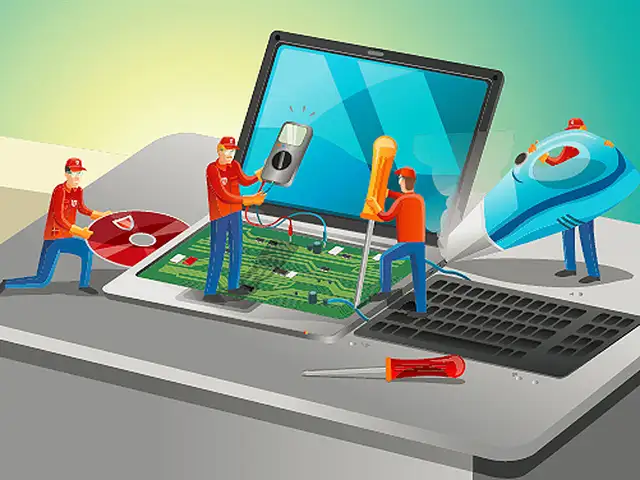
Working from home can take a toll on your computer as the time spent on laptops, notebooks, desktops, monitors and tablets has increased substantially.
With endless food crumbs, sticky liquid stains and ants finding a home in your system, it is time to give your computer the much need attention it needs.






ADVERTISEMENT
Download
The Economic Times Business News App for the Latest News in Business, Sensex, Stock Market Updates & More.
The Economic Times Business News App for the Latest News in Business, Sensex, Stock Market Updates & More.
ADVERTISEMENT


