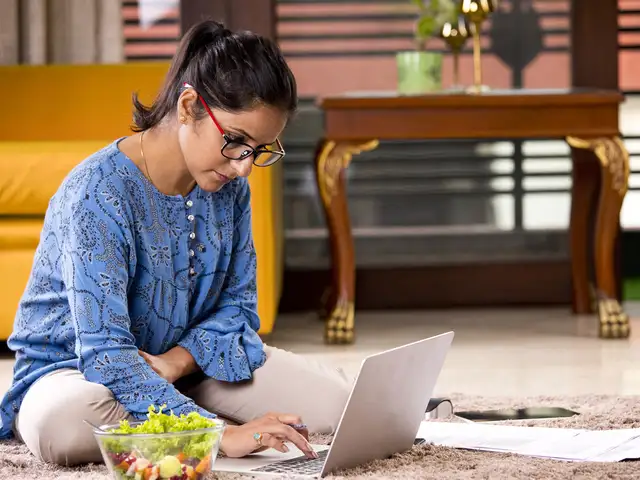
Manu Jain's work from home uniform includes a Mi T-shirt.
Xiaomi India MD Manu Jain recently revealed on Twitter that he has a go-to ‘work uniform’ that he likes to wear every day, even when working from home. “Every morning, I wear a Mi T-shirt, blue denim and Mi Sports Shoes! Makes my life very simple,” Jain posted on Twitter.
I have around 30 each of (1) Plain black "Mi" t-shirt and (2) "I ❤️ Mi" t-shirt. �� Every morning, I wear a Mi T-s… https://t.co/OsUjyfV8ci
— Manu Kumar Jain (@manukumarjain) 1585284445000
#21DaysOfLearning. Day 2! I stepped out to buy fruits & veggies. Was happy to see people maintaining social dista… https://t.co/i8tynvSh7d
— Manu Kumar Jain (@manukumarjain) 1585230972000
Jain is not alone in this. A number of CEOs believe that having a go-to work uniform helps you save time in the morning (it’s one less decision to make) and puts you in a more productive frame of mind. Apple co-founder Steve Jobs used to wear an Issey Miyake black turtleneck, blue Levi’s, and New Balance sports shoes.
But does the same apply to working from home? Possibly.
A 2007 study on a group of professionals revealed that they felt most ‘authoritative, competent, and trustworthy’ when dressing formally. Another 2014 study found that formally-dressed participants achieved more profitable outcomes in negotiation exercises, compared to their peers who dressed less formally.
Maintaining some semblance of a uniform, even when working from home, gives you a visual identifier, marking clear lines between when you’re on company time and when it’s time to loosen that tie. It also sets the right tone for when you want to make a good impression.
ADVERTISEMENT
If you’re desperately looking for a work-from-home uniform to help you navigate the rest of the lockdown, here are some tips to get you started:
Go for classic Striking the right balance between smart and relaxed comes down to a simple strategy – choosing classic silhouettes but cut in more casual fabrics such as a fitted cotton t-shirt and relaxed denims.
Smart casual is still the way to go For video conference calls, it’s often better to dress up than down. If donning a sports jacket or blazer feels too formal, start with tailored sweatpants, dress sneakers, and a short-sleeved, button-down shirt. This incorporates your corporate staples without feeling too formal.
Comfort is paramount This coronavirus pandemic is a novel situation for a lot of us and many of us are still grappling with the realities of working from home. If you find that formal is not really your thing and that you’re more productive in pyjamas or a lungi, by all means, please work in those.
ADVERTISEMENT
Mahindra group chairman Anand Mahindra, recently took to Twitter to confess that he had donned a lungi under his shirt while working from home. “On some Video Calls from home, I DID wear a lungi under my shirt. Didn’t have to stand up at any point during the meetings, but I suspect my colleagues may ask me to do so after this tweet!” he joked.
On a lighter note, this is from my #whatsappwonderbox. And I have a confession to make:On some Video Calls from hom… https://t.co/XtD06CvWc3
Remote Working 101: Work-From-Home Tips & Tricks That Will Help Increase Your Productivity
1/11
The Covid-19 pandemic has shaken up the world and has brought about monumental changes in our lifestyle. While the impact of the pandemic has been mostly negative, a silver lining among the dark clouds is the way the pandemic has affected our work culture.
In the wake of the outbreak, several Indian MNCs and companies moved their operations to working remotely. As a large number of employees logged in to their office computers from their homes, their productivity was at an all-time high, which helped restore the faith of the senior management in the work-from-home (WFH) setup.
While most of us by now have become pros at working-from-home, as the popular saying goes, there’s always scope of improvement. We have compiled a comprehensive list of work-from-home tips and tricks that will take your productivity a notch higher and help you work efficiently.
The Covid-19 pandemic has shaken up the world and has brought about monumental changes in our lifestyle. While the impact of the pandemic has been mostly negative, a silver lining among the dark clou..
Read More
Starting with the obvious, when working from home, it is absolutely essential to set up an office-like space. No, it does not mean that one has to build a makeshift office, complete with a cubicle - it simply means having essentials in place.
For starters, prepare a checklist of all the things you need: laptop charger, phone charger that are important for smooth, uninterrupted workflow. Make sure you have them in place before you start working.
It is also advisable to keep a notepad and a pen handy so that you can jot down all the important points made in the next video call.
Then, you can also keep your water-bottle near your work-from-home desk to stay hydrated as you work your way through the shift. The key is to create an office-like environment that is conducive to your work.
Starting with the obvious, when working from home, it is absolutely essential to set up an office-like space. No, it does not mean that one has to build a makeshift office, complete with a cubicle - ..
Read More
Taking breaks while working from home is important as it gives you time to blow off some steam and give your mind much-needed respite in the midst of a stressful work environment. But, it is advisable to time yourself when on a break.
You can use apps such as TimeOut for Mac, Smart Break for Windows to time your breaks and manage your work schedule efficiently.
Taking breaks while working from home is important as it gives you time to blow off some steam and give your mind much-needed respite in the midst of a stressful work environment. But, it is advisabl..
Read More
Perhaps the most important tip to follow when working from home is following video call etiquette. As all your boardroom meetings shift to video calls, it is essential to look presentable and be a professional each time you Skype or Facetime with your team members.
For starters, dress appropriately. If you are in your pyjamas or loungewear, it is advisable to change into a professional attire, like a shirt or a blazer, paired with pants. Secondly, make sure that the room you are in is well-lit. Make sure the background behind you is not distracting. If you have a wallpaper with intricate designs, make sure you avoid it as a background as it may jitter on camera.
Lastly, do a dry run before you get on the call. Try calling one of your colleagues just to be sure that your mic and camera are working properly.
Perhaps the most important tip to follow when working from home is following video call etiquette. As all your boardroom meetings shift to video calls, it is essential to look presentable and be a pr..
Read More
This is perhaps the most critical part of remote working. When one is in the office space, it is comparatively easier to communicate with one’s co-workers and supervisors. However, when working from home, since your colleagues and manager are only available on Zoom or Hangouts, it is advisable to establish a proper channel of communication.
For starters, inform your supervisor of the tasks you are performing every hour and ask them to set proper deadlines for you.
If you are working on a project with a colleague, communicate with them clearly about the status of the project and the deliverables required. This will not only help build your supervisor’s trust in you, but will also help them keep a track of your progress.
This is perhaps the most critical part of remote working. When one is in the office space, it is comparatively easier to communicate with one’s co-workers and supervisors. However, when working from ..
Read More
Possibly one of the biggest blunders one can do while remote working is working from the bedroom. Usually, one’s bedroom is a hub of distractions. It is possible that you might get carried away and start watching TV or get distracted by your kids or pets.
The key to keeping productivity high while working from home is avoiding all the distractions, both digital and otherwise. As a result, it is advisable to work from one’s living room, sans distractions, by having an office-like setup in place.
Possibly one of the biggest blunders one can do while remote working is working from the bedroom. Usually, one’s bedroom is a hub of distractions. It is possible that you might get carried away and s..
Read More
At times, those working from home prefer to sit in the comfort of their mattress or lounge on sofas along with their laptop. On the surface, it might seem like there is nothing wrong with it, but this can severely affect your posture, thereby leading to back problems. Especially if you are on an eight-hour shift, you might end up with a severe back ache by them you call it a day.
It is, therefore, important to sit straight and maintain a correct posture, for the sake of your back. Keeping your spine and head straight and maintaining proper distance from the laptop screen is of prime importance.
At times, those working from home prefer to sit in the comfort of their mattress or lounge on sofas along with their laptop. On the surface, it might seem like there is nothing wrong with it, but thi..
Read More
Most of us working from home, depend on a VPN (Virtual Private Network) to access company’s assets and shared drives. VPNs are traditionally known for slowing down the Internet speed, leading to large response times.
Hence, it is vital to have a sturdy Internet connection. Additionally, if the home Wi-Fi connection is shared by your family members, it is advisable for you to instruct them not to indulge in heavy Internet usage as it might impact your speed.
Most of us working from home, depend on a VPN (Virtual Private Network) to access company’s assets and shared drives. VPNs are traditionally known for slowing down the Internet speed, leading to larg..
Read More
Digital distractions are a bane to remote working and so is ambient noise. As you work your way through the day, you might notice the background noise is taking a toll on your productivity. Especially in Indian households, distractions are aplenty. From pets barging into your room to your parents and spouse checking up on you from time to time, it can be hard to stay focussed.
Make sure the ambient noise levels are low, so your productivity is high. Additionally, you could consider wearing headphones or earplugs to keep distractions at bay.
Digital distractions are a bane to remote working and so is ambient noise. As you work your way through the day, you might notice the background noise is taking a toll on your productivity. Especiall..
Read More
When working from home, your boss is not breathing down your neck, but at the same time, you have to keep her updated of all the tasks you perform in a day. With no supervisor to keep check on you, you might end up losing track of time and miss out on some important tasks or deadlines.
To make sure such a scenario never occurs, you can prepare a task list every morning and stick to it. You can keep updating the list throughout the day as and when more tasks are added.
Set goals and time limits for each task. After you complete each task, cross it off the list. This simple technique is both effective and fulfilling.
There are several apps such as Todoist, Toggle and TickTick that will help you stay organised.
When working from home, your boss is not breathing down your neck, but at the same time, you have to keep her updated of all the tasks you perform in a day. With no supervisor to keep check on you, y..