Tape the webcam, enable firewall: 11 rules to ensure cyber security when you work from home
From keeping devices updated to securing video calls, here are some handy tips on keeping digital activities secure.
By ET CONTRIBUTORS | Updated:

iStock
By Kushal Das
Just as the lockdown started, IT departments across the country had a litany of things to worry about. From making sure that employees have laptops ready to be able to seamlessly begin working from home, to preparing infrastructure teams and working with network-provider companies, as the demand for bandwidth went up.
Another pertinent issue that creates a new set of challenges with remote working is security. As most companies were not prepared for this move to WFH, the employees were never given any proper training or guidance about the basic security measures to take to protect the company assets, client information, and their own digital security.
As a result, criminals have found this as an easy surface to attack. Targeted phishing campaigns, malware, and ransomware attacks are increasing.
Here's a look at some basic pointers to keep in mind while working from home.
1. Beware of phishing
This will help in case there is a malware in those attachments. If there is any known Web address in the e-mail, instead of clicking them, type them in the browser and open the site. Remember, criminals can easily fool you by faking URLs.
If you receive any e-mail asking to share authentication information (passwords, tokens, infrastructure details, or customer details), report to your IT team immediately. Do the same for any last-minute change request (say, of bank accounts). Please contact the person over phone or thorough encrypted chats and verify the request before taking any action.
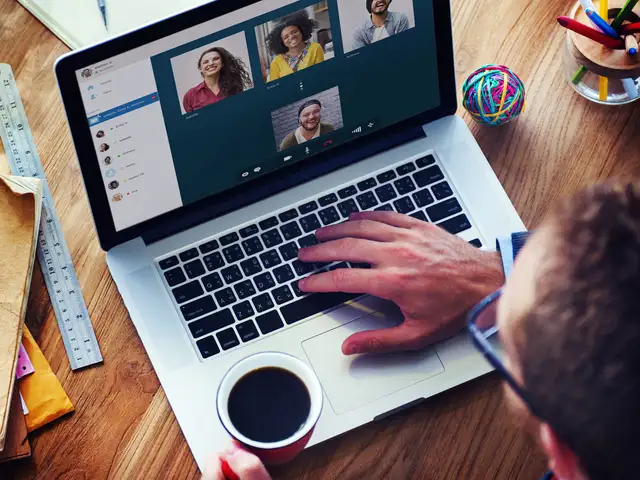
2. Secure video calls
For video chatting, it is always better to use Web clients inside of your browser. If you have to download and install any software, make sure that you are downloading from a legitimate website. Criminals often spoof websites and stack them with malware, which may spy into your work or may be ransomware.
Also remember not to share meeting, or screenshots from your video calls on the social media. You may accidentally be leaking information (meeting ID or other confidential information). Remember to close all software that aren’t required during the meeting.
The average Web-based chat is unlikely to be end-to-end encrypted, and if passwords or other authentication details are shared over it, there is a chance that attackers can access that information. Try to identify one verified encrypted chatting medium and share these information over that one medium only. It can be Signal, Wire, Keybase, or any other system based on your organisation’s need and capacity.
4. Do not install any unverified software
Do not download and install pirated software or anything else from random sites off the Internet. Many of them are malware ridden. Remember, since you are working from home, it my be difficult to get help in case of a cyber attack.
5. Lock the computer when you are getting up
Even if you are inside the house, make sure to lock the computer screen when you get up. This is because someone in the house, maybe children, may click on the system and that could mean trouble.
6. Update your system daily
As and when companies find bugs in their software and OS, they are also fixing them by releasing regular updates. Make sure that every day, you find time to update your system. Just having the latest version will save you from many threats.
7. Remember to enable a firewall
All operating systems come with default firewall systems and you should not disable them. They are essential to defending against many known attacks.
8. Do not use a remote desktop (or VNC) service unless absolutely necessary
You may be required to remotely grant access to a computer from inside your company's infrastructure. But, if that is not required, make sure that those services are always off by default in your systems. Remote desktop/VNC services have been well-known attack vectors for many years, and a number of breaches happen through this route.
9. Tape up your webcam and mute the mic by default
If you are not in a meeting, make sure that your webcam is either taped or blocked via double folded paper. The microphone should always be on mute. There will be times when private topics may be discussed, and having the microphone on mute will help prevent any leaks or unnecessary sharing of embarrassing information.
10. Remember to check your children’s network access
If your children are using a device, make sure you keep an eye on the content they are watching. Ask them not to click on any unknown image or link.
11. Secure browsing
If you want an extra layer of security and privacy, it is a good idea to install the Tor browser. It comes with many security features, which makes Web-based attacks difficult to execute on your computer.
- The author is public interest technologist at Freedom of the Press Foundation; a CPython core developer; and director, Python Software Foundation.

Just as the lockdown started, IT departments across the country had a litany of things to worry about. From making sure that employees have laptops ready to be able to seamlessly begin working from home, to preparing infrastructure teams and working with network-provider companies, as the demand for bandwidth went up.
Another pertinent issue that creates a new set of challenges with remote working is security. As most companies were not prepared for this move to WFH, the employees were never given any proper training or guidance about the basic security measures to take to protect the company assets, client information, and their own digital security.
As a result, criminals have found this as an easy surface to attack. Targeted phishing campaigns, malware, and ransomware attacks are increasing.
Here's a look at some basic pointers to keep in mind while working from home.
1. Beware of phishing
ADVERTISEMENT
Always double check the e-mail sender's address and do not click on any link provided on the emails (or download files) from unknown people. Even if you know the name of the person, verify if it is the correct e-mail address. If you have to open pdfs/docs/Excel sheets from unknown senders, it is much better to upload them to a cloud service like Google Drive, and open via Web tools. This will help in case there is a malware in those attachments. If there is any known Web address in the e-mail, instead of clicking them, type them in the browser and open the site. Remember, criminals can easily fool you by faking URLs.
If you receive any e-mail asking to share authentication information (passwords, tokens, infrastructure details, or customer details), report to your IT team immediately. Do the same for any last-minute change request (say, of bank accounts). Please contact the person over phone or thorough encrypted chats and verify the request before taking any action.
2. Secure video calls
For video chatting, it is always better to use Web clients inside of your browser. If you have to download and install any software, make sure that you are downloading from a legitimate website. Criminals often spoof websites and stack them with malware, which may spy into your work or may be ransomware.
ADVERTISEMENT
It is also important to note that many of the well-known video-chatting services are also not end-to-end encrypted, which opens them up to the possibility of snooping. If a business does not have a budget for paid services, using services that are secure is important.Also remember not to share meeting, or screenshots from your video calls on the social media. You may accidentally be leaking information (meeting ID or other confidential information). Remember to close all software that aren’t required during the meeting.
ADVERTISEMENT
3. Do not share any password or authentication details The average Web-based chat is unlikely to be end-to-end encrypted, and if passwords or other authentication details are shared over it, there is a chance that attackers can access that information. Try to identify one verified encrypted chatting medium and share these information over that one medium only. It can be Signal, Wire, Keybase, or any other system based on your organisation’s need and capacity.
4. Do not install any unverified software
Do not download and install pirated software or anything else from random sites off the Internet. Many of them are malware ridden. Remember, since you are working from home, it my be difficult to get help in case of a cyber attack.
5. Lock the computer when you are getting up
Even if you are inside the house, make sure to lock the computer screen when you get up. This is because someone in the house, maybe children, may click on the system and that could mean trouble.
6. Update your system daily
As and when companies find bugs in their software and OS, they are also fixing them by releasing regular updates. Make sure that every day, you find time to update your system. Just having the latest version will save you from many threats.
7. Remember to enable a firewall
All operating systems come with default firewall systems and you should not disable them. They are essential to defending against many known attacks.
8. Do not use a remote desktop (or VNC) service unless absolutely necessary
You may be required to remotely grant access to a computer from inside your company's infrastructure. But, if that is not required, make sure that those services are always off by default in your systems. Remote desktop/VNC services have been well-known attack vectors for many years, and a number of breaches happen through this route.
9. Tape up your webcam and mute the mic by default
If you are not in a meeting, make sure that your webcam is either taped or blocked via double folded paper. The microphone should always be on mute. There will be times when private topics may be discussed, and having the microphone on mute will help prevent any leaks or unnecessary sharing of embarrassing information.
10. Remember to check your children’s network access
If your children are using a device, make sure you keep an eye on the content they are watching. Ask them not to click on any unknown image or link.
11. Secure browsing
If you want an extra layer of security and privacy, it is a good idea to install the Tor browser. It comes with many security features, which makes Web-based attacks difficult to execute on your computer.
- The author is public interest technologist at Freedom of the Press Foundation; a CPython core developer; and director, Python Software Foundation.
Like most companies, Microsoft’s employees are working from home too. And to aid those working remotely, the company has put together a handy “Guide to working from home.” It is a document that Microsoft has created “to provide their employees with guidance, tips, and resources during the COVID-19 outbreak. The company has made this available publicly for other companies to use as a starting point for guiding their employees to work remotely.
Here are some interesting tips from the presentation:






(Disclaimer: The opinions expressed in this column are that of the writer. The facts and opinions expressed here do not reflect the views of www.economictimes.com.)
Download
The Economic Times Business News App for the Latest News in Business, Sensex, Stock Market Updates & More.
The Economic Times Business News App for the Latest News in Business, Sensex, Stock Market Updates & More.
ADVERTISEMENT


