Power efficiency & performance, redesigned widgets & remote app: Key features of Android 12
Google announced its next-generation operating system, Android 12, on May 18.
By Neha Saini, TOI Contributor |

Agencies
You may have a fancy smartphone, but if what’s inside does not match up to its looks, it can be a huge disappointment.
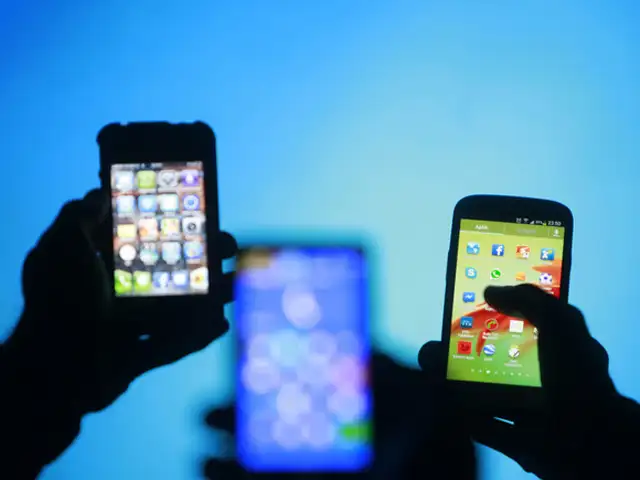
Google has announced its next-generation operating system, Android 12, which is secure by default and private by design. Let’s take a look at key features that will change Android phones in 2021.
Android 12 will add a Privacy Dashboard that will offer a single-point view of the apps permission settings. The dashboard will show what data is being accessed, how often and by which apps. Android users will be able to revoke these permissions whenever they want. Users will also be notified when an app accesses the phone’s camera or microphone.
The new OS will also offer more control over how much information users want to share.
PERSONALISE YOUR PHONE
Android 12 will come with a custom colour palette and redesigned widgets with Material You design. It will help users in identifying dominant colours and then apply them system-wide. Google calls it the Colour extraction technique. The latest Android OS will also make the lock-screen layout cleaner. It will update the notification panel with changes like a bigger Quick Settings icon, rounded corners at the top and more.
EFFICIENT POWER AND PERFORMANCE
Android 12 will be more power efficient. Google says it will reduce the CPU time for core system services by up to 22% and the use of big cores by the system server by up to 15%. The touch response on smartphones will be more intuitive and faster with Android 12. The user interface will offer smooth motion and animations. Google Assistant will be easier to access with the new OS. Android users will be able to summon the digital voice assistant with a long press on the power button, just like Siri on Apple iPhones.
REMOTE APP FOR TVS, BETTER WI-FI SHARING
Android 12 will bring a remote app on Android phones. This will enable users to control their smart TVs using their smartphones. The new OS will also allow users to share Wi-Fi connections by charging QR codes. It will bring a dedicated one-handed mode that makes it easier to use a large-screen phone with one hand.
Google has announced its next-generation operating system, Android 12, which is secure by default and private by design. Let’s take a look at key features that will change Android phones in 2021.
Android 12 will add a Privacy Dashboard that will offer a single-point view of the apps permission settings. The dashboard will show what data is being accessed, how often and by which apps. Android users will be able to revoke these permissions whenever they want. Users will also be notified when an app accesses the phone’s camera or microphone.
The new OS will also offer more control over how much information users want to share.
PERSONALISE YOUR PHONE
Android 12 will come with a custom colour palette and redesigned widgets with Material You design. It will help users in identifying dominant colours and then apply them system-wide. Google calls it the Colour extraction technique. The latest Android OS will also make the lock-screen layout cleaner. It will update the notification panel with changes like a bigger Quick Settings icon, rounded corners at the top and more.
EFFICIENT POWER AND PERFORMANCE
Android 12 will be more power efficient. Google says it will reduce the CPU time for core system services by up to 22% and the use of big cores by the system server by up to 15%. The touch response on smartphones will be more intuitive and faster with Android 12. The user interface will offer smooth motion and animations. Google Assistant will be easier to access with the new OS. Android users will be able to summon the digital voice assistant with a long press on the power button, just like Siri on Apple iPhones.
ADVERTISEMENT
REMOTE APP FOR TVS, BETTER WI-FI SHARING
Android 12 will bring a remote app on Android phones. This will enable users to control their smart TVs using their smartphones. The new OS will also allow users to share Wi-Fi connections by charging QR codes. It will bring a dedicated one-handed mode that makes it easier to use a large-screen phone with one hand.
By Karan Bajaj
Still stuck with the browser that came with your Android smartphone?
You’re missing out because you can add speed, tabs, automatic ad-blocking, automatic blocking of trackers, background loading, better reading modes and a whole lot more by installing these free apps, says


Download
The Economic Times Business News App for the Latest News in Business, Sensex, Stock Market Updates & More.
The Economic Times Business News App for the Latest News in Business, Sensex, Stock Market Updates & More.
ADVERTISEMENT


