Specifications: 14-inch touchscreen, 1920 x 1080 pixels, 8th gen Intel Core i3 processor, 8GB RAM, 64GB storage, MicroSD slot, USB 3.0 port, 2 x USB Type-C, dual speakers, HD webcam, WiFi ac, Bluetooth 4.2, Chrome OS, 3-cell battery, 1.68kg
Pros: Stylish ceramic-like finish, blazing-fast performance, can be rotated 360-degree, great touchscreen, backlit keyboard, fantastic battery life, can be charged with either USB Type-C port
Cons: Steep price compared to Windows laptops, sub-par webcam, the white colour finish tends to get dirty quickly
The first Chromebooks were launched 8 years ago and they have seen major adoption by western countries. However, in India, Chromebooks have failed to take off on the same level due to various reasons. That hasn’t stopped brands from launching a Chromebook every now and then to test the waters and this is exactly what HP is doing with the Chromebook x360.
ADVERTISEMENT
HP Chromebook x360 is one of the best-looking Chromebooks we have come across. HP has given it a premium look and feel with a matte white ceramic finish. It weighs just 1.68kg and has a tapered design which makes it easy to carry around as well. We did notice that the white colour top lid tends to pick up dirt quickly and required cleaning regularly. The x360 is a convertible - it comes with a fluid chrome plated hinge enabling the screen to be rotated 360 degrees. Like any convertible laptops, you can rotate the screen to any angle and use it as a laptop, a touchscreen tablet or tent mode for a presentation. There are few Chromebooks with this convertible design and combined with the plethora of apps available on Chrome App store, it makes the Chromebook x360 great for any type of usage.
The 14-inch display is bright and shows vivid colours. It has slim bezels on the sides which helps reduce the overall footprint of the laptop. The touchscreen works great for input, gestures as well as for gaming. The good thing is that it is full HD resolution which makes the screen a joy to use for multimedia, gaming as well as reading. In terms of ports, it has a full-size USB port, a headphone/mic jack, microSD slot and dual USB Type-C port (one on each side). You can use either USB Type-C port for charging which is a feature we hope a lot of other brands adopt. We loved the chicklet style keyboard – the keys have a good amount of travel and its comfortable to type. Plus, it is backlit which is always a great feature to have on a laptop. Its trackpad is also large and responsive plus works great for gestures on Chrome OS.
HP Chromebook x360's 14-inch display is bright and shows vivid colours. Opting between Chrome OS and Windows depends on the user requirements. However, in case you are wondering how good is Chrome OS, then you should know that it has come a long way since its announcement. Not only does the OS work great for basic usage of internet surfing and multimedia, but it also proved to be great for productivity and office work. You get access to all the apps and games available on Google Play store on Android. We used it to play PUBG and it worked butter smooth even though it ran on medium graphics settings. Switching between running apps was instant and we faced no issues accessing content on USB flash drives and hard drives. Performance is zippy thanks to the hardware although we do feel that 64GB of internal storage feels limiting. You can add a MicroSD slot for storage expansion but at the asking price, it would have been great if it came with at least 128GB storage.
ADVERTISEMENT
Battery life is one of the big highlights of the Chromebook x360. With basic usage of Google docs, multimedia playback and surfing on chrome, we got a backup of slightly over 11 hours on a single charge regularly. This makes it ideal for a full day of usage. HP uses a Type-C port for charging, so you get a compact size charger that is easy to carry around. Some of the other features that impressed us include the loud speakers, dedicated volume buttons on the side and dual band WiFi connectivity. What we didn’t like is the sub-par webcam quality.
One of the big reasons in my opinion for the lack of Chromebook adoption in India has been its price. Considering that you can get a laptop running Windows OS for almost half the price of this Chromebook, it will be difficult for this one to find a lot of success in the end consumer space. In the same price segment, you can easily get Windows-based convertible laptops such as the Lenovo Yoga 530 or HP Pavilion x360.
ADVERTISEMENT
From Asus ZenBook Pro Duo To In Win 309: Laptops That Will Revolutionise Personal Computing
1/8
A glimpse of what personal computing will look like in the years ahead.
A glimpse of what personal computing will look like in the years ahead.
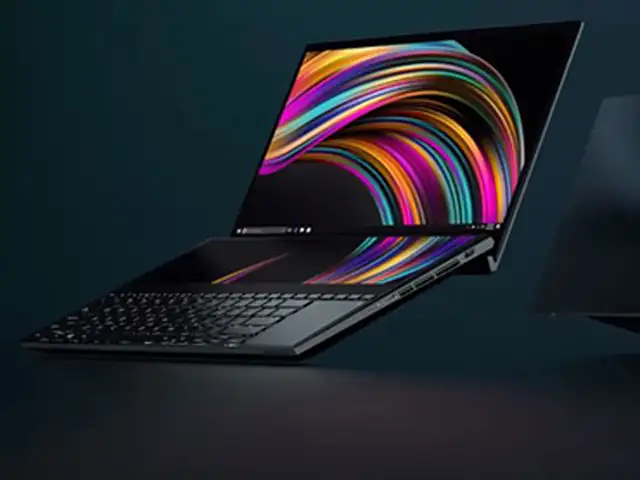
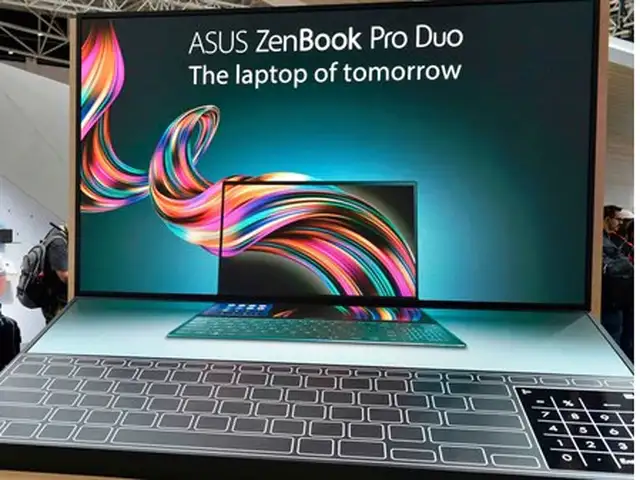
The company has plastered every available square inch of the inside of the ZenBook Pro Duo with a touch screen. There’s a 14-inch 4K OLED touch display where laptop screens typically go, and then there’s another 14-inch-wide display above the keyboard. And with up to an Intel Core i9 and an Nvidia GeForce RTX 2060 inside, this laptop is equal parts raw power and futuristic design.
The company has plastered every available square inch of the inside of the ZenBook Pro Duo with a touch screen. There’s a 14-inch 4K OLED touch display where laptop screens typically go, and then the..
Read More
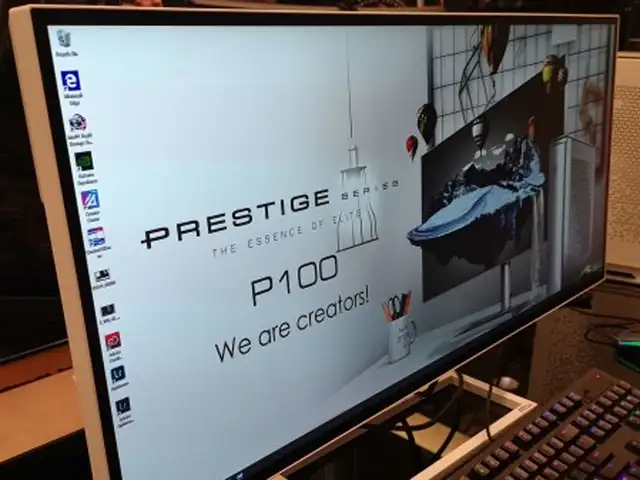
Unlike the recent desktop models that mostly follow the Mac Pro’s compact, cylindrical mould, the Prestige P100 is refreshingly original. It’s thin and white, with a unique triangle geometry on the sides that is intended to evoke ‘galactic nebula’, according to MSI. Inside the top-end configuration, there’s an Intel Core i9-9900K processor, 64GB of DDR4 memory, and a GeForce RTX 2080 Ti GPU.
Unlike the recent desktop models that mostly follow the Mac Pro’s compact, cylindrical mould, the Prestige P100 is refreshingly original. It’s thin and white, with a unique triangle geometry on the s..
Read More
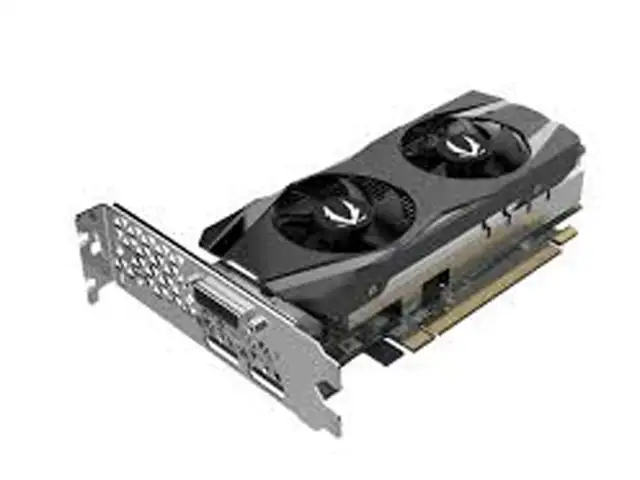
We haven’t seen much action in the space for low-profile video cards in recent years, but the GeForce GTX 1650 Low Profile offers a new option. Zotac checks the right boxes — no power connector needed, both short and regular I/O brackets included — with this low-profile offering. It will never be a mainstream buy, but for those who need it, it is the new ‘best there is’.
We haven’t seen much action in the space for low-profile video cards in recent years, but the GeForce GTX 1650 Low Profile offers a new option. Zotac checks the right boxes — no power connector neede..
Read More
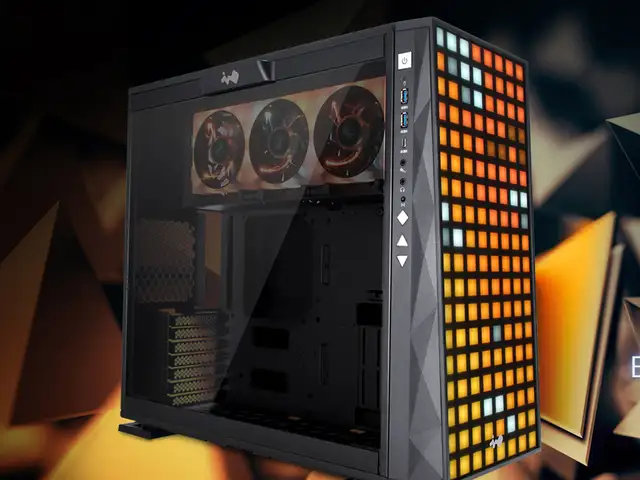
Last year, In Win rolled out the In Win 307, a quirky PC chassis with a frostedplastic front panel and 144 individually addressable LEDs behind it. The In Win 309 mixes things up a bit, with a black front panel and more-defined LEDs making up the front animations. The software allows for more complex effects to animate the face too.
Last year, In Win rolled out the In Win 307, a quirky PC chassis with a frostedplastic front panel and 144 individually addressable LEDs behind it. The In Win 309 mixes things up a bit, with a black ..
Read More
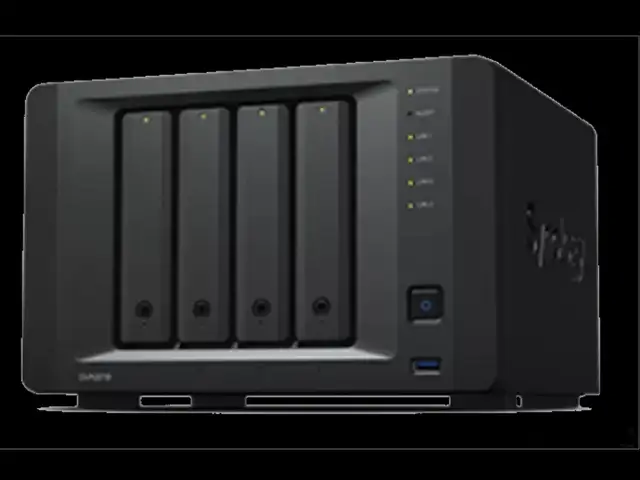
What if you need to count the number of people entering and leaving a room or building, but want to avoid installing a turnstile gate or asking someone to stand and tally them? The Synology DVA3219 network-attached storage (NAS) device, which comes with its own imageprocessing software and a graphics chip, can help. Just connect some cameras — up to 32 of them. With four drive bays, you’ll likely never run out of storage.
What if you need to count the number of people entering and leaving a room or building, but want to avoid installing a turnstile gate or asking someone to stand and tally them? The Synology DVA3219 n..
Read More
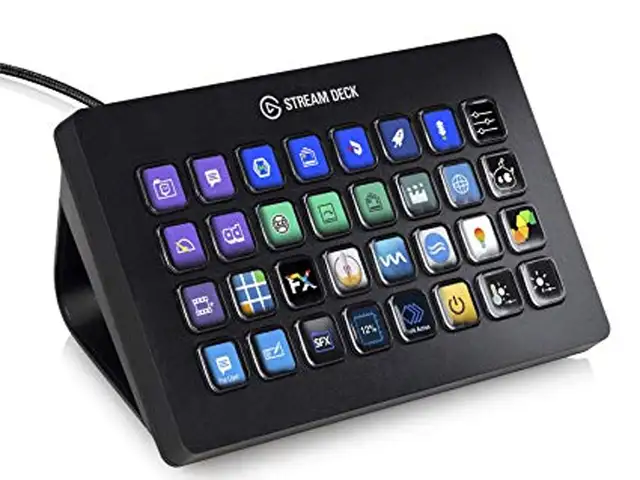
Video editors, YouTube influencers, and broadcast engineers know about the Stream Deck line of shortcut panels. The new Stream Deck XL is bigger than its predecessor. It delivers 32 shortcut buttons that you can map to key shortcuts, macros, or action sequences. The shortcuts can cut the time of repeated actions in other fields like medical, sales, etc.
Video editors, YouTube influencers, and broadcast engineers know about the Stream Deck line of shortcut panels. The new Stream Deck XL is bigger than its predecessor. It delivers 32 shortcut buttons ..
Read More
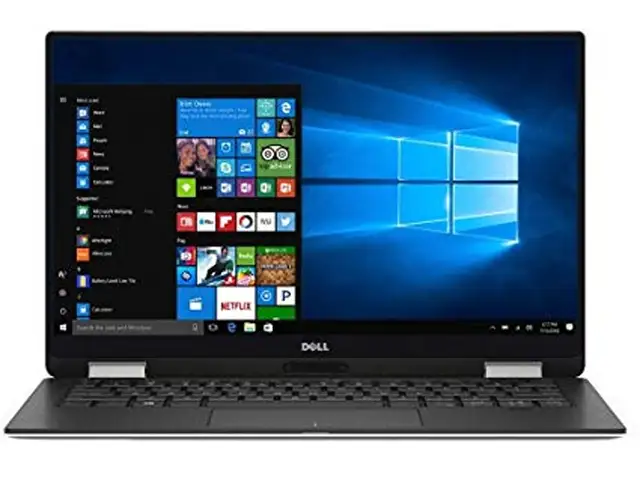
Dell improved the XPS 13 2-in-1 by returning the webcam to its natural place above the screen, which itself is a 16:10 display available in either 1080p or 4K versions. Inside, it will sport 10th Generation ‘Ice Lake’ Intel Core processors. That makes it one of the first laptops to offer the Ice Lake chips that offer improved graphics processing.
Dell improved the XPS 13 2-in-1 by returning the webcam to its natural place above the screen, which itself is a 16:10 display available in either 1080p or 4K versions. Inside, it will sport 10th Gen..