75-inch Mi QLED TV is here at Rs 1.2 lakh, to be available next week

Customers can buy the flagship TV from Mi.com, Mi Home and Flipkart.

Agencies
Mi QLED TV can be controlled via Google Assistant.
Chinese manufacturer Xiaomi launched its flagship television, 75-inch Mi QLED TV, at Rs 1,19,999 on Friday.

The new TV that comes with 97 per cent screen-to-body ratio will be available on Mi.com, Mi Home and Flipkart from April 27.


The entertainment device is made with aluminum alloy frames all around to give it a premium, metallic look. It will support Dolby Vision, HDR10+ along with support for Dolby Audio and DTS-HD.

The TV has been configured with the flagship 64bit quad-core A55 processor coupled with Mali G52 MP2 graphics and 2GB RAM and 32GB storage.


The TV comes with a 4K QLED panel and runs on the latest version of PatchWall. It comes with the Android TV 10 out-of-the-box that supports more than 5000 apps and games from Google Play, including YouTube, Netflix, Amazon Video, Disney+ Hotstar.
ADVERTISEMENT

Mi QLED TV can be controlled via a Google Assistant, and users can make the most of the built-in Chromecast.

The device also supports e-ARC, which Mi India claims to be the next-gen technology for good bandwidth and audio speed.
Stream Smart: Tips & Tricks To Make The Most Of Your Apple TV, Chromecast, Firestick
1/4

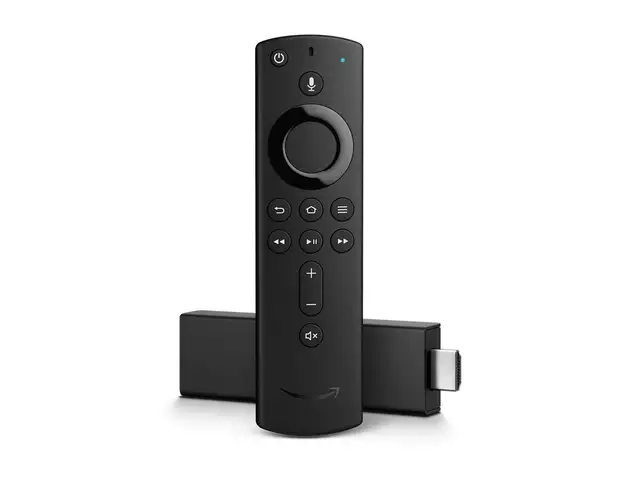
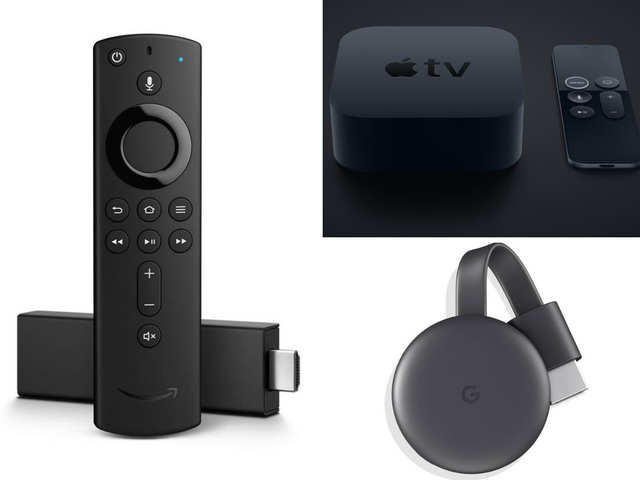
With multiple streaming services vying for your attention, it’s no surprise that on-demand video is seeing a massive uptick in subscribers. If you already use a streaming service, chances are it’s probably through a Chromecast, Fire TV Stick or Apple TV. These devices are a lot more powerful than we give them credit for. Hitesh Raj Bhagat shares some of his favourite tips & tricks for all three.
With multiple streaming services vying for your attention, it’s no surprise that on-demand video is seeing a massive uptick in subscribers. If you already use a streaming service, chances are it’s pr..
Read More

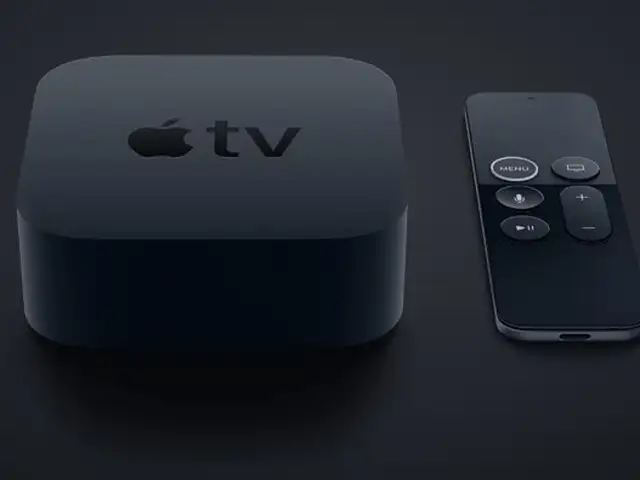
Since Apple TV doesn’t need to be visible to you (remote is RF, not infrared), you can place it inside a cabinet or purchase mounts to stick it behind the TV or on the wall in an inconspicuous place.

The beauty of AirPods is that you don’t need to individually connect them to your Apple devices. This applies to Apple TV too. Just make sure you’re signed in with your Apple ID and your AirPods will connect to Apple TV.

The remote’s touchpad is glass which means it can break. If you or others in the family tend to drop it often, you can get a soft silicon case for it for as less as Rs 199.

In the tvOS 13 update (public beta in July, final coming later), Apple is going to add full screen video previews, picture-in-picture (watch videos while in another app), multi user support (each user gets their own custom interface & suggestions) and support for Xbox/PS4 game controllers.

Apple TV is powerful enough for big screen gaming. There are already games you can play with the remote or a third party controller. To extract this full potential, Apple Arcade is coming soon. This will effectively turn it into a proper game console with various exclusive titles.

Since Apple TV doesn’t need to be visible to you (remote is RF, not infrared), you can place it inside a cabinet or purchase mounts to stick it behind the TV or on the wall in an inconspicuous place...
Read More

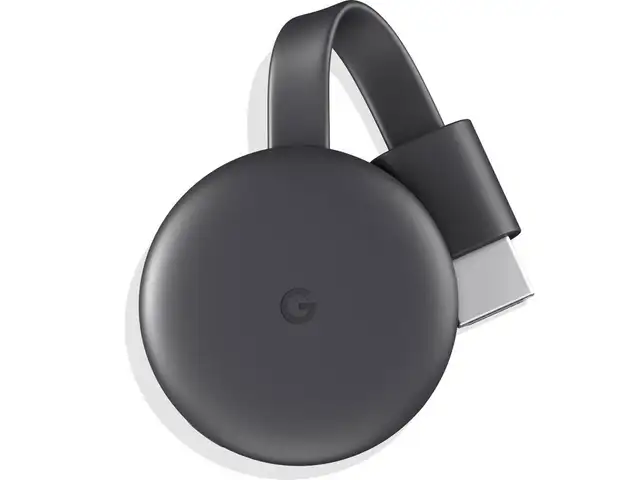
Chromecast can play games. Search for ‘Chromecast games’ on the Play Store using your phone and you’ll find games like Tankcast, Doodlecast, Dinoh Family Games and Just Dance Now. These games are designed to cast, so you’ll be looking at the TV and using the smartphone as a controller.

If your TV has HDMI-CEC (Consumer Electronic Control), it can be controlled by Chromecast. Make sure the HDMI-CEC feature on your TV is enabled and you can wake the TV from sleep and switch to the correct input source by starting a cast.

Sharing your Chromecast with friends while watching video is easy. Just make sure they’re connected to your home WiFi and they can use their own phone to cast. There’s also a guest mode on Chromecast itself. With this active, devices can connect directly to Chromecast instead of your WiFI network.

The tiny Chromecast is the perfect companion if you regularly spend a lot of days in hotel rooms. You’ll need a separate WiFi hotspot (dedicated hotspot or phone) so that you can connect both your phone and Chromecast to it. Then you can cast videos to the hotel TV just like you do at home.

When you want to cast something at home without disturbing others, you can use an app called Local Cast. This will cast the video to your TV and keep the audio on your phone. Then just use your headphones paired with your phone to continue watching.

Chromecast can play games. Search for ‘Chromecast games’ on the Play Store using your phone and you’ll find games like Tankcast, Doodlecast, Dinoh Family Games and Just Dance Now. These games are des..
Read More

If you find the built in app store limited, don’t worry because you can easily install Android apps. Get the free Easy Fire Tools app on your Android phone and enable app installs from unknown sources and ADB debugging on Fire TV (find it in Settings > System > Developer options). Check your Fire TV’s IP address (Settings > Network > System Info) and enter it into the app. Then you can install any app from your phone straight to your Fire TV Stick.

Can’t find the remote? Amazon offers an official Fire TV remote for both iOS and Android (it’s called Amazon Fire TV). Make sure the phone and Fire TV are on the same network and the remote app will automatically connect. It also includes gesture control, voice search and a keyboard for much easier text input.

If you have an older Fire TV stick and don’t want to upgrade to the 4K version, you can still buy the new voice remote separately for `1,999. This gives you the advantage of Alexa voice control and infrared features to control your existing TV/sound system. You will only need to pair the remote with your Fire TV Stick before first use by holding down the Home button.

Your Fire TV Stick supports Bluetooth headphones. Just head to the settings to pair your headphones and you can continue watching without disturbing anyone else. Make sure to put your headphones in pairing mode so that Fire TV Stick can see and connect to them.

Apart from the multiple sales and offers you get on Amazon India, you can score an ever better deal on Fire TV Stick from Amazon USA. We’ve seen prices as low as US $29 for the regular version. Just get someone to carry back one for you and it will work just fine after signing in to your Amazon India account.

If you find the built in app store limited, don’t worry because you can easily install Android apps. Get the free Easy Fire Tools app on your Android phone and enable app installs from unknown source..
Read More

Download
The Economic Times Business News App
for the Latest News in Business, Sensex, Stock Market Updates & More.
READ MORE
ADVERTISEMENT

READ MORE:

LOGIN & CLAIM

50 TIMESPOINTS

More from our Partners

Loading next story
Business News › Magazines › Panache › 75-inch Mi QLED TV is here at Rs 1.2 lakh, to be available next week
Text Size:AAA
Success
This article has been saved

*

+