
Will SBI YONO be blocked for not updating Aadhaar? Check details

1/7
SBI customers alert
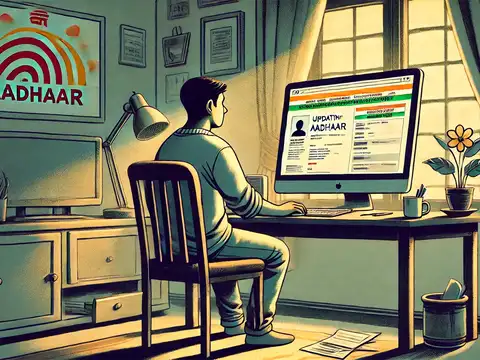
A message circulating on social media claims that users of the SBI YONO app must download and install an APK file to update their Aadhaar details, failing which their accounts may be blocked. The message urges customers to install a so-called “official SBI Aadhaar update APK” to complete KYC.
2/7
PIB Fact Check warns against fake SBI YONO APK message
PIB Factcheck team has confirmed that this is a fake message and has asked people not to download any APKs or share personal, banking, or Aadhaar details. SBI does not ask for such information. The bank, in another official post on social media warned: “Fraudsters are sending fake APK links claiming to update your banking app.
3/7
What is the message from SBI?
“Dear SBI customer,
This is to inform you that your SBI YONO Account will be Blocked Tonight due to AADHAR no. is not updated in your Account. We regret the inconvenience caused and request you to please install our official SBI Aadhar update apk and kindly update your AADHAR and proceed your further KYC immediately.
Thank you
Warm regards,
SBI bank.”
This is to inform you that your SBI YONO Account will be Blocked Tonight due to AADHAR no. is not updated in your Account. We regret the inconvenience caused and request you to please install our official SBI Aadhar update apk and kindly update your AADHAR and proceed your further KYC immediately.
Thank you
Warm regards,
SBI bank.”
Amazon Top Deals
POWERED BY

4/7
What is Phishing?
Phishing attack is a type of cyber fraud where criminals impersonate legitimate organisations such as banks, government agencies or trusted companies to deceive individuals into sharing confidential information. The primary goal is to steal login credentials, card numbers, Aadhaar details and OTPs for unauthorised access to their bank accounts.
Report suspicious messages to report.phishing@sbi.co.in for necessary action
Report suspicious messages to report.phishing@sbi.co.in for necessary action
5/7
How to identify red flags in messages?
Urgent deadlines (say 2 hr) with an intention to create panic. Suspicious URL "sbi-secure-verify.com" (not an official SBI domain). There will be10-digit mobile numbers instead of official toll-free numbers. Details of sender- State Bank" instead of official name of bank (-SBI)
6/7
How to verify if a message is from SBI?
Note SBI official communication channels:
* Email domains: Any legitimate emails to customers will come from @sbi.co.in only.
* SMS headers: SBIINB, SBIPSG or SBICRD (not 10-digit numbers)
* Verified platforms: YONO SBI app (available in play store)/, YONO Net Banking https://onlinesbi.sbi.bank.in/ ,Toll-Free numbers (18001234/1800 2100/1800112211/18004253800)
* Email domains: Any legitimate emails to customers will come from @sbi.co.in only.
* SMS headers: SBIINB, SBIPSG or SBICRD (not 10-digit numbers)
* Verified platforms: YONO SBI app (available in play store)/, YONO Net Banking https://onlinesbi.sbi.bank.in/ ,Toll-Free numbers (18001234/1800 2100/1800112211/18004253800)

7/7
How to report phishing attacks?
If you have clicked a link on phishing mail or in SMS or have shared critical banking information, take immediate steps to report the incident along with relevant screenshots and complete details of the transaction.
Below are ways to report unauthorised transactions:
* Call/ (Helpline numbers available through YONO/Bank Website)
* SBI Customer Care (Toll Free Numbers): 1800 1111 09, 9449112211, 08026599990
* Through YONO App go to “Access Services' and look for “Report Unauthorised Transactions” menu
* National Cyber Crime Portal: www.cybercrime.gov.in, Helpline number: 1930
* Local Police Cyber Crime Cell for formal FIR
* Forward to report.phishing@sbi.co.in with complete details and screenshots.
* Report through the link https://crh.sbi.bank.in/
Below are ways to report unauthorised transactions:
* Call/ (Helpline numbers available through YONO/Bank Website)
* SBI Customer Care (Toll Free Numbers): 1800 1111 09, 9449112211, 08026599990
* Through YONO App go to “Access Services' and look for “Report Unauthorised Transactions” menu
* National Cyber Crime Portal: www.cybercrime.gov.in, Helpline number: 1930
* Local Police Cyber Crime Cell for formal FIR
* Forward to report.phishing@sbi.co.in with complete details and screenshots.
* Report through the link https://crh.sbi.bank.in/