
UPI payment failed but money got deducted? The 8 steps that get your refund fast
1/8
Don't panic, your money isn't gone
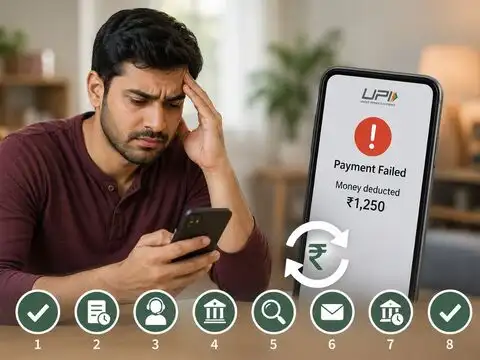
Money got deducted but the transaction shows "failed"? This happens to lakhs of UPI users every day, and in almost every case, the amount comes back on its own. Banks and NPCI have a built-in safety net for exactly this situation. The one thing you should NOT do right now is pay again — a second payment can lead to a double debit if the first one eventually clears anyway. Take a breath, and follow the steps ahead.

2/8
Rule #1: Wait 60 minutes before doing anything
Most failed UPI transactions reverse themselves automatically within one hour. This isn't guesswork; NPCI itself confirms that the majority of auto-reversals happen inside this 60-minute window. Set a timer, avoid the temptation to retry the payment, and let the system do its job. Impatience is the biggest reason people end up paying twice for the same order.
3/8
Why Do UPI payments fail in the first place?
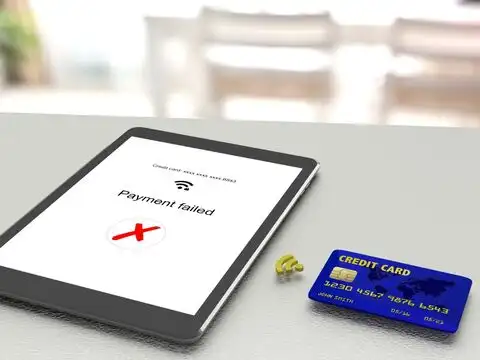
Most failures come down to simple human error: a wrong UPI PIN, low bank balance, or crossing the daily limit of ₹1 lakh across 20 transactions. Typing the wrong VPA (your bank ID, like name@bank) is another common trap that stops a payment instantly. The rest come from technical hiccups; bank servers overloaded at month-end, patchy internet mid-payment, scheduled NPCI maintenance, or a gateway timing out. Some banks also cap daily limits lower than ₹1 lakh, so a "failed" high-value payment might just be hitting your bank's own ceiling.
Amazon Top Deals
POWERED BY

Crompton Ozone 75 Litres Desert Air Cooler for home | Large & Easy Clean Ice Chamber | 4-Way Air Deflection | High Density Honeycomb Pads | Everlast Pump | Auto Fill| 3 Year Brand Warranty
₹9,798Buy Now43%
OFF

LG 32 L Convection Microwave Oven (MC3286BRUM, Black, 360° Motorised Rotisserie for Bar-be-queing, 301 Auto Cook Menu, Stainless steel cavity, Indian Cuisine, Tandoor Se, Steam Clean & Diet Fry)
₹18,689Buy Now22%
OFF

4/8
Check your status with one tap; use UDIR
Every major UPI app has a built-in tool called UDIR (Unified Dispute and Issue Resolution) that can trigger an instant refund without you calling anyone. Here's how: open your app, go to transaction history, tap the failed entry, and hit "Check Status" or "Raise Issue." This single step resolves most cases instantly and should always be your first move before contacting support.

5/8
Still stuck? Raise a dispute inside the app
If UDIR doesn't fix it automatically, go straight to your app's dispute option instead of a generic help chat. On Google Pay, it's Profile → Help & Feedback → Transaction Issues. On PhonePe, it's Help → Report Issue → Payment Issues → "Money Deducted." On Paytm, it's Help → Payment Issues → Raise Dispute. Keep your 12-digit UPI transaction ID and a screenshot handy; these make any escalation much faster.

6/8
When to call your bank directly
If the app can't sort it out, your next stop is your bank's dedicated UPI support line — not general customer care. Have these ready when you call: your 12-digit UPI transaction reference (UTR) number, your account or UPI ID, the merchant's transaction reference, and the exact date, time, and amount. Ask them for a manual status check and note down the complaint reference number for your own records.

7/8
Know your rights: The bank owes you if it's late
RBI rules set firm refund deadlines: person-to-person transfers must reverse within T+1 working day, and merchant purchases within T+5 working days. If your bank misses these windows, you're entitled to ₹100 compensation for every day of delay, automatically. Most refunds land within hours, but this rule exists as your safety net if things drag on — and it's your money to claim.
8/8
Last resort: Take It to the RBI Ombudsma
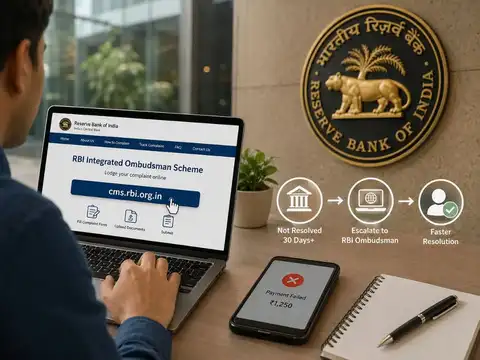
If your complaint has gone unresolved for more than 30 days, escalate to the RBI's Integrated Ombudsman at cms.rbi.org.in. File your complaint online with transaction screenshots, your communication history with the bank or app, and any merchant order details attached. This route is designed for exactly these stuck-payment cases and often speeds up resolution — especially for higher-value transactions.
Bottom line: wait it out, use UDIR first, escalate step by step, and remember — RBI rules mean the delay eventually costs the bank, not you.
Bottom line: wait it out, use UDIR first, escalate step by step, and remember — RBI rules mean the delay eventually costs the bank, not you.