
How to update or link mobile number in Aadhaar card online on uidai.gov.in Portal

1/6
How to update mobile number in your Aadhaar Card
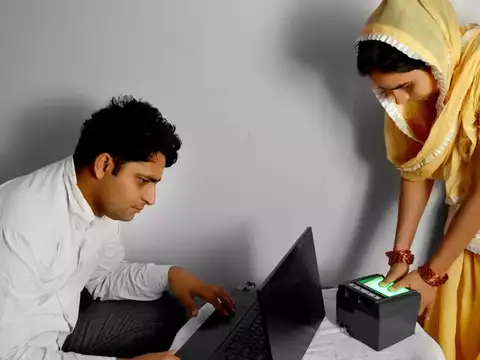
You cannot update your Aadhaar mobile number online, it must be done offline at an Aadhaar enrolment centre or Aadhaar Seva Kendra. Book an appointment online through the UIDAI website, then visit the centre in person for biometric verification and submission.

2/6
Charges for updating mobile number
UIDAI charges a Rs 50 fee for updating your mobile number in Aadhaar. This fee is non-refundable and payable at the Aadhaar Seva Kendra or authorised enrolment centre where you submit your update request.
3/6
How to change mobile number in Aadhaar Card without OTP?
Changing your Aadhaar mobile number doesn’t require OTP because the update is not done online. Since biometric authentication is done in person at the centre, no OTP is needed for this process.
Amazon Top Deals
POWERED BY

4/6
How to check mobile number update status online?
After submitting the update request at the Aadhaar centre, you can check the status online by visiting myAadhaar.uidai.gov.in and using the Update Request Number (URN) provided on your receipt.

5/6
Cancelling an Aadhaar update request
Once you submit a mobile number update request, you cannot cancel it online. If you need any correction, you must revisit the Aadhaar enrolment centre to submit a new request with fresh biometric verification.

6/6
Why updating your Aadhaar mobile number is important
Your Aadhaar-linked mobile number is needed for OTP-based services like e-KYC, bank verification, income tax filing, and receiving government benefits. Keeping it up to date ensures you can access these services without disruption.