SC says Aadhaar holders must link with PAN for tax returns, here's how to do it
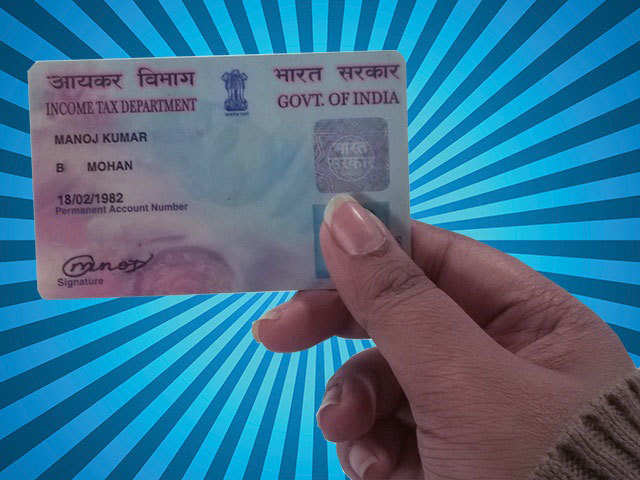
Linking of Aadhaar, according to the Centre's argument, is a measure to eliminate fraudulent practices such as multiple PANs held by individuals.
By ET Online | Updated:

The Supreme Court on Friday upheld the newly-inserted provision in the Income Tax Act mandating linking of Aadhaar number with Permanent Account Number ( PAN), but it partially stayed its operation.
Upholding a new provision in the Income Tax Act that mandates the linking of Aadhaar, the Supreme Court has said that those who already possess the unique ID will have to link it with PAN, but it cannot be insisted upon in case of people not possessing Aadhaar card.
The tax provision, pushed by the Centre, said that those who file I-T returns without an Aadhaar-linked PAN card would have their PAN declared invalid.
Linking of Aadhaar, according to the Centre's argument, is a measure to eliminate fraudulent practices such as multiple PANs held by individuals. The IT department has made provision for assesssees to link their PAN to Aadhaar on the efiling portal. If you have Aadhaar and PAN card and you haven't linked it yet, here's help.
Link
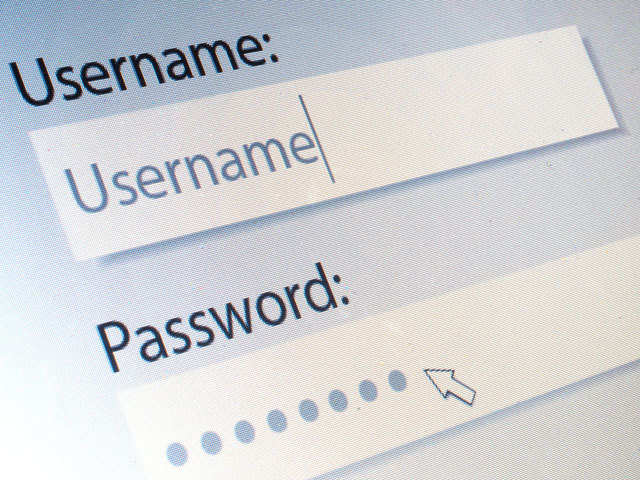
Visit the income tax e-filing portal at https://incometaxindiaefiling.gov.in/ and enter your user id and password to access your profile. A new user can register on the portal by entering basic registration details such as PAN, name and date of birth.
Update Aadhaar
Once you are logged into the portal, go to the “Profile Settings” tab. A drop down menu will appear. Click on “Link Aadhaar”. A new form will be displayed.
Details
You need to enter name, date of birth and gender as per PAN records. Next, your Aadhaar number and your name as per Aadhaar records must be entered. These details must be submitted after entering the text in the captcha code appearing on the screen.
Confirmation
After submitting the Aadhaar details, a success message is displayed confirming the linking of Aadhaar with PAN. A confirmation email is also sent to the registered email id of the assessee.
Points to note
• Once Aadhaar-PAN is linked, one can e-verify the IT return using Aadhaar if the mobile number is registered with Aadhaar database.
• If the name in Aadhaar does not exactly match with the name on PAN, you need to additionally provide Aadhaar OTP or EVC to proceed with partial name match.
(Content courtesy: Centre for Investment Education and Learning (CIEL). Contributions by Girija Gadre, Arti Bhargava and Labdhi Mehta)
Upholding a new provision in the Income Tax Act that mandates the linking of Aadhaar, the Supreme Court has said that those who already possess the unique ID will have to link it with PAN, but it cannot be insisted upon in case of people not possessing Aadhaar card.
The tax provision, pushed by the Centre, said that those who file I-T returns without an Aadhaar-linked PAN card would have their PAN declared invalid.
Linking of Aadhaar, according to the Centre's argument, is a measure to eliminate fraudulent practices such as multiple PANs held by individuals. The IT department has made provision for assesssees to link their PAN to Aadhaar on the efiling portal. If you have Aadhaar and PAN card and you haven't linked it yet, here's help.
Link
Visit the income tax e-filing portal at https://incometaxindiaefiling.gov.in/ and enter your user id and password to access your profile. A new user can register on the portal by entering basic registration details such as PAN, name and date of birth.
Update Aadhaar
Once you are logged into the portal, go to the “Profile Settings” tab. A drop down menu will appear. Click on “Link Aadhaar”. A new form will be displayed.
Details
You need to enter name, date of birth and gender as per PAN records. Next, your Aadhaar number and your name as per Aadhaar records must be entered. These details must be submitted after entering the text in the captcha code appearing on the screen.
Confirmation
After submitting the Aadhaar details, a success message is displayed confirming the linking of Aadhaar with PAN. A confirmation email is also sent to the registered email id of the assessee.
Points to note
• Once Aadhaar-PAN is linked, one can e-verify the IT return using Aadhaar if the mobile number is registered with Aadhaar database.
• If the name in Aadhaar does not exactly match with the name on PAN, you need to additionally provide Aadhaar OTP or EVC to proceed with partial name match.
(Content courtesy: Centre for Investment Education and Learning (CIEL). Contributions by Girija Gadre, Arti Bhargava and Labdhi Mehta)
Download
The Economic Times Business News App for the Latest News in Business, Sensex, Stock Market Updates & More.
The Economic Times Business News App for the Latest News in Business, Sensex, Stock Market Updates & More.
Download
The Economic Times News App for Quarterly Results, Latest News in ITR, Business, Share Market, Live Sensex News & More.
The Economic Times News App for Quarterly Results, Latest News in ITR, Business, Share Market, Live Sensex News & More.
Related Articles
 Aadhaar app tops 3.1 crore downloads; 40 lakh users update mobile numbers2026-06-22T12:41:09Z
- Aadhaar email update to be free via mobile app from July 1; UIDAI waives Rs 75 fee for six months2026-06-22T08:14:43Z
- WFI asks UIDAI to preserve Aadhaar birth-date change records to combat age fraud2026-06-19T11:27:08Z




ADVERTISEMENT




