Windows 10 will scare Google; here's why
Rather than treating the operating system itself as the cash cow, as it used to, it's now all about subscription services.
By Business Insider | Updated:

By Matt Weinberger
With 14 million installations in its first 24 hours, Windows 10 is looking like a hit. But one big question remains: Why would Microsoft give Windows 10 away for free?
Here's one possible answer. And it should keep Google awake at night.
Google gives you all of its goodies for free, from search to Gmail to YouTube, because it wants to harvest your personal data and use it to serve you more ads.
Meanwhile, with Windows 10, Microsoft is trying something a little different. Rather than treating the operating system itself as the cash cow, as it used to, it's now all about subscription services, microtransactions, and all kinds of other ways it can make money off of you.
One of those money-making methods is advertising. Mostly search advertising on Bing. (Microsoft recently offloaded its display ad business.)
By default, Microsoft collects a whole bunch of information from you and anonymously shares it with advertisers. If you sift through Microsoft's privacy statements, that includes the content of emails, instant messages, documents uploaded to OneDrive, the searches you do with Bing, and so on.
It's not super-different from what Google does, and nothing here is especially sinister by that standard. But a lot of these services - these potential sources of personal information - are baked in to Windows 10. If Microsoft ships 1 billion Windows 10 devices in three years, as it hopes to do, that's a lot of personal information to sell ads against.
Google got where it is by giving customers a whole bunch of useful tools that work on just about any device that they have, all tied together by one account that makes it easier to track them across devices.
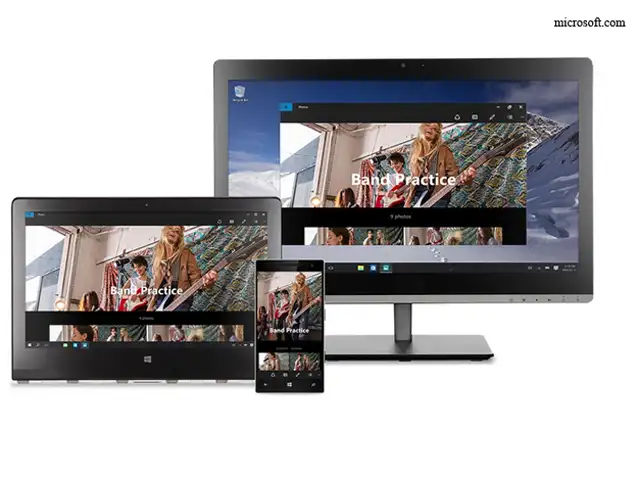
Similarly. Microsoft is making all of its best stuff - Office, Outlook, even the Cortana digital assistant that comes with Windows 10 - available for free on Android and iOS, requiring just a Microsoft login. Microsoft can sell hyper-accurate information to advertisers, because you'll be using your same account on desktop and mobile alike.
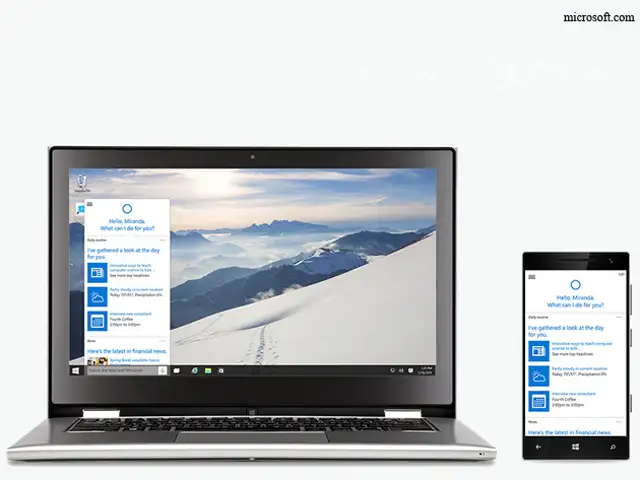
And speaking of Cortana, the whole sales pitch there is that she gets smarter the more that you use her, presenting you with ever-more-relevant news, links, and information.
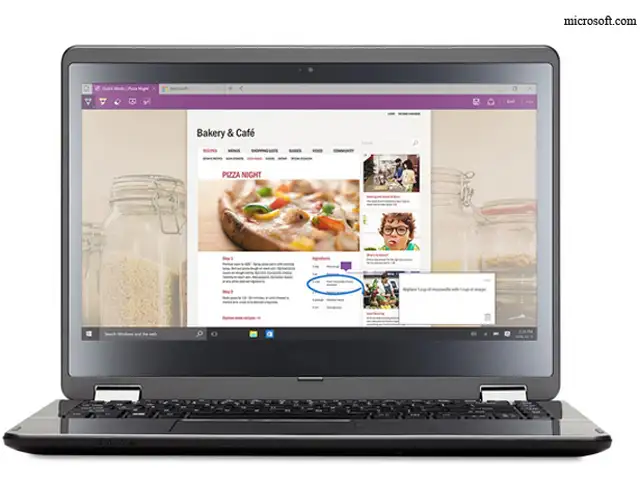
Of course, that also means that Microsoft learns even more about you, and can deliver that to advertisers. Plus, by default, Cortana and the new Edge browser both use Bing as the default search engine, goosing up the number of actual ads it delivers to users.
If you're worried, Microsoft has a site to opt out of advertising, and you might want to go to the "Privacy" page in Windows 10's Settings menu and turn everything off.
With 14 million installations in its first 24 hours, Windows 10 is looking like a hit. But one big question remains: Why would Microsoft give Windows 10 away for free?
Here's one possible answer. And it should keep Google awake at night.
Google gives you all of its goodies for free, from search to Gmail to YouTube, because it wants to harvest your personal data and use it to serve you more ads.
Meanwhile, with Windows 10, Microsoft is trying something a little different. Rather than treating the operating system itself as the cash cow, as it used to, it's now all about subscription services, microtransactions, and all kinds of other ways it can make money off of you.
One of those money-making methods is advertising. Mostly search advertising on Bing. (Microsoft recently offloaded its display ad business.)
ADVERTISEMENT
By default, Microsoft collects a whole bunch of information from you and anonymously shares it with advertisers. If you sift through Microsoft's privacy statements, that includes the content of emails, instant messages, documents uploaded to OneDrive, the searches you do with Bing, and so on.
It's not super-different from what Google does, and nothing here is especially sinister by that standard. But a lot of these services - these potential sources of personal information - are baked in to Windows 10. If Microsoft ships 1 billion Windows 10 devices in three years, as it hopes to do, that's a lot of personal information to sell ads against.
Google got where it is by giving customers a whole bunch of useful tools that work on just about any device that they have, all tied together by one account that makes it easier to track them across devices.
Similarly. Microsoft is making all of its best stuff - Office, Outlook, even the Cortana digital assistant that comes with Windows 10 - available for free on Android and iOS, requiring just a Microsoft login. Microsoft can sell hyper-accurate information to advertisers, because you'll be using your same account on desktop and mobile alike.
ADVERTISEMENT
And speaking of Cortana, the whole sales pitch there is that she gets smarter the more that you use her, presenting you with ever-more-relevant news, links, and information.
Of course, that also means that Microsoft learns even more about you, and can deliver that to advertisers. Plus, by default, Cortana and the new Edge browser both use Bing as the default search engine, goosing up the number of actual ads it delivers to users.
ADVERTISEMENT
If you're worried, Microsoft has a site to opt out of advertising, and you might want to go to the "Privacy" page in Windows 10's Settings menu and turn everything off.
Download
The Economic Times Business News App for the Latest News in Business, Sensex, Stock Market Updates & More.
The Economic Times Business News App for the Latest News in Business, Sensex, Stock Market Updates & More.
Download
The Economic Times News App for Quarterly Results, Latest News in ITR, Business, Share Market, Live Sensex News & More.
The Economic Times News App for Quarterly Results, Latest News in ITR, Business, Share Market, Live Sensex News & More.
Text: AP
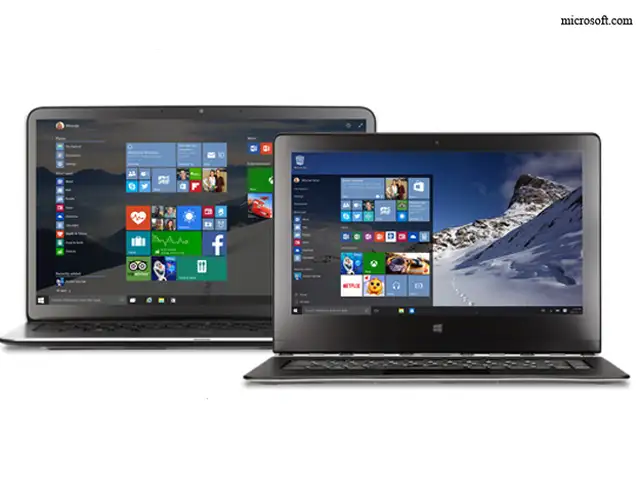
It took just a weekend to get comfortable with Microsoft's new Windows 10 operating system, something which never happened with its predecessor, Windows 8, even after nearly three years.
With the latest update, Windows no longer feels jarring. Best part: This update is free.
Windows 8 was Microsoft's way of modernizing personal computers, as smartphones and tablets grew more popular. But it came across as trying to shove a square peg into a round hole. It steered people toward tablet-like touch commands, even on desktops and laptops that had keyboards and mouse controls.
It took just a weekend to get comfortable with Microsoft's new Windows 10 operating system, something which never happened with its predecessor, Windows 8, even after nearly three years.
With the latest update, Windows no longer feels jarring. Best part: This update is free.
Windows 8 was Microsoft's way of modernizing personal computers, as smartphones and tablets grew more popular. But it came across as trying to shove a square peg into a round hole. It steered people toward tablet-like touch commands, even on desktops and laptops that had keyboards and mouse controls.

ADVERTISEMENT


