Windows 10 will save Microsoft from itself after Windows 8 disaster
It was bad enough that it's considered a major contributing factor to Steve Ballmer's departure from the CEO spot at Microsoft.
By Business Insider | Updated:

By Matt Weinberger
Windows 8 was bad. Real bad.
But Windows 10, which officially launches on Wednesday, July 29th, is a real return to form for Microsoft. And it may have saved Microsoft from itself.
Windows 8 was a flop, by most standards. Circa 2014, the 13-year-old Windows XP was still more widely used than the two-year-old Windows 8. In fact, Microsoft says that right now, today, 2009's Windows 7 operating system is king of the hill with over 500 million users.
It was bad enough that it's considered a major contributing factor to Steve Ballmer's departure from the CEO spot at Microsoft. Many of the top executives who worked on it are no longer with the company.
How Microsoft gets Windows wrong
The problem with Microsoft has never been a lack of technical know-how. The people who make Windows, Office, Windows Server, and a bunch of other software that makes the world go around are not stupid.
But when it comes to Windows, Microsoft sometimes lacks a clear coherent vision for what it wants its flagship product to be.
Take 2006 and the release of Windows Vista, which Ballmer says was his greatest regret from his time at Microsoft. It originally tried to do too much - like introducing a totally new file system that would make data more easily searchable - then got scaled way back after big delays. When it shipped, five years after its predecessor, it was crippled by functions that didn't work quite right, incompatibility with older hardware, and some weird branding and marketing choices.
It became a punchline in tech circles.
Three years later, Windows 7 fixed that up with a fast, streamlined experience that worked on most existing PCs at the time. It had all the best parts of Vista, but felt more like a clean continuation of the popular Windows XP operating system, too. It became the most popular version of Windows ever.
The Windows 7 Start Menu, which was eliminated in Windows 8.
The cycle repeated itself with Windows 8.
Thanks to Apple's success with the iPhone and iPad, Microsoft knew that it had to follow up Windows 7 with something that was more touch-friendly.
But Windows 8 couldn't quite decide if it was a tablet operating system that could run desktop apps, or a desktop operating system that could support touchscreens. Instead, users got a bizarre mishmash of both that was hard to navigate with a mouse and keyboard.
The major Windows 8.1 update patched things up a little, and restored a bit more of the familiar Windows interface to the operating system, but the damage had been done.
The Windows 8 Start screen, which replaced the familiar Start Menu, was jarring to some longtime Windows users.
With Windows 8, there was no unified vision, and Microsoft suffered because of it.
Windows 10, led by still-fresh Microsoft CEO Satya Nadella, rights the course in a lot of ways. It takes the things people liked about Windows 7, namely the traditional desktop interface, and the things people liked about Windows 8, including how well it works on touchscreens, and mashes it up into something cool but familiar.
"Windows 10 is coherent. It makes sense. Its design no longer leaves you pounding your forehead on your desk, ruing the day that Microsoft lit up whatever it was smoking," wrote Yahoo's David Pogue in his review of Windows 10.
In our own time with Windows 10, this has proven to be completely true. As a desktop operating system, it feels like the best of Windows, whether you're running it on a tablet or laptop. I'm writing this very article on a Windows 10 machine that I've been kicking around for a week or so - after years of being an Mac guy - just to see how it feels. And it feels pretty great.
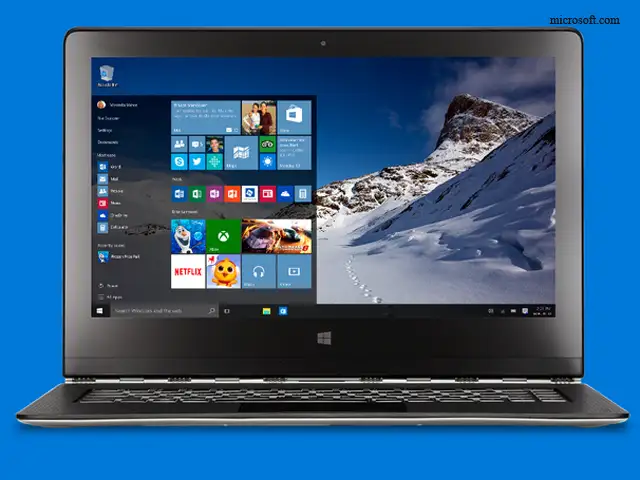
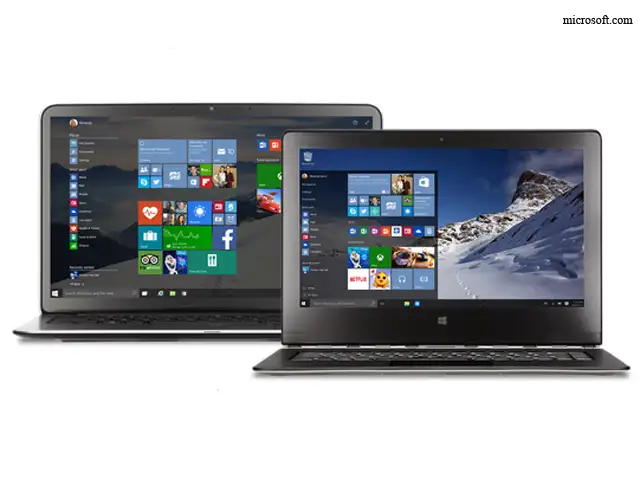
The Windows 10 Start menu, combining aspects of both
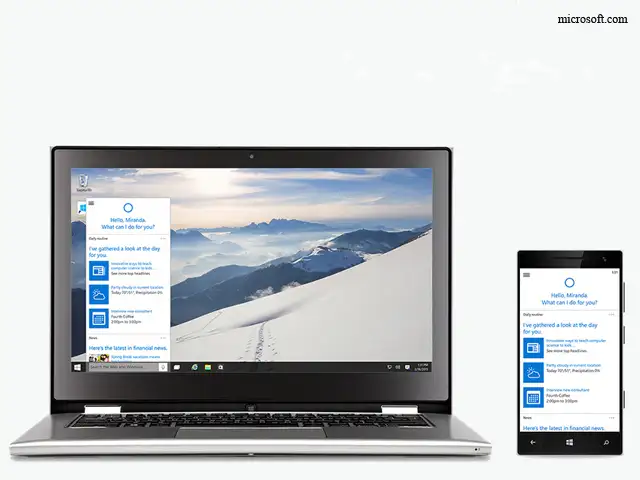
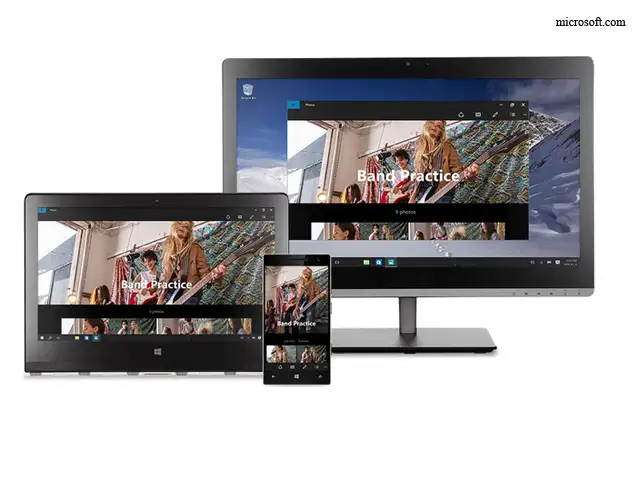
Windows 10 has that thing that Windows 8 lacked: A coherent vision. Microsoft's newest buzzphrase is "mobility of experiences," as in, it doesn't matter what device you're on, you should have your apps and data. Windows 10 is a big step towards delivering on that promise.
On a desktop or on a tablet, Windows 10 fades into the background, letting you change browser tabs, drag files, and get work done, without completely reinventing the wheel. It's a version of Windows that works with touch - not a touch version of Windows.
From here, Microsoft can build. It has a version of Windows that it will constantly update with new features and apps, in place of the gigantic move-the-earth releases it used to do - there probably won't be a totally new Windows 11 (or 12 or 13). It also has ambitious plans to turn Windows 10 into a funnel that will guide users towards paying Microsoft for revenue-driving subscription services and microtransactions.
But it can't do any of that without a version of Windows that people wanted to use, with a coherent vision for where it fits into your life. Windows 8 wasn't that operating system. Windows 10 may well be.
Windows 8 was bad. Real bad.
But Windows 10, which officially launches on Wednesday, July 29th, is a real return to form for Microsoft. And it may have saved Microsoft from itself.
Windows 8 was a flop, by most standards. Circa 2014, the 13-year-old Windows XP was still more widely used than the two-year-old Windows 8. In fact, Microsoft says that right now, today, 2009's Windows 7 operating system is king of the hill with over 500 million users.
It was bad enough that it's considered a major contributing factor to Steve Ballmer's departure from the CEO spot at Microsoft. Many of the top executives who worked on it are no longer with the company.
How Microsoft gets Windows wrong
ADVERTISEMENT
The problem with Microsoft has never been a lack of technical know-how. The people who make Windows, Office, Windows Server, and a bunch of other software that makes the world go around are not stupid.
But when it comes to Windows, Microsoft sometimes lacks a clear coherent vision for what it wants its flagship product to be.
Take 2006 and the release of Windows Vista, which Ballmer says was his greatest regret from his time at Microsoft. It originally tried to do too much - like introducing a totally new file system that would make data more easily searchable - then got scaled way back after big delays. When it shipped, five years after its predecessor, it was crippled by functions that didn't work quite right, incompatibility with older hardware, and some weird branding and marketing choices.
It became a punchline in tech circles.
ADVERTISEMENT
Three years later, Windows 7 fixed that up with a fast, streamlined experience that worked on most existing PCs at the time. It had all the best parts of Vista, but felt more like a clean continuation of the popular Windows XP operating system, too. It became the most popular version of Windows ever.
The Windows 7 Start Menu, which was eliminated in Windows 8.
ADVERTISEMENT
The cycle repeated itself with Windows 8.
Thanks to Apple's success with the iPhone and iPad, Microsoft knew that it had to follow up Windows 7 with something that was more touch-friendly.
But Windows 8 couldn't quite decide if it was a tablet operating system that could run desktop apps, or a desktop operating system that could support touchscreens. Instead, users got a bizarre mishmash of both that was hard to navigate with a mouse and keyboard.
The major Windows 8.1 update patched things up a little, and restored a bit more of the familiar Windows interface to the operating system, but the damage had been done.
The Windows 8 Start screen, which replaced the familiar Start Menu, was jarring to some longtime Windows users.
With Windows 8, there was no unified vision, and Microsoft suffered because of it.
Windows 10, led by still-fresh Microsoft CEO Satya Nadella, rights the course in a lot of ways. It takes the things people liked about Windows 7, namely the traditional desktop interface, and the things people liked about Windows 8, including how well it works on touchscreens, and mashes it up into something cool but familiar.
"Windows 10 is coherent. It makes sense. Its design no longer leaves you pounding your forehead on your desk, ruing the day that Microsoft lit up whatever it was smoking," wrote Yahoo's David Pogue in his review of Windows 10.
In our own time with Windows 10, this has proven to be completely true. As a desktop operating system, it feels like the best of Windows, whether you're running it on a tablet or laptop. I'm writing this very article on a Windows 10 machine that I've been kicking around for a week or so - after years of being an Mac guy - just to see how it feels. And it feels pretty great.
The Windows 10 Start menu, combining aspects of both
Windows 10 has that thing that Windows 8 lacked: A coherent vision. Microsoft's newest buzzphrase is "mobility of experiences," as in, it doesn't matter what device you're on, you should have your apps and data. Windows 10 is a big step towards delivering on that promise.
On a desktop or on a tablet, Windows 10 fades into the background, letting you change browser tabs, drag files, and get work done, without completely reinventing the wheel. It's a version of Windows that works with touch - not a touch version of Windows.
From here, Microsoft can build. It has a version of Windows that it will constantly update with new features and apps, in place of the gigantic move-the-earth releases it used to do - there probably won't be a totally new Windows 11 (or 12 or 13). It also has ambitious plans to turn Windows 10 into a funnel that will guide users towards paying Microsoft for revenue-driving subscription services and microtransactions.
But it can't do any of that without a version of Windows that people wanted to use, with a coherent vision for where it fits into your life. Windows 8 wasn't that operating system. Windows 10 may well be.
Download
The Economic Times Business News App for the Latest News in Business, Sensex, Stock Market Updates & More.
The Economic Times Business News App for the Latest News in Business, Sensex, Stock Market Updates & More.
Download
The Economic Times News App for Quarterly Results, Latest News in ITR, Business, Share Market, Live Sensex News & More.
The Economic Times News App for Quarterly Results, Latest News in ITR, Business, Share Market, Live Sensex News & More.
Related Articles
 Microsoft's Xbox plans for major layoffs next month: Report2026-06-11T03:21:56Z
- Bill Gates reveals details about Jeffrey Epstein meeting as Microsoft co-founder faces tough questions about relationship with financier2026-06-10T16:26:22Z
- LinkedIn cofounder Reid Hoffman to step down from Microsoft's board2026-06-05T16:14:57Z
Text: Businessinsider.in
On July 29th, Microsoft will release the most significant overhaul of its operating system in years when it launches the long-awaited Windows 10.
You probably have some questions. So we've prepared some answers.
On July 29th, Microsoft will release the most significant overhaul of its operating system in years when it launches the long-awaited Windows 10.
You probably have some questions. So we've prepared some answers.



ADVERTISEMENT


