Nine very good reasons you'll love Microsoft's Windows 10
Cortana, Microsoft's digital assistant (based off the character of the same name from the Halo video game series), has been available for Windows Phone for a while now.
By Business Insider | Updated:

By Matt Weinberger
Windows 10 is almost here, and the anticipation is building. Microsoft's newest operating system adds tons of cool features, from a next-generation digital assistant to Xbox One gaming on your PC.
Here are some of the coolest features you should be looking forward to in Windows 10.
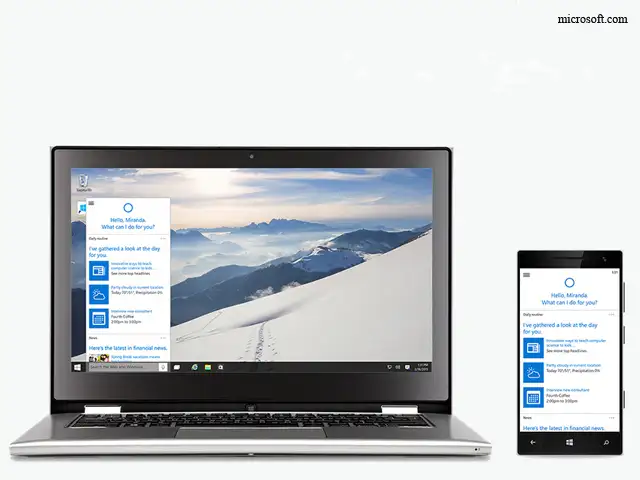
1. Cortana, the digital assistant
Cortana, Microsoft's digital assistant (based off the character of the same name from the Halo video game series), has been available for Windows Phone for a while now.
But by building it in to Windows 10, it makes it a lot easier to get answers to simple questions, like "Hey Cortana, what's the weather today?" from the desktop — something that Apple's Siri can't do. Plus, since Cortana is coming to iOS and Android phones, too, it's a new way for your Windows computer to play nicely with your existing smartphone, whatever it happens to be.
And she has a little more personality than Siri or Google Now. Ask her to "Play the movie game" and she'll try to stump you with film trivia. If you're a Halo fan, ask her where Master Chief is at.
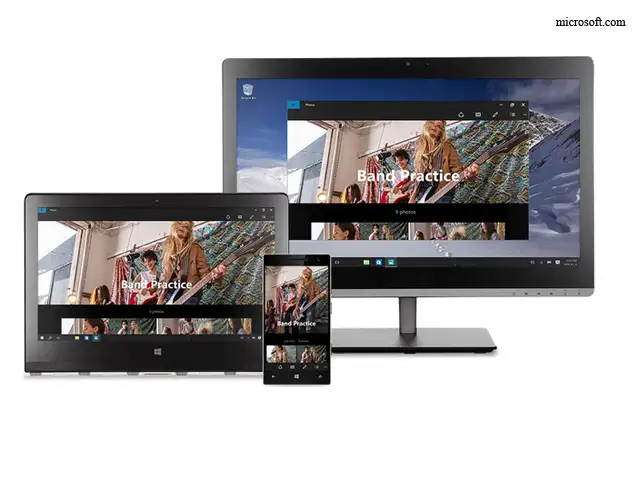
2. Windows Store for multi-device purchases
The Windows Store has gotten an overhaul since Windows 8. Now, when you buy an app, it's guaranteed to work anywhere.
This means that Microsoft Office for tablets works in exactly the same way as Microsoft Office for desktops -- or, maybe, eventually the Xbox One games console. It means not having to learn a new app on every device, and having the same features available everywhere.
3. Windows Hello's facial recognition sign-in
Windows 10 will let you log in to your computer just by getting a look at your face in the webcam.
It's called "Windows Hello." And from initial demos with Microsoft, it works pretty well. And no, you can't fool it with a mask.
4. Windows Continuum for Phones
One of the coolest new features in Windows 10 for smartphones is the ability to use a Windows Phone as a full-fledged computer, once you hook it up to a screen. You can even use a mouse and keyboard, if you're so inclined.
5. Microsoft Edge, the fast new web browser
Microsoft Edge is leaner, meaner, and faster than its predecessor, Internet Explorer. In fact, it's beaten Chrome on some early speed benchmark tests. In addition, Edge has some neat features, like a scribbling mode that lets you annotate webpages and share them.
Edge also integrates with Cortana, so she can find the hours and menus of restaurants you're looking at in the browser. She can also look up words or concepts straight from a webpage.
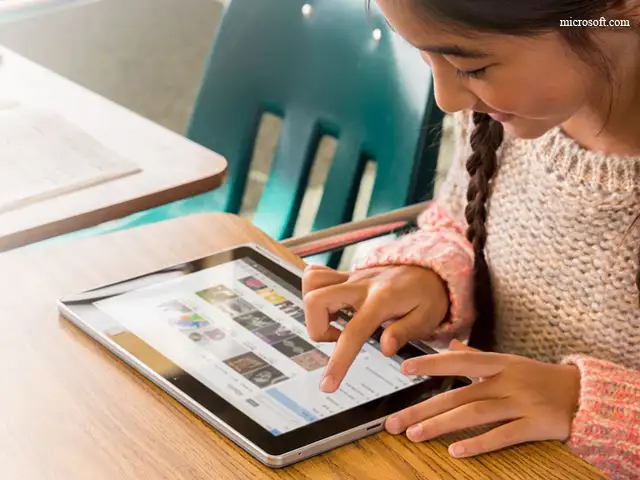
6. Touch
Windows 8.1 did a lot of things wrong, but it had some chops when it came to touch-friendly design.
Windows 10 takes some of that experience with touch, and combines it with a more traditional Windows desktop experience. It's a little old, and a little new, but moving windows around and changing browser tabs with a touch feels natural in very short order.
Plus, Windows 10 automatically changes between computer mode and tablet mode when you remove the keyboard, if you have a 2-in-1 like the Microsoft Surface laptop/tablet hybrid.
7. Xbox One video gaming
A new Xbox for Windows app lets you play games with friends, view your game clips, and compare scores from your computer.
Cooler still, you can stream Xbox One games across your home network and play them on a Windows 10 PC. Down the line, you'll be able to plug an Oculus Rift or HTC Vive VR headset into your Windows 10 computer and play Xbox One games this way.
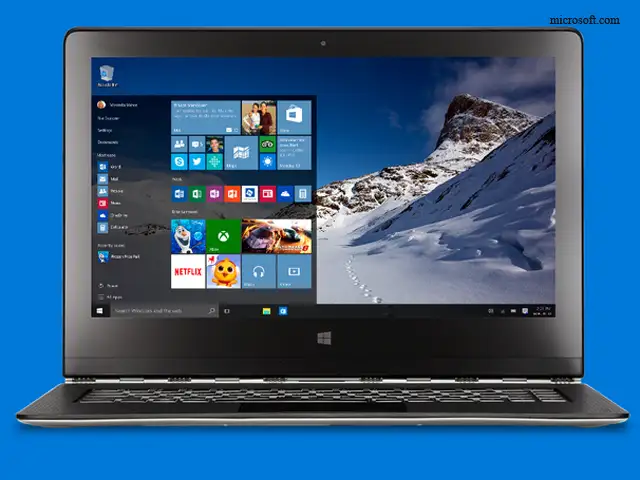
8. The new Start Menu
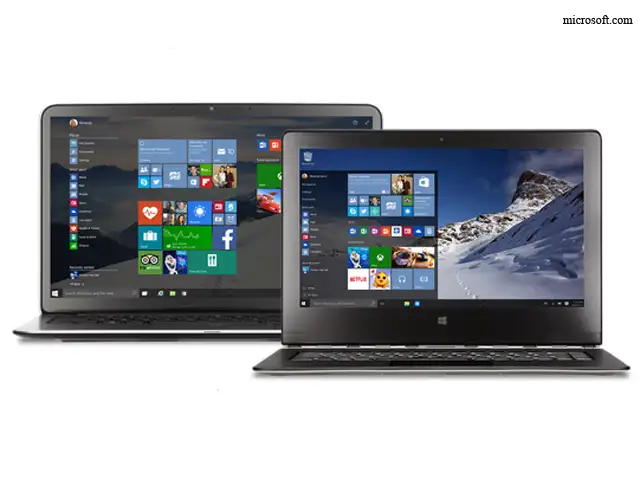
The new Start Menu is a little like the Windows 7 version, and a little like the Windows 8 version.
By default, you get a list of your apps on the left side. And on the right, there are a bunch of so-called "Live Tiles," with app icons that present relevant data straight from the menu.
But the best part is that you can control just how big it is, so it doesn't have to take over your whole screen every time.
9. It just works
It's hard to get across in a single picture, but Windows 10 is both familiar and fresh. Lots of little things, like the way windows snap into place in the corners, makes it all come together in a way that just feels right. And a new, Android-style notification center brings it into the modern age.
Windows 10 is almost here, and the anticipation is building. Microsoft's newest operating system adds tons of cool features, from a next-generation digital assistant to Xbox One gaming on your PC.
Here are some of the coolest features you should be looking forward to in Windows 10.
1. Cortana, the digital assistant
Cortana, Microsoft's digital assistant (based off the character of the same name from the Halo video game series), has been available for Windows Phone for a while now.
But by building it in to Windows 10, it makes it a lot easier to get answers to simple questions, like "Hey Cortana, what's the weather today?" from the desktop — something that Apple's Siri can't do. Plus, since Cortana is coming to iOS and Android phones, too, it's a new way for your Windows computer to play nicely with your existing smartphone, whatever it happens to be.
ADVERTISEMENT
And she has a little more personality than Siri or Google Now. Ask her to "Play the movie game" and she'll try to stump you with film trivia. If you're a Halo fan, ask her where Master Chief is at.
2. Windows Store for multi-device purchases
The Windows Store has gotten an overhaul since Windows 8. Now, when you buy an app, it's guaranteed to work anywhere.
This means that Microsoft Office for tablets works in exactly the same way as Microsoft Office for desktops -- or, maybe, eventually the Xbox One games console. It means not having to learn a new app on every device, and having the same features available everywhere.
ADVERTISEMENT
3. Windows Hello's facial recognition sign-in
Windows 10 will let you log in to your computer just by getting a look at your face in the webcam.
ADVERTISEMENT
It's called "Windows Hello." And from initial demos with Microsoft, it works pretty well. And no, you can't fool it with a mask.
4. Windows Continuum for Phones
One of the coolest new features in Windows 10 for smartphones is the ability to use a Windows Phone as a full-fledged computer, once you hook it up to a screen. You can even use a mouse and keyboard, if you're so inclined.
5. Microsoft Edge, the fast new web browser
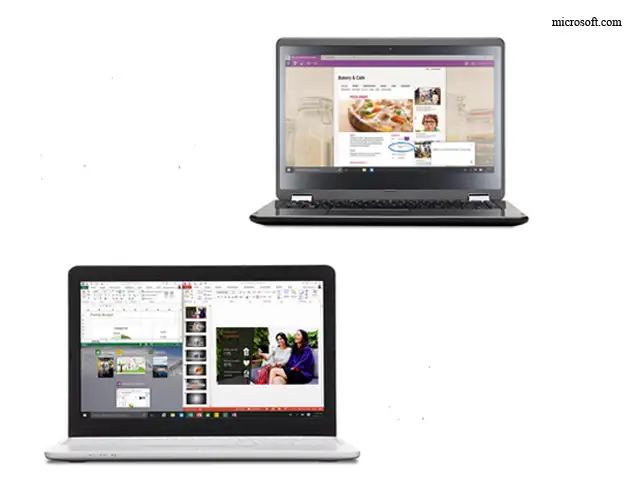
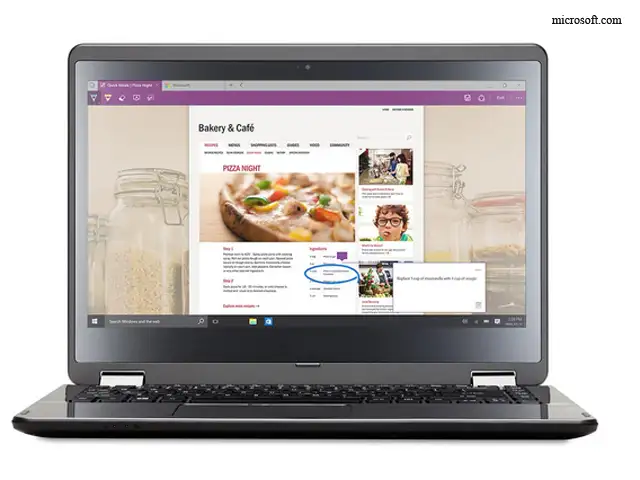
Microsoft Edge is leaner, meaner, and faster than its predecessor, Internet Explorer. In fact, it's beaten Chrome on some early speed benchmark tests. In addition, Edge has some neat features, like a scribbling mode that lets you annotate webpages and share them.
Edge also integrates with Cortana, so she can find the hours and menus of restaurants you're looking at in the browser. She can also look up words or concepts straight from a webpage.
6. Touch
Windows 8.1 did a lot of things wrong, but it had some chops when it came to touch-friendly design.
Windows 10 takes some of that experience with touch, and combines it with a more traditional Windows desktop experience. It's a little old, and a little new, but moving windows around and changing browser tabs with a touch feels natural in very short order.
Plus, Windows 10 automatically changes between computer mode and tablet mode when you remove the keyboard, if you have a 2-in-1 like the Microsoft Surface laptop/tablet hybrid.
7. Xbox One video gaming
A new Xbox for Windows app lets you play games with friends, view your game clips, and compare scores from your computer.
Cooler still, you can stream Xbox One games across your home network and play them on a Windows 10 PC. Down the line, you'll be able to plug an Oculus Rift or HTC Vive VR headset into your Windows 10 computer and play Xbox One games this way.
8. The new Start Menu
The new Start Menu is a little like the Windows 7 version, and a little like the Windows 8 version.
By default, you get a list of your apps on the left side. And on the right, there are a bunch of so-called "Live Tiles," with app icons that present relevant data straight from the menu.
But the best part is that you can control just how big it is, so it doesn't have to take over your whole screen every time.
9. It just works
It's hard to get across in a single picture, but Windows 10 is both familiar and fresh. Lots of little things, like the way windows snap into place in the corners, makes it all come together in a way that just feels right. And a new, Android-style notification center brings it into the modern age.
Download
The Economic Times Business News App for the Latest News in Business, Sensex, Stock Market Updates & More.
The Economic Times Business News App for the Latest News in Business, Sensex, Stock Market Updates & More.
Download
The Economic Times News App for Quarterly Results, Latest News in ITR, Business, Share Market, Live Sensex News & More.
The Economic Times News App for Quarterly Results, Latest News in ITR, Business, Share Market, Live Sensex News & More.
Related Articles
 “Every boy’s dream”: Microsoft techie’s emotional moment as parents visit his Bengaluru office, watch emotional video2026-06-11T13:19:10Z
- AI to bring more jobs; Indian engineers must focus on collaboration: Microsoft's Rajiv Kumar2026-06-11T11:16:08Z
- Microsoft's Xbox plans for major layoffs next month: Report2026-06-11T03:21:56Z
Text: Businessinsider.in
On July 29th, Microsoft will release the most significant overhaul of its operating system in years when it launches the long-awaited Windows 10.
You probably have some questions. So we've prepared some answers.
On July 29th, Microsoft will release the most significant overhaul of its operating system in years when it launches the long-awaited Windows 10.
You probably have some questions. So we've prepared some answers.


ADVERTISEMENT


