Most people will have to wait a little longer to get the Windows 10 upgrade
Windows 10 will be first rolled out to the 5 million Windows Insiders, the group of people who have been testing Windows 10 in advance.
By Business Insider | Updated:

By Eugene Kim
Microsoft's new Windows 10 operating system will be available worldwide starting July 29 - but only to a select few people first. On Thursday, Microsoft's Windows boss Terry Myerson wrote in a blog post that Windows 10 will be first rolled out to the 5 million Windows Insiders, the group of people who have been testing Windows 10 in advance and giving feedback to Microsoft.
"From there, we will start notifying reserved systems in waves, slowly scaling up after July 29th," Myerson wrote.
If you're one of the people who's already reserved a copy of Windows 10, you will get a notification from Microsoft confirming your system compatibility, Myerson said. And for those whose systems are not ready for an upgrade yet, Microsoft will also follow up directly with more details on how to upgrade.
Myerson added that Windows 10 is seeing full compatibility with the "vast majority" of Windows 8x and Windows 7x users. Business customers using Windows 10 Enterprise and Windows 10 Education will get to upgrade their systems beginning August 1.
"We want to make sure all of you have a great upgrade experience, so we'll roll-out Windows 10 in phases to help manage the demand," he wrote.
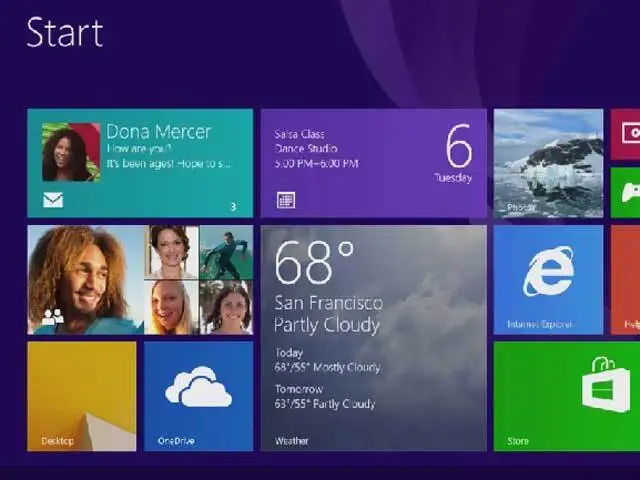
Windows 10 is one of the most anticipated new Microsoft releases in years. It will bring back the popular "Start" tab as well as some new features such as the digital assistant Cortana and a new web browser called Edge. Microsoft announced in January that all Windows 7 and 8 users will get free upgrades to Windows 10.
Microsoft's new Windows 10 operating system will be available worldwide starting July 29 - but only to a select few people first. On Thursday, Microsoft's Windows boss Terry Myerson wrote in a blog post that Windows 10 will be first rolled out to the 5 million Windows Insiders, the group of people who have been testing Windows 10 in advance and giving feedback to Microsoft.
"From there, we will start notifying reserved systems in waves, slowly scaling up after July 29th," Myerson wrote.
If you're one of the people who's already reserved a copy of Windows 10, you will get a notification from Microsoft confirming your system compatibility, Myerson said. And for those whose systems are not ready for an upgrade yet, Microsoft will also follow up directly with more details on how to upgrade.
Myerson added that Windows 10 is seeing full compatibility with the "vast majority" of Windows 8x and Windows 7x users. Business customers using Windows 10 Enterprise and Windows 10 Education will get to upgrade their systems beginning August 1.
"We want to make sure all of you have a great upgrade experience, so we'll roll-out Windows 10 in phases to help manage the demand," he wrote.
ADVERTISEMENT
Windows 10 is one of the most anticipated new Microsoft releases in years. It will bring back the popular "Start" tab as well as some new features such as the digital assistant Cortana and a new web browser called Edge. Microsoft announced in January that all Windows 7 and 8 users will get free upgrades to Windows 10.
Download
The Economic Times Business News App for the Latest News in Business, Sensex, Stock Market Updates & More.
The Economic Times Business News App for the Latest News in Business, Sensex, Stock Market Updates & More.
Download
The Economic Times News App for Quarterly Results, Latest News in ITR, Business, Share Market, Live Sensex News & More.
The Economic Times News App for Quarterly Results, Latest News in ITR, Business, Share Market, Live Sensex News & More.
Text: Karan Bajaj, ET Bureau
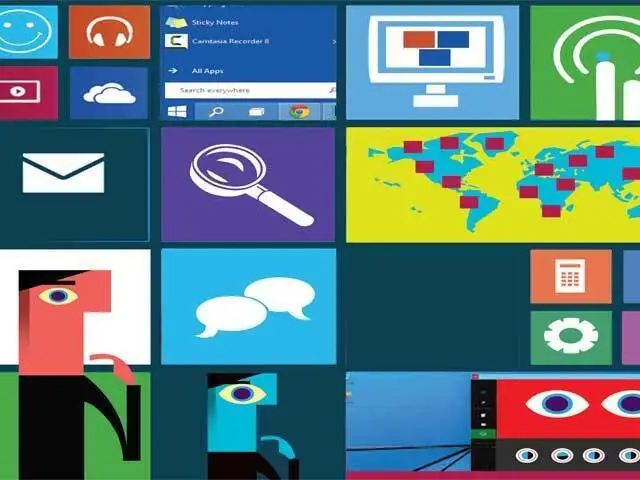
Microsoft has announced the next iteration of their Windows OS, dubbed Windows 10.
Although availability is still about a year away, the technical preview of the OS is available to try the new features.
ET takes a look at some of the biggest changes you can expect
Microsoft has announced the next iteration of their Windows OS, dubbed Windows 10.
Although availability is still about a year away, the technical preview of the OS is available to try the new features.
ET takes a look at some of the biggest changes you can expect

ADVERTISEMENT


