How Windows 10 fares over its previous two versions - 7 and 8.1
As Windows develops, you gain and lose features, but the underlying operating system platform changes are more significant, if not always as obvious.
By Techradar | Updated:

By Mary Branscombe
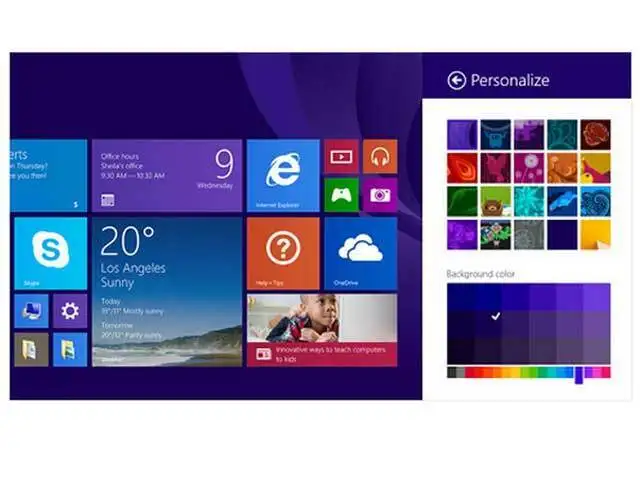
It's easy to think that the main difference between Windows 7, Windows 8 and 8.1 and Windows 10 is the interface; whether you have a Start menu or a Start screen, whether you use desktop programs or apps from the Windows Store. But the fundamental changes in security, performance and mobility are just as important. As Windows develops, you gain and lose features, but the underlying operating system platform changes are more significant, if not always as obvious.
Windows 7: Faster, smaller, better
When it came out in 2008, Windows 7 had new user interface features – a taskbar you could pin icons to, jump lists, aero snap – and plenty of security improvements. But the changes under the hood were also significant.
Windows 7 began the process of making the Windows code base smaller, reversing the trend where new versions of Windows had needed larger and more powerful PCs to run on. That was partly an understanding that Moore's Law was under pressure (as ever-smaller nanometre production processes were going to hit the limit of silicon so small you can't reliably fit in enough electrons – meaning that chips weren't going to keep up the same pace of getting faster and more powerful every year), and partly a response to the popularity of netbooks and the rising interest in mobile.
That also meant making features like wireless networking, Bluetooth connections, mobile broadband and hibernation more reliable, and there was even support for touchscreens (as well as pens, for tablet PCs), and accelerometers.
But Windows 7 was also the first time Microsoft was able to take advantage of an internal refactoring it had been working on for five years, trying to untangle the interlocking spaghetti of code that makes up the operating system. Called MinWin, this let the team building Windows improve specific pieces of their code without worrying about how they depended on other code, so it was easier to update and add new features.
Windows 7 improved battery life by adding power management to the BIOS and even to hardware drivers, so the system could turn off unused devices – like the USB port if nothing was plugged in – and power down parts of the CPU to reduce so-called idle power (how much energy it takes to run a PC when you aren't using it to do anything). This was also when Windows began to stop applications interrupting the CPU, so that it could spend more time in a low-power state between instructions (a setting Chrome continues to change, prioritising performance over power savings).
It's easy to think that the main difference between Windows 7, Windows 8 and 8.1 and Windows 10 is the interface; whether you have a Start menu or a Start screen, whether you use desktop programs or apps from the Windows Store. But the fundamental changes in security, performance and mobility are just as important. As Windows develops, you gain and lose features, but the underlying operating system platform changes are more significant, if not always as obvious.
Windows 7: Faster, smaller, better
When it came out in 2008, Windows 7 had new user interface features – a taskbar you could pin icons to, jump lists, aero snap – and plenty of security improvements. But the changes under the hood were also significant.
Windows 7 began the process of making the Windows code base smaller, reversing the trend where new versions of Windows had needed larger and more powerful PCs to run on. That was partly an understanding that Moore's Law was under pressure (as ever-smaller nanometre production processes were going to hit the limit of silicon so small you can't reliably fit in enough electrons – meaning that chips weren't going to keep up the same pace of getting faster and more powerful every year), and partly a response to the popularity of netbooks and the rising interest in mobile.
That also meant making features like wireless networking, Bluetooth connections, mobile broadband and hibernation more reliable, and there was even support for touchscreens (as well as pens, for tablet PCs), and accelerometers.
ADVERTISEMENT
But Windows 7 was also the first time Microsoft was able to take advantage of an internal refactoring it had been working on for five years, trying to untangle the interlocking spaghetti of code that makes up the operating system. Called MinWin, this let the team building Windows improve specific pieces of their code without worrying about how they depended on other code, so it was easier to update and add new features.
Windows 7 improved battery life by adding power management to the BIOS and even to hardware drivers, so the system could turn off unused devices – like the USB port if nothing was plugged in – and power down parts of the CPU to reduce so-called idle power (how much energy it takes to run a PC when you aren't using it to do anything). This was also when Windows began to stop applications interrupting the CPU, so that it could spend more time in a low-power state between instructions (a setting Chrome continues to change, prioritising performance over power savings).
Download
The Economic Times Business News App for the Latest News in Business, Sensex, Stock Market Updates & More.
The Economic Times Business News App for the Latest News in Business, Sensex, Stock Market Updates & More.
Download
The Economic Times News App for Quarterly Results, Latest News in ITR, Business, Share Market, Live Sensex News & More.
The Economic Times News App for Quarterly Results, Latest News in ITR, Business, Share Market, Live Sensex News & More.
Text: Karan Bajaj, ET Bureau
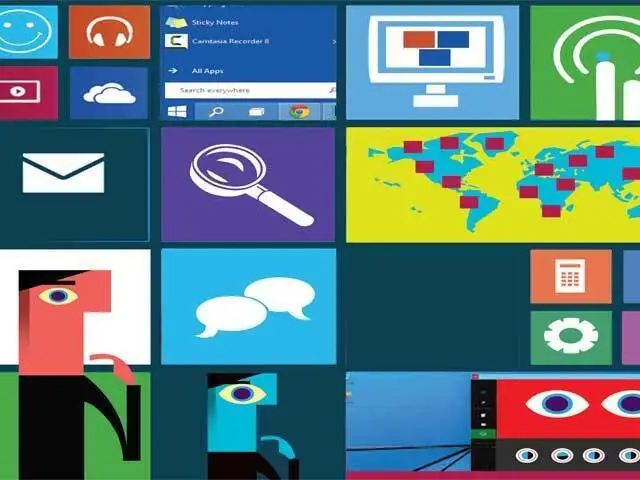
Microsoft has announced the next iteration of their Windows OS, dubbed Windows 10.
Although availability is still about a year away, the technical preview of the OS is available to try the new features.
ET takes a look at some of the biggest changes you can expect
Microsoft has announced the next iteration of their Windows OS, dubbed Windows 10.
Although availability is still about a year away, the technical preview of the OS is available to try the new features.
ET takes a look at some of the biggest changes you can expect

ADVERTISEMENT


