Five reasons why everyone should upgrade to Microsoft's Windows 10
If you're running Windows 7 or higher, you can download Windows 10 for free as long as you do it within the first year. That's it.
By Business Insider | Updated:

By Steve Kovach
If you heard the horror stories from Windows 7 desktop users who upgraded to Windows 8 a few years ago, then you're rightfully skeptical about Windows 10, the new PC operating system from Microsoft launching this week.
No one blames you. Windows 8 was a mess, which is why most still clung to Windows 7.
But the good news is that Windows 10 fixes just about everything that went wrong with Windows 8, and it's a worthwhile upgrade for practically all Windows users. And if you're running Windows 8, Windows 10 is a must-download. Get it as soon as you can.
Here's a quick look at why you should upgrade to Windows 10:
1) It's free
If you're running Windows 7 or higher, you can download Windows 10 for free as long as you do it within the first year. That's it. There are no gimmicks, hidden fees, or charges down the road. You get the full version of Windows 10 for $0. You have nothing to lose but the time it takes to download and install.
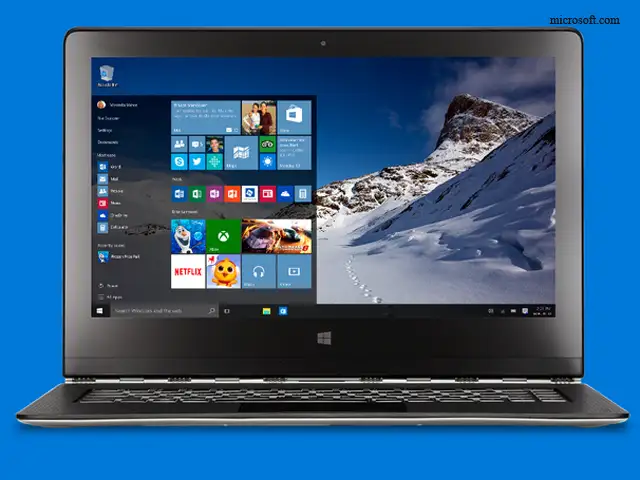
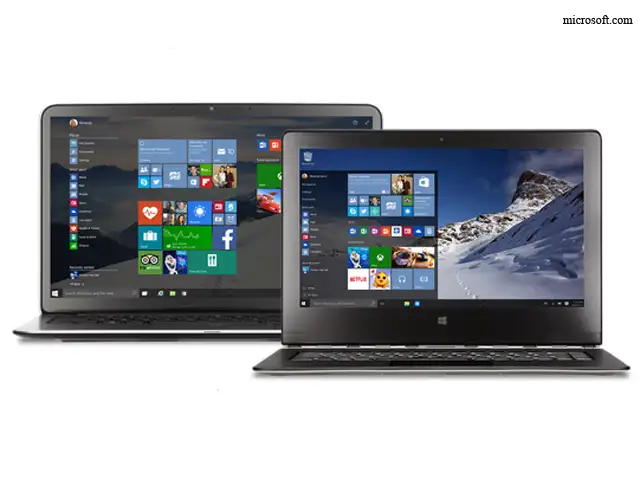
2) The Start menu is back, making Windows 10 an essential upgrade for Windows 8 users
Windows 10 brings back the classic Start menu, which was killed in Windows 8 in favor of an iPad-like touch interface that didn't work well on most PCs. This was one of the biggest frustrations with Windows 8. Those who upgraded to Windows 8 from Windows 7 or earlier were shocked to find the Start menu had disappeared in favor of Microsoft's so-called Modern UI.
Even worse, Windows 8 forced you to constantly switch between two very different modes - the classic desktop mode and the Modern UI. That was a horrible experience.
With Windows 10, you never have to look at the touch interface if you don't want to. You can do everything in the classic desktop mode, and it should feel familiar to any Windows user. If you have a Windows 10 tablet, you can switch to Tablet Mode with one tap from the Action Center menu that you access by swiping over from the right side of the screen.
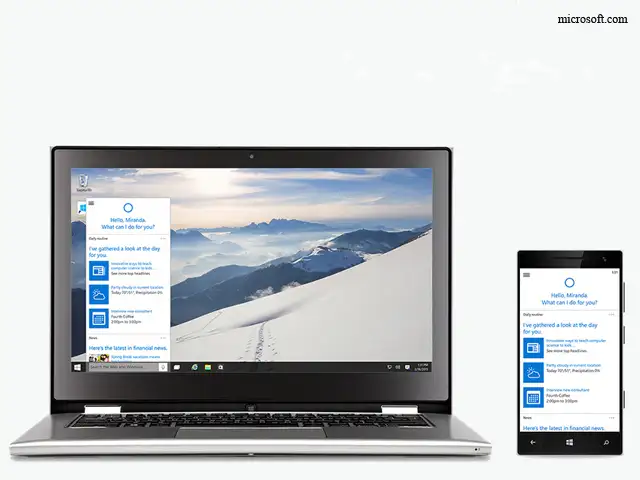
3) You get Microsoft's excellent digital assistant Cortana
Cortana, Microsoft's Siri-like digital assistant that originally debuted on Windows Phone, is a core feature in Windows 10. Cortana can do all the basic stuff digital assistants do like answer basic questions about weather, traffic, or sports scores. You can also give it information about yourself such as what kind of food and entertainment you enjoy so it delivers things you want without asking.
But most importantly, Cortana acts as a universal search engine for everything on the web or stored locally on your PC. It makes it a lot easier to find what you're looking for.
Even if you don't use a Windows Phone, Microsoft will bring Cortana to iPhone and Android soon. If you're using a Windows 10 PC, but carry an Android phone or iPhone with you on the go, you'll want to get Cortana as soon as it's available.
4) You'll get free, frequent updates over time
Windows 10 won't have updates with new version numbers like older versions of Windows did. Instead, you'll get free, frequent updates that fix bugs, add new features, and provide overall stability.
5) You can always go back to your older Windows version if you don't like Windows 10
Just in case you're worried you'll hate Windows 10, Microsoft will let you go back to your older version for free. Just go to Settings > Updates & Security > Recovery and you'll see the option to go back to the last version of Windows you were using.
If you heard the horror stories from Windows 7 desktop users who upgraded to Windows 8 a few years ago, then you're rightfully skeptical about Windows 10, the new PC operating system from Microsoft launching this week.
No one blames you. Windows 8 was a mess, which is why most still clung to Windows 7.
But the good news is that Windows 10 fixes just about everything that went wrong with Windows 8, and it's a worthwhile upgrade for practically all Windows users. And if you're running Windows 8, Windows 10 is a must-download. Get it as soon as you can.
Here's a quick look at why you should upgrade to Windows 10:
1) It's free
ADVERTISEMENT
If you're running Windows 7 or higher, you can download Windows 10 for free as long as you do it within the first year. That's it. There are no gimmicks, hidden fees, or charges down the road. You get the full version of Windows 10 for $0. You have nothing to lose but the time it takes to download and install.
2) The Start menu is back, making Windows 10 an essential upgrade for Windows 8 users
Windows 10 brings back the classic Start menu, which was killed in Windows 8 in favor of an iPad-like touch interface that didn't work well on most PCs. This was one of the biggest frustrations with Windows 8. Those who upgraded to Windows 8 from Windows 7 or earlier were shocked to find the Start menu had disappeared in favor of Microsoft's so-called Modern UI.
Even worse, Windows 8 forced you to constantly switch between two very different modes - the classic desktop mode and the Modern UI. That was a horrible experience.
ADVERTISEMENT
With Windows 10, you never have to look at the touch interface if you don't want to. You can do everything in the classic desktop mode, and it should feel familiar to any Windows user. If you have a Windows 10 tablet, you can switch to Tablet Mode with one tap from the Action Center menu that you access by swiping over from the right side of the screen.
3) You get Microsoft's excellent digital assistant Cortana
ADVERTISEMENT
Cortana, Microsoft's Siri-like digital assistant that originally debuted on Windows Phone, is a core feature in Windows 10. Cortana can do all the basic stuff digital assistants do like answer basic questions about weather, traffic, or sports scores. You can also give it information about yourself such as what kind of food and entertainment you enjoy so it delivers things you want without asking.
But most importantly, Cortana acts as a universal search engine for everything on the web or stored locally on your PC. It makes it a lot easier to find what you're looking for.
Even if you don't use a Windows Phone, Microsoft will bring Cortana to iPhone and Android soon. If you're using a Windows 10 PC, but carry an Android phone or iPhone with you on the go, you'll want to get Cortana as soon as it's available.
4) You'll get free, frequent updates over time
Windows 10 won't have updates with new version numbers like older versions of Windows did. Instead, you'll get free, frequent updates that fix bugs, add new features, and provide overall stability.
5) You can always go back to your older Windows version if you don't like Windows 10
Just in case you're worried you'll hate Windows 10, Microsoft will let you go back to your older version for free. Just go to Settings > Updates & Security > Recovery and you'll see the option to go back to the last version of Windows you were using.
Download
The Economic Times Business News App for the Latest News in Business, Sensex, Stock Market Updates & More.
The Economic Times Business News App for the Latest News in Business, Sensex, Stock Market Updates & More.
Download
The Economic Times News App for Quarterly Results, Latest News in ITR, Business, Share Market, Live Sensex News & More.
The Economic Times News App for Quarterly Results, Latest News in ITR, Business, Share Market, Live Sensex News & More.
Related Articles
 Bill Gates reveals details about Jeffrey Epstein meeting as Microsoft co-founder faces tough questions about relationship with financier2026-06-10T16:26:22Z
- LinkedIn cofounder Reid Hoffman to step down from Microsoft's board2026-06-05T16:14:57Z
- India leading the pack in AI adoption: Microsoft’s Puneet Chandok2026-06-03T00:30:00Z
Text: Businessinsider.in
On July 29th, Microsoft will release the most significant overhaul of its operating system in years when it launches the long-awaited Windows 10.
You probably have some questions. So we've prepared some answers.
On July 29th, Microsoft will release the most significant overhaul of its operating system in years when it launches the long-awaited Windows 10.
You probably have some questions. So we've prepared some answers.



ADVERTISEMENT


