Cheap Windows 8.1 deals: How to get Microsoft's OS for a bargain price
Windows 8.1 is the only version of Windows currently supported by Microsoft (that is, until the launch of Windows 10 next month).
By Techradar | Updated:

By Desire Athow
Windows 8.1 didn't get the love it deserved unfortunately - launched in the aftermath of Windows 8, it was supposed to tidy up and restore the might of the world's most popular operating system. But it was viewed as a minor iteration of the OS it replaced and instead got engulfed in the wave of negativity that accompanied Windows 8 throughout its life.
Windows 8.1 is the only version of Windows currently supported by Microsoft (that is, until the launch of Windows 10 next month). With the price of its successor already pegged at £89.99, it is worth just buying it and upgrading either immediately or before 29 July 2016.
The cheapest Windows 8.1 operating system comes from Amazon at just over £74. This is more expensive than Windows 7 (by about 10%) which means that the latter is probably a better upgrade route for Windows 10. Should you be looking for the cheapest Windows 8.1 Pro deal Amazon seems to provide the best option, albeit an OEM one for £100, which for the end user shouldn't make any difference.
If you are a student?
Microsoft doesn't give away free Windows 8.1 copies to students unfortunately. However, they can download Windows Server 2012 which is essentially the server equivalent of Windows 8.1 (albeit slightly overkill for most mundane tasks). Alternatively, you can buy Windows 8.1 Pro Student from Microsoft direct for £49.99, nearly 67% less than its suggested retail price. We haven't been able to source that stock keeping unit (SKU) from any other genuine online retailers (not even Amazon).
Cheapest Windows 8.1 desktop PC
If you are after a computer that runs Windows 8.1, then there are scores of models from which to choose from with some vendors even bundling both Windows 7 Professional and Windows 8.1 Professional in a bid to cater for the business market.
At the time of writing, the best Windows 8.1 PC deal is arguably the HP Prodesk 405 G2 MT from Ebuyer. It costs £199.98 but if you have an old Windows XP PC around that you can send back, then trade it in and get £100 cashback to bring down the price of the Prodesk 405 G2 MT to £99.98 including delivery.
Otherwise, the Lenovo Thinkcentre E50-00 costs £149.99 with a similar configuration - both those models target SMBs and provide an excellent upgrade route for existing Windows XP users.
Given that Amazon sells the cheapest Windows 8 Professional version for £100, buying a new computer with a new OS makes financial sense especially for smaller businesses or those looking for a wholesale change ahead of a potential move to Windows 10 later down the line.
Cheapest Windows 8.1 laptop
We keep an updated list of the hottest cheap Windows 8.1 laptop deals on the market (as well as other operating systems) which is well worth checking out. If you have an old computer or laptop knocking around, then the HP 455 G2 might be a good bet with a stonking £150 cashback, bringing the price down to £221 after a trade-in scheme that expires very soon. It comes with Windows 8.1 Pro and Windows 7 Pro as did the aforementioned desktop personal computers, and this machine is aimed at SMBs as well.
Windows 8.1 didn't get the love it deserved unfortunately - launched in the aftermath of Windows 8, it was supposed to tidy up and restore the might of the world's most popular operating system. But it was viewed as a minor iteration of the OS it replaced and instead got engulfed in the wave of negativity that accompanied Windows 8 throughout its life.
Windows 8.1 is the only version of Windows currently supported by Microsoft (that is, until the launch of Windows 10 next month). With the price of its successor already pegged at £89.99, it is worth just buying it and upgrading either immediately or before 29 July 2016.
The cheapest Windows 8.1 operating system comes from Amazon at just over £74. This is more expensive than Windows 7 (by about 10%) which means that the latter is probably a better upgrade route for Windows 10. Should you be looking for the cheapest Windows 8.1 Pro deal Amazon seems to provide the best option, albeit an OEM one for £100, which for the end user shouldn't make any difference.
If you are a student?
Microsoft doesn't give away free Windows 8.1 copies to students unfortunately. However, they can download Windows Server 2012 which is essentially the server equivalent of Windows 8.1 (albeit slightly overkill for most mundane tasks). Alternatively, you can buy Windows 8.1 Pro Student from Microsoft direct for £49.99, nearly 67% less than its suggested retail price. We haven't been able to source that stock keeping unit (SKU) from any other genuine online retailers (not even Amazon).
ADVERTISEMENT
Cheapest Windows 8.1 desktop PC
If you are after a computer that runs Windows 8.1, then there are scores of models from which to choose from with some vendors even bundling both Windows 7 Professional and Windows 8.1 Professional in a bid to cater for the business market.
At the time of writing, the best Windows 8.1 PC deal is arguably the HP Prodesk 405 G2 MT from Ebuyer. It costs £199.98 but if you have an old Windows XP PC around that you can send back, then trade it in and get £100 cashback to bring down the price of the Prodesk 405 G2 MT to £99.98 including delivery.
Otherwise, the Lenovo Thinkcentre E50-00 costs £149.99 with a similar configuration - both those models target SMBs and provide an excellent upgrade route for existing Windows XP users.
ADVERTISEMENT
Given that Amazon sells the cheapest Windows 8 Professional version for £100, buying a new computer with a new OS makes financial sense especially for smaller businesses or those looking for a wholesale change ahead of a potential move to Windows 10 later down the line.
Cheapest Windows 8.1 laptop
ADVERTISEMENT
We keep an updated list of the hottest cheap Windows 8.1 laptop deals on the market (as well as other operating systems) which is well worth checking out. If you have an old computer or laptop knocking around, then the HP 455 G2 might be a good bet with a stonking £150 cashback, bringing the price down to £221 after a trade-in scheme that expires very soon. It comes with Windows 8.1 Pro and Windows 7 Pro as did the aforementioned desktop personal computers, and this machine is aimed at SMBs as well.
Download
The Economic Times Business News App for the Latest News in Business, Sensex, Stock Market Updates & More.
The Economic Times Business News App for the Latest News in Business, Sensex, Stock Market Updates & More.
Download
The Economic Times News App for Quarterly Results, Latest News in ITR, Business, Share Market, Live Sensex News & More.
The Economic Times News App for Quarterly Results, Latest News in ITR, Business, Share Market, Live Sensex News & More.
Related Articles
 “Every boy’s dream”: Microsoft techie’s emotional moment as parents visit his Bengaluru office, watch emotional video2026-06-11T13:19:10Z
- AI to bring more jobs; Indian engineers must focus on collaboration: Microsoft's Rajiv Kumar2026-06-11T11:16:08Z
- Microsoft's Xbox plans for major layoffs next month: Report2026-06-11T03:21:56Z
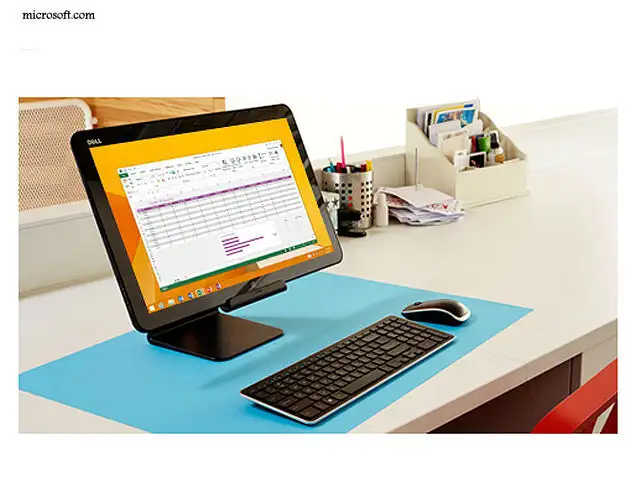
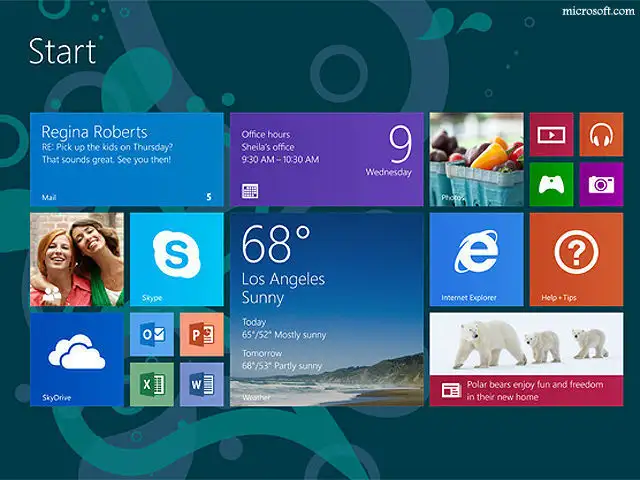
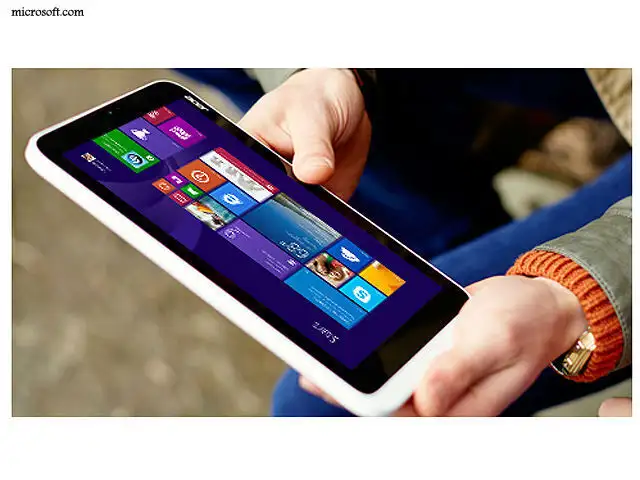
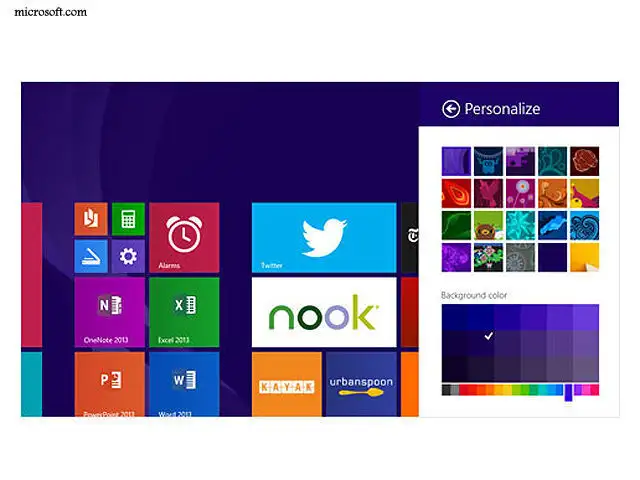
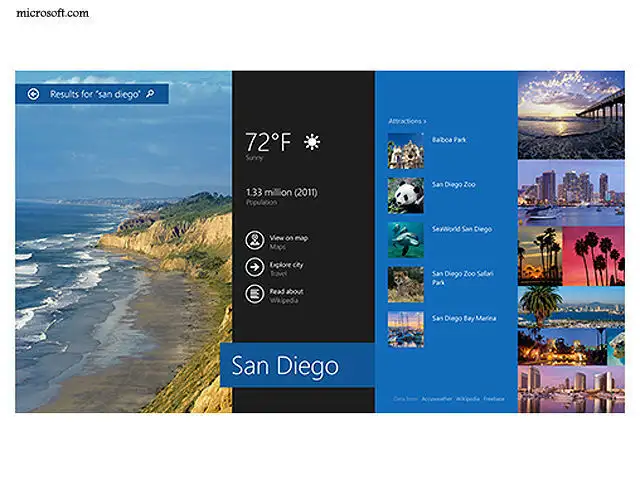
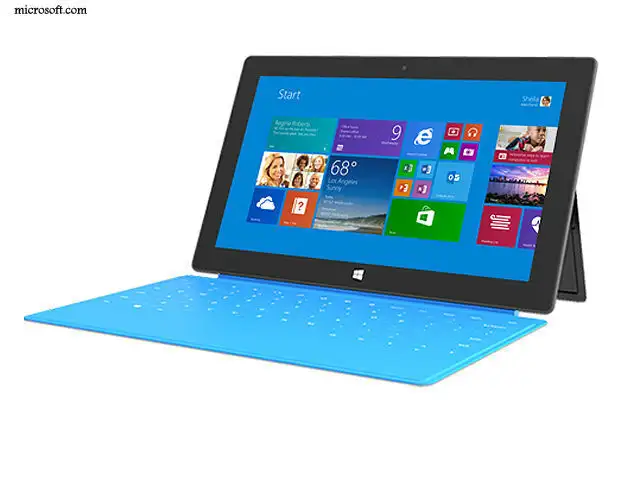
Windows 8.1 still features the dual worlds that Windows 8 created when it came out last October. On one hand, it features a touch-enabled tile interface resembling what's found in tablet computers.
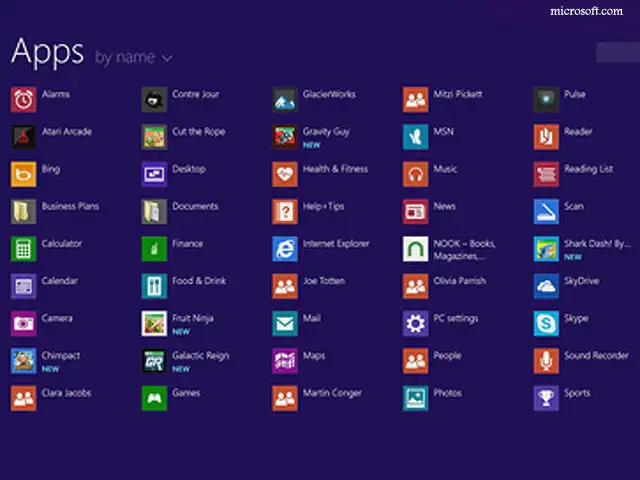
On the other, there's the old desktop mode where the keyboard and mouse still reign. The update adds some new finger- and gesture-friendly shortcuts for touch-based apps, while restoring some respect for the desktop mode that a billion PC users have become accustomed to.
On the other, there's the old desktop mode where the keyboard and mouse still reign. The update adds some new finger- and gesture-friendly shortcuts for touch-based apps, while restoring some respect for the desktop mode that a billion PC users have become accustomed to.


ADVERTISEMENT


