Microsoft focuses on battery life ahead of Windows 10 launch
The update brought a lot of visual changes and features to Windows 10, including a dark theme with Microsoft's Tron-inspired desktop wallpaper.
By Techradar | Updated:

By Chuong Nguyen
Windows 10 updates are rolling out faster than ever, but don't expect many front-facing changes to the latest Insider Preview Build 10162. The latest build is the third update to the Windows 10 Insider program in as little as a week, with Microsoft increasing its cadence of releases in the weeks ahead of the official launch of Windows 10.
"Build 10162 is another great one," Gabriel Aul, General Manager of the Operating Systems Group at Microsoft, said in a statement. "In fact, our testing and internal telemetry metrics show it has better reliability, performance, battery life and compatibility than any Windows 10 Insider Preview build so far."
Aul did not mention if there are any new features in Build 10162.
Going dark
Build 10158 was the first Insider Preview release this week. That update brought a lot of visual changes and new features to Windows 10, including a new, dark theme with Microsoft's Tron-inspired desktop wallpaper.
Cortana even gained more voice in the build, as the Halo-inspired digital assistant can now be commanded to send emails. Additionally, Microsoft updated the Windows 10 Photos app in the Store, adding support for GIFs.
Prior to Build 10162, Build 10159 added over 300 big fixes and refinements, but Microsoft did not give specifics on the changes.
Aul had previously cautioned that future builds released to Insiders would be centered around bug fixes and polish, rather than new features, and Build 10159 and 10162 fall in line with this direction.
The faster Fast Ring
Given the rapid succession of build releases, Aul said that Build 10162 will go out first to Fast ring members.
"We're looking at Build 10162 as a candidate and unless we see any issues emerge in the Fast ring we'll look to publish it to Slow (with ISOs) early next week," Aul said.
Compared to the Slow ring, Fast ring Insiders get preview builds first, sacrificing stability for early access to new features and fixes.
The grand debut
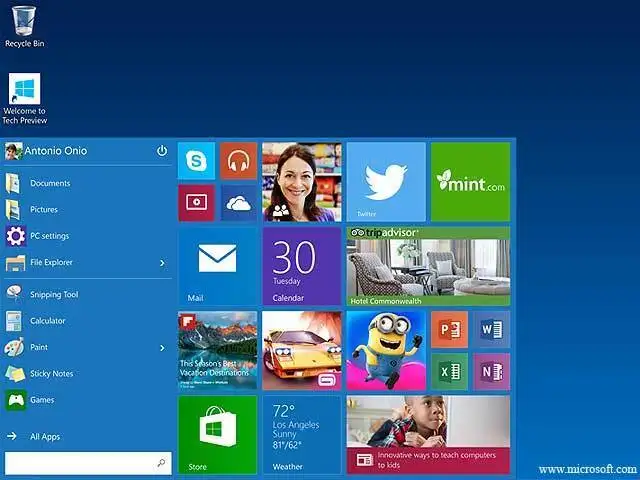
Microsoft stated previously that the new operating system - which brings back the Start menu and adds features like Cortana, the Microsoft Edge browser and Continuum for hybrid owners to easily switch between laptop and tablet modes - will launch on July 29.
The upgrade to Windows 10 will be free, during the first year of release, to customers moving from Windows 7, 8 and 8.1. However, Microsoft noted early this morning that not all customers will be seeing the update initially on July 29, and that Insiders will have first access at downloading the operating system when it becomes available on launch day.
For those not qualified for the free promotion, Windows 10 Home will retail for $129 in the US, £99 in the UK and 135 in Eurozone markets. Microsoft announced previously that Windows 10 Professional will cost $199 (£131, AU$262), but did not specify pricing for markets outside the US. It is expected that pricing for Windows 10 will be similar to Windows 8.1 when that OS launched.
The company is rolling out Windows 10 in waves, likely to stem an overwhelming amount of traffic. Microsoft's ambitious goal is to have Windows 10 on a billion devices in the next few years. Microsoft also announced the different features available to the various versions of Windows 10.
Windows 10 Enterprise is not expected to launch with the consumer editions this month.
Windows 10 updates are rolling out faster than ever, but don't expect many front-facing changes to the latest Insider Preview Build 10162. The latest build is the third update to the Windows 10 Insider program in as little as a week, with Microsoft increasing its cadence of releases in the weeks ahead of the official launch of Windows 10.
"Build 10162 is another great one," Gabriel Aul, General Manager of the Operating Systems Group at Microsoft, said in a statement. "In fact, our testing and internal telemetry metrics show it has better reliability, performance, battery life and compatibility than any Windows 10 Insider Preview build so far."
Aul did not mention if there are any new features in Build 10162.
Going dark
Build 10158 was the first Insider Preview release this week. That update brought a lot of visual changes and new features to Windows 10, including a new, dark theme with Microsoft's Tron-inspired desktop wallpaper.
ADVERTISEMENT
Cortana even gained more voice in the build, as the Halo-inspired digital assistant can now be commanded to send emails. Additionally, Microsoft updated the Windows 10 Photos app in the Store, adding support for GIFs.
Prior to Build 10162, Build 10159 added over 300 big fixes and refinements, but Microsoft did not give specifics on the changes.
Aul had previously cautioned that future builds released to Insiders would be centered around bug fixes and polish, rather than new features, and Build 10159 and 10162 fall in line with this direction.
The faster Fast Ring
ADVERTISEMENT
Given the rapid succession of build releases, Aul said that Build 10162 will go out first to Fast ring members.
"We're looking at Build 10162 as a candidate and unless we see any issues emerge in the Fast ring we'll look to publish it to Slow (with ISOs) early next week," Aul said.
ADVERTISEMENT
Compared to the Slow ring, Fast ring Insiders get preview builds first, sacrificing stability for early access to new features and fixes.
The grand debut
Microsoft stated previously that the new operating system - which brings back the Start menu and adds features like Cortana, the Microsoft Edge browser and Continuum for hybrid owners to easily switch between laptop and tablet modes - will launch on July 29.
The upgrade to Windows 10 will be free, during the first year of release, to customers moving from Windows 7, 8 and 8.1. However, Microsoft noted early this morning that not all customers will be seeing the update initially on July 29, and that Insiders will have first access at downloading the operating system when it becomes available on launch day.
For those not qualified for the free promotion, Windows 10 Home will retail for $129 in the US, £99 in the UK and 135 in Eurozone markets. Microsoft announced previously that Windows 10 Professional will cost $199 (£131, AU$262), but did not specify pricing for markets outside the US. It is expected that pricing for Windows 10 will be similar to Windows 8.1 when that OS launched.
The company is rolling out Windows 10 in waves, likely to stem an overwhelming amount of traffic. Microsoft's ambitious goal is to have Windows 10 on a billion devices in the next few years. Microsoft also announced the different features available to the various versions of Windows 10.
Windows 10 Enterprise is not expected to launch with the consumer editions this month.
Download
The Economic Times Business News App for the Latest News in Business, Sensex, Stock Market Updates & More.
The Economic Times Business News App for the Latest News in Business, Sensex, Stock Market Updates & More.
Download
The Economic Times News App for Quarterly Results, Latest News in ITR, Business, Share Market, Live Sensex News & More.
The Economic Times News App for Quarterly Results, Latest News in ITR, Business, Share Market, Live Sensex News & More.
Related Articles
 “Every boy’s dream”: Microsoft techie’s emotional moment as parents visit his Bengaluru office, watch emotional video2026-06-11T13:19:10Z
- AI to bring more jobs; Indian engineers must focus on collaboration: Microsoft's Rajiv Kumar2026-06-11T11:16:08Z
- Microsoft's Xbox plans for major layoffs next month: Report2026-06-11T03:21:56Z
Text: TOI Tech, Anupam Saxena
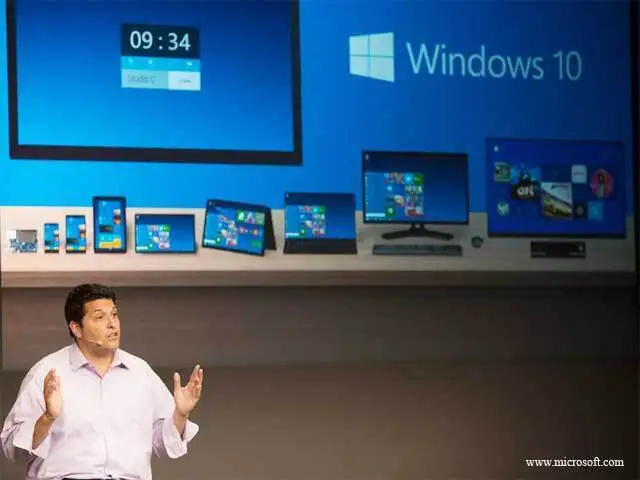
In pic: Terry Myerson, executive vice president, Operating Systems Group, introduces Windows 10 and explains how it will deliver one experience to a range of devices, from PC to phone to Xbox.
Microsoft has announced Windows 10, the next version of its desktop operating system.
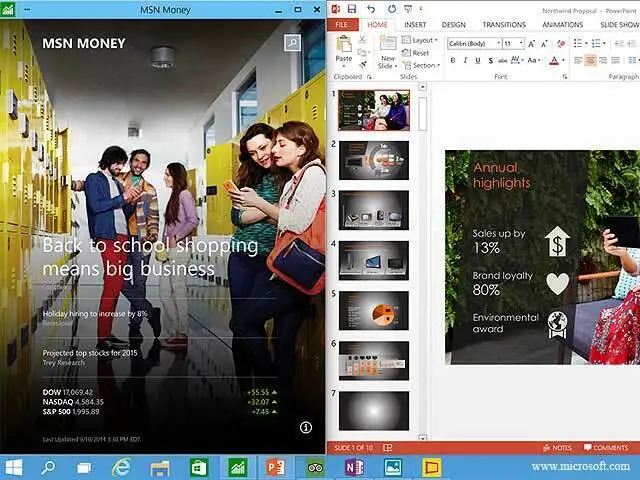
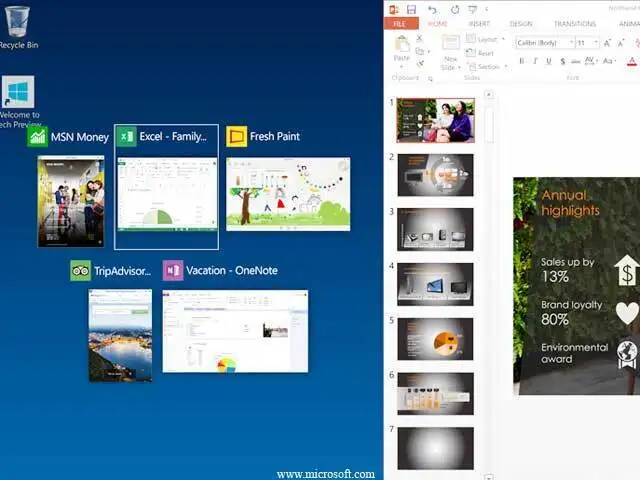
The Redmond giant has paid heed to feedback from unhappy Windows 8 users and has overhauled the user interface besides adding some features already available on rival platforms.
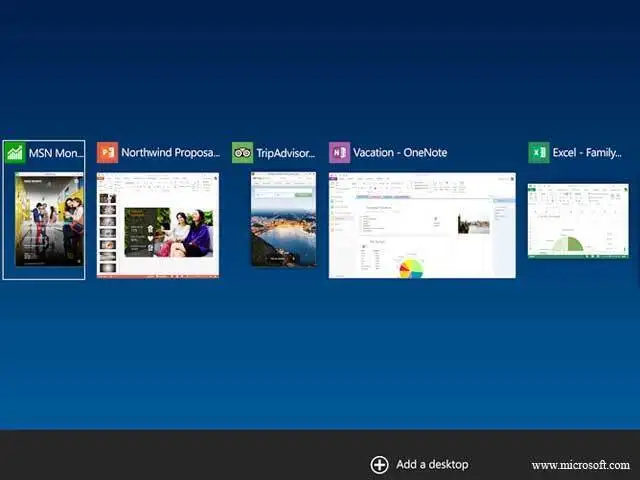
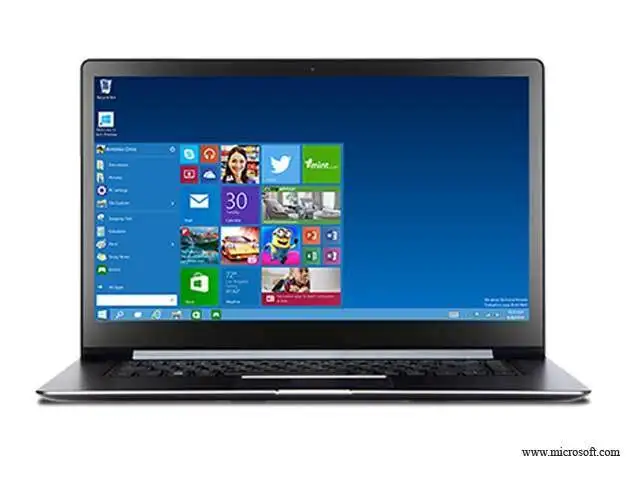
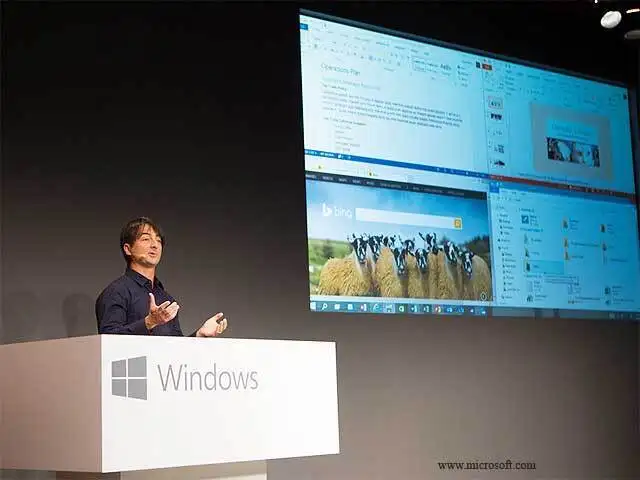
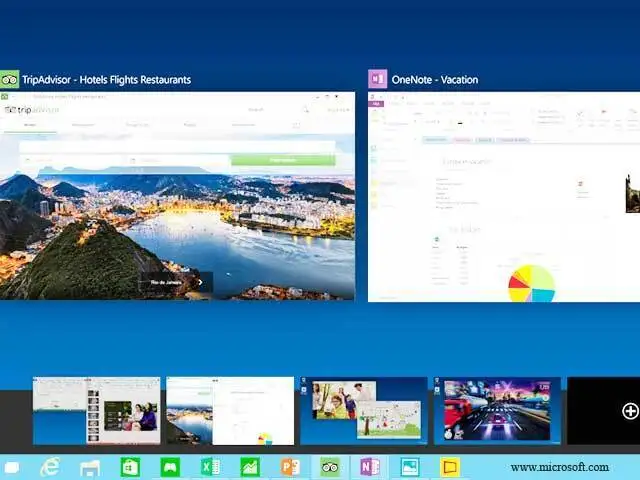
Here are eight key features of the new operating system.
In pic: Terry Myerson, executive vice president, Operating Systems Group, introduces Windows 10 and explains how it will deliver one experience to a range of devices, from PC to phone to Xbox.
Microsoft has announced Windows 10, the next version of its desktop operating system.
The Redmond giant has paid heed to feedback from unhappy Windows 8 users and has overhauled the user interface besides adding some features already available on rival platforms.
Here are eight key features of the new operating system.

ADVERTISEMENT


