7 ways to improve security on your iOS device
iOS platform is renowned for its "walled garden" approach. However, this notion has resulted in a misplaced consumer belief that Apple devices are immune to threats.
Updated:

By Dhanya Thakkar
There are many reasons why its users prefer the iOS platform and the devices that they run on. Some like the efficiency of Apple Pay, better parental controls, and reliable customer service and dependable hardware, while others claim that Apple devices are universally smoother and offers a more user-friendly experience.
In terms of security, the iOS platform is renowned for its "walled garden" approach. However, this notion has resulted in a misplaced consumer belief that Apple devices are immune to threats. It's not. While there are still more threats found on the Android platform, previous malware and hacking incidents have proven that the iOS platform is not completely free from security and privacy risks.
Earlier this year, iOS devices were the newest poisoned pawns in a targeted attack dubbed "Operation Pawn Storm", an organized economic and political espionage campaign. According to researchers, one of the two spy apps used could gather text messages, contact lists, pictures, geo-location data, installed app lists, among other things, from iOS devices. The said malicious apps could be obtained via social engineering tactics, including phishing emails, and outdated operating systems. Clearly, following previous incidents, it shows that there have been many attempts to challenge Apple's security measures.

Seven Tips for Improved Mobile Security
From hacking fingerprint sensors to apps made for jailbroken iOS versions, cybercriminals will continue to find means and ways to scale security and privacy. As such, it is important for you to be aware that loose security habits can lead to serious risks. Before that happens, here's what you can do to tighten up your mobile security:
1. Protect your account: the lowest hanging fruit for any cybercriminal are your login credentials-Apple IDs and passwords. Use strong and unique passwords that are hard to decipher. Ideally, choose passwords that are unrelated to any biographical detail like your birthday or name.
2. Use relevant security apps: while you should take advantage of the built-in security features on iOS, you can improve security by using anti-theft apps like Find My iPhone. This app can help you locate your phone, track where it is or where it's been, and remotely erase data in case you can't recover the device. You can also make use of the two-factor identification option available on iCloud.
3. Do not jailbreak your device: free stuff and more control is always a good idea, but jailbreaking your device also opens it up to malicious elements. This is why iOS strictly regulates the data and apps you allow. Jailbreaking your device could also prevent you from updating your apps and iOS version, preventing you from immediately patching bugs and vulnerabilities.
4. Know your apps: always read and familiarize yourself with security settings and app permissions. Cybercriminals are keen on users who take this for granted and could easily sneak malicious links or attachments that you might unwittingly download.
5. Connect to secure networks: as much as possible, connect to a secure or private network. Unsecured Wi-Fi networks can be used by attackers to intercept data via man-in-the-middle attacks.
6. Download from the official app store: with plenty of fun games popping up every now and then, it could get tempting to get apps from third-party stores that are available on jailbroken phones. However, it is one of the easiest ways to get affected by malware. Resist potential attacks and get your apps from the official Apple app store.
7. Install a trustworthy security solution: mobile security software can greatly reduce threats from apps and links before you even download them. In the end, it's always better to be safe, than sorry.
Improved Security on the Horizon
Recently, Apple announced that iOS 9 will include an option for using six-digit codes to unlock a device. The update also includes two-factor authentication for users signing into Apple services when using a new device or browser. The new authentication process will apply to all Apple devices with TouchID.
(Dhanya Thakkar is Managing Director, Asia Pacific, Trend Micro)
There are many reasons why its users prefer the iOS platform and the devices that they run on. Some like the efficiency of Apple Pay, better parental controls, and reliable customer service and dependable hardware, while others claim that Apple devices are universally smoother and offers a more user-friendly experience.
In terms of security, the iOS platform is renowned for its "walled garden" approach. However, this notion has resulted in a misplaced consumer belief that Apple devices are immune to threats. It's not. While there are still more threats found on the Android platform, previous malware and hacking incidents have proven that the iOS platform is not completely free from security and privacy risks.
Earlier this year, iOS devices were the newest poisoned pawns in a targeted attack dubbed "Operation Pawn Storm", an organized economic and political espionage campaign. According to researchers, one of the two spy apps used could gather text messages, contact lists, pictures, geo-location data, installed app lists, among other things, from iOS devices. The said malicious apps could be obtained via social engineering tactics, including phishing emails, and outdated operating systems. Clearly, following previous incidents, it shows that there have been many attempts to challenge Apple's security measures.
Seven Tips for Improved Mobile Security
ADVERTISEMENT
From hacking fingerprint sensors to apps made for jailbroken iOS versions, cybercriminals will continue to find means and ways to scale security and privacy. As such, it is important for you to be aware that loose security habits can lead to serious risks. Before that happens, here's what you can do to tighten up your mobile security:
1. Protect your account: the lowest hanging fruit for any cybercriminal are your login credentials-Apple IDs and passwords. Use strong and unique passwords that are hard to decipher. Ideally, choose passwords that are unrelated to any biographical detail like your birthday or name.
2. Use relevant security apps: while you should take advantage of the built-in security features on iOS, you can improve security by using anti-theft apps like Find My iPhone. This app can help you locate your phone, track where it is or where it's been, and remotely erase data in case you can't recover the device. You can also make use of the two-factor identification option available on iCloud.
3. Do not jailbreak your device: free stuff and more control is always a good idea, but jailbreaking your device also opens it up to malicious elements. This is why iOS strictly regulates the data and apps you allow. Jailbreaking your device could also prevent you from updating your apps and iOS version, preventing you from immediately patching bugs and vulnerabilities.
ADVERTISEMENT
4. Know your apps: always read and familiarize yourself with security settings and app permissions. Cybercriminals are keen on users who take this for granted and could easily sneak malicious links or attachments that you might unwittingly download.
5. Connect to secure networks: as much as possible, connect to a secure or private network. Unsecured Wi-Fi networks can be used by attackers to intercept data via man-in-the-middle attacks.
ADVERTISEMENT
6. Download from the official app store: with plenty of fun games popping up every now and then, it could get tempting to get apps from third-party stores that are available on jailbroken phones. However, it is one of the easiest ways to get affected by malware. Resist potential attacks and get your apps from the official Apple app store.
7. Install a trustworthy security solution: mobile security software can greatly reduce threats from apps and links before you even download them. In the end, it's always better to be safe, than sorry.
Improved Security on the Horizon
Recently, Apple announced that iOS 9 will include an option for using six-digit codes to unlock a device. The update also includes two-factor authentication for users signing into Apple services when using a new device or browser. The new authentication process will apply to all Apple devices with TouchID.
(Dhanya Thakkar is Managing Director, Asia Pacific, Trend Micro)
Download
The Economic Times Business News App for the Latest News in Business, Sensex, Stock Market Updates & More.
The Economic Times Business News App for the Latest News in Business, Sensex, Stock Market Updates & More.
Related Articles
 Specs stopped selling smartphones. Intelligence is the new benchmark - A breakdown of Google I/O and Apple’s WWDC 20262026-06-10T09:58:31Z
- iOS 27 Beta arrives with Siri AI upgrade: Here's the list of supported iPhones, release details and how to download iOS 27 beta 12026-06-08T19:43:20Z
- Apple WWDC 2026: iOS 27, a smarter Siri and new AI features expected2026-06-07T11:59:15Z
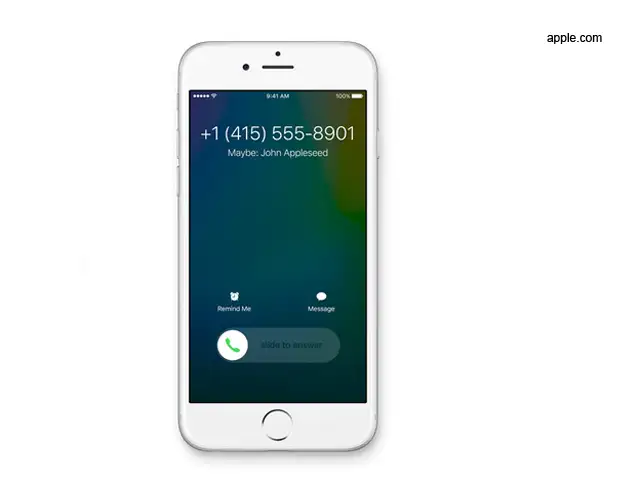
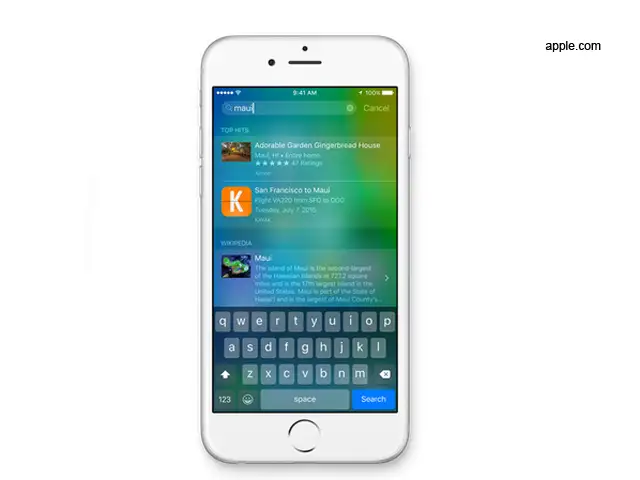
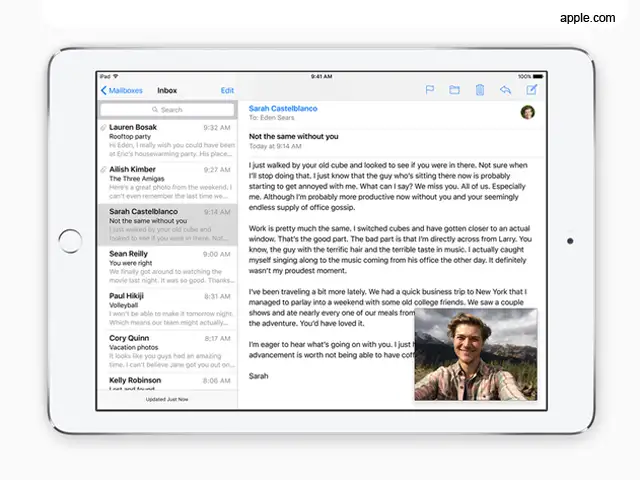
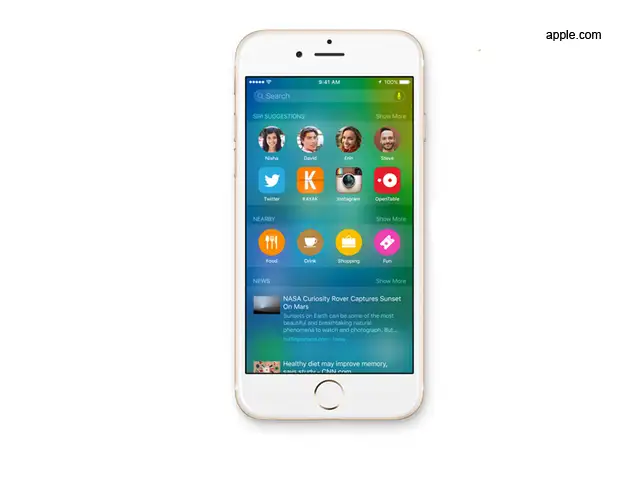
Perhaps the biggest update that iOS 9 brings to iPhones and iPads is ‘intelligence,’ part of which is the Proactive Assistant that offers contextual information based on your email, calendar and usage pattern.
For instance, if you have a meeting scheduled in your calendar, it will remind you before time and even offer an update on traffic conditions. It adds events to the Calendar from emails and suggests actions when you connect an accessory.
Android’s Google Now assistant already offers these features. OEMs like Samsung and LG also offer suggestions judging your usage patterns.
For instance, if you have a meeting scheduled in your calendar, it will remind you before time and even offer an update on traffic conditions. It adds events to the Calendar from emails and suggests actions when you connect an accessory.
Android’s Google Now assistant already offers these features. OEMs like Samsung and LG also offer suggestions judging your usage patterns.


ADVERTISEMENT


