Why should you not install Windows 11? Here are 10 crucial reasons
If you don't want to buy a new computer or give up your cherished, useful interface, don't upgrade to Windows 11. On Windows 10, everything functions exactly the same—and in some cases, even better.
By ET Spotlight Special |

Agencies
There are certain factors to consider before upgrading to Windows 11 rather than staying with the tried-and-true Windows 10. Many of the criticisms stem from the fact that Windows 10 accomplished many things well and Windows 11 screw them up.
1. When Windows 11 first came out, the largest fuss was made over its new hardware specifications. Additionally, you are unable to install the OS if your computer still has a 32-bit CPU; it only supports 64-bit Intel/AMD and Arm processors.
2. For some users, it's a huge issue because Windows 10 allows you to display taskbar buttons that are broader and more informative, as well as to position it across the bottom, on the side, or even at the top of the screen. Both are lacking in Windows 11.
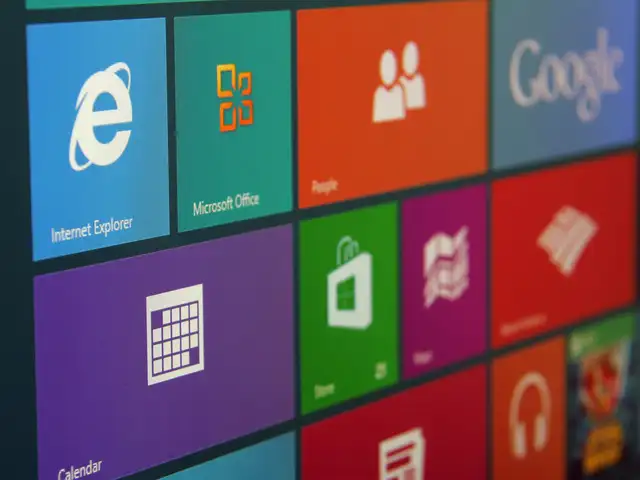
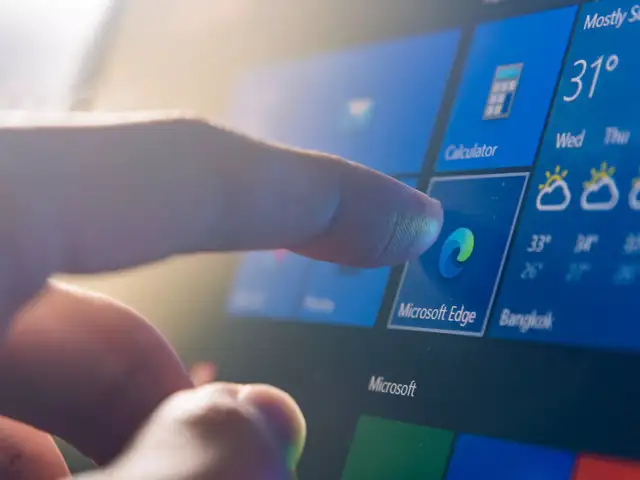
3. The icons in 11 don't display any app-related information as the Windows 10 tiles do. The prior OS also offers easy access to the Power (Shut down, Restart, Sleep) buttons and the Settings app.
4. In Windows 11, you can hit a Taskbar icon or press Windows Key-S to display the search box, but there is nothing like having a search box waiting for you there constantly, in the same spot. That is available in Windows 10 right next to the Start button.
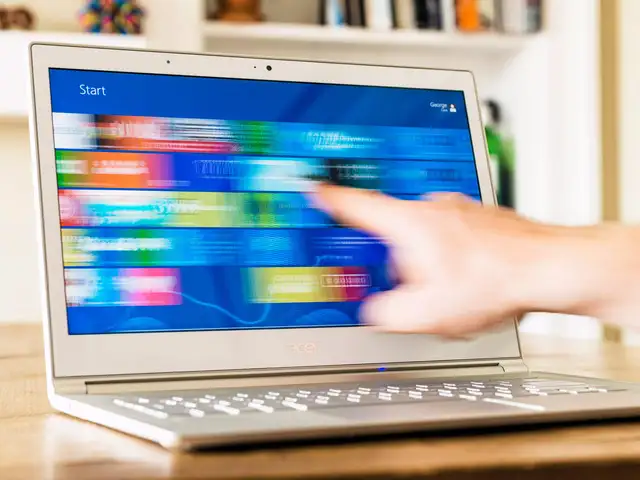
5. While using swiping in from the left or right in Windows 10 displays the extremely helpful Task view and Action Center. With Windows 11, whole new multi-finger gestures are available.
6. Windows 11 needs a Microsoft account to log in.
7. Windows 11 separates its functions into a fragmented, rather illogical structure in place of the organised all-in-one Action Center for alerts and quick settings, somewhat mirroring the disorganised scatter of notice boxes you find in macOS (though not quite that bad). When using Windows 10, you may check your battery life by hitting the battery icon and change the Wi-Fi network by pressing the Wi-Fi button.
8. Like with other significant OS upgrades, some features are added and some are removed. The Timeline, Live Tiles, and Internet Explorer are the three greatest features to disappear from Windows in version 11. You may still use Internet Explorer in the Microsoft Edge browser if you use an outdated business programme that needs IE. But the Timeline is now lost in the mists of the past.
9. In early versions of Windows, any applications may add to the right-click context menu of the File Explorer. By selecting the Show More Options menu option, you may still access them. You have one more little excuse not to update if that irritates you (as it does some people, according to web forums and comment sections like ours).
10. What's the rush to upgrade to Windows 11 when Microsoft will support Windows 10 until October 2025? There isn't much of a need to update if you're happy with Windows 10.
1. When Windows 11 first came out, the largest fuss was made over its new hardware specifications. Additionally, you are unable to install the OS if your computer still has a 32-bit CPU; it only supports 64-bit Intel/AMD and Arm processors.
2. For some users, it's a huge issue because Windows 10 allows you to display taskbar buttons that are broader and more informative, as well as to position it across the bottom, on the side, or even at the top of the screen. Both are lacking in Windows 11.
3. The icons in 11 don't display any app-related information as the Windows 10 tiles do. The prior OS also offers easy access to the Power (Shut down, Restart, Sleep) buttons and the Settings app.
4. In Windows 11, you can hit a Taskbar icon or press Windows Key-S to display the search box, but there is nothing like having a search box waiting for you there constantly, in the same spot. That is available in Windows 10 right next to the Start button.
5. While using swiping in from the left or right in Windows 10 displays the extremely helpful Task view and Action Center. With Windows 11, whole new multi-finger gestures are available.
ADVERTISEMENT
Microsoft added Smart App control to the Windows 11 operating system. By preventing Windows 11 from running script files, harmful macros, or untrusted or unregistered applications, the new Smart App control tool enables users to install new apps and services without concern.


6. Windows 11 needs a Microsoft account to log in.
7. Windows 11 separates its functions into a fragmented, rather illogical structure in place of the organised all-in-one Action Center for alerts and quick settings, somewhat mirroring the disorganised scatter of notice boxes you find in macOS (though not quite that bad). When using Windows 10, you may check your battery life by hitting the battery icon and change the Wi-Fi network by pressing the Wi-Fi button.
8. Like with other significant OS upgrades, some features are added and some are removed. The Timeline, Live Tiles, and Internet Explorer are the three greatest features to disappear from Windows in version 11. You may still use Internet Explorer in the Microsoft Edge browser if you use an outdated business programme that needs IE. But the Timeline is now lost in the mists of the past.
ADVERTISEMENT
9. In early versions of Windows, any applications may add to the right-click context menu of the File Explorer. By selecting the Show More Options menu option, you may still access them. You have one more little excuse not to update if that irritates you (as it does some people, according to web forums and comment sections like ours).
10. What's the rush to upgrade to Windows 11 when Microsoft will support Windows 10 until October 2025? There isn't much of a need to update if you're happy with Windows 10.
ADVERTISEMENT
FAQs:
- What is the price of Windows 10?
₹4,369.00 - How much gb is Windows 10?
Microsoft utilised the update to boost the installation size of Windows 10 from 16GB for 32-bit versions and 20GB for 64-bit versions to 32GB for both.
Download
The Economic Times Business News App for the Latest News in Business, Sensex, Stock Market Updates & More.
The Economic Times Business News App for the Latest News in Business, Sensex, Stock Market Updates & More.
Download
The Economic Times News App for Quarterly Results, Latest News in ITR, Business, Share Market, Live Sensex News & More.
The Economic Times News App for Quarterly Results, Latest News in ITR, Business, Share Market, Live Sensex News & More.
ADVERTISEMENT


