Microsoft Word: How to insert checkboxes in Word docs
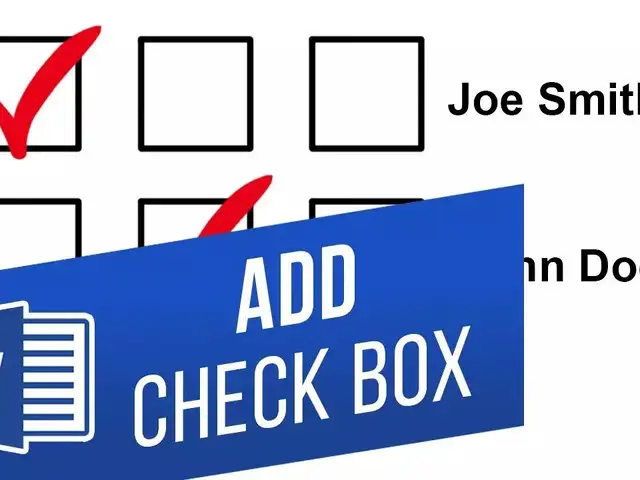
Microsoft Word comes with check boxes which can improve readability and make it easier to respond to the given options.
By The Feed | Updated:

Agencies
If you're using MS Word to design surveys or forms, including checkboxes can enhance the readability and ease of answering the options. There are two ways to add checkboxes to an MS Word Document - The first method is suitable for creating digital forms within Word documents, while the second option is more convenient when preparing printed materials, such as to-do lists.
Forms: Using MS Word's developer options
First and foremost, users need to activate the "Developer" tab on the Ribbon
Print: Using Bullets in MS Word
Forms: Using MS Word's developer options
First and foremost, users need to activate the "Developer" tab on the Ribbon
- Launch a Word document and click on the "File" drop-down menu.
- Choose "Options" from the list.
- Navigate to the "Customize Ribbon" tab in the "Word Options" window.
- Select "Main Tabs" from the dropdown menu in the right-hand "Customize the Ribbon" list.
- Look for the "Developer" checkbox on the list of available main tabs and select it.
- Click the "OK" button to include the "Developer" tab in your Ribbon.
- Position your cursor where you want to place the checkbox in the document.
- Get back to the "Developer" tab and click on the "Check Box Content Control" button.
- You will see a checkbox appear wherever your cursor is placed.
- To mark a checkbox, click on it and add an "X".
- To modify or format a checkbox, select the entire form box and use the options available in the "Developer" tab.
Print: Using Bullets in MS Word
- Create a bullet list in your Word document by typing out the items and hitting "Enter" after each one.
- On the "Home" tab, locate the "Bullet List" button and click the small arrow to the right of it.
- From the drop-down menu, select the "Define new bullet" command.
- In the "Define New Bullet" window that appears, click on the "Symbol" button.
- In the "Symbol" window, select the "Wingdings 2" font from the dropdown menu.
- Browse through the symbols until you find the empty square symbol that appears like a check box, or you can automatically select it by typing the number "163" into the "Character Code" box.
- Alternatively, you may choose another symbol you like, such as the open circle (symbol 153).
FAQs:
- When was MS Word launched?
October 1983. - Is Microsoft Word paid or free?
It comes at a premium. However, one can use Word for free on the web.
Download
The Economic Times Business News App for the Latest News in Business, Sensex, Stock Market Updates & More.
The Economic Times Business News App for the Latest News in Business, Sensex, Stock Market Updates & More.
Download
The Economic Times News App for Quarterly Results, Latest News in ITR, Business, Share Market, Live Sensex News & More.
The Economic Times News App for Quarterly Results, Latest News in ITR, Business, Share Market, Live Sensex News & More.
Related Articles
 AI to bring more jobs; Indian engineers must focus on collaboration: Microsoft's Rajiv Kumar2026-06-11T11:16:08Z
- Microsoft's Xbox plans for major layoffs next month: Report2026-06-11T03:21:56Z
- Bill Gates reveals details about Jeffrey Epstein meeting as Microsoft co-founder faces tough questions about relationship with financier2026-06-10T16:26:22Z




ADVERTISEMENT


