How to share music on Apple iPhone and iPad using two Bluetooth headphones
When the unique headphone connection was eliminated by Apple, the workaround that allowed users to divide music between two earbuds by integrating a cable audio splitter was also eliminated.
By The Feed |

Agencies
Apple deleted the workaround that allowed customers to share music between two earbuds by putting in a cable audio splitter when the proprietary headphone connector was removed. Nowadays, the majority of people use wireless headphones, making the ability to utilize two earbuds simultaneously pretty much impossible unless you download certain third-party programs.
To simplify matters, Apple released a new feature called Share Audio with the iOS 13.2 update. This feature enables users to simultaneously listen to the same music on two distinct Bluetooth devices. The functionality only functions with headphones or earbuds that include an Apple H1 or W1 chip, thus the only choices are Apple AirPods or the most recent Beats products.
1. Start by going to the Bluetooth Settings on your iPhone and pairing each headphone separately.
2. Connect one of them and begin playing any music or video after that.
3. Next, launch the command center. On iPhones without the Home button, swipe down from the top right corner of the screen to access it; on iPhones with the Home button, slide up from the bottom of the screen.
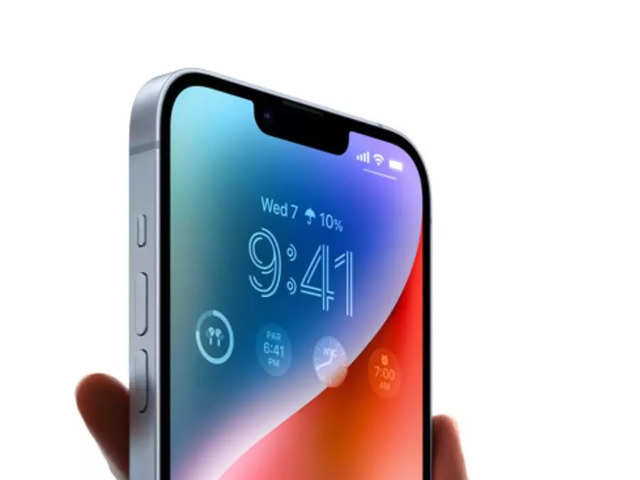
4. Next, select the Music option to view additional choices. You can see that the presently connected device is highlighted and playing audio in this location.
5. Locate the Share Audio option, then choose it. The iPhone will recognize a compatible headphone automatically and ask you to share the music with it.
6. Choose the Share Audio option.
7. When a device is connected, Apple offers the opportunity to manually change each device's volume.
To simplify matters, Apple released a new feature called Share Audio with the iOS 13.2 update. This feature enables users to simultaneously listen to the same music on two distinct Bluetooth devices. The functionality only functions with headphones or earbuds that include an Apple H1 or W1 chip, thus the only choices are Apple AirPods or the most recent Beats products.
Using this function on an iPhone or iPad is explained here:
How to share music on an iPhone and iPad using two Bluetooth headphones1. Start by going to the Bluetooth Settings on your iPhone and pairing each headphone separately.
2. Connect one of them and begin playing any music or video after that.
3. Next, launch the command center. On iPhones without the Home button, swipe down from the top right corner of the screen to access it; on iPhones with the Home button, slide up from the bottom of the screen.
ADVERTISEMENT




4. Next, select the Music option to view additional choices. You can see that the presently connected device is highlighted and playing audio in this location.
5. Locate the Share Audio option, then choose it. The iPhone will recognize a compatible headphone automatically and ask you to share the music with it.
6. Choose the Share Audio option.
ADVERTISEMENT
7. When a device is connected, Apple offers the opportunity to manually change each device's volume.
FAQs:
- Which one is better: Airpod 3 or pro?
AirPods Pro - Do AirPods drain the battery in your phone?
Very likely, AirPods will cause the iPhone battery to discharge more gradually.
Download
The Economic Times Business News App for the Latest News in Business, Sensex, Stock Market Updates & More.
The Economic Times Business News App for the Latest News in Business, Sensex, Stock Market Updates & More.
Download
The Economic Times News App for Quarterly Results, Latest News in ITR, Business, Share Market, Live Sensex News & More.
The Economic Times News App for Quarterly Results, Latest News in ITR, Business, Share Market, Live Sensex News & More.
Related Articles
 Tata's Apple iPhone factory in Tamil Nadu faces shutdown threat over farmland water contamination; pollution body seeks explanation2026-06-13T08:47:01Z
- Apple iPhone 18 Pro price, release date, colours, specs, camera and battery: Everything we know so far2026-06-11T12:56:59Z
- Apple iPhone 18 Pro Max: Check expected launch date, price, features, expected camera upgrade, processor, battery and more2026-06-06T16:50:05Z
ADVERTISEMENT


