How to record screen in Windows 10
Learn how to record your screen in Windows 10 to save your actions and time. Follow all the steps below to get it done properly.
By ET Spotlight Special |

Agencies
Did you know that Windows 10 has a tool to record your screen called Xbox Game Bar? You may use it to get a video record of your movements in any Windows software on your system, even if you want to capture games or produce a Microsoft Office tutorial for someone. To make things easier, we've described a few straightforward steps for recording your screen in Windows 10.
• To enter the Game Bar box, enter the Windows key + G at the same time.
• To load the game bar, click the "Yes, this is a game" checkbox. This is the process for screen capturing a game or another type of program.
• To begin recording the video, use the Start Recording button (or Win + Alt + R).
• You can stop recording by entering the red recording bar in the upper right corner of the application window. (If Game Bar vanishes, hit Win + G again to restore it.)
Your recorded videos, MP4 files, may be found under the Videos folder, in a subdirectory called "Captures".

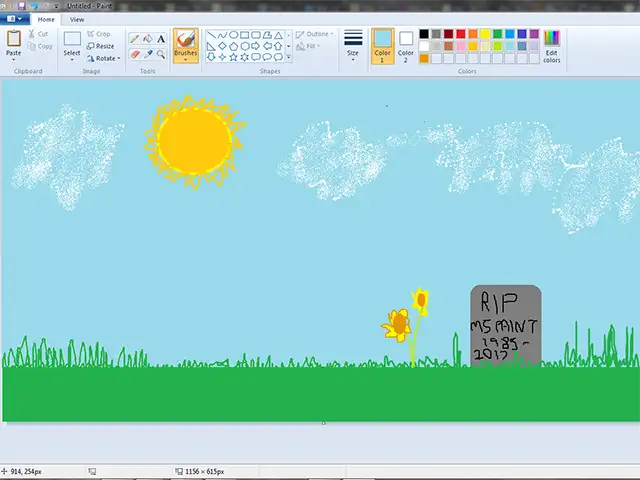
Microsoft announced the end of days for its pioneering Paint application as it focuses on software for 3-D drawing.
What is the latest version available of Windows?
What is Xbox Game Bar?
The Xbox Game Bar is integrated into Windows 11 and allows you to record movies and images while playing PC games.
How to Screen Record in Windows 10
• Launch the app that you wish to record. Unfortunately, the screen recorder tool is unable to capture specific programs, such as File Manager or the complete desktop, but it does function with typical desktop apps.• To enter the Game Bar box, enter the Windows key + G at the same time.
• To load the game bar, click the "Yes, this is a game" checkbox. This is the process for screen capturing a game or another type of program.
• To begin recording the video, use the Start Recording button (or Win + Alt + R).
• You can stop recording by entering the red recording bar in the upper right corner of the application window. (If Game Bar vanishes, hit Win + G again to restore it.)
Your recorded videos, MP4 files, may be found under the Videos folder, in a subdirectory called "Captures".

FAQs
What is the latest version available of Windows? ADVERTISEMENT
The latest Windows versions are Windows 11 for user PCs and tablets, Windows 11 Enterprise for businesses, and Windows Server 2022 for servers as of September 2022.What is Xbox Game Bar?
The Xbox Game Bar is integrated into Windows 11 and allows you to record movies and images while playing PC games.
Download
The Economic Times Business News App for the Latest News in Business, Sensex, Stock Market Updates & More.
The Economic Times Business News App for the Latest News in Business, Sensex, Stock Market Updates & More.
Download
The Economic Times News App for Quarterly Results, Latest News in ITR, Business, Share Market, Live Sensex News & More.
The Economic Times News App for Quarterly Results, Latest News in ITR, Business, Share Market, Live Sensex News & More.
Related Articles
 US shortens cyber fix window to three days as AI threats rise
ADVERTISEMENT


