Fortnite on iPhone: How to set it up? Step-by-Step guide of playing it on iPhone/iPad
Fortnite has come again on Apple and it’s absolutely free, according to reports.
By The Feed | Updated:

The Feed
The news of Fortnite coming back on iPhone that too for free has excited fans. Users might be thinking that they are yet to locate Fortnite on App Store. Well it is because Apple and Epic have still some unresolved clashes. One can stream Fortnite in the Xbox Cloud Gaming service of Microsoft on devices like iPhones, iPad, and Macs, according to reports
To make Fortnite free to play, Microsoft and Epic have entered into a partnership so if you do not have an Xbox Live Subscription and you normally play on your PS5 or any other device, you can still play Fortnite on the go.

2) Open safari and go to xbox.com/play.
3) You will be able to see Fortnite in front and center of the main page.
4) A prompt from the site will be there that will ask you to add Cloud Gaming to the home screen.
5) If you do not find any prompt, you can add it by clicking on the Share button following will be an Add to Home Screen from the list of multiple options.
7) Tap on Add return to the home screen of your iPhone or iPad and find the new icon.
8) No when you will open cloud gaming, it will take you to a page that will be similar to the Xbox Website, we were on.
9) Click on Play for Free below the Fortnite banner at the screen’s top.
10) Select Sign in then you can easily log in to your Microsoft account.
11) After signing in, click on Play on the Fortnite page and your Fortnite will begin loading, along with touch controls that are like Xbox controller on screen.
To make Fortnite free to play, Microsoft and Epic have entered into a partnership so if you do not have an Xbox Live Subscription and you normally play on your PS5 or any other device, you can still play Fortnite on the go.
Process of Fortnite setup
The process from getting it to running it is simple, as it merely takes two minutes to set it up. All you need is a Microsoft account and the information about the Fortnite/Epic account. If you are not a touch-control person, you should have a handy controller. Apple devices can also catch both Xbox and PlayStation controllers.When it comes to data protection, many consumers prefer Apple over Android. But a recent report about thieves stealing iPhones and breaking into it has shocked iOS users across the world.



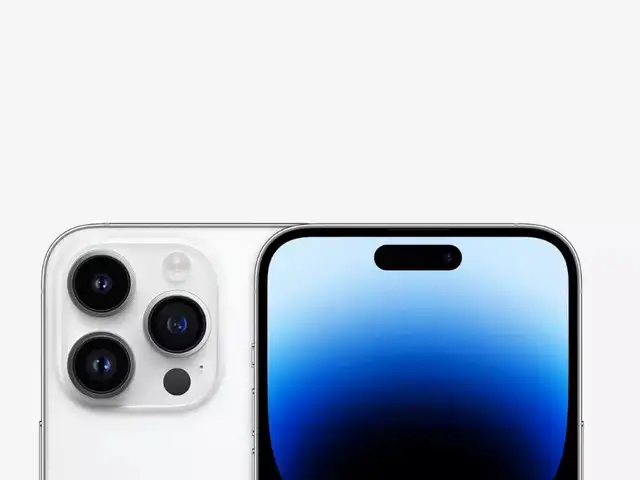


Steps to Play Fortnite on iPhone
1) Add a shortcut in your iPhone or Ipad home screen that will take you to Xbox Cloud Gaming.2) Open safari and go to xbox.com/play.
3) You will be able to see Fortnite in front and center of the main page.
4) A prompt from the site will be there that will ask you to add Cloud Gaming to the home screen.
5) If you do not find any prompt, you can add it by clicking on the Share button following will be an Add to Home Screen from the list of multiple options.
ADVERTISEMENT
6) The name of the shortcut can also be changed as per your requirements.7) Tap on Add return to the home screen of your iPhone or iPad and find the new icon.
8) No when you will open cloud gaming, it will take you to a page that will be similar to the Xbox Website, we were on.
9) Click on Play for Free below the Fortnite banner at the screen’s top.
10) Select Sign in then you can easily log in to your Microsoft account.
11) After signing in, click on Play on the Fortnite page and your Fortnite will begin loading, along with touch controls that are like Xbox controller on screen.
FAQs
- How to play Fortnite smoothly on iPhone?
With fast and reliable Wi-Fi. - Who started Fortnite?
The Epic Games.
Download
The Economic Times Business News App for the Latest News in Business, Sensex, Stock Market Updates & More.
The Economic Times Business News App for the Latest News in Business, Sensex, Stock Market Updates & More.
Download
The Economic Times News App for Quarterly Results, Latest News in ITR, Business, Share Market, Live Sensex News & More.
The Economic Times News App for Quarterly Results, Latest News in ITR, Business, Share Market, Live Sensex News & More.
ADVERTISEMENT


