Can you hide apps on iPhone? Know here
You can now utilise a handy iOS feature that hides apps from visibility without permanently deleting them if you want to arrange your home screen or even hide a few embarrassing apps.
By ET Spotlight Special |

Agencies
Nothing is more frustrating than an iPhone with a cluttered, disorganised home screen. Here's a hack to fix it!
Hiding Apps on iPhone with iOS 14
Following these steps will help you hide apps on your iPhone with the latest iOS 14 update.
Unhiding Apps on Your iPhone
You can unhide apps on your iPhone by following the same steps as Hiding Apps on Your iPhone. The only change is that you must check off the hidden app page to unhide it.
FAQs
How to hide apps on iPhones without iOS 14?
You can hide apps on iPhones without iOS 14 by creating folders for apps.
Will apps be uninstalled if I hide them?
Hiding Apps on iPhone with iOS 14
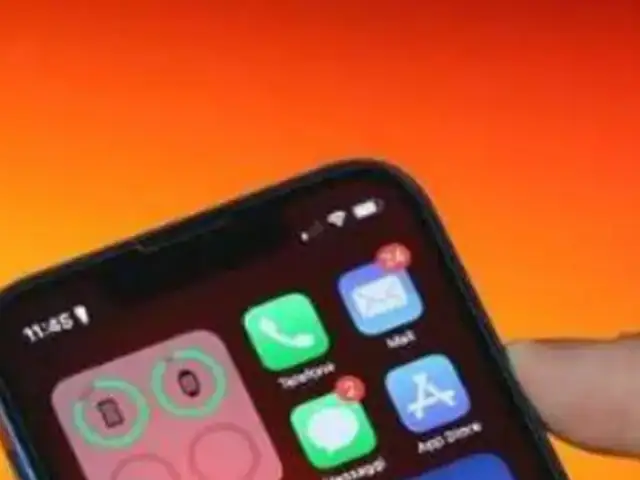
- Long press on the spot on your screen that is empty.
- Tap the app page dot icons at the bottom of the screen when the widgets begin to jiggle. Then, your screen will show all of your app's pages.
- To uncheck the box next to the app page you want to conceal, click its checkmark-containing circle.
- To save your changes, tap Done in the top right corner.
Following these steps will help you hide apps on your iPhone with the latest iOS 14 update.



Unhiding Apps on Your iPhone
You can unhide apps on your iPhone by following the same steps as Hiding Apps on Your iPhone. The only change is that you must check off the hidden app page to unhide it.
ADVERTISEMENT
Accessing the Hidden Apps on iPhone- You can access a hidden app on your iPhone using the Search feature. Just type in the name of the app in the Search bar.
- You can also access a hidden app through Siri on your iPhone. Activate the Siri voice command by long pressing the Side button and say, "Open <Name of hidden app>."
- You can also use the App Library to find the hidden app on your iPhone.
FAQs
How to hide apps on iPhones without iOS 14?
You can hide apps on iPhones without iOS 14 by creating folders for apps.
Will apps be uninstalled if I hide them?
ADVERTISEMENT
No, you can still access hidden apps on your iPhone.Download
The Economic Times Business News App for the Latest News in Business, Sensex, Stock Market Updates & More.
The Economic Times Business News App for the Latest News in Business, Sensex, Stock Market Updates & More.
Download
The Economic Times News App for Quarterly Results, Latest News in ITR, Business, Share Market, Live Sensex News & More.
The Economic Times News App for Quarterly Results, Latest News in ITR, Business, Share Market, Live Sensex News & More.
Related Articles
 iOS 27 Beta arrives with Siri AI upgrade: Here's the list of supported iPhones, release details and how to download iOS 27 beta 12026-06-08T19:43:20Z
- WWDC 2026 Expectations: Check expected announcements around iPhone features, AI and software updates2026-06-08T17:21:36Z
- Apple WWDC 2026 Live Streaming: How and where to watch the big iPhone, Siri and AI announcements online in India tonight2026-06-08T08:49:44Z
ADVERTISEMENT


