Getting vaccine shot: Registration on CoWIN must for those between 18 and 45 years
By PTI | Updated:
Covid-19: CoWin Registration must for those between 18 and 44 years to get vaccine shot
Highlights
- Registration on CoWIN mandatory.
- The third phase of vaccination to begin on May 1.
- Sources say appointments might be delayed as India struggles with shortage of vaccines.
Getting registered on the CoWIN web portal and taking an appointment to get a COVID-19 vaccine jab would be mandatory for those aged between 18 and 45 years as walk-ins will not be allowed initially, official sources said on April 26. Those above 45 years can still avail the facility of on-site registration to get vaccinated, they said.
As India witnesses a sudden surge in coronavirus cases, it has decided to allow everyone above 18 years of age to get vaccinated from May 1.
"An increased demand is expected once the vaccination is opened for all. For the purpose of crowd control, registering on CoWIN portal and making an appointment to get a vaccine will be mandatory for those aged between 18 and 45 years. Walks-in will not be allowed in the beginning so that there is no chaos," an official said.
Registration for vaccination for all those aged above 18 will begin on the CoWIN platform and Aarogya Setu App from April 28. The inoculation process and documents to be provided to get the jab remains the same.
From May 1, the present system of private COVID-19 vaccination centres receiving doses from the government and charging up to Rs 250 per dose from people will cease to exist and private hospitals will procure directly from vaccine manufacturers.
According to the Liberalised Pricing and Accelerated National COVID-19 Vaccination Strategy, COVID-19 vaccination will continue to be free for eligible population groups comprising healthcare workers, frontline workers and population above 45 years of age in government vaccination centres that receive doses from the Centre.
Vaccine manufacturers would make an advance declaration of the price for 50% supply that would be available to state governments in the open market before May 1. Based on this price, states, private hospitals, industrial establishments may procure vaccine doses from manufacturers.
Private hospitals would have to procure their supplies of COVID-19 vaccine exclusively from the 50 per cent supply earmarked, other than the Government of India channel.
"While the Centre has liberalised the vaccination policy, it does not mean that vaccines will be sold in pharmacists or chemist shops in the open market," Health Secretary Rajesh Bhushan had clarified on Wednesday.
The price charged for vaccination by private hospitals would be monitored, he said, adding "The present dispensation where private COVID vaccination centres receive doses from the government and can charge up to Rs 250 per dose will cease to exist."
Vaccine manufacturers would supply 50 per cent of their monthly Central Drugs Laboratory (CDL) released doses to the Centre and and would be free to supply the rest to state governments.
All immunisations will be part of the National Vaccination Programme, will be captured on CoWIN platform along with stocks and price per vaccination applicable in all vaccination centres, will comply with adverse event following immunization management and reporting, and all other prescribed norms.
As India witnesses a sudden surge in coronavirus cases, it has decided to allow everyone above 18 years of age to get vaccinated from May 1.
"An increased demand is expected once the vaccination is opened for all. For the purpose of crowd control, registering on CoWIN portal and making an appointment to get a vaccine will be mandatory for those aged between 18 and 45 years. Walks-in will not be allowed in the beginning so that there is no chaos," an official said.
Registration for vaccination for all those aged above 18 will begin on the CoWIN platform and Aarogya Setu App from April 28. The inoculation process and documents to be provided to get the jab remains the same.
From May 1, the present system of private COVID-19 vaccination centres receiving doses from the government and charging up to Rs 250 per dose from people will cease to exist and private hospitals will procure directly from vaccine manufacturers.
According to the Liberalised Pricing and Accelerated National COVID-19 Vaccination Strategy, COVID-19 vaccination will continue to be free for eligible population groups comprising healthcare workers, frontline workers and population above 45 years of age in government vaccination centres that receive doses from the Centre.
ADVERTISEMENT
Vaccine manufacturers would make an advance declaration of the price for 50% supply that would be available to state governments in the open market before May 1. Based on this price, states, private hospitals, industrial establishments may procure vaccine doses from manufacturers.
Private hospitals would have to procure their supplies of COVID-19 vaccine exclusively from the 50 per cent supply earmarked, other than the Government of India channel.
"While the Centre has liberalised the vaccination policy, it does not mean that vaccines will be sold in pharmacists or chemist shops in the open market," Health Secretary Rajesh Bhushan had clarified on Wednesday.
The price charged for vaccination by private hospitals would be monitored, he said, adding "The present dispensation where private COVID vaccination centres receive doses from the government and can charge up to Rs 250 per dose will cease to exist."
ADVERTISEMENT
Vaccine manufacturers would supply 50 per cent of their monthly Central Drugs Laboratory (CDL) released doses to the Centre and and would be free to supply the rest to state governments.
All immunisations will be part of the National Vaccination Programme, will be captured on CoWIN platform along with stocks and price per vaccination applicable in all vaccination centres, will comply with adverse event following immunization management and reporting, and all other prescribed norms.
ADVERTISEMENT
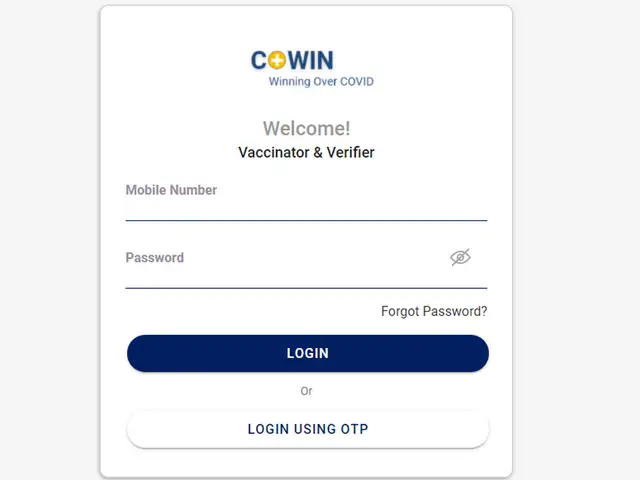
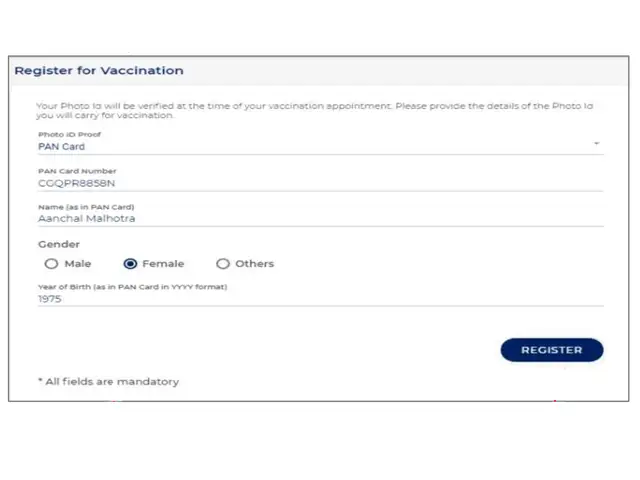
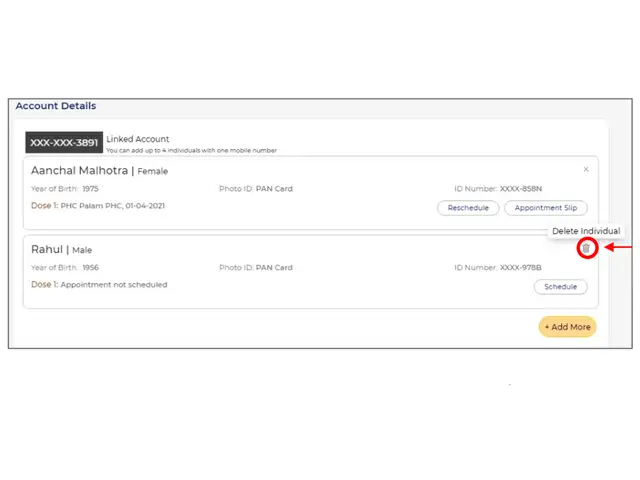
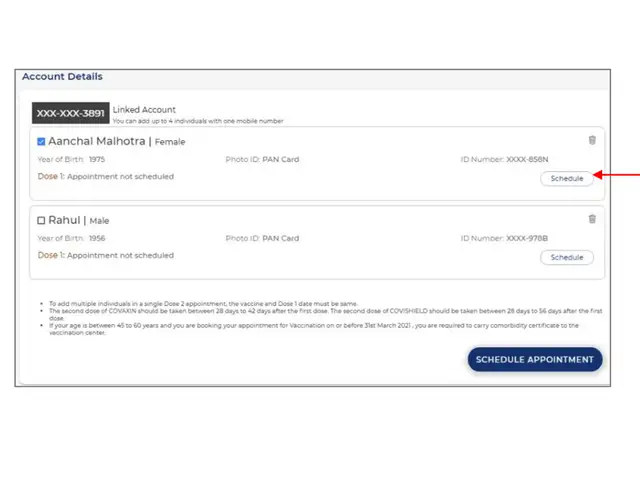
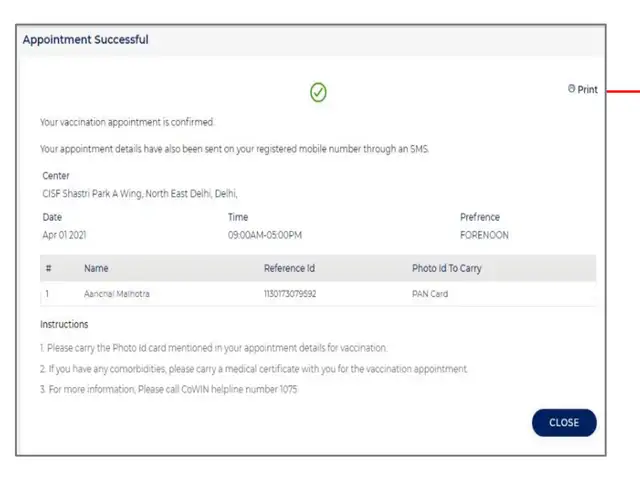
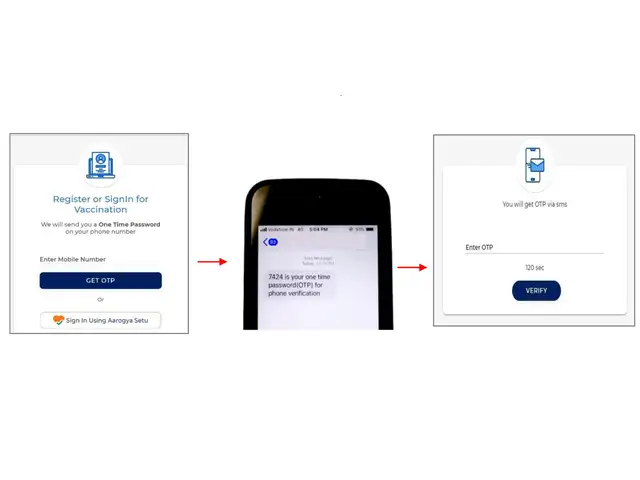
To register yourself, go to the url www.cowin.gov.in and click on 'register/sign in yourself' option. Enter a valid mobile number and click on 'Get OTP' tab. The OTP will be sent via SMS which needs to be entered within 180 seconds after which the user can click on the 'verify' tab.

Download
The Economic Times Business News App for the Latest News in Business, Sensex, Stock Market Updates & More.
The Economic Times Business News App for the Latest News in Business, Sensex, Stock Market Updates & More.
Download
The Economic Times News App for Quarterly Results, Latest News in ITR, Business, Share Market, Live Sensex News & More.
The Economic Times News App for Quarterly Results, Latest News in ITR, Business, Share Market, Live Sensex News & More.
ADVERTISEMENT


