
6 easy ways: How to make your phone battery last all day
1/6
Use "Dark Mode" for an Instant Boost
If your phone has an OLED screen (which most modern phones do), every black pixel is actually a tiny light that is completely turned off. Switching your entire phone to "Dark Mode" isn't just about the aesthetic; it saves a massive amount of energy because your screen doesn't have to work to produce light for the black areas. This is one of the most effective ways to save battery that most people ignore in favor of bright, colorful wallpapers.
2/6
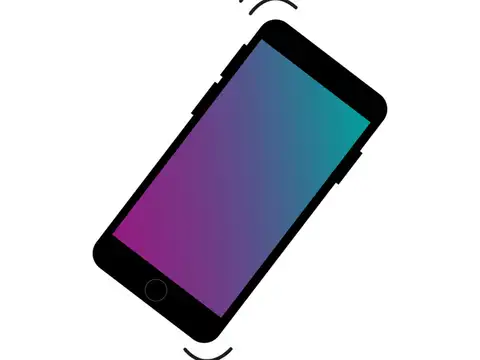
Stop the "Vibrations" for Notifications
Every time your phone vibrates for a text or a call, a tiny physical motor inside the device has to spin rapidly to create that movement. This mechanical action uses significantly more battery power than a simple ringtone or a silent flash of light. By turning off "Haptic Feedback" (the vibration you feel when typing) and vibration for non-essential notifications, you save a surprising amount of energy that adds up over twelve hours.
3/6
Control Your Screen Brightness
The screen is the single largest consumer of battery life on any smartphone. While "Auto-Brightness" is convenient, it often keeps the screen brighter than necessary, especially in indoor settings. By manually lowering your brightness to the lowest comfortable level and shortening your "Auto-Lock" time to 30 seconds, you ensure your screen isn't wasting power when you aren't actively looking at it.
Amazon Top Deals
POWERED BY


4/6
Manage Your "Background App Refresh"
Many apps on your phone continue to "talk" to the internet to update your location or fetch new posts even when you aren't using them. This constant background activity keeps your processor awake and drains your battery. Go into your settings and turn off background refresh for apps that don't need it—like games or shopping apps—so they only use power when you actually open them.

5/6
Turn Off Unnecessary Wireless Signals
When your Wi-Fi or Bluetooth is left on in a car or while walking through the city, your phone is constantly "screaming" into the air looking for a signal to grab onto. This constant searching is a huge battery drain. If you are not actively using a Bluetooth device or a known Wi-Fi network, turning these off—or switching to Airplane Mode in low-signal areas—stops your phone from wasting energy on a search that won't end.

6/6
Avoid Extreme Temperatures
Phone batteries are like humans; they hate being too hot or too cold. Leaving your phone on a sunny car dashboard or using it in freezing weather causes a chemical reaction that makes the battery drain much faster and can even cause permanent damage. By keeping your phone in a cool, shaded spot and avoiding heavy gaming while it’s charging, you keep the battery stable and ensure it lasts through the evening.
(Disclaimer: This story is for educational purposes alone.)
(Disclaimer: This story is for educational purposes alone.)
READ MORE:
How to Save Phone Battery 2026 |Long Lasting Smartphone Battery Tips |Does Dark Mode Save Battery |Battery Drain Fix Android iPhone |Haptic Feedback Battery Life |Background App Refresh Power Save |Screen Brightness Battery Impact |Airplane Mode Battery Saving |Protect Phone Battery Health |Why Phone Battery Dies Fast