YouTube will let users sync downloads with the same account on different devices

The new feature is being beta-tested by the video-sharing platform.

Reuters
YouTube reportedly tested an extension of that feature, and it was live in both beta and stable versions of its Android app.
One of the distinguishing features of YouTube Premium was the ability to download content from the video-sharing platform for offline playback. A new update, as reported by Android Police, will enable users to sync downloads across multiple devices, wherein the same account has been logged in.

YouTube reportedly tested an extension of that feature, and it was live in both beta and stable versions of its Android app. This facility can be utilized by entering the “cross device offline settings” menu from the app’s settings bar. A pop-up will then ask which device the user wants to sync, with the option to toggle and select “allow downloading to this device.”

When tested using two Android phones, this feature was notably absent and did not work, which led analysts to debate whether it has been rolled out only partially for testing, or whether it has been pulled out entirely. The latter possibility is remote as cross-device downloads were spotted previously in beta versions of the app.


It was reported in 2018 that code pertaining to inter-device synchronisation was spotted when tech analysts pored over a “tear-down” version of the app. Since it has been observed yet again, even after two years, it is believed that Google might finally decide to roll out the feature to all users.

Given the size of the Android market in India, this will find a lot of takers, even though its functionality and usage might be restricted to only those having multiple Android phones or tablets. It is as yet unknown if one can sync downloads with devices other than tablets and smartphones, such as Android smart TVs.
5-Step YouTuber Guide For Newbies
1/7

YouTube can be a viable career choice — provided you have the dedication and perseverance required to see it through. Don’t worry if you’re completely new to the idea of video content creation — it’s simpler than you think. Karan Bajaj tells you all you need to get started.
YouTube can be a viable career choice — provided you have the dedication and perseverance required to see it through. Don’t worry if you’re completely new to the idea of video content creation — it’s..
Read More

The first step is to have a YouTube account — you can either use your existing google account or sign-up for a new one. Consider setting up a new account for your YouTube Channel because you can separate your personal emails, Google Drive storage as well as video history. Head to www.youtube.com, tap the big Sign-in button on the top left and follow the steps to create a new account.

The first step is to have a YouTube account — you can either use your existing google account or sign-up for a new one. Consider setting up a new account for your YouTube Channel because you can sepa..
Read More

Once an account is set up, you can now create a YouTube channel. Click on your profile picture on the top right and select ‘Your Channel’. You get to give a name to your YouTube channel. If you click on the ‘Customise Channel’ button, you can add a description, channel art as well as your profile picture.

Once an account is set up, you can now create a YouTube channel. Click on your profile picture on the top right and select ‘Your Channel’. You get to give a name to your YouTube channel. If you click..
Read More

After you sign in, click on your profile picture and select YouTube Studio option. This is where you can upload videos and choose whether they will be public, private, unlisted or scheduled for a specific date/time. You can even import existing videos from Google Photos or go live on YouTube. While your video gets uploaded, you can add information like the title, description and add relevant tags (so that the video is easily searchable). Advanced settings include the option to allow comments, choosing a category, enabling age restriction and so on. After uploading, you will get a short URL to share the video.

After you sign in, click on your profile picture and select YouTube Studio option. This is where you can upload videos and choose whether they will be public, private, unlisted or scheduled for a spe..
Read More

Once your video is published, YouTube Studio helps you keep track of how it’s doing using a dedicated analytics section. You can view details on how many views you got, total watch time, number of subscribers, top videos, realtime activity, traffic sources, impressions, top videos as well as a breakup of viewers on the basis of gender and age. In the comments section, you can view and respond to comments on your video. YouTube will show you which comments have been held for review and which ones are likely spam.

Once your video is published, YouTube Studio helps you keep track of how it’s doing using a dedicated analytics section. You can view details on how many views you got, total watch time, number of su..
Read More

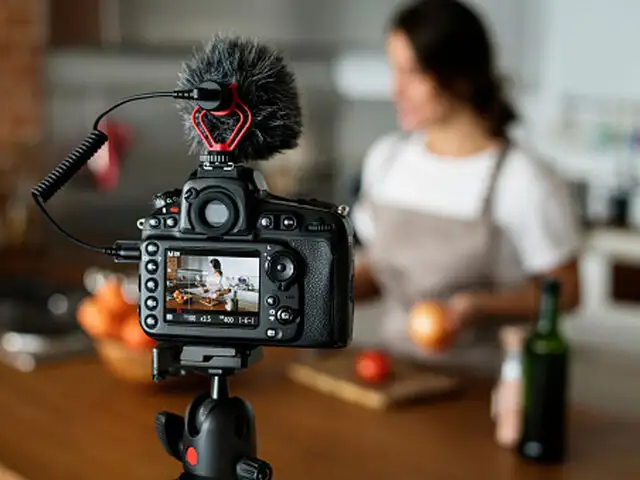
Camera

This is not too important if you’re just getting started. You can either use a camera or your smartphone. A good DSLR or mirrorless camera will give you better quality and is always recommended if you’re serious about it. Also, try to record and upload videos in 4K resolution for wider reach (but 1080p should be the minimum).

Tripod

Your camera/phone needs to be kept rock-steady while recording video and the best way to do that is with a tripod. There are various types of tripods available today starting Rs 300 onwards. You can start with one of the Amazon Basics tripods — they give you tilt and swivel motion, adjustable height and come with travel bag.

CameraThis is not too important if you’re just getting started. You can either use a camera or your smartphone. A good DSLR or mirrorless camera will give you better quality and is always recommended..
Read More

Lights

While recording a video, be it a product or if you’re shooting your own vlog, you need to have good lighting. One way to solve this issue is to shoot in daylight, but if you are shooting indoors, you need to have a good light setup. Start with LED video lights which can be mounted on a table or to your camera. Prices usually start from Rs 1,200.

Microphone

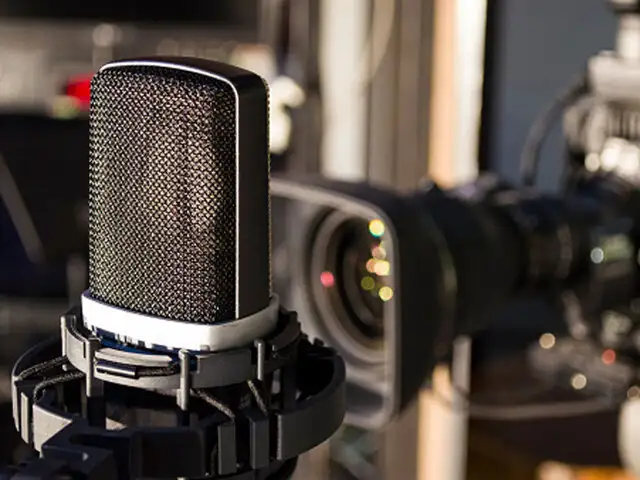
Good quality audio is as important as the video and that’s why it is best to get a dedicated microphone. You can get a lavalier or lapel mic to start. This will clip on to your shirt and gives you much better audio quality (with reduced ambient sounds) compared to the mic on your phone/camera. Prices start as low as Rs 199. Rode and Shure make the best mics but if you’re on a strict budget, consider the Boya BYM1 (Rs 849).

LightsWhile recording a video, be it a product or if you’re shooting your own vlog, you need to have good lighting. One way to solve this issue is to shoot in daylight, but if you are shooting indoor..
Read More

ADVERTISEMENT
Download
The Economic Times Business News App
for the Latest News in Business, Sensex, Stock Market Updates & More.
READ MORE
ADVERTISEMENT

READ MORE:

LOGIN & CLAIM

50 TIMESPOINTS

More from our Partners

Loading next story
Business News › Magazines › Panache › YouTube will let users sync downloads with the same account on different devices
Text Size:AAA
Success
This article has been saved

*

+