WWDC 2019: Apple brings 'dark mode', improved performance to iOS 13
Apple announces iOS 13 at WWDC 2019, giving a glimpse of the tech giant's latest software for the iPhone.
By ET Online | Updated:

Agencies
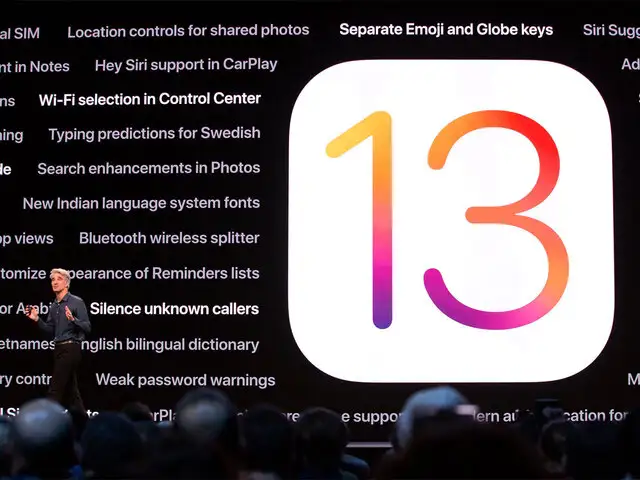
As much anticipated, Apple announces iOS 13 at WWDC 2019, giving a first look at the Cupertino-based tech giant's latest software for the iPhone. According to Craig Federighi, Apple’s Senior VP of software engineering, iOS 13 is the “next big release for iOOS,” offering a plethora of improvements to the OS.
A new (and long-awaited) dark mode, improvements to performance, and more changes.
Enhanced Performance
As with last year’s iOS 12 update, Apple is putting a big emphasis this year on improvements to performance, especially for older devices. Although we hope that the company has learnt from its past issues where new versions of iOS resulted in slowed-down phones. We will have to wait until iOS 13 makes its way into the world before we can know for sure if Apple’s succeeded a second time.
Apple's Face ID will unlock 30 per cent faster, and apps will launch twice as fast in iOS 13.
Dark Mode
This is probably the single most-anticipated change, and the biggest visual update Apple’s made to iOS since it introduced the current software design in iOS 7, iOS 13 is finally offering a true, system-wide dark mode.All of Apple’s first party apps are supported,
New Swipe Keyboard
While Apple has offered support for third-party keyboards on iOS for years, it’s updating its own default keyboard with a new feature: a swiping function that should be familiar to anyone who’s used SwiftKey.
Reminders
This app has undergone a complete redesign, adding new “Today,” “Scheduled,” “Flagged,” and “All” filtering options for sorting your tasks, along with a whole new visual look. Reminders will automatically suggest when you’d like to be reminded, and you’ll be able to tag contacts and be reminded when you open up their thread in Messages.
Apple Mail, Nies, Safari
Apple Maps
With more comprehensive map data and a new mode its basically just Google Street View.
Privacy
Now, you can choose to give your location data to an app “just once,” preventing it from constantly being able to ping your location when you’re using it.
Apple is also launching a new “Sign in with Apple” feature, which it’ll be making available to developers for logging into apps and services. You will be able to log into Face ID and create a new account for a service “without revealing any personal information.”
Apple accounts will also be able to automatically create new, private email addresses on a per-app basis that forward to your real email, preventing apps from getting access to your email or spamming you.
Imessage Profile Pictures
iOS is getting WhatsApp- and Facebook Messenger-style profile pictures and display names that let users share their name and photos with other users for Messages — in other words, Apple will make your phone look like its product demos where all the contacts have proper names and pictures.
And of course, you’ll be able to use your Memoji as a profile picture, too. To that end, Apple is also adding tons more options for customizing Memoji, as well as adding the ability to use your Memoji as iMessage stickers, similar to the way that Bitmoji does.
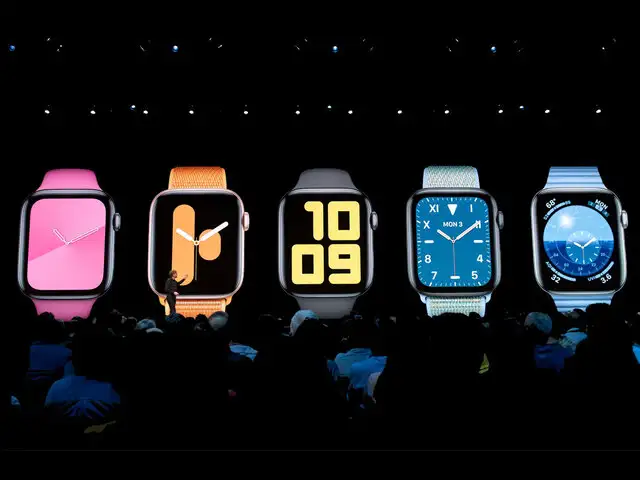
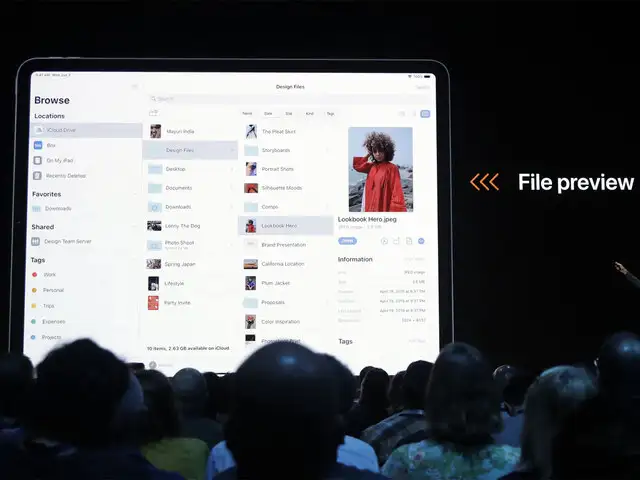
Apple also announced exciting features in Apple Watch, Apple Maps, Apple TV+, Mac iCloud storage and more.
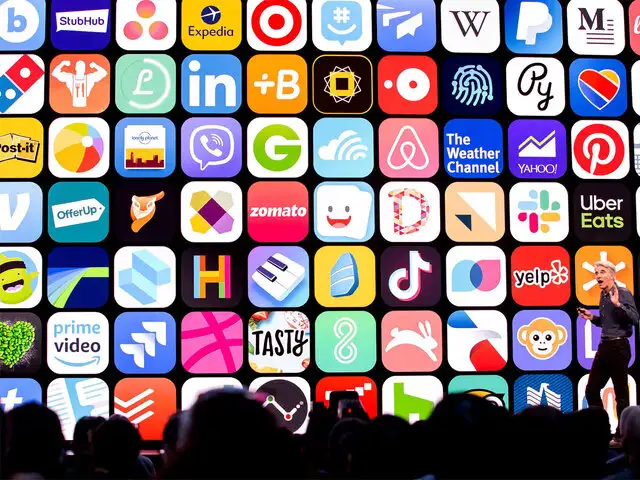
A new (and long-awaited) dark mode, improvements to performance, and more changes.
Enhanced Performance
As with last year’s iOS 12 update, Apple is putting a big emphasis this year on improvements to performance, especially for older devices. Although we hope that the company has learnt from its past issues where new versions of iOS resulted in slowed-down phones. We will have to wait until iOS 13 makes its way into the world before we can know for sure if Apple’s succeeded a second time.
Apple's Face ID will unlock 30 per cent faster, and apps will launch twice as fast in iOS 13.
Dark Mode
This is probably the single most-anticipated change, and the biggest visual update Apple’s made to iOS since it introduced the current software design in iOS 7, iOS 13 is finally offering a true, system-wide dark mode.All of Apple’s first party apps are supported,
ADVERTISEMENT
New Swipe Keyboard
While Apple has offered support for third-party keyboards on iOS for years, it’s updating its own default keyboard with a new feature: a swiping function that should be familiar to anyone who’s used SwiftKey.
Reminders
This app has undergone a complete redesign, adding new “Today,” “Scheduled,” “Flagged,” and “All” filtering options for sorting your tasks, along with a whole new visual look. Reminders will automatically suggest when you’d like to be reminded, and you’ll be able to tag contacts and be reminded when you open up their thread in Messages.
Apple Mail, Nies, Safari
ADVERTISEMENT
Apple Mail gets a new desktop formatting. Safari gets per-website preferences, and Notes gets a new gallery view for looking at all your notes at once.Apple Maps
With more comprehensive map data and a new mode its basically just Google Street View.
ADVERTISEMENT
Privacy
Now, you can choose to give your location data to an app “just once,” preventing it from constantly being able to ping your location when you’re using it.
Apple is also launching a new “Sign in with Apple” feature, which it’ll be making available to developers for logging into apps and services. You will be able to log into Face ID and create a new account for a service “without revealing any personal information.”
Apple accounts will also be able to automatically create new, private email addresses on a per-app basis that forward to your real email, preventing apps from getting access to your email or spamming you.
Imessage Profile Pictures
iOS is getting WhatsApp- and Facebook Messenger-style profile pictures and display names that let users share their name and photos with other users for Messages — in other words, Apple will make your phone look like its product demos where all the contacts have proper names and pictures.
And of course, you’ll be able to use your Memoji as a profile picture, too. To that end, Apple is also adding tons more options for customizing Memoji, as well as adding the ability to use your Memoji as iMessage stickers, similar to the way that Bitmoji does.
Apple also announced exciting features in Apple Watch, Apple Maps, Apple TV+, Mac iCloud storage and more.
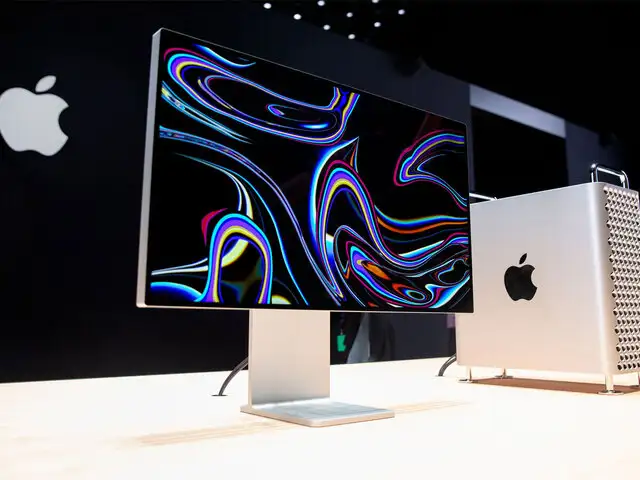
Apple's annual developers conference, Worldwide Developers Conference (WWDC) was held in San Jose, California. There were a sea of announcements, amidst that of the end of an era for a rather popular app, iTunes. Although, the Cupertino-based tech giant made a lot of new announcements, it also played catch-up with a lot of new features, most of which are already available with the competetitors. Apple debuted with an all-new Mac Pro, added some interesting upgrades to the iOS 13, apart from adding health features to the Apple Watch, Watch OS 6. Here's everything that Apple unveiled at WWDC 2019.


Download
The Economic Times Business News App for the Latest News in Business, Sensex, Stock Market Updates & More.
The Economic Times Business News App for the Latest News in Business, Sensex, Stock Market Updates & More.
ADVERTISEMENT


