Will your phone get the Android Oreo update? Find out here…
It's a matter of time before it rolls out to most Android phones, however if you use a Google device, you are first in line.
By ET Online |

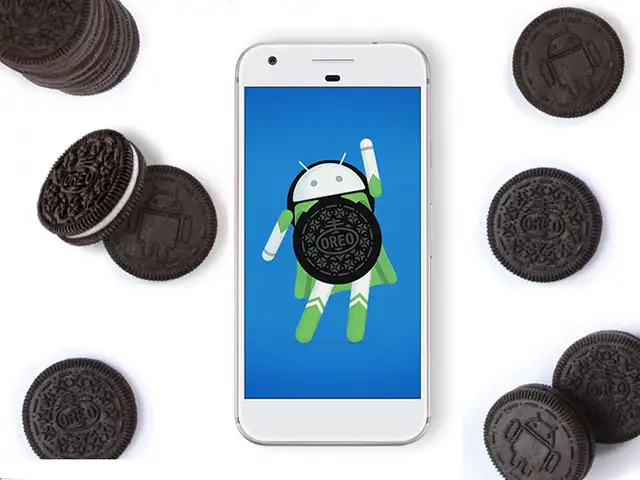
Less than a year after Android 7.0, Google announced its latest upgrade, called Android 8.0 or Android Oreo. Making Oreo more than just a favourite cookie.
The update from Google comes with a host of new features, plus it's got stronger security protections and speed improvements. Now that the features are all out there, the only question that remains is; 'how soon will your phone get the upgrade?'
Though it's just a matter of time before it rolls out to most Android phones, however if you use a Google device, you are first in line.
Google Nexus 5X, Nexus 6P, Nexus Player, Pixel, Pixel C and Pixel XL owners can get the Android 8.0 beta right now by signing up for the Android Beta Program.
Nokia, trying to regain its place in the market, had promised an update for all its new devices. So, Nokia 3, 5 6 and 8 will soon be receiving the Android 8.0 update.
OnePlus has confirmed that their latest flagship smartphone, OnePlus 5 will get Android Oreo. The uodate is expected to take around two months. OnePlus 3 and OnePlus 3T are also expected to get Oreo by end of the year.
Samsung flagship phones are normally on the list for all the OS updates. Hence, Galaxy S8+, Galaxy S8, Galaxy S7, Galaxy S7 Edge, Galaxy Note 7 Fan Edition, Galaxy Tab S3 and Galaxy Note 8 are expected to be updated to Android 8.0 Oreo, though the timeline for this is not confirmed.
Since Moto phones run stock Android, they are among the most actively updated devices. Keeping up with the trend, The Moto Z2 Play is likely to get Android Oreo by the end of the year.
Other phones expected to get the update include, Sony's Xperia range and Asus Zenfone smartphones.
The update from Google comes with a host of new features, plus it's got stronger security protections and speed improvements. Now that the features are all out there, the only question that remains is; 'how soon will your phone get the upgrade?'
Though it's just a matter of time before it rolls out to most Android phones, however if you use a Google device, you are first in line.
Google Nexus 5X, Nexus 6P, Nexus Player, Pixel, Pixel C and Pixel XL owners can get the Android 8.0 beta right now by signing up for the Android Beta Program.
Nokia, trying to regain its place in the market, had promised an update for all its new devices. So, Nokia 3, 5 6 and 8 will soon be receiving the Android 8.0 update.
OnePlus has confirmed that their latest flagship smartphone, OnePlus 5 will get Android Oreo. The uodate is expected to take around two months. OnePlus 3 and OnePlus 3T are also expected to get Oreo by end of the year.
ADVERTISEMENT
Samsung flagship phones are normally on the list for all the OS updates. Hence, Galaxy S8+, Galaxy S8, Galaxy S7, Galaxy S7 Edge, Galaxy Note 7 Fan Edition, Galaxy Tab S3 and Galaxy Note 8 are expected to be updated to Android 8.0 Oreo, though the timeline for this is not confirmed.
Since Moto phones run stock Android, they are among the most actively updated devices. Keeping up with the trend, The Moto Z2 Play is likely to get Android Oreo by the end of the year.
Other phones expected to get the update include, Sony's Xperia range and Asus Zenfone smartphones.
Download
The Economic Times Business News App for the Latest News in Business, Sensex, Stock Market Updates & More.
The Economic Times Business News App for the Latest News in Business, Sensex, Stock Market Updates & More.
Related Articles
 Google’s Android XR Glasses Put Gemini at the Center of Everyday Life, Taking on Meta’s Wearables Push2026-05-19T19:17:40Z
- BGMI 4.4 update release date India time: Check how to download new update for Android, iOS and APK users2026-05-19T03:08:31Z
- OnePlus Nord CE 6 review: A balanced android phone done right2026-05-14T12:29:32Z
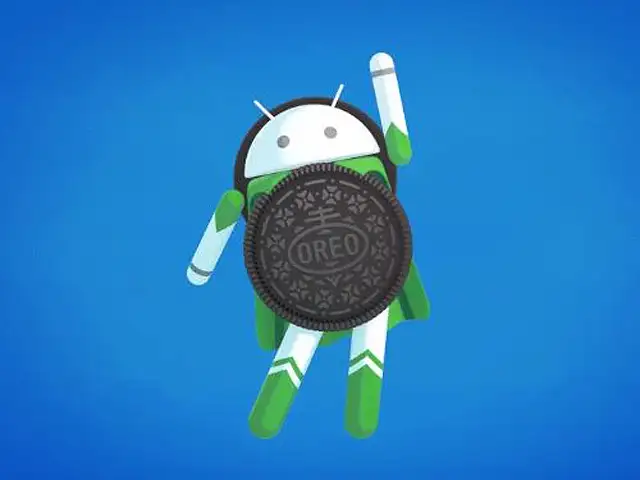
There are a host of new features and ET gives you a quick rundown of some of the most prominent ones.
(Image: Twitter/@Android)

ADVERTISEMENT


