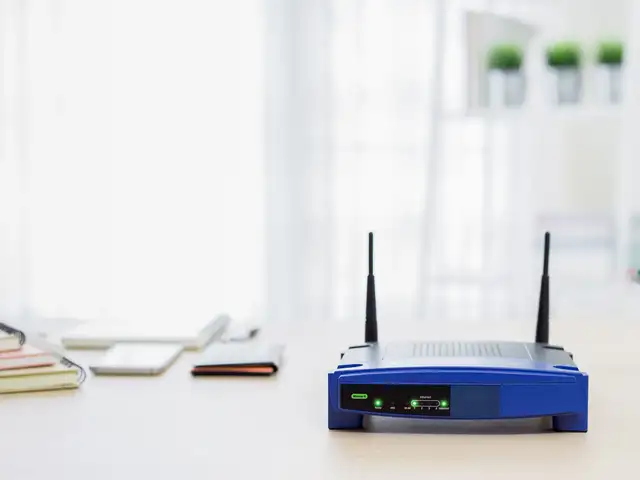
Wi-Fi 6 is a certified standard that new generation devices can employ.
Telecom operators and handset manufacturer are scrambling to get their networks ready for 5G technology, but behind the scenes, a more powerful communication standard is in the works: Wi-Fi 6. The latest routers and laptops from Asus, HP, and Dell – showcased at the Consumer Electronics Show in Las Vegas in January – all support this standard.
Along with the 5G-ready badging, the Samsung Galaxy S10 and the iPhone 11 series sport Wi-Fi 6 certification, making them the first handsets to do so. But beyond the enhanced download speeds that will be available to smartphone users, the real impact of the new wireless communication standard will be in the way it will enable routers to service multiple smart devices connected to it.
What is Wi-Fi 6?
Wi-Fi 6 or 802.11ax – for the technologically savvy – is the latest version of the 802.11 communication standard, commonly called Wi-Fi. The new iteration of the standard will be backwards-compatible with the existing version - 802.11ac. Unlike optical fibre, which is the new darling of broadband vendors, Wi-Fi 6 is an upgrade over the existing standard that routers can utilize to transmit signals at significantly higher speeds.
Wireless communication standards are maintained and certified by the Wi-Fi Alliance, a non-profit industry group. The latest version, 802,11ax, is the sixth iteration of the 802.11 standard, and was developed by the Institute of Electrical and Electronics Engineers (IEEE). The Samsung Galaxy S 10 was the first smartphone to support Wi-Fi 6. How much faster is it than the outgoing standard? It will be possible to gauge the speed of Wi-Fi 6 routers in real-world conditions once it goes mainstream. However, industry experts reckon that Wi-Fi 6 will be 30 per cent faster than its predecessor, with maximum transfer speed touching 10 Gbps in theory. Independent tests revealed speeds of nearly 1.32 Gbps, roughly 40 per cent faster than peak speeds under the old standard.
ADVERTISEMENT
However, the impact of enhanced capacity and speed of new routers will be felt only if it is servicing requests from multiple devices. For home networks, with only two or three devices concurrently using the Wi-Fi network, the difference in speed and bandwidth will be hard to notice. The router is also effectively handicapped by the speed of the incoming connection from the internet service provider (ISP). If the incoming connection to the router is relatively weak, the signals transmitted by it will be slower, negating the incremental advantage of Wi-Fi 6.
In the Indian context, the effect Wi-Fi 6 will have on networks seems underwhelming, given that the average download speed among fixed broadband connections is 25.92 Mbps, according to Ookla’s Speedtest Global Index 2019. This is only a miniscule fraction of the top speed Wi-Fi 6 routers are capable of, implying that they will have to function at suboptimal levels even after they are integrated into Indian networks. But the introduction of Reliance’s JioFiber ought to drive up the average download speed, even though it will still fall short of fully utilizing the gains promised by Wi-Fi 6.
JioFiber’s cheapest plan offers speeds up to 100 Mbps, while the company’s Platinum tier – which costs Rs. 3,999 – offers a peak speed of 1 Gbps. Incidentally, the fastest speed clocked with Wi-Fi 5, the incumbent standard, is 938 Mbps, according to the technology news website Cnet. If users in India wanted to take full advantage of the extra speed offered by a Wi-Fi 6 router, they’ll have to wait till ISPs upgrade their hardware. As of now, most plans offer barely a tenth of the speed Wi-Fi 6 hardware will be capable of transmitting.
How does it work? The standard is designed to communicate effectively with more network participants, whilst using less power. This is achieved by packing more information per signal, and then dividing each signal between multiple recipients, akin to a waiter at a restaurant balancing multiple trays, while traipsing through the dining hall, making pit stops at different tables.
ADVERTISEMENT
At the elementary level, devices that send a Wi-Fi signal transmission modulate the signal of a particular frequency. Devices receiving the transmission will be able to identify the modulations that represent specific bit of binary code – ones and zeroes. This method of sending and receiving signals is called quadrature amplitude modulation (QAM).
The more capable one’s router is at QAM, the more binary code it can stuff into each transmission. A 2-QAM access point will be able to modulate Wi-Fi radio waves in either of two ways – 1 or 0. In the case of a 4-QAM access point, the signal will be split four ways – 00,01,10, 04 11. Likewise, an 8-QAM access point will be able to send eight times as much data – 000, 001, 010, 011, 100, 101, 110 or111.
ADVERTISEMENT
Contemporary routers running on the Wi-Fi 5 standard are 256-QAM, which lets them send eight digits of binary code at one shot – 00000000 to 11111111 (256 combinations). Wi-Fi 6 will up the ante, offering 1024-QAM, which lets devices send 10 digits of binary with each transmission. The Wi-Fi Alliance and the IEEE say that this will translate into a 30 per cent increase in throughput, enabling users to stream 4K videos on smart TVs, while playing multiplayer games on Playstation, making a Skype call on a smartphone, and playing music on a smart speaker, all at once.
When will Wi-Fi 6 be rolled out? Wi-Fi 6 is a certified standard that new generation devices can employ. While mass market adoption is yet to happen, manufacturers like Cisco, Asus, Netgear, and TP-Link have already announced release dates for compatible network hardware. Smartphone makers have taken the lead.
The Samsung Galaxy S 10 was the first smartphone to support Wi-Fi 6, with the latest generation of the Apple iPhone following suit. The Wi-Fi Alliance has set up its certification programme, and new wireless products hitting the market are expected to start applying for compliance certification.
Wi-Fi 6 routers are likely to cost a pretty penny, and in order to reap the benefits of the investment, one will require a fast internet connection commensurate with the speed at which the standard operates, as well as wireless devices that are compliant with the new standard. Wi-Fi 6 supports older-generation devices, but the catch is that it can do little to put them through the paces.
Here's How To Improve Your Home Wifi Experience
1/8
Poor coverage across the home, dead spots and slow speeds are some of the more common complaints with home WiFi. Thing is, WiFi is not an exact science and there are so many variables that affect performance. That being said, there are a few simple steps that can improve your experience.
Poor coverage across the home, dead spots and slow speeds are some of the more common complaints with home WiFi. Thing is, WiFi is not an exact science and there are so many variables that affect per..
Read More
Placement – This can make or break the quality of signal you get. A router’s signal travels omnidirectionally and downwards, no matter where it is placed. If you place a router low down in the corner of a house, it’s in the worst possible location to cover the entire house. Granted, placing it high up in the center of the house is not always viable but you can choose a middle ground. Even elevating the position of the router (to the top of a cupboard or shelf) can improve signal and speed significantly. The other thing you need to be careful about is proximity to metal objects and other electronic equipment (microwave ovens, cordless phones in particular). The further away from these, the better it is.
Placement – This can make or break the quality of signal you get. A router’s signal travels omnidirectionally and downwards, no matter where it is placed. If you place a router low down in the corner..
Read More
Additional Equipment – If you can’t change the placement of the router and want to get better coverage, you will need to spend some money. The easy way is to get a WiFi range extender (Rs 1,299 onwards). A range extender connects to your existing WiFi network and repeats it to increase coverage. This is usually a good option for a small house. However, if you have a large house or want the WiFi to work across multiple floors, you’ll find that a mesh router is your best bet. A mesh router consists of one main router plus additional nodes that can be placed across the home. When installed, the mesh router setup gives extended coverage without any speed drops. Netgear’s Orbi Mesh router can provide coverage in a 5,000 sq ft home with just a single extra node.
Additional Equipment – If you can’t change the placement of the router and want to get better coverage, you will need to spend some money. The easy way is to get a WiFi range extender (Rs 1,299 onwar..
Read More
Track via Router – Your router logs any device that is connected to it and this is therefore one of the best ways to track usage. Access your router’s settings via a web-browser (type 192.168.1.1 or 192.168.0.1 in address bar) and login using the username/password given in the user manual. Some routers have very confusing interfaces but essentially, you need to look for a section called network information or WiFi status — this is where you can see a list of devices connected to your router. If you see a device you don’t recognize, remove it from the list and change your password immediately.
Track via Router – Your router logs any device that is connected to it and this is therefore one of the best ways to track usage. Access your router’s settings via a web-browser (type 192.168.1.1 or ..
Read More
Using Software – A number of router manufacturer now offer apps for network management. However, you can also use third party apps that help with analyzing your network. We recommend using the free version of Capsa (www.colasoft.com/capsa) or Wireless Network Watcher (www. nirsoft.net). Both scans your WiFi network for connected devices and show you details regarding IP address, data usage and computer name in an easy to understand visual format — this way you can find out if any unknown device is connected to your network without going through router settings.
Using Software – A number of router manufacturer now offer apps for network management. However, you can also use third party apps that help with analyzing your network. We recommend using the free v..
Read More
2.4Ghz vs 5Ghz – These are the two frequencies on which dual band routers work. A single band router will only be using the 2.4Ghz spectrum. 5Ghz gives you faster speeds but lower coverage while the 2.4Ghz is the opposite. With dual band routers, you don’t need to choose one over the other. You can connect to the 5Ghz network for faster speeds if you are near the router while the other times you can connect to the 2.4Ghz network. Keep in mind that not all devices support connection with 5Ghz bands.
2.4Ghz vs 5Ghz – These are the two frequencies on which dual band routers work. A single band router will only be using the 2.4Ghz spectrum. 5Ghz gives you faster speeds but lower coverage while the ..
Read More
Guest Access – If you often have parties at home, don’t give out your WiFi password. Many routers offer you the option to create a separate network for guests. Apart from the obvious security benefits, you can set data limits on the network so that your guests don’t leech all your bandwidth and you don’t have to worry about getting a virus/malware from the guest device on to personal home devices over shared network.
Guest Access – If you often have parties at home, don’t give out your WiFi password. Many routers offer you the option to create a separate network for guests. Apart from the obvious security benefit..
Read More
- Change your WiFi password regularly – we recommend once every three months - Update Router Firmware – adds important security patches against vulnerabilities - Change router login password – keeping it at the company default makes the network easy to hack - Enable router firewall – most routers give you the option in settings and you should keep it enabled
- Change your WiFi password regularly – we recommend once every three months- Update Router Firmware – adds important security patches against vulnerabilities- Change router login password – keeping ..