WhatsApp on the Web: 10 things you need to know
WhatsApp finally gave in to popular demand and released an official web version — but it's not as simple as you think.
By Hitesh Raj Bhagat, ET Bureau | Updated:

WhatsApp finally gave in to popular demand and released an official web version — but it's not as simple as you think. Read on:
Chrome only
So far, if you want to access WhatsApp on the web, it will only work on Google Chrome and only from a computer – using Chrome on a tablet or mobile phone won't.
Got the update?
For the web feature to work, you need to update WhatsApp on your phone to the latest version from the respective app store. Only when you update the app will you see the new 'WhatsApp Web' option in the menu.
Existing users only
You need to be an existing WhatsApp user— with an active account. You can't sign up for a WhatsApp account from the web. Next, it only works with WhatsApp installed on Android, BlackBerry, Windows Phone and S60 – iOS compatibility is blocked because of limitations set by Apple.
It's secure
To start using WhatsApp web, you need to open a webpage on Chrome (Web. whatsapp.com) and then use WhatsApp on your phone to scan the QR code that appears. The QR code expires after a while and it ensures a single connection between the web client and phone. To connect again, you need to go through the process again.
No one will know
Whether you're typing a message from a phone or the web client, everything stays the same. You still get the same double tick marks (for delivered) and they still turn blue (when your message has been read by the recipient).
Can't save on mobile data
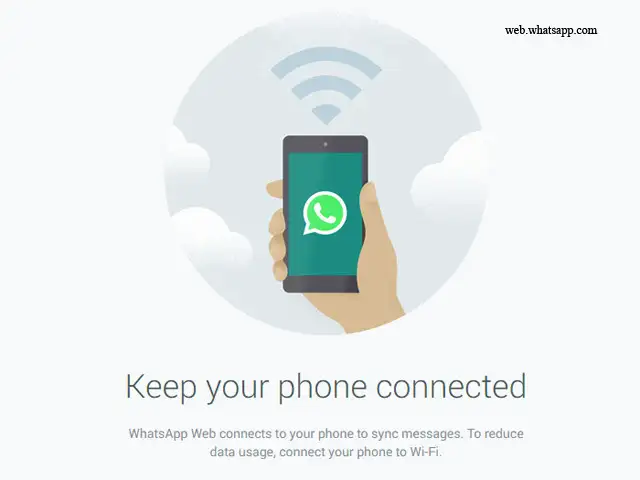
The WhatsApp web client uses your phone to connect and send messages – in a sense, everything is mirrored. Your web session stays active as long as your phone has a connection to the internet. This also means that your phone's data connection is constantly being used.
Attachments work both ways
You can still send attachments from your PC as long as they are photographs. You can view all the attachments sent by others. If equipped, you can also use your webcam to snap a quick picture and send it as an attachment. Videos are not supported yet.
Don't get blocked
There are a number of unofficial WhatsApp apps or widgets that you can get. However, WhatsApp periodically checks for this and will block you eventually.
All app features not available
For instance, on the web version, you cannot delete or forward messages. You also can't create groups or leave existing groups. For full functionality, you will need to head to the app.
The web client is temporary
This means that nothing is stored on the PC. You can view attachments but they will be available later only if you specifically download them. The idea behind the web client is that you can use it while using a computer without the need to switch devices.
Chrome only
So far, if you want to access WhatsApp on the web, it will only work on Google Chrome and only from a computer – using Chrome on a tablet or mobile phone won't.
Got the update?
For the web feature to work, you need to update WhatsApp on your phone to the latest version from the respective app store. Only when you update the app will you see the new 'WhatsApp Web' option in the menu.
Existing users only
ADVERTISEMENT
You need to be an existing WhatsApp user— with an active account. You can't sign up for a WhatsApp account from the web. Next, it only works with WhatsApp installed on Android, BlackBerry, Windows Phone and S60 – iOS compatibility is blocked because of limitations set by Apple.
It's secure
To start using WhatsApp web, you need to open a webpage on Chrome (Web. whatsapp.com) and then use WhatsApp on your phone to scan the QR code that appears. The QR code expires after a while and it ensures a single connection between the web client and phone. To connect again, you need to go through the process again.
No one will know
ADVERTISEMENT
Whether you're typing a message from a phone or the web client, everything stays the same. You still get the same double tick marks (for delivered) and they still turn blue (when your message has been read by the recipient).
Can't save on mobile data
ADVERTISEMENT
The WhatsApp web client uses your phone to connect and send messages – in a sense, everything is mirrored. Your web session stays active as long as your phone has a connection to the internet. This also means that your phone's data connection is constantly being used.
Attachments work both ways
You can still send attachments from your PC as long as they are photographs. You can view all the attachments sent by others. If equipped, you can also use your webcam to snap a quick picture and send it as an attachment. Videos are not supported yet.
Don't get blocked
There are a number of unofficial WhatsApp apps or widgets that you can get. However, WhatsApp periodically checks for this and will block you eventually.
All app features not available
For instance, on the web version, you cannot delete or forward messages. You also can't create groups or leave existing groups. For full functionality, you will need to head to the app.
The web client is temporary
This means that nothing is stored on the PC. You can view attachments but they will be available later only if you specifically download them. The idea behind the web client is that you can use it while using a computer without the need to switch devices.
Download
The Economic Times Business News App for the Latest News in Business, Sensex, Stock Market Updates & More.
The Economic Times Business News App for the Latest News in Business, Sensex, Stock Market Updates & More.
Related Articles
 EU orders Meta to open WhatsApp to rival AI chatbots for free
Text: Anupam Saxena, TOI Tech
With more than 700 million monthly active users, there's no doubt that WhatsApp is one of the largest mobile-focused messaging service.
A large number of these users have been demanding a PC interface for the service to stay connected with their favourite people even when they switch devices.
With more than 700 million monthly active users, there's no doubt that WhatsApp is one of the largest mobile-focused messaging service.
A large number of these users have been demanding a PC interface for the service to stay connected with their favourite people even when they switch devices.




ADVERTISEMENT


