'Timepage' review: A cool calendar app with clean, elegant and accessible interface

The home screen lets you switch between calendar view and daily view.

Agencies
Free for iOS

Timepage is a new smart calendar app developed by Moleskin — a brand known for premium stationery products. Like most calendar apps, Timepage links to the calendar on your device to import existing information and events. We loved the interface: clean, elegant and almost everything is accessible with simple gestures and swipes.

The home screen lets you switch between calendar view and daily view. You can customise it with your favourite colour and access advanced functions with a left swipe. Dates with events are highlighted for ease of view in the calendar.


In the day view, you can tap on any row to quickly add a new event. While creating an event, you can select the precise time, add a location, set reminders, add extra notes and even invite people from your contacts to view the calendar event.

Notification Tweaking, Bedtime & Measure: What’s New With Apple's iOS 12
1/7
Apple first showcased iOS 12 at their annual WWDC conference back in June 2018. Although iOS 12 has been available as a public beta for some time now, the final version has just started rolling out. A speed and battery boost on your device is a given but there are some more features you should start using straightaway.

In Pic: iOS 12 enables some new AR (augmented reality) experiences thanks to ARKit 2. For instance, sharing of AR objects over message/mail & shared AR views. (Text: Hitesh Raj Bhagat)
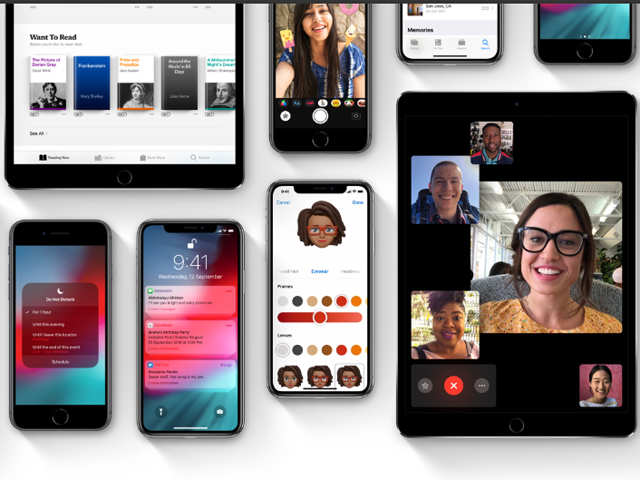
Apple first showcased iOS 12 at their annual WWDC conference back in June 2018. Although iOS 12 has been available as a public beta for some time now, the final version has just started rolling out...
Read More
iOS 12 is now available for devices that launched as far as back as 2013 (iPhone 5S). It is also available on 6/6 Plus, 6s/6s Plus, SE, 7/7 Plus and newer phones like 8/8 Plus, X/XR/XS/ XS Max. As for iPads, this version will be available on iPad Mini 2/3/4, Air/Air2 and all the newer iPads.
iOS 12 is now available for devices that launched as far as back as 2013 (iPhone 5S). It is also available on 6/6 Plus, 6s/6s Plus, SE, 7/7 Plus and newer phones like 8/8 Plus, X/XR/XS/ XS Max. As f..
Read More
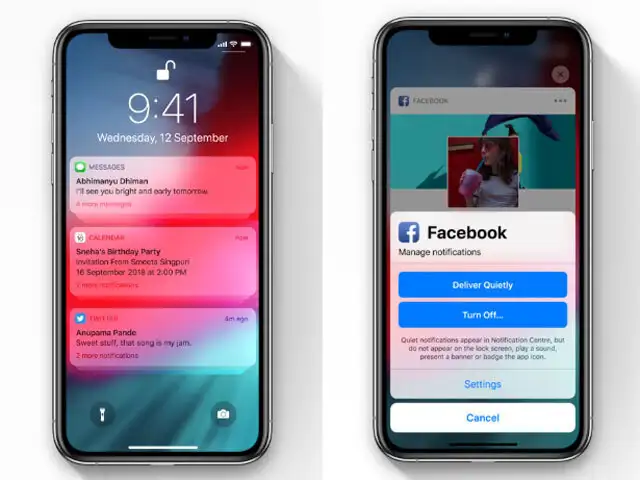
Rather than see a long list of notifications from different apps, iOS 12 will group them together. You can still press to expand something or could dismiss all notifications from one app in a tap. More interesting are the additional ‘manage’ options. If you swipe left on a notification, you can choose for that kind of notification to be delivered quietly or turn it off completely. Of course you can still go into Settings > Notifications to precisely control what type of notification each app is allowed to present.
Rather than see a long list of notifications from different apps, iOS 12 will group them together. You can still press to expand something or could dismiss all notifications from one app in a tap. M..
Read More
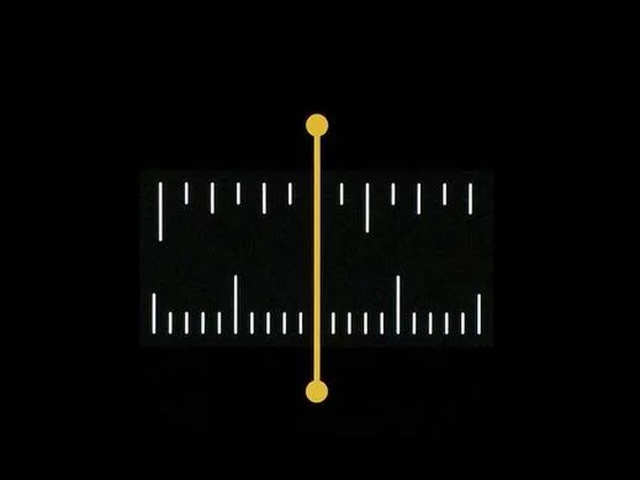
Instead of hunting for the tape measure when you need to check something, just pull out your iPhone. The Measure app gives you a view from the iPhone camera, lets you set waypoints and measure the distance between them. Helpfully, the waypoints also lock on to edges quite easily — works great even if you have shaky hands. The concept seems counterintuitive but you’ll be surprised at how accurate it can be as long as you follow the directions.
Instead of hunting for the tape measure when you need to check something, just pull out your iPhone. The Measure app gives you a view from the iPhone camera, lets you set waypoints and measure the d..
Read More
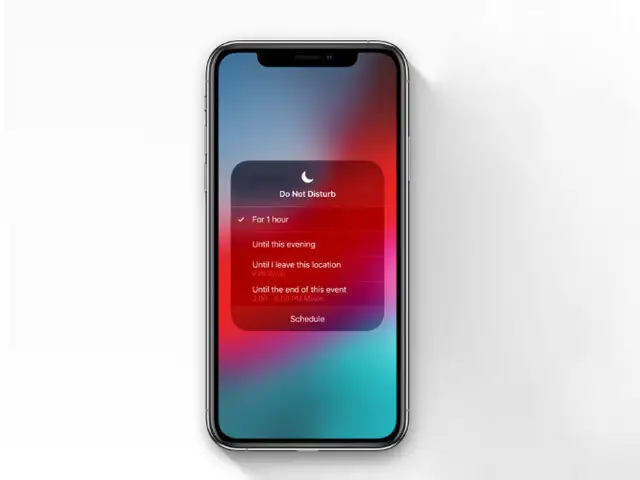
If you’re an iPhone user, you’re probably familiar with Do Not Disturb mode. With iOS 12, you can change a few more things here. Head to Settings > Do Not Disturb and toggle on the Scheduled switch. Then, you can set your sleep/wake time and toggle on Bedtime mode. With Bedtime enabled at night, the lock screen won’t light up with notifications, the screen is generally dimmer and the phone won’t ring or notify you either. If you place the phone by your bedside, this will stop the phone from waking you up at night with bright lights.
If you’re an iPhone user, you’re probably familiar with Do Not Disturb mode. With iOS 12, you can change a few more things here. Head to Settings > Do Not Disturb and toggle on the Scheduled switch...
Read More
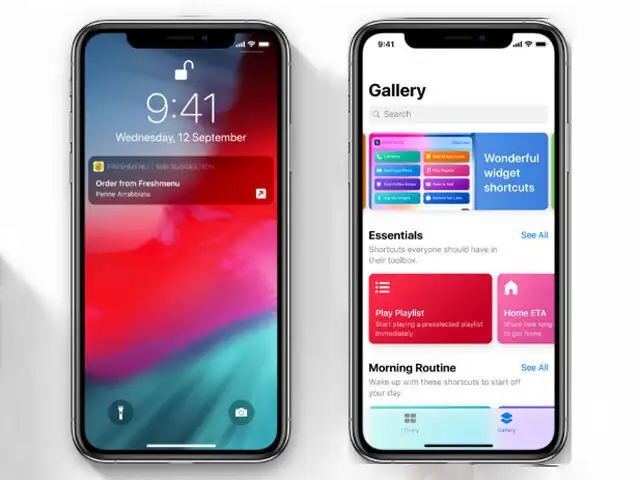
The idea behind shortcuts is to save time and automate things that you do on a daily basis. The concept is somewhat similar to a third-party app called IFTTT app except that it works with Siri. Once you download the dedicated Shortcuts app, you can start by creating from scratch or just head to the gallery for help/ inspiration. Once you create shortcuts, Siri can execute them too. For instance, tell Siri you’re headed to a meeting to automatically enable Do not Disturb mode. For faster access, you can add the Shortcuts widget too. You should also start seeing app developers add support for Shortcuts soon.
The idea behind shortcuts is to save time and automate things that you do on a daily basis. The concept is somewhat similar to a third-party app called IFTTT app except that it works with Siri. Once..
Read More
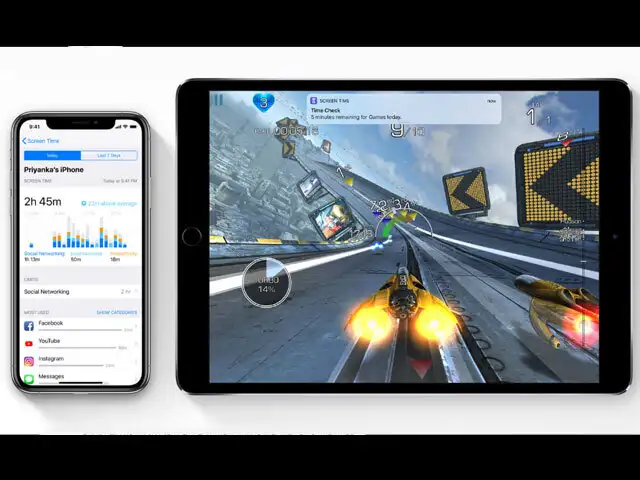
We all probably need a little digital detox. That’s the idea behind Screen Time, where you can see how much daily screen time you’re logging, on which apps or which category of apps. You can also set time limits for yourself. A good place to start would be social networking. All similar apps are automatically grouped and you can set a limit for yourself (the limit resets at midnight). When you hit the daily limit, the app icon is greyed out and you’ll see a small hourglass next to it/ You can also enable Downtime – a scheduled time away from the screen. Only phone calls will be allowed during Downtime. Head to Settings > Screen Time to see all of this.
We all probably need a little digital detox. That’s the idea behind Screen Time, where you can see how much daily screen time you’re logging, on which apps or which category of apps. You can also se..
Read More

The app also allows you to set up smart alerts for severe weather, daily briefings, upcoming events and for any follow-ups after a meeting. It also offers a widget and works seamlessly with Siri Shortcuts. See if you like it with a 7-day free trial after which you have to pay Rs 149 a month or Rs 919 a year for a subscription.
Download
The Economic Times Business News App
for the Latest News in Business, Sensex, Stock Market Updates & More.
READ MORE
ADVERTISEMENT

READ MORE:

LOGIN & CLAIM

50 TIMESPOINTS

More from our Partners

Loading next story
Business News › Magazines › Panache › 'Timepage' review: A cool calendar app with clean, elegant and accessible interface
Text Size:AAA
Success
This article has been saved

*

+