This Siri shortcut will work as a defence if cops pull you over
The tech trick is created by software developer Robert Petersen.
By AFP |
iStock
The software trick must be installed by users, and is not part of the iPhone operating system.
SAN FRANCISCO: The widespread protests against police brutality have created a buzz around a software shortcut letting people cue iPhones to start video recording during a traffic stop in case of misconduct by officers.
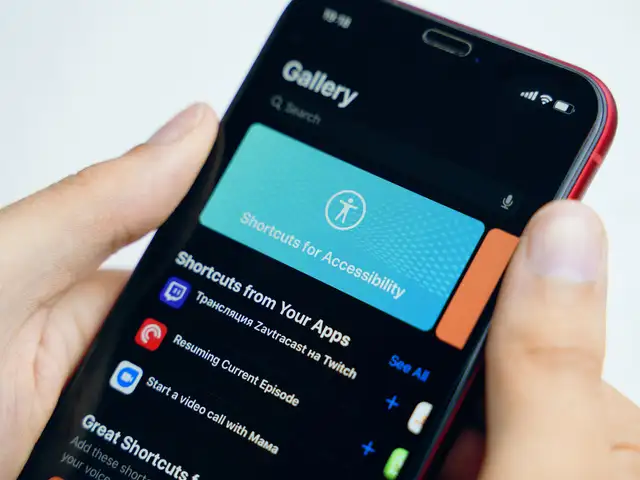
The tech trick created by software developer Robert Petersen puts iPhones into action by telling Apple's digital assistant Siri that "I'm getting pulled over."
"Siri police shortcut" was getting traction on social media after Peterson tweeted a link to the latest version of his two-year-old shortcut this week.
A bunch of people and news outlets are passing around an old version of my ‘Getting Pulled Over’ Shortcut.Current… https://t.co/iQ6ZlNmlmI
"This shortcut may be useful when getting pulled over by the police," Petersen said in a Reddit post.
"Works best when used with a phone dash mounted."
ADVERTISEMENT
Once Siri is verbally cued, it pauses any music playing; turns down iPhone brightness; goes into do-not-disturb mode, and sends a message to a designated contact that a police stop is taking place and indicates where, according to Petersen.
It then starts video recording through the iPhone front camera, sending a copy to a specified contact, he explained.
Apparently iphones have a police shortcut link and it does a bunch of things when you tell Siri you're pulled over.… https://t.co/nbY29RtmCA
— DesiBAE aka Big Horchata (@sarcasticstyle) 1591753316000
The software trick must be installed by users and is not part of the iPhone operating system.
"Good to know," a Twitter user posting under a Justice Seeker banner said in a tweet that included a link to a news report about the shortcut.
ADVERTISEMENT
The killing of George Floyd by police on May 25 has fuelled a national and global uproar over racism and police brutality.
Smartphone videos shared on social media have become key bits of evidence against police misconduct, and the software shortcut was designed to make that easier.
ADVERTISEMENT
A Sigh Of Relief: Apple iOS 13.3 Released, Reportedly Fixes The Most ‘Annoying’ Bugs
1/6
Back when Apple announced iOS 13 at the last WWDC (Worldwide Developers Conference), probably no Apple user had expected so many bugs and issues to creep into their phones. Apple delivered most of the features it had promised with iOS 13.2 which was rolled out on October 30.
However, to fix the problems that users are facing, Apple has released iOS 13.3 to those who had signed up for beta testing. Reportedly, iOS 13.3 has fixed quite a few bugs, including the one which is being dubbed as the most ‘annoying’ problem till date.
Back when Apple announced iOS 13 at the last WWDC (Worldwide Developers Conference), probably no Apple user had expected so many bugs and issues to creep into their phones. Apple delivered most of ..
Read More
A large number of users had raised issues with iOS 13 because the apps were apparently refreshing on their own which lead to users losing data. iPhones were automatically refreshing the apps which were previously accessed, a problem which users didn’t face with the previous versions of iOS.
“I was watching a video on YouTube [sic] on my iPhone 11 Pro I pause the video to respond to a text message. I was in iMessage for less than one minute. When I returned to YouTube it reloaded the app and I lost the video I was watching,” stated one of the forum members called Rogifan
After iOS 13.3 release, one of the beta testers took to Twitter to share that Apple had reportedly fixed the issue. He said that he had 32 apps open on his iPhone 11 Pro Max and none of them refreshed.
A large number of users had raised issues with iOS 13 because the apps were apparently refreshing on their own which lead to users losing data. iPhones were automatically refreshing the apps which we..
Read More
iOS 13.3 comes with a new feature called ‘Communication Limits’. The iPhone will now have an app called Screen Time which allows users to limit texting, calling and FaceTime for their children.
Additionally, parents can also limit the usage time for different apps on the phone such as FaceTime, Phone app and Messages.
Previously, Screen Time could not block specific contacts but it has been fixed now. What’s more? Parents can also set limits on call duration depending upon whom their children are talking to.
iOS 13.3 comes with a new feature called ‘Communication Limits’. The iPhone will now have an app called Screen Time which allows users to limit texting, calling and FaceTime for their children.Additi..
Read More
iOS 13.3 also comes with another minor update. It allows users to control when they want to see Memojis and Animojis.
In Settings > General > Keyboard, you can now turn off Animoji and Memoji Stickers from being displayed on the emoji keyboard.
For the uninitiated, Animojis are 3D, animated emojis that transform familiar emojis to animated messages. Memojis, on the other hand, are personalised Animojis, akin to Snapchat’s Bitomji, that look exactly like the user.
iOS 13.3 also comes with another minor update. It allows users to control when they want to see Memojis and Animojis.In Settings > General > Keyboard, you can now turn off Animoji and Memoji Stickers..
Read More
It seems like a good time to own an iPhone because almost all the problems that users have been facing are now being resolved. Twitter, too, has released an iOS bug fix that stops the timeline from auto-scrolling.
If the Twitter app has been acting up on your iPhone lately, you are not alone. The frustrating auto-scroll issue in iOS has been fixed by the good folks at Twitter with the latest 8.1.5 version of Twitter on the Apple App Store.
It seems like a good time to own an iPhone because almost all the problems that users have been facing are now being resolved. Twitter, too, has released an iOS bug fix that stops the timeline from a..
Read More
To get iOS 13.3, go to beta.apple.com and sign up for beta. Then, go to Settings > General > Profile to select the beta profile.
Once you’ve done that, you’ll download beta updates just like regular iOS updates: by heading to Settings > General > Software Update
To get iOS 13.3, go to beta.apple.com and sign up for beta. Then, go to Settings > General > Profile to select the beta profile.Once you’ve done that, you’ll download beta updates just like regular ..