These iOS 11 secret features will make you want to update the software
These little hidden features and tricks can help improve the way you work and play.

As with any new iOS update, iOS 11 has hundreds of big and small features to improve your experience. While some changes are visible outright (for instance, the Control Center and new App Store), iOS 11 has a lot more features than meet the eye. These little hidden features and tricks can help improve the way you work and play.
Document scanner

There's a new document Scanner built into the Notes app now. Sure, apps like Office Lens have had this feature for a while now (and we still can't recommend Office Lens enough), but it's nice to have this built in now. Fire up the Notes app and click the + button in a note. The camera will pop up and you can snap a photo of a document, bill, visiting card or similar item that you want scanned. It auto detects the edges of the paper and even corrects the perspective and colour temperature.
Screen Recording
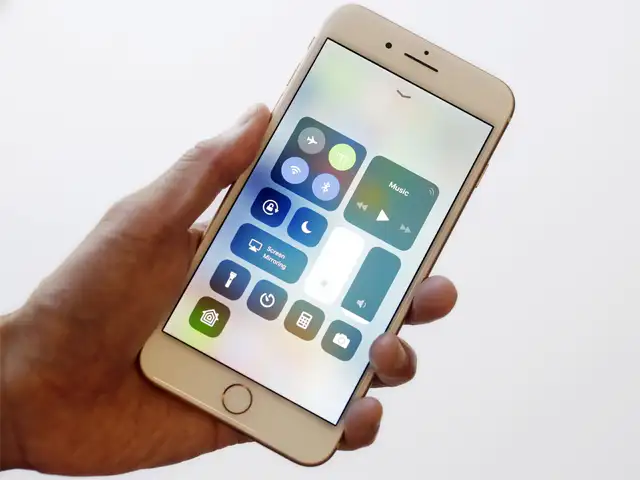
You can record everything you do on the screen as a video. You'll find this in the options when you customise the control center. Go to Settings > Control Center > Customise Controls. Under the list of more controls, press the + against Screen Recording. Now when you pull up the Control Center, the Screen Recorder can be invoked with a single tap. Once you're finished, tap the record button again and the video will be saved to the photo library automatically. You can easily trim the video and share it immediately. Great for instructional videos.
Low on Storage?
The iPhone 8 and X start with 64GB storage which should be enough for most people. In case you still have an older iPhone, managing the 16 or 32GB storage has been made easier in iOS 11. Head to iPhone Storage in Settings and it will show you a snapshot of memory usage, you can offload unused apps automatically (only when storage is low), see how much storage each app is occupying and review large attachments in Messages.
Turn off Review & Rating Requests
A big issue with having too many apps is that many will ask you to rate or review them via a pop-up notification while using the app. Many go so far as to show you this message every time you open the app. Developers do need to get constructive user feedback in order to improve apps but these constant notifications are too much. In iOS 11, you can prevent all apps from showing such notifications. Open Settings > iTunes & App Store, scroll to see the option of 'In-App Rating & Reviews'. It is enabled by default and you just need to disable it to stop getting the pesky in app notifications.
Markup Web Pages
In Safari, when you have a webpage open, tap the Share button and scroll to find a new option called Create PDF. It will capture the entire webpage and you can use the markup tool on the top right to annotate/draw on it, add your signature or even more text. Once saved, you can share your PDF immediately. You can also just use the create PDF option to grab a screenshot of a really long webpage.
Mini Keyboard
If you're using the default Apple keyboard, many of the old tricks remain (hard press on the keyboard brings up a cursor, for instance) but there's a new feature that makes it easier for the 'Plus' iPhone users to type with a single hand. If you tap and hold the little globe icon on the keyboard, you'll see options for mini keyboards - which can be placed to the left or right of the screen.
Moving Multiple Apps
Rearranging apps on your homescreen used to be a tedious process. Previous iOS versions allowed you to move one app at a time, from one screen to another screen. Multiple app movement is simple now - tap and hold an app icon to enter edit mode and then tap the other apps you want to move. As you tap the other apps, they will move behind the selected apps and an overlay will show you the number of apps you have selected. You can then move all the grouped apps together to another screen.
Notes on the Lock Screen
If you don't want to unlock your phone to take notes - or if someone else regularly uses your phone to jot down some notes, you can enable the Notes shortcut in the Control Center. Go to Settings > Control Center > Customise Controls. Under the list of more controls, press the + against Notes. There are bunch of other things you can configure in the Notes app itself. Go to Settings > Notes > Access Notes from Lock Screen. In case you want to ensure that no one has access to your notes, just check the 'always create new note' option.
FaceTime for Posterity
You're normally 'Facetiming' with loved ones and sometimes, they're halfway around the world. In an active chat, you'll see a shutter button on the lower left corner. Tap it and the next few seconds will be saved as a live photo. You can't be sneaky about it though, because the other person will get a notification that you've saved a photo. Make sure the FaceTime Live Photos option is switched on in Settings > FaceTime before you start that call. Note that both devices need to have iOS 11 for it to work.
Type to Siri
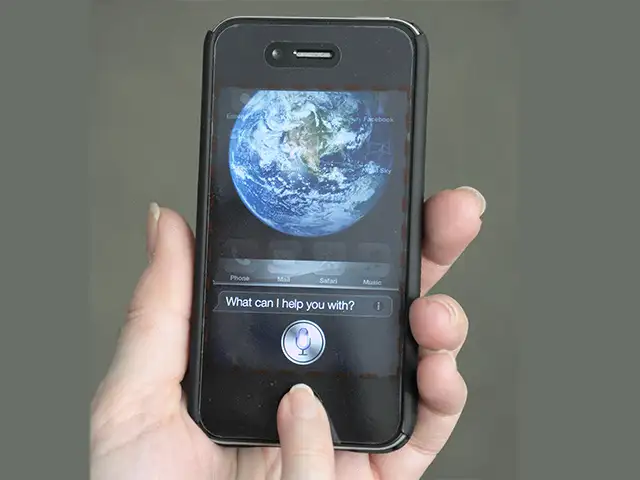
Hard to imagine, but not everyone likes talking to Siri. Productivity can suffer as a result because Siri can do a lot of mundane tasks for you. On some occasions, you may not want Siri to speak out what you've asked for. And there may be some users who are unable to speak clearly enough for Siri to understand. For all these reasons, iOS now has type to Siri. Go to Settings > General > Accessibility > Siri to enable this option. Both voice and type cannot be active at the same time so you'll have to switch this off if you want to go back to speaking.
Mighty Useful Tweaks
These are tiny changes, but very useful nonetheless. You can draw or add a handwritten note in Mail. Long press on a new mail and in the contextual menu, scroll right and tap insert drawing. In Notes, you can now build tables. While editing a note, tap the big Plus icon and the first option is now table. You can add rows/columns as you move and each cell will expand as required. The default camera app now has QR code scanning built in. And finally, playback of high-res FLAC files is now supported (within the Files app only).
Document scanner
There's a new document Scanner built into the Notes app now. Sure, apps like Office Lens have had this feature for a while now (and we still can't recommend Office Lens enough), but it's nice to have this built in now. Fire up the Notes app and click the + button in a note. The camera will pop up and you can snap a photo of a document, bill, visiting card or similar item that you want scanned. It auto detects the edges of the paper and even corrects the perspective and colour temperature.
Screen Recording
You can record everything you do on the screen as a video. You'll find this in the options when you customise the control center. Go to Settings > Control Center > Customise Controls. Under the list of more controls, press the + against Screen Recording. Now when you pull up the Control Center, the Screen Recorder can be invoked with a single tap. Once you're finished, tap the record button again and the video will be saved to the photo library automatically. You can easily trim the video and share it immediately. Great for instructional videos.
ADVERTISEMENT
Low on Storage?
The iPhone 8 and X start with 64GB storage which should be enough for most people. In case you still have an older iPhone, managing the 16 or 32GB storage has been made easier in iOS 11. Head to iPhone Storage in Settings and it will show you a snapshot of memory usage, you can offload unused apps automatically (only when storage is low), see how much storage each app is occupying and review large attachments in Messages.
Keep your favorite notes at the top of the list. Here's how to pin a note in iOS 11. Learn more about Notes: https://t.co/UxvcESWr6u pic.twitter.com/kjgS3MK8lN
— Apple Support (@AppleSupport) October 1, 2017
Turn off Review & Rating Requests
ADVERTISEMENT
A big issue with having too many apps is that many will ask you to rate or review them via a pop-up notification while using the app. Many go so far as to show you this message every time you open the app. Developers do need to get constructive user feedback in order to improve apps but these constant notifications are too much. In iOS 11, you can prevent all apps from showing such notifications. Open Settings > iTunes & App Store, scroll to see the option of 'In-App Rating & Reviews'. It is enabled by default and you just need to disable it to stop getting the pesky in app notifications.
Markup Web Pages
ADVERTISEMENT
In Safari, when you have a webpage open, tap the Share button and scroll to find a new option called Create PDF. It will capture the entire webpage and you can use the markup tool on the top right to annotate/draw on it, add your signature or even more text. Once saved, you can share your PDF immediately. You can also just use the create PDF option to grab a screenshot of a really long webpage.
Mini Keyboard
Typing using the mini keyboard thingy on iOS 11. Kinda nice actually, but I miss SwiftKey swiping... pic.twitter.com/6IAz5zsZwv
— ??RYAN??@????? (@TimothyRyanJP) September 19, 2017
If you're using the default Apple keyboard, many of the old tricks remain (hard press on the keyboard brings up a cursor, for instance) but there's a new feature that makes it easier for the 'Plus' iPhone users to type with a single hand. If you tap and hold the little globe icon on the keyboard, you'll see options for mini keyboards - which can be placed to the left or right of the screen.
Moving Multiple Apps
Rearranging apps on your homescreen used to be a tedious process. Previous iOS versions allowed you to move one app at a time, from one screen to another screen. Multiple app movement is simple now - tap and hold an app icon to enter edit mode and then tap the other apps you want to move. As you tap the other apps, they will move behind the selected apps and an overlay will show you the number of apps you have selected. You can then move all the grouped apps together to another screen.
Notes on the Lock Screen
If you don't want to unlock your phone to take notes - or if someone else regularly uses your phone to jot down some notes, you can enable the Notes shortcut in the Control Center. Go to Settings > Control Center > Customise Controls. Under the list of more controls, press the + against Notes. There are bunch of other things you can configure in the Notes app itself. Go to Settings > Notes > Access Notes from Lock Screen. In case you want to ensure that no one has access to your notes, just check the 'always create new note' option.
FaceTime for Posterity
You're normally 'Facetiming' with loved ones and sometimes, they're halfway around the world. In an active chat, you'll see a shutter button on the lower left corner. Tap it and the next few seconds will be saved as a live photo. You can't be sneaky about it though, because the other person will get a notification that you've saved a photo. Make sure the FaceTime Live Photos option is switched on in Settings > FaceTime before you start that call. Note that both devices need to have iOS 11 for it to work.
Type to Siri
Siri on iOS 11 is literally saving my life on this trip ???? @tim_cook pic.twitter.com/KgWaC4JnRm
— Pablo Ortega (@PaulLenk) September 24, 2017
Hard to imagine, but not everyone likes talking to Siri. Productivity can suffer as a result because Siri can do a lot of mundane tasks for you. On some occasions, you may not want Siri to speak out what you've asked for. And there may be some users who are unable to speak clearly enough for Siri to understand. For all these reasons, iOS now has type to Siri. Go to Settings > General > Accessibility > Siri to enable this option. Both voice and type cannot be active at the same time so you'll have to switch this off if you want to go back to speaking.
Mighty Useful Tweaks
These are tiny changes, but very useful nonetheless. You can draw or add a handwritten note in Mail. Long press on a new mail and in the contextual menu, scroll right and tap insert drawing. In Notes, you can now build tables. While editing a note, tap the big Plus icon and the first option is now table. You can add rows/columns as you move and each cell will expand as required. The default camera app now has QR code scanning built in. And finally, playback of high-res FLAC files is now supported (within the Files app only).
Download
The Economic Times Business News App for the Latest News in Business, Sensex, Stock Market Updates & More.
The Economic Times Business News App for the Latest News in Business, Sensex, Stock Market Updates & More.
Related Articles
 Specs stopped selling smartphones. Intelligence is the new benchmark - A breakdown of Google I/O and Apple’s WWDC 20262026-06-10T09:58:31Z
- iOS 27 Beta arrives with Siri AI upgrade: Here's the list of supported iPhones, release details and how to download iOS 27 beta 12026-06-08T19:43:20Z
- Apple WWDC 2026: iOS 27, a smarter Siri and new AI features expected2026-06-07T11:59:15Z
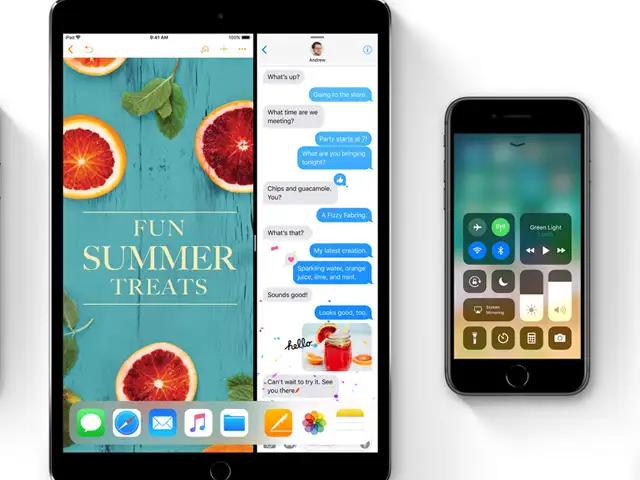
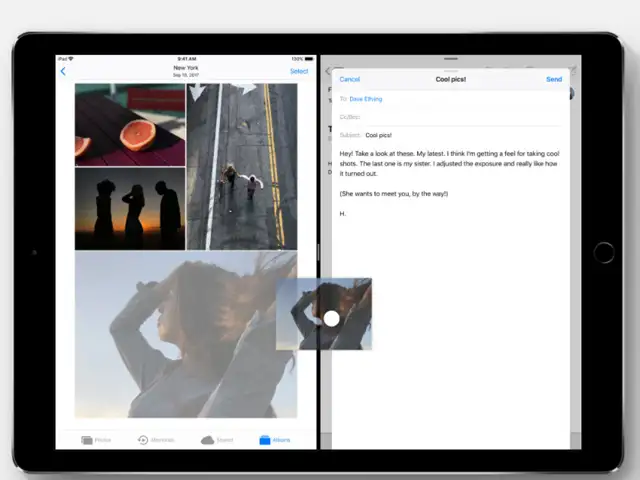
The iPad is a different story. That's where Apple has made the most radical changes to the way you open and manage your apps.
Here's what you should play around with after you upgrade:




ADVERTISEMENT


