Reporting a spam profile? Instagram's new features will let you track status of your request
It is also announcing a new option to appeal disabled accounts directly within the app.
By Anumeha Chaturvedi, ET Bureau |

Agencies
NEW DELHI: Facebook's photo-sharing app Instagram said on Tuesday it is introducing new ways to better update people when they report something to the company, besides a 'better appeals process' for disabled accounts.
The company said it is announcing Support Requests, a new feature that shows the status of submitted reports, as well as users report history. To see their reports, users need to go to “Settings” in Instagram and then tap “Support Requests.” From there they can tap any report to see more information about its status. They can also tap “More Options” for suggested actions to take, like muting, blocking, restricting or unfollowing the user whose content they’ve reported. And if they disagree with the action Instagram has taken on the content they reported, they can now tap “Request a Review” to have the company take a second look. This new feature will be rolling out over the coming weeks, the company said.
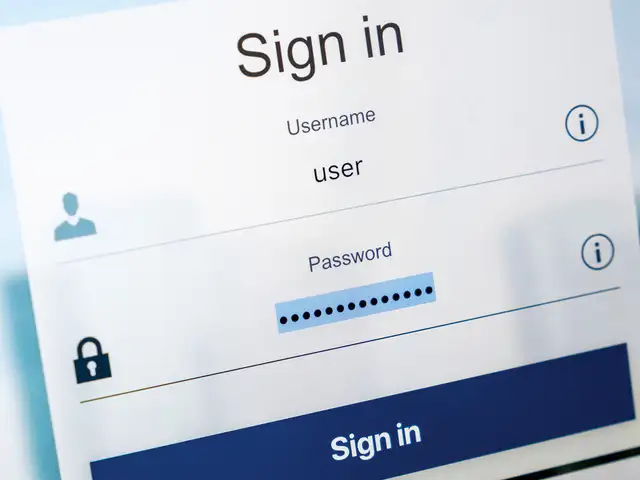
Instagram said it is also announcing a new option to appeal disabled accounts directly within Instagram. Previously, this option was only available through the Instagram Help Center. Now, the in-app appeal option will automatically appear when users attempt to log in to their disabled account. Their username will be pre-populated, and they will need to add their full name, e-mail and a reason why they think Instagram may have made a mistake in disabling their account. Finally, users could tap “Request a Review” to have their disabled account re-reviewed and potentially restored. This feature will be rolling out over the coming weeks.
The company said on the occasion of Safer Internet Day, it has also launched an ‘Unlabel India’ initiative to nurture a 'safe and supportive' community online, in partnership with Yuvaa, a youth media and insights company. The initiative, which will be running in a phased manner over the next few months, aims to inspire conversations among youth all across India and initiate positive online dialogue.
Instagram said starting Tuesday, the first phase will begin with a roadshow to 20 cities in 50 colleges across India, where young Indians will be encouraged to speak up on issues such as mental health, bullying, safe spaces and gender sensitivity. They will also be given guidance on it. The next phase will be about having a sustained engagement with the colleges through ‘kindness clubs’, ‘kindness ambassadors’ and targeted digital campaigns.

The company said it is announcing Support Requests, a new feature that shows the status of submitted reports, as well as users report history. To see their reports, users need to go to “Settings” in Instagram and then tap “Support Requests.” From there they can tap any report to see more information about its status. They can also tap “More Options” for suggested actions to take, like muting, blocking, restricting or unfollowing the user whose content they’ve reported. And if they disagree with the action Instagram has taken on the content they reported, they can now tap “Request a Review” to have the company take a second look. This new feature will be rolling out over the coming weeks, the company said.
Instagram said it is also announcing a new option to appeal disabled accounts directly within Instagram. Previously, this option was only available through the Instagram Help Center. Now, the in-app appeal option will automatically appear when users attempt to log in to their disabled account. Their username will be pre-populated, and they will need to add their full name, e-mail and a reason why they think Instagram may have made a mistake in disabling their account. Finally, users could tap “Request a Review” to have their disabled account re-reviewed and potentially restored. This feature will be rolling out over the coming weeks.
The company said on the occasion of Safer Internet Day, it has also launched an ‘Unlabel India’ initiative to nurture a 'safe and supportive' community online, in partnership with Yuvaa, a youth media and insights company. The initiative, which will be running in a phased manner over the next few months, aims to inspire conversations among youth all across India and initiate positive online dialogue.
Instagram said starting Tuesday, the first phase will begin with a roadshow to 20 cities in 50 colleges across India, where young Indians will be encouraged to speak up on issues such as mental health, bullying, safe spaces and gender sensitivity. They will also be given guidance on it. The next phase will be about having a sustained engagement with the colleges through ‘kindness clubs’, ‘kindness ambassadors’ and targeted digital campaigns.
ADVERTISEMENT
Tara Bedi, public policy and community outreach manager at Instagram said: “Instagram is a place for safe self-expression and the safety and well-being of our community is our top priority. With ‘Unlabel India’, we’re hoping to lead a country wide conversation with students and spark a movement of kindness, empathy and respect, that is core to our platform and percolates to the entire community.” It seems counter intuitive – after all, social media helps you share your opinions and speak to a larger audience. But thanks to rampant identity theft and online stalking, there is a solid argument to be made to target your social posts instead of keeping them public. Karan Bajaj shows you how.







Download
The Economic Times Business News App for the Latest News in Business, Sensex, Stock Market Updates & More.
The Economic Times Business News App for the Latest News in Business, Sensex, Stock Market Updates & More.
ADVERTISEMENT


