OnePlus 6T will be the first from the company with in-display fingerprint reader
The phone will offer specs, feature upgrades which will be more significant than design changes.
By ET Online |
Agencies
(Image: http://winfuture.de/news,105134.html)
Shenzhen-based Chinese smartphone maker OnePlus raised eyebrows earlier this month when the removal of the headphone jack was confirmed.
Several leaks confirm that the OnePlus 6T sports a dual-camera lens on the rear of the handset, not the triple-lens that some were expecting. The leaked images show a rear design that is similar to the OnePlus 6, although as expected the fingerprint sensor has been removed and placed elsewhere.
The OnePlus 6T will be one of the first mainstream smartphones to come with an in-display fingerprint reader.
What is surprising is that the phone won’t have three cameras on the back, which is something that had previously been rumoured on several occasions. It is also being touted that the phone will feature a waterdrop notch just like the Oppo F9 Pro.
OnePlus 6T is "coming soon", the company confirmed yesterday via an official teaser put up on Amazon India's website.
ADVERTISEMENT
OnePlus is yet to reveal the exact launch timeline of the OnePlus 6T, but considering the phone maker has already listed the handset on Amazon, it is expected to be unveiled within a month's time.
Rumours doing the rounds suggest that the OnePlus 6T will be launching on October 17.
Taking cue from the leaks on Winfuture, it becomes evident that the smartphone's upper back panel shows that the phone will come with a dual camera setup which will be positioned in the middle of the upper back panel. The dual camera setup of the OnePlus 6T is followed by a LED flash which will help click clearer and detailed picture in low or tricky light scenarios. The increase in screen size (which is mostly vertical) has made the 6T taller – a millimeter or two.
The phone will be exclusively available on Amazon.in.
ADVERTISEMENT
Give Your Android Smartphone A Facelift With These 6 Browsers
1/7
By Karan Bajaj
Still stuck with the browser that came with your Android smartphone?
You’re missing out because you can add speed, tabs, automatic ad-blocking, automatic blocking of trackers, background loading, better reading modes and a whole lot more by installing these free apps, says
By Karan BajajStill stuck with the browser that came with your Android smartphone? You’re missing out because you can add speed, tabs, automatic ad-blocking, automatic blocking of trackers, backgroun..
Read More
Modern smartphones are built for multitasking but the varied content we access sometimes makes that harder to do. Flynx helps you focus on content by using background tabs.
Here’s how it works: let’s say you’re reading a news article and click on a link. Flynx will start loading that up and you’ll see a floating bubble.
Tap the bubble to see the webpage at any time. You can do this from within any other running app (you need to set Flynx as the default browser for this function).
It has a fast read feature which gets rid of any ads and unnecessary images to help you focus on reading the text. You also get the option to save articles for later reading as well as the option to sync web content via your Google account on multiple devices.
Modern smartphones are built for multitasking but the varied content we access sometimes makes that harder to do. Flynx helps you focus on content by using background tabs. Here’s how it works: let’s..
Read More
This one is for those who like customising every aspect of their phone. You can configure each and every element of this browser, starting with the appearance.
You can choose placement, size as well as the font size of individual items including the menu, scrollbar, tab list, progress bar and so on.
Another feature you might appreciate is URL patterns — for instance, you can set Habit to open links of certain apps (Facebook, Twitter, YouTube, Google Maps) within those apps themselves (instead of a separate browser window).
The interface is clean and comes with a customisable speed dial option for faster access to your favourites. Another useful customisation is the the ability to set actions (save tabs, kill processes, clear passwords, clear history) that take place each time you quit the browser.
This one is for those who like customising every aspect of their phone. You can configure each and every element of this browser, starting with the appearance. You can choose placement, size as well ..
Read More
If you click a link within an app, it will open in your default browser. You have to switch back to the app your were using once you finish reading.
Lynket aims to make things easier by providing a full-screen browser window within any running app. This means you can browse without leaving the original app — when you want to go back, just tap the close button and you will be back to the original app you were using.
Lynket works with your existing browser so you need to choose if it uses Chrome, Firefox, Brave or Samsung’s browser to render pages. You can choose to merge tabs and apps in the recent app screen for ease of access.
What we liked most was the option to configure how Lynket behaves with individual apps — you can choose to have an incognito mode or secondary browser mode for apps of your choice.
If you click a link within an app, it will open in your default browser. You have to switch back to the app your were using once you finish reading. Lynket aims to make things easier by providing a f..
Read More
With a download size of 812kb, Via is one of the lightest browsers you can get from the Play Store.
This makes it great for entry-level smartphones with low storage space. However, don’t assume that it skips any features just because it is a small download.
You get a night mode, privacy protection, resource sniffer, ad blocker, built-in translator, desktop mode as well as a data saver. In addition to all this, the browser is blazing fast in opening webpages and that too without the pesky ads.
It has a clean interface allowing for more viewing space (navigation buttons are at the bottom of the screen). Unlike other browsers, this one won’t send you any irritating push notifications.
With a download size of 812kb, Via is one of the lightest browsers you can get from the Play Store. This makes it great for entry-level smartphones with low storage space. However, don’t assume that ..
Read More
Many browser-based games use Adobe Flash – a plugin that most mobile browsers do not have. Except Puffin, that is.
Puffin is for the casual, online gamer. When you open up a webpage with a game, you can enable theatre mode — this hides everything else and brings the gaming window to front. You can then use the onscreen gamepad which many gamers will appreciate.
It also has a mouse pointer that you can control via touch. Finally, Puffin auto encrypts all connections for safety and comes with a builtin data saver.
Many browser-based games use Adobe Flash – a plugin that most mobile browsers do not have. Except Puffin, that is. Puffin is for the casual, online gamer. When you open up a webpage with a game, you ..
Read More
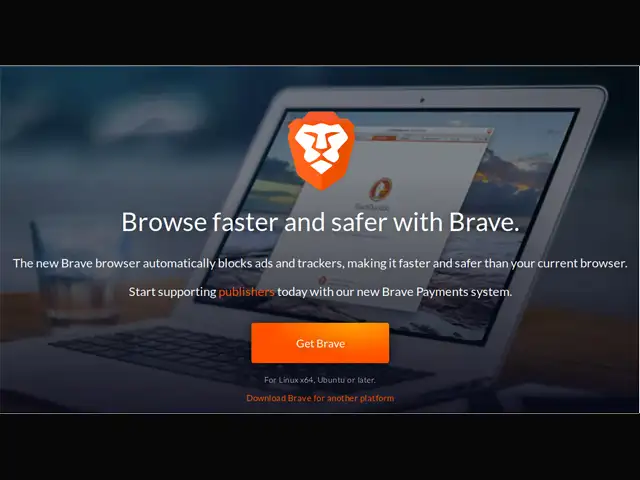
This is the one you need to get if privacy and data protection are top of mind. With Brave, you get the basic features such as automatic ad blocker and a data saver.
As for advanced features, you get encrypted data with use of https everywhere, script blocking, cookie blocking, a pop-up blocker and even tracking protection.
Brave claims that it can offer between 2x to 4x speed boosts when compared to other browsers. There is also the option of private tabs which is the same as incognito mode (no history is saved).
A battery optimisation feature makes it great for phones with basic hardware. If you want even more advanced privacy and security features on your smartphone browser, check out Ghostery Privacy browser.
This is the one you need to get if privacy and data protection are top of mind. With Brave, you get the basic features such as automatic ad blocker and a data saver. As for advanced features, you get..