Nine tech myths you hear all the time
Macs can’t get viruses. Yes, they can. Malware such as trojan horses could affect Mac OS X operating systems in the same way as Windows.
By ET Bureau | Updated:

Myth: The more signal bars on phone, the better your signal
Actually, mobile phone signal bars only illustrate your proximity to the nearest tower. Your phone signal could be affected by other factors such as how many people are using the network.
Myth: Don’t charge your phone unless it’s almost dead
This, too, is a popular myth about lithium-ion batteries. It’s not harmful to plug your phone in before the battery is drained — in fact, it may be better for your battery. Batteries have a limited number of charge cycles before they lose their ability to hold a charge.
Myth: Macs can’t get viruses
Yes, they can. Malware such as trojan horses could affect Mac OS X operating systems in the same way as Windows. However, although Macs are not immune to viruses, attacks are rare. This is because the virus has to be specifi cally designed for a Mac and most are targeted at businesses who tend to use Windows.
Myth: You can’t take good photos unless your camera has a lot of megapixels
Despite being one of the most-commonly held beliefs about digital photography, a photo’s quality is determined by many more factors than
megapixels. A camera’s lens, circuitry and sensor — not to mention your mastery of lighting, composition and the camera’s controls—are far more important factors.
Myth: Laptops can make a man sterile
Myth: The QWERTY keyboard is the most efficient way to type
Myth: LCD televisions are better than LED televisions
LCD and LED do not even refer to the same part of a television. LCD refers to the technology in the TV screen and includes plasma and OLED, an up-andcoming technology. LED means lightemitting diode and is effectively the backlight which lights up the image. Every modern television, including LCD ones, now uses LED.
Myth: Closing smartphone apps saves you power
All smartphone operating systems aren’t created equal, making this myth tough to break down. Windows Phone 8 background apps operate in much the same frozen fashion as iOS — but there are exceptions.
Myth: Technological inventions always lead to an improvement in quality
The rise of MP3 players and the iPod made music more accessible to people around the world, but at a cost. The sound produced by MP3 players was of a lower quality than that produced by CDs.
Source: Business Insider, agencies
Actually, mobile phone signal bars only illustrate your proximity to the nearest tower. Your phone signal could be affected by other factors such as how many people are using the network.
Myth: Don’t charge your phone unless it’s almost dead
This, too, is a popular myth about lithium-ion batteries. It’s not harmful to plug your phone in before the battery is drained — in fact, it may be better for your battery. Batteries have a limited number of charge cycles before they lose their ability to hold a charge.
Myth: Macs can’t get viruses
Yes, they can. Malware such as trojan horses could affect Mac OS X operating systems in the same way as Windows. However, although Macs are not immune to viruses, attacks are rare. This is because the virus has to be specifi cally designed for a Mac and most are targeted at businesses who tend to use Windows.
ADVERTISEMENT
Myth: You can’t take good photos unless your camera has a lot of megapixels
Despite being one of the most-commonly held beliefs about digital photography, a photo’s quality is determined by many more factors than
megapixels. A camera’s lens, circuitry and sensor — not to mention your mastery of lighting, composition and the camera’s controls—are far more important factors.
Myth: Laptops can make a man sterile
ADVERTISEMENT
Various studies have attempted to link laptops, mobile phones and wi-fi with male infertility. However, basic science tells you that the laptop itself is not the problem, but the heat it generates. The testes are stored in the scrotum, outside of the body, to stay cool. Therefore, sitting with anything hot on your lap for a prolonged period of time is best avoided.Myth: The QWERTY keyboard is the most efficient way to type
ADVERTISEMENT
It isn’t, but nor was it designed to slow people down, which is another myth. The Qwerty keyboard is one of the fi nest examples of how the best technology doesn’t often win. The Qwerty design was intended to avoiding internal jams on the machine. By the time a more effi cient keyboard was invented - the DVORAK, which has vowels and frequentlyused consonants in the middle - the Qwerty had become entrenched.Myth: LCD televisions are better than LED televisions
LCD and LED do not even refer to the same part of a television. LCD refers to the technology in the TV screen and includes plasma and OLED, an up-andcoming technology. LED means lightemitting diode and is effectively the backlight which lights up the image. Every modern television, including LCD ones, now uses LED.
Myth: Closing smartphone apps saves you power
All smartphone operating systems aren’t created equal, making this myth tough to break down. Windows Phone 8 background apps operate in much the same frozen fashion as iOS — but there are exceptions.
Myth: Technological inventions always lead to an improvement in quality
The rise of MP3 players and the iPod made music more accessible to people around the world, but at a cost. The sound produced by MP3 players was of a lower quality than that produced by CDs.
Source: Business Insider, agencies
Download
The Economic Times Business News App for the Latest News in Business, Sensex, Stock Market Updates & More.
The Economic Times Business News App for the Latest News in Business, Sensex, Stock Market Updates & More.
BusinessInsider.in
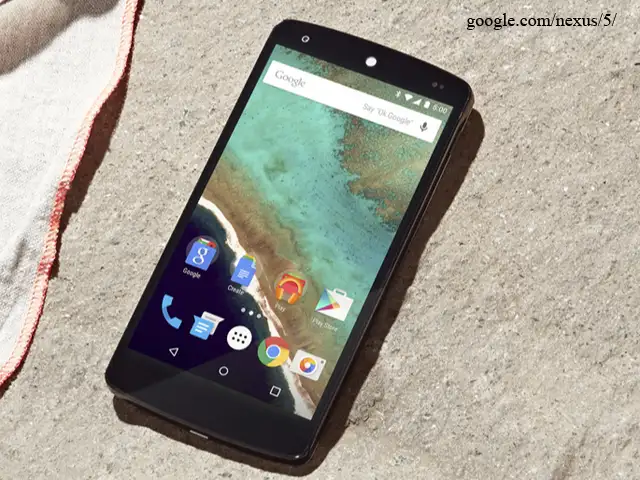
Most Android phones are already pretty easy to use, but there are some easy steps you can take to make them even more enjoyable and efficient.
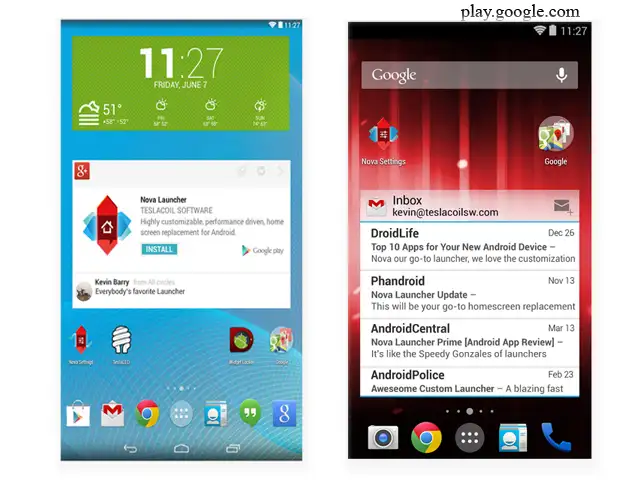
Since Android is an open platform, there's plenty of room for customization. Beyond personalizing your phone, there are a few easy practices that can keep your phone neat and organized with plenty of battery life to last all day.
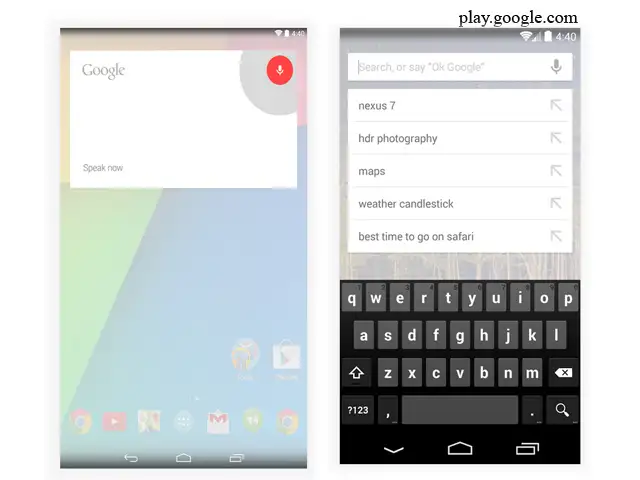
Here are nine tips and tricks every Android user should know.
Most Android phones are already pretty easy to use, but there are some easy steps you can take to make them even more enjoyable and efficient.
Since Android is an open platform, there's plenty of room for customization. Beyond personalizing your phone, there are a few easy practices that can keep your phone neat and organized with plenty of battery life to last all day.
Here are nine tips and tricks every Android user should know.

ADVERTISEMENT


