Nikon Z50 review: Click sharp daylight images with natural colours
The mirrorless camera has built-in Wi-Fi and files can be transferred using SnapBridge app.
By Utkarsh Saurbh, TOI Contributor |

BCCL
Nikon Z50
Highlight: Ease of use
Get it for: Rs 72,995 (body only)
The Z50 is the latest mirrorless camera from Nikon and is targeted at semi-pro photographers who want something more than an entry-level device. Compact and free of flab, the Z50 is lightweight and the buttons are easy to reach. One-handed operations are ideal and the overall handling experience is fine.
The Z50 is equipped with a 20.9MP APS-C (DX-format) sensor and has an ISO range of 100-51200. The camera is designed around the company's Z mount. At the top of the body is a 0.39-inch, 2360k-dot electronic viewfinder. Below the viewfinder is a 3.2-inch touch-sensitive TFT LCD screen that can be tilted and used to take selfies too.
Backing the 20.9MP sensor is the Expeed 6 image processor, which allows 4K UHD (3840 x 2160p) video recording with up to 30fps.
The camera lens can zoom in and out in the range of 16mm to 50mm, with markings of 24mm and 35mm on the side of the lens. In daylight shots, at 16mm and 24mm, the camera takes crisp and sharp images with the natural colours intact. At 50mm and more zoom, the objects in focus came out to be slightly less sharp and there is the blurriness of the surroundings.
From about 5 metres, the camera shots come out with clarity but they lack sharpness. The colours, however, are retained regardless of the distance. When aiming for the shot, the autofocus of the lens adjusts within a few seconds.
At night, in poorly-lit environments, at 16mm also, the camera clicks reasonably good images with acceptable levels of details and clarity, but appear slightly grainy. In well-lit market areas, the image quality is better with less grain. Close-range shots are sharper with very little grain.
The Z50 has built-in Wi-Fi and files can be transferred using Nikon’s SnapBridge app but downloading photos and especially videos from the camera is time-consuming.
The camera comes in a robust and compact design and gives a great handling experience. The low-light shots could have been captured with more clarity but this is a balanced camera in the mirrorless segment.
(The writer is with gadgetsnow.com)

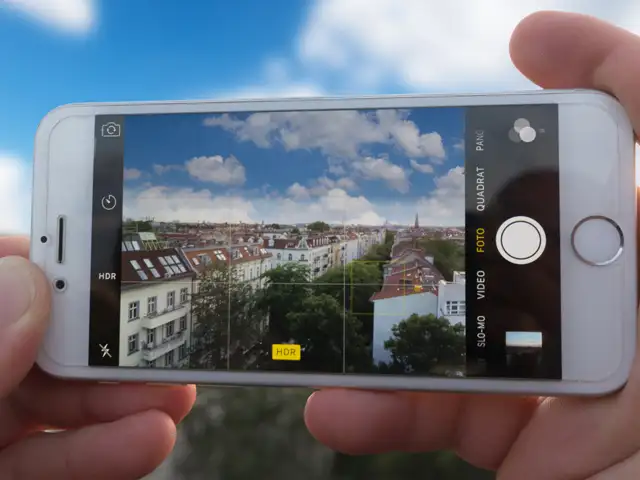
Your phone camera is a lot more capable than you think.
While it may not offer as much control as a DSLR yet, you can use you phone to capture photos with amazing trick effects.
ET tells you tips and apps to get unique captures using your phone camera.
Highlight: Ease of use
Get it for: Rs 72,995 (body only)
The Z50 is the latest mirrorless camera from Nikon and is targeted at semi-pro photographers who want something more than an entry-level device. Compact and free of flab, the Z50 is lightweight and the buttons are easy to reach. One-handed operations are ideal and the overall handling experience is fine.
The Z50 is equipped with a 20.9MP APS-C (DX-format) sensor and has an ISO range of 100-51200. The camera is designed around the company's Z mount. At the top of the body is a 0.39-inch, 2360k-dot electronic viewfinder. Below the viewfinder is a 3.2-inch touch-sensitive TFT LCD screen that can be tilted and used to take selfies too.
Backing the 20.9MP sensor is the Expeed 6 image processor, which allows 4K UHD (3840 x 2160p) video recording with up to 30fps.
The camera lens can zoom in and out in the range of 16mm to 50mm, with markings of 24mm and 35mm on the side of the lens. In daylight shots, at 16mm and 24mm, the camera takes crisp and sharp images with the natural colours intact. At 50mm and more zoom, the objects in focus came out to be slightly less sharp and there is the blurriness of the surroundings.
From about 5 metres, the camera shots come out with clarity but they lack sharpness. The colours, however, are retained regardless of the distance. When aiming for the shot, the autofocus of the lens adjusts within a few seconds.
ADVERTISEMENT
At night, in poorly-lit environments, at 16mm also, the camera clicks reasonably good images with acceptable levels of details and clarity, but appear slightly grainy. In well-lit market areas, the image quality is better with less grain. Close-range shots are sharper with very little grain.
The Z50 has built-in Wi-Fi and files can be transferred using Nikon’s SnapBridge app but downloading photos and especially videos from the camera is time-consuming.
The camera comes in a robust and compact design and gives a great handling experience. The low-light shots could have been captured with more clarity but this is a balanced camera in the mirrorless segment.
(The writer is with gadgetsnow.com)
While it may not offer as much control as a DSLR yet, you can use you phone to capture photos with amazing trick effects.
ET tells you tips and apps to get unique captures using your phone camera.




ADVERTISEMENT
Download
The Economic Times Business News App for the Latest News in Business, Sensex, Stock Market Updates & More.
The Economic Times Business News App for the Latest News in Business, Sensex, Stock Market Updates & More.
Related Articles
 Nikon ventures into the world of cinema with RED Digital acquisition
ADVERTISEMENT


