New Year's resolution? Bid farewell to dodgy old passwords, say hello to data security
The most popular choices of passwords continue to be 123456, love, qwerty & password.
By PTI | Updated:
iStock
Make 2022 the year you ditch the sticky notes and pets' names.
PITTSBURG: Most of the classic New Year resolutions revolve around improving your health and lifestyle. But this year, why not consider cleaning up your passwords too?
We all know the habits to avoid, yet so many of us do them anyway: using predictable passwords, never changing them, or writing them on sticky notes on our monitor. We routinely ignore the recommendations for good passwords in the name of convenience.
Choosing short passwords containing common names or words is likely to lead to trouble. Hackers can often guess a person's passwords simply by using a computer to work through a long list of commonly used words.
The most popular choices have changed very little over time, and include numerical combinations such as "123456" (the most common password for five years in a row), "love", keyboard patterns such as "qwerty" and, perhaps most ludicrously, "password" (or its Portuguese translation, "senha").
Experts have long advised against using words, places or names in passwords, although you can strengthen this type of password by jumbling the components into sequences with a mixture of upper- and lowercase characters, as long as you do it thoroughly.
Complex rules often lead users to choose a word or phrase and then substitute letters with numbers and symbols (such as "Pa33w9rd!"), or add digits to a familiar password ("password12"). But so many people do this that these techniques don't actually make passwords stronger.
ADVERTISEMENT
It's better to start with a word or two that isn't so common, and make sure you mix things up with symbols and special characters in the middle. For example, "wincing giraffe" could be adapted to "W1nc1ng_!G1raff3"
These secure passwords can be harder to remember, to the extent you might end up having to write them down. That's OK, as long as you keep the note somewhere secure (and definitely not stuck to your monitor).
Increase In WFH Raises Cybersecurity Concerns: 5 Tips To Work From Home Securely
1/6
According to a report released by online job portal, Naukri.com, employers hiring people to work from home has increased by 3 times as compared to the time prior to the lockdown and the number of work from home jobs has gone up by 7 times in applications and the last few months as compared to the time before COVID-19 disease.
Work-From-Home might just become a permanent fixture with many companies putting into place guidelines to maintain productivity and work-life balance. But are organisations also looking at robust cybersecurity policies for WFH?
Paul Ducklin, Principal Research Scientist at Sophos, says, “While WFH has become a necessity due to the pandemic, it’s vital not to let the precautions intended to protect the physical health of your staff turn into a threat to their cybersecurity health at the same time.” He shares his five tips for working from home safely:
According to a report released by online job portal, Naukri.com, employers hiring people to work from home has increased by 3 times as compared to the time prior to the lockdown and the number of wor..
Read More
Many Self-Service Portals (SSPs) allow users to choose between different levels of access, so they can safely connect up either a personal device (albeit with less access to fewer company systems than they’d get with a dedicated device), or a device that will be used only for company work. The three key things you want to be able to set up easily and correctly are: encryption, protection and patching.
- Encryption means making sure that full-device encryption is turned on and activated, which protects any data on the device if it gets stolen; - Protection means that you start off with known security software, such as anti-virus, configured in the way you want; and - Patching means making sure that the user gets as many security updates as possible automatically, so they don’t get forgotten.
Many Self-Service Portals (SSPs) allow users to choose between different levels of access, so they can safely connect up either a personal device (albeit with less access to fewer company systems tha..
Read More
If employees genuinely can’t do their job without access to server X or to system Y, then there’s no point in sending them off to work from home without access to X and Y. Make sure you have got your chosen remote access solution working reliably first – force it on yourself! – before expecting your users to adopt it.
If employees genuinely can’t do their job without access to server X or to system Y, then there’s no point in sending them off to work from home without access to X and Y. Make sure you have got your..
Read More
Don’t just leave employees to their own devices (literally or figuratively). If you’ve set up automatic updating for them, make sure you also have a way to check that it’s working, and be prepared to spend time online helping them fix things if they go wrong. If their security software produces warnings that you know they will have seen, make sure you review those warnings too, and let them know what they mean and what you expect them to do about any issues that may arise.
Don’t just leave employees to their own devices (literally or figuratively). If you’ve set up automatic updating for them, make sure you also have a way to check that it’s working, and be prepared to..
Read More
If you haven’t already, set up an easily remembered email address where users can report security issues quickly and easily. Remember that a lot of cyberattacks succeed because cybercriminals try over and over again until one user makes an innocent mistake – so if the first person to see a new threat has somewhere to report it where they know they won’t be judged or criticised (or, worse still, ignored), they’ll end up helping everyone else.
If you haven’t already, set up an easily remembered email address where users can report security issues quickly and easily. Remember that a lot of cyberattacks succeed because cybercriminals try ove..
Read More
Shadow IT is where non-IT staff find their own ways of solving technical problems, for convenience or speed. If you have a bunch of colleagues who are used to working together in the office, but who end up flung apart and unable to meet up, it’s quite likely that they might come up with their own ways of collaborating online – using tools they’ve never tried before.
The first risk everyone thinks about in cases like this is, “What if they make a security blunder or leak data they shouldn’t?” But there’s another problem that lots of companies forget about, namely: what if, instead of being a security disaster, it’s a conspicuous success? A temporary solution put in place to deal with a public health issue might turn into a vibrant and important part of the company’s online presence.
Shadow IT is where non-IT staff find their own ways of solving technical problems, for convenience or speed. If you have a bunch of colleagues who are used to working together in the office, but who ..
Reusing passwords is another common error - and one of the biggest. Past data leaks, such as that suffered by LinkedIn in 2012, mean billions of old passwords are now circulating among cyber criminals.
This has given rise to a practice called "credential stuffing" - taking a leaked password from one source and trying it on other sites. If you're still using the same old password for multiple email, social media or financial accounts, you're at risk of being compromised.
ADVERTISEMENT
The simplest and most effective route to good password hygiene is to use a password manager. This lets you use unique strong passwords for all your various logins, without having to remember them yourself.
Password managers allow you to store all of your passwords in one place and to "lock" them away with a strong level of protection. This can be a single (strong) password, but can also include face or fingerprint recognition, depending on the device you are using.
ADVERTISEMENT
Although there is some risk associated with storing your passwords in one place, experts consider this much less risky than using the same password for multiple accounts.
The password manager can automatically create strong, randomised passwords for each different service you use. This means your LinkedIn, Gmail and eBay accounts can no longer be accessed by someone who happens to guess the name of your childhood pet dog.
If one password is leaked, you only have to change that one - none of the others are compromised.
There are many password managers to choose from. Some are free (such as Keepass) or "freemium" (offering the option to upgrade for more functionality like Nordpass), while others charge a one-off fee or recurring subscription (such as 1Password).
Most allow you to securely sync your passwords across all your devices, and some let you safely share passwords between family members or work groups.
You can also use the password managers built into most web browsers or operating systems (with many phones offering this functionality in the browser or natively). Reusing passwords is another common error - and one of the biggest. These tend to have fewer features and may pose compatibility issues if you want to access your password from different browsers or platforms.
Password managers take a bit of getting used to, but don't be too daunted. When creating a new account on a website, you let the password manager create a unique (complex) password and store it straight away - there's no need to think of one yourself!
Later, when you want to access that account again, the password manager fills it in automatically. This is either through direct integration with the browser (typically on computers) or through a separate application on your mobile device.
Most password managers will automatically "lock" after a period of time, prompting for the master password (or face/finger verification) before allowing access again.
If you don't like the sound of a password manager, at the very least change your "critical" account passwords so each one is strong and unique. Financial services, email accounts, government services, and work systems should each have a separate, strong password.
Even if you write them down in a book (kept safely locked away) you will significantly reduce your risk in the event of a data breach on any of those platforms.
Remember, however, that some sites provide delegated access to others. Many e-commerce websites, for example, give you the option of logging in with your Facebook, Google or Apple account.
This doesn't expose your password to greater risk, because the password itself is not shared. But if the password is compromised, using it would grant access to those delegated sites. It is usually best to create unique accounts - and use your password manager to keep them safe. Adopting a better approach to passwords is a simple way to reduce your cyber-security risks. Ideally that means using a password manager, but if you're not quite ready for that yet, at least make 2022 the year you ditch the sticky notes and pets' names.
Password Manager, Authentic Apps & Webcam Cover: 9 Steps To Ensure Data Security Every Day
1/10
2019 was the year of serious data breaches. Each made headlines that jolted users into reality and the importance of protecting personal data. A recent survey indicates that 52 per cent of users polled believe they need to strengthen their data policies, 45 per cent expect advertising and marketing regulation to become 'more strict', while 88 per cent agree, or strongly agree, that digital privacy will become increasingly important this year.
While, January 28 is observed as the Data Privacy Day in India, the US, Canada and 47 European countries each day, Sunil Sharma, managing director sales, India & SAARC, Sophos advises you to treat every day as Data Privacy Day and apply these simple tips to secure your data.
2019 was the year of serious data breaches. Each made headlines that jolted users into reality and the importance of protecting personal data. A recent survey indicates that 52 per cent of users poll..
Read More
Password managers will create and remember complex passwords for you, making it easy for you to keep different passwords for every website. All you need to do is remember one super long and complicated password for the manager itself.
Password managers will create and remember complex passwords for you, making it easy for you to keep different passwords for every website. All you need to do is remember one super long and complicat..
Read More
Always check the permissions an app is asking for before you download it to your personal device. It’s also important to delete any apps that you don’t use anymore.
Always check the permissions an app is asking for before you download it to your personal device. It’s also important to delete any apps that you don’t use anymore.
Information such as your date of birth or address gives cybercriminals usable information about you. Equally, sharing when you’re going on a trip can alert local criminals that your home will be empty.
Information such as your date of birth or address gives cybercriminals usable information about you. Equally, sharing when you’re going on a trip can alert local criminals that your home will be empt..
Read More
You can do this with an app such as Google Authenticator, or from SMS codes sent directly to your phone. If you want to be super secure you can do it with a hardware key that you plug straight into your computer or laptop.
You can do this with an app such as Google Authenticator, or from SMS codes sent directly to your phone. If you want to be super secure you can do it with a hardware key that you plug straight into y..
Read More
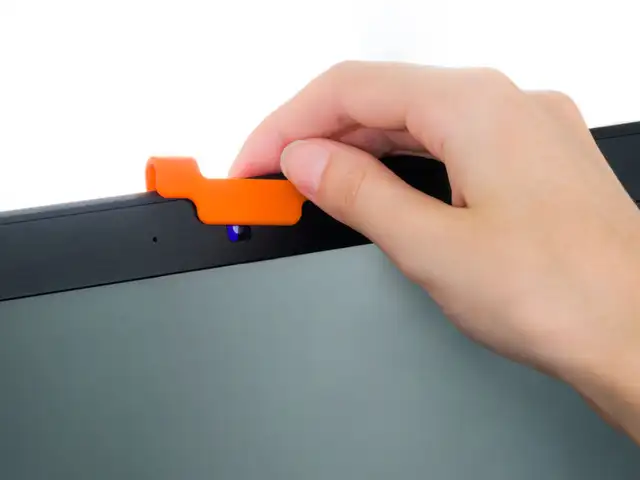
It’s not impossible for hackers to access your webcam. Keep yourself protected and have peace of mind by using a webcam cover.
It’s not impossible for hackers to access your webcam. Keep yourself protected and have peace of mind by using a webcam cover.
If you’re having connection troubles, resist the temptation to “turn off the firewall” or “bypass the router” to see if that solves the problem. That’s a bit like disconnecting your car’s brakes and then going for a ride to see if performance improves.
If you’re having connection troubles, resist the temptation to “turn off the firewall” or “bypass the router” to see if that solves the problem. That’s a bit like disconnecting your car’s brakes and ..
Read More
Tools can detect and block the disk-scrambling part of a ransomware attack. This offers you protection even if the malware file itself, and its running process, is out there on someone else’s computer that you can’t control.
Tools can detect and block the disk-scrambling part of a ransomware attack. This offers you protection even if the malware file itself, and its running process, is out there on someone else’s compute..
Read More
There are millions of computers still at risk from WannaCry – this means they haven’t been patched for more than two and a half years! Don’t be one of those people. The best way to stay up to date is have auto-updates on so you know you’re running the latest software.
There are millions of computers still at risk from WannaCry – this means they haven’t been patched for more than two and a half years! Don’t be one of those people. The best way to stay up to date is..
Read More
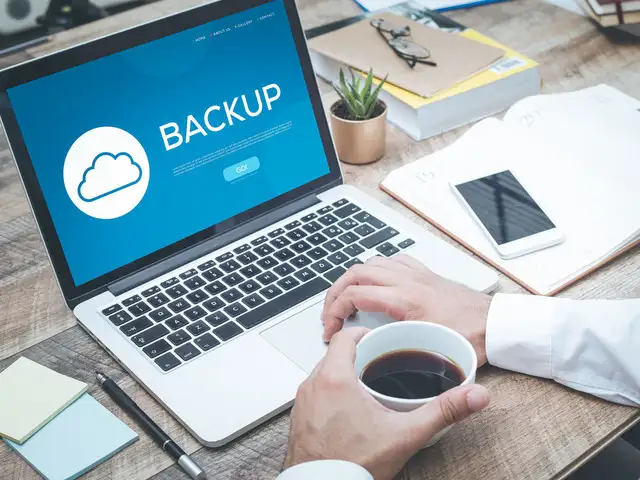
And keep at least one recent copy offline, so you can access your precious data even if you’re locked out of your own computer, your own network or your own accounts. By the way, encrypt your backups so that you don’t spend the rest of your life wondering what might show up if any of your backup devices go missing.
And keep at least one recent copy offline, so you can access your precious data even if you’re locked out of your own computer, your own network or your own accounts. By the way, encrypt your backups..











 AI: Your new year resolution coach

