Microsoft all set to take on Apple with iPad-like, low-cost, Surface tab
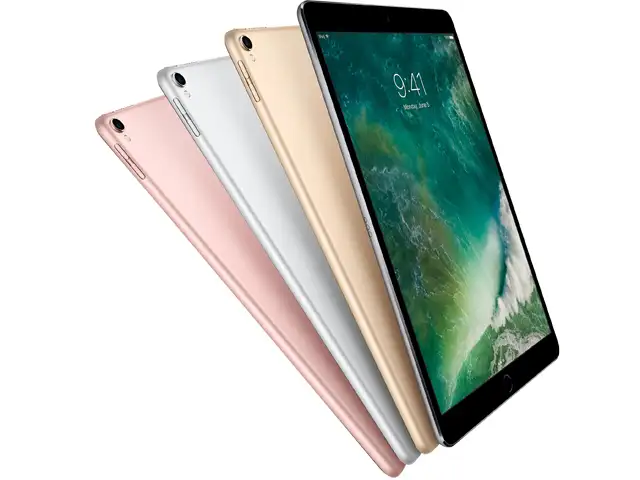
The new tablets will feature 10-inch screens -- around the same size as a standard iPad.
By Bloomberg |
Microsoft Corp. is planning to release a line of lower-cost Surface tablets as soon as the second half of 2018, seeking a hit in a market for cheaper devices that Apple Inc. dominates with the iPad, according to people familiar with the matter.
Microsoft has tried this before. The software giant kicked off its consumer-oriented hardware push in 2012 with the launch of the original Surface RT. At the time, it was priced starting at $499. After the tablets didn’t resonate with consumers and product reviewers, Microsoft pivoted to the more-expensive Surface Pro, a line which has gained steam and likely contributed to demand for a pro-oriented iPad, which Apple launched in 2015.
The new tablets will feature 10-inch screens -- around the same size as a standard iPad, but smaller than the 12-inch screens used on the Surface Pro laptop line. The new Surfaces, priced about $400, will have rounded edges like an iPad, differing from the squared off corners of current models. They’ll also include USB-C connectivity, a first for Surface tablets, a new charging and syncing standard being used by some of the latest smartphones.
The tablets are expected to be about 20 percent lighter than the high-end models, but will have around four hours fewer of battery life. The current Surface Pro can last 13.5 hours on a single charge, according to Microsoft. Intel Corp. will supply the main processor and graphics chips for the devices, said the people, who asked not to be identified because the plans aren’t public.
ADVERTISEMENT
Peter Wootton, a spokesman for Redmond, Washington-based Microsoft, declined to comment.
Microsoft has struggled to find a high-volume hit with the Surface devices as well as to introduce a flow of new choices to keep growth steady. In the fiscal year that ended last June, Surface revenue declined 2 percent as the company faced lower volume sales owing to an aging Surface Pro line. Revenue rose 32 percent in the most recent quarter, indicating new interest in Microsoft’s hardware.
Apple sold about 44 million iPads that generated almost $20 billion in revenue during the past four quarters. Microsoft’s entire Surface hardware business produced $4.4 billion for the same period.
ADVERTISEMENT
In March, Apple launched a new iPad model for $329 geared toward education users. The new cheaper Surfaces could likewise appeal to students and teachers, and to schools that buy less-expensive devices in bulk.
The current professional-oriented Surface Pro lineup starts at $799. Microsoft, which hasn’t finalized its plans, is expected to price the cheapest versions of the new device at about $400. Like the Surface Pro, these models won’t be bundled with the company’s keyboard cover. To go along with the lower-cost device, Microsoft is preparing less-expensive versions of its keyboard cover, stylus and mouse, the people said. The current keyboard cover costs an extra $160, while the new keyboard will be priced a bit lower, they said.
ADVERTISEMENT
The company is planning multiple models, including versions with 64 gigabytes and 128 gigabytes of storage and models that can connect to LTE cellular networks, according to the people. It will continue to have the kickstand for upright typing and watching video. Like Microsoft’s other devices, it will run Windows 10 Pro.
Since 2015, Apple has rapidly added new productivity tools to the iPads, taking on Microsoft features like integration with digital drawing pens and using multiple apps at the same time. The company is planning on releasing a revamped iPad Pro this year with iPhone X features such as facial recognition, Bloomberg News reported last year.
Microsoft last released a device in the lower-cost category in 2015 with the Surface 3, which started at $499 and featured a 10.8-inch screen. The company stopped making it at the end of 2016.
The new line will be part of a growing ecosystem of Microsoft hardware products that, beyond the tablets, includes the Surface Laptop, Surface Book laptop with a detachable screen, and the Surface Studio desktop computer.
6 Amazing Augmented Reality Experiences On iPad That Are Free
1/7
Even though augmented reality (AR) apps have been around for a long time, we’re still only beginning to scratch the surface of possibilities. New iPads are among the best way to experience AR thanks to the large screens, faster processors and Apple’s ARkit framework. Here are some genuinely astonishing AR apps that are available completely free.
Even though augmented reality (AR) apps have been around for a long time, we’re still only beginning to scratch the surface of possibilities. New iPads are among the best way to experience AR thanks ..
Read More
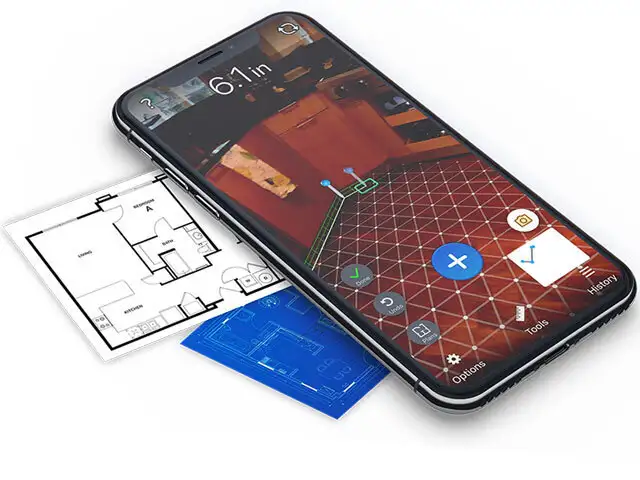
Using tape measures is so old school now that you have AR to help. It sounds almost unbelievable but you can actually measure (with a fair degree of accuracy) things like a person’s height, the diameter of a circular table, the length of a sofa and even the height of a building. AirMeasure gives you a point and shoot ruler — just tap to start and move the device along the plane you want to measure. But that’s not all, you can use it to create a floor plan, project a level line (to see whether your painting is hung straight), measure distance to a far away wall (like a laser distance measurement tool) and much more. Our favourite is the virtual furniture — you can place things like tables, chairs, beds, desks, shelves and so on into your room. Then walk around them to see how they look from different parts of the room.
(Image: http://armeasure.com)
Using tape measures is so old school now that you have AR to help. It sounds almost unbelievable but you can actually measure (with a fair degree of accuracy) things like a person’s height, the diame..
Read More
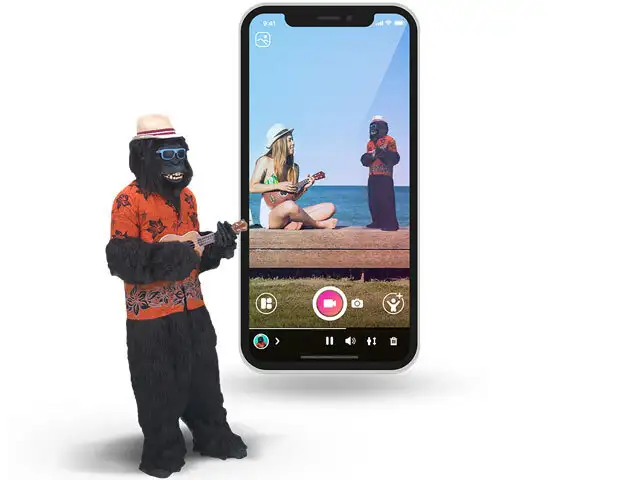
Holo is short for holograms — actual 3D animals and people you can place into your real surroundings. Some of the holos you can download for free include Spiderman, a zombie, tigers, celebrities and even Bollywood dancers. The developer is constantly adding more holos that you can download to your device. Holos are dynamic, which means they’re not static images but accurate, moving avatars. Once you scan a flat surface and place a holo, you can rotate it and scale it up or down in size to match real world sizes. Then you place yourself into the frame and snap a photo or capture a short video. In the right kind of lighting, it can look quite convincing too. Holo is also available for Android.
(Image: https://thisisholo.com)
Holo is short for holograms — actual 3D animals and people you can place into your real surroundings. Some of the holos you can download for free include Spiderman, a zombie, tigers, celebrities and ..
Read More
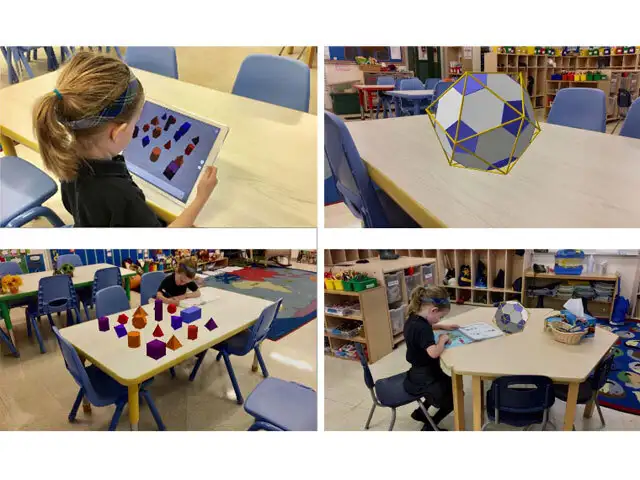
Learning is a lot more fun in AR and if a complex subject like math can be visually represented in your real world, it might make concepts a lot clearer. GeoGebra places math objects in your world so that you can explore them from different angles. You can place solid objects into your view while little exercises teach you about pyramids, prisms and cubes. More advanced users can look at the impossible Penrose triangle, 3D functions, spiral staircase and Sierpinski pyramid among others. You will have to physically move around the virtual objects to complete the tasks and take the required screenshots.
(Image: www.geogebra.org)
Learning is a lot more fun in AR and if a complex subject like math can be visually represented in your real world, it might make concepts a lot clearer. GeoGebra places math objects in your world so..
Read More
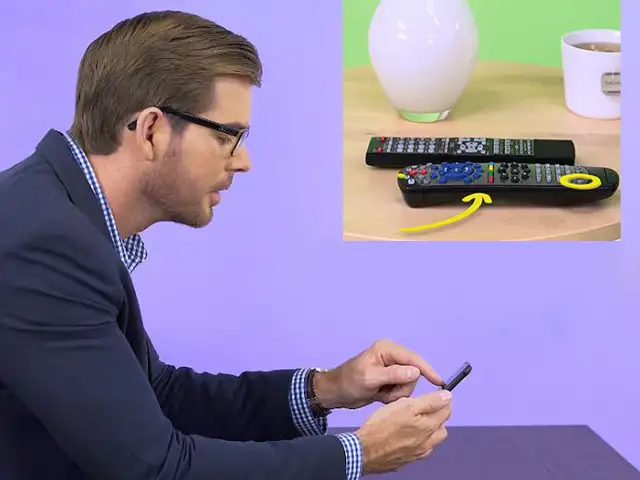
This app is a great example of how AR can help solve problems even in long distance. If you’re tech savvy, you’ve probably been asked for help with common tech issues over the phone. Problem is, over the phone, it’s really hard to explain to someone which button to tap, which menu item to click and which port to use. Vuforia’s Chalk opens up an AR guided private chat between you and the person you’re helping. They can activate their camera and you can doodle with virtual chalk right into their view — making circles, drawing arrows and illustrating as needed. But that’s not even the best part. Whatever you draw on sticks to the item you drew it on, so even if the camera moves around, the instruction stays true and correct.
(Image: https://chalk.vuforia.com)
This app is a great example of how AR can help solve problems even in long distance. If you’re tech savvy, you’ve probably been asked for help with common tech issues over the phone. Problem is, over..
Read More
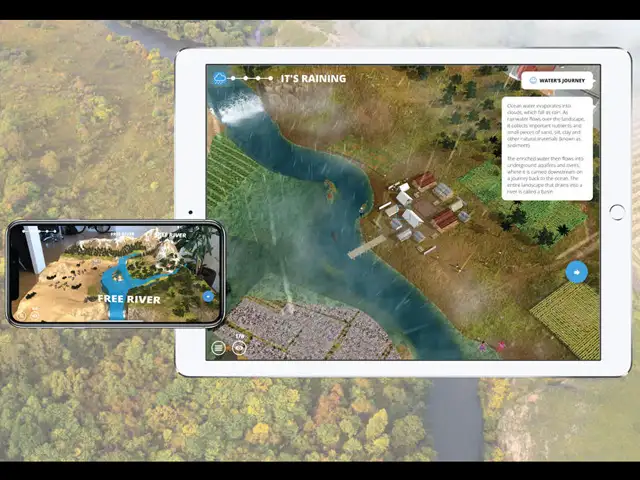
Imagine seeing an entire, living landscape on your table. You can zoom in, look around and learn more about why free flowing rivers are so important. Through helpful little floating tips, you learn more about the journey of water, how it impacts the area through which it flows, the people it affects and how building dams can cause damage to delicate ecological systems. Place a dam and you can see (in accelerated time) how the river changes and how everything else is affected downstream. This app is the WWF’s concerted effort to educate about how human development can either be harmful or sustainable.
(Image: www.worldwildlife.org)
Imagine seeing an entire, living landscape on your table. You can zoom in, look around and learn more about why free flowing rivers are so important. Through helpful little floating tips, you learn m..
Read More
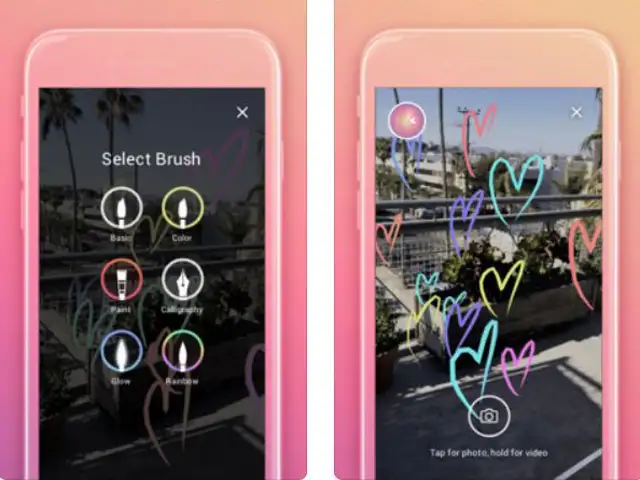
Graffiti in a public place can help beautify but it can also be an eyesore, with authorities stuck in a never-ending cycle of removing unwanted art.
What if that graffiti only existed in the virtual world and was only visible through an augmented reality app? That’s the idea behind World Brush.
You open up the app, hold it up and start drawing in virtual space. You should do this somewhere outdoors and your art will be geo-locked — this means it’s approximate GPS location is tagged and if another World Brush user comes along at a later date and holds up the app, he/she will be able to see and walk around what you drew. Another similar app without the GPS position (but more brush options) is 3DBrush — Augmented Reality.
(Image: https://itunes.apple.com)
Graffiti in a public place can help beautify but it can also be an eyesore, with authorities stuck in a never-ending cycle of removing unwanted art.
What if that graffiti only existed in the virtual..
Time To Update Your iPhone And iPad! Here's What The iOS 11 Upgrade Offers
1/12
iOS 11 is available, officially, today. It's coming to every iPhone and iPad made in the past few years, and chances are, you're going to upgrade. When you install it on your iPhone, you'll find that some things are very different than what you're used to, but the core of how you get around and experience the OS will be the same.
The iPad is a different story. That's where Apple has made the most radical changes to the way you open and manage your apps.
Here's what you should play around with after you upgrade:
iOS 11 is available, officially, today. It's coming to every iPhone and iPad made in the past few years, and chances are, you're going to upgrade. When you install it on your iPhone, you'll find that..
Read More
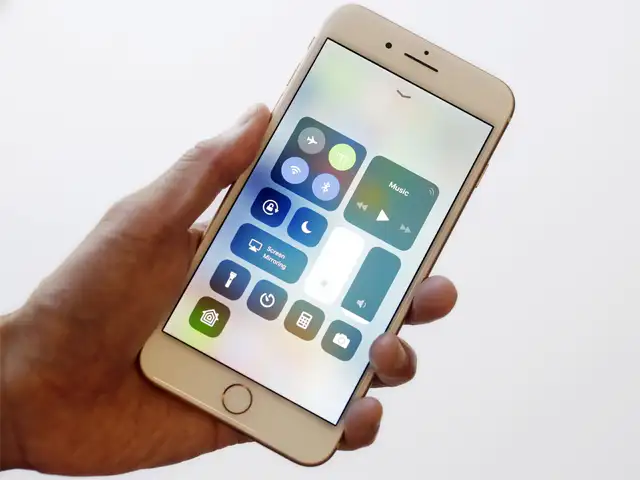
The first thing you're going to want to dig into on iOS 11 is the all-new Control Centre.
It's completely redesigned so that it sits on a single screen instead of on two or three swiping panels.
The first thing you're going to want to dig into on iOS 11 is the all-new Control Centre.
It's completely redesigned so that it sits on a single screen instead of on two or three swiping panels.
The most fascinating thing about notifications on iOS 11 is that the shade you pull down from the top is the same thing as your lock screen.
They look and operate in the exact same manner: down to swipe over to your camera and to your widget screen.
It's one fewer conceptual "Zone" to have to think about, and once you get used to it you'll wonder why it wasn't always that way.
The most fascinating thing about notifications on iOS 11 is that the shade you pull down from the top is the same thing as your lock screen.
They look and operate in the exact same manner: down to s..
Read More
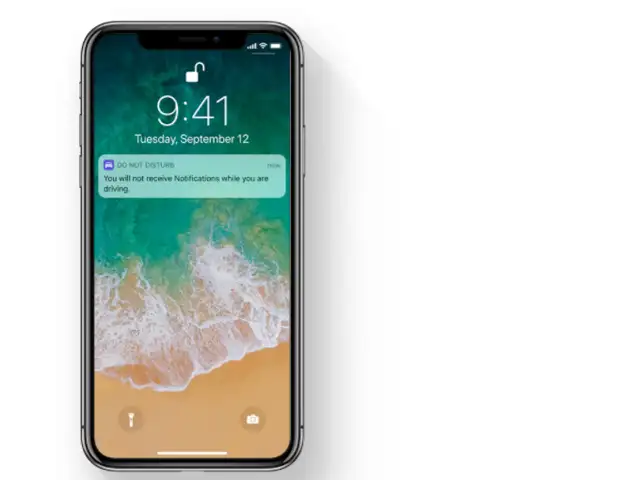
iPhone can now sense when you might be driving and help keep you from being distracted by calls, text messages, and notifications.
People trying to message you can automatically be notified that you’re driving.
iPhone can now sense when you might be driving and help keep you from being distracted by calls, text messages, and notifications.
People trying to message you can automatically be notified that you..
Read More
When you long-press (not force touch) an icon to go into "jiggly mode" to move stuff around, you can start dragging an icon — same as before. But now, you can tap other icons to add them to the "drag group," which makes rearranging your home screen much easier.
The other place is within the Files app, where you can move multiple files between folders. Unfortunately, once you hit the home button, you're all done dragging. Things are much more powerful on the iPad.
You simply start dragging a file, photo, or a snippet of text on the iPad with one hand, but then use your other hand to start navigating the table to open the app you want to drag into.
When you long-press (not force touch) an icon to go into "jiggly mode" to move stuff around, you can start dragging an icon — same as before. But now, you can tap other icons to add them to the "drag..
Read More
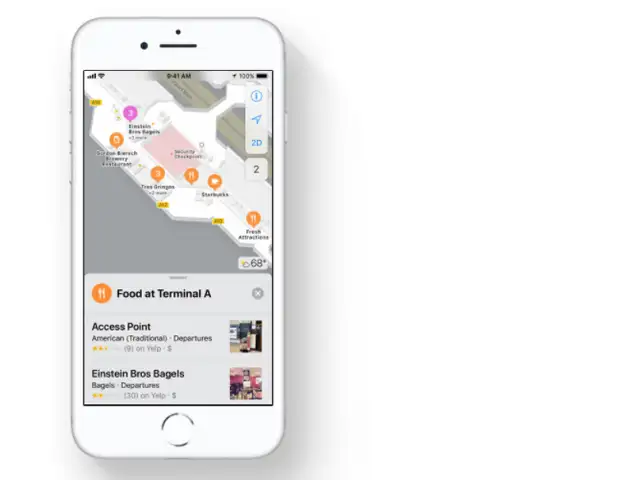
Whether you’re going on a new adventure or just searching for the nearest coffee shop, Maps makes all your journeys smoother.
From indoor maps to lane guidance arrows, it’s easier than ever to get around.
See detailed maps of major airports and shopping centres around the world.
Find out which restaurants are past security at the airport or which stores are on level three of the mall.
Whether you’re going on a new adventure or just searching for the nearest coffee shop, Maps makes all your journeys smoother.
From indoor maps to lane guidance arrows, it’s easier than ever to get a..
Read More
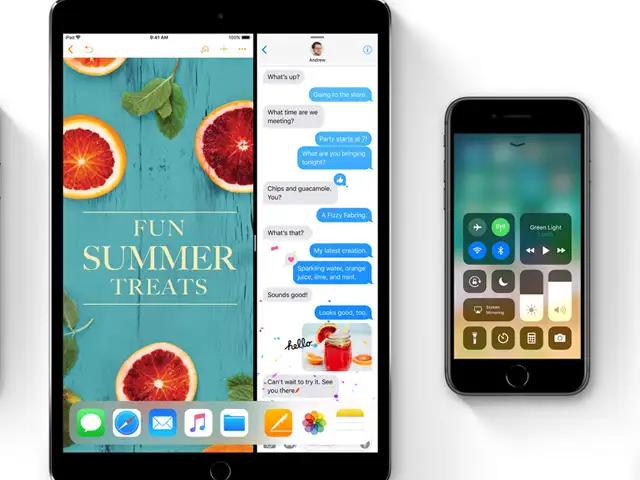
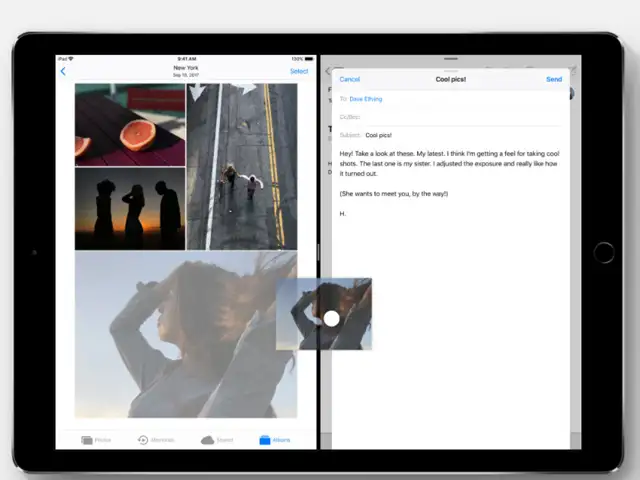
Multitasking on the iPad is a near-revelatory experience.
You can do split screen as before, but there's more freedom to set your "skinny" app on either side. When you do split screen, those two apps get "paired" so they appear together in the multitasking view.
You can drag apps up from the dock into either side of a split screen.
It's radically more powerful than what has ever been available on an iPad before.
Multitasking on the iPad is a near-revelatory experience.
You can do split screen as before, but there's more freedom to set your "skinny" app on either side. When you do split screen, those two ap..
Read More
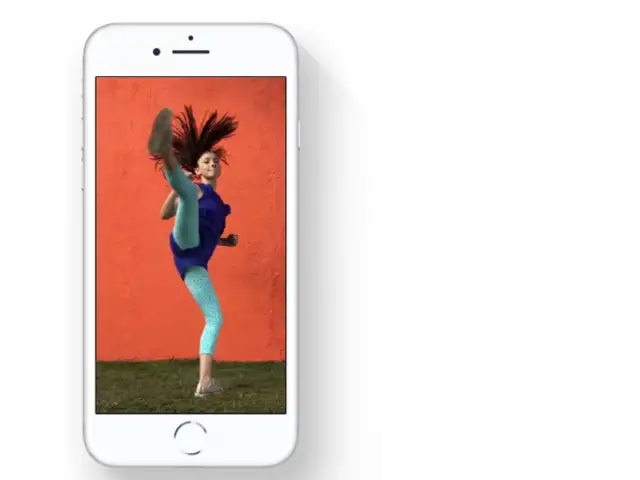
Turn a Live Photo you love into a fun video loop. Choose an image yourself, or let Photos suggest which ones would make great loops.
This new feature probably won't get very much attention, but it's a big deal because you're going to be less likely to run out of space than you were before.
And if you are buying one of the newer iPhones, you'll want to make sure you check out the new Portrait Lighting feature on the iPhone 8 Plus and iPhone X.
Turn a Live Photo you love into a fun video loop. Choose an image yourself, or let Photos suggest which ones would make great loops.
This new feature probably won't get very much attention, but it's..
Read More
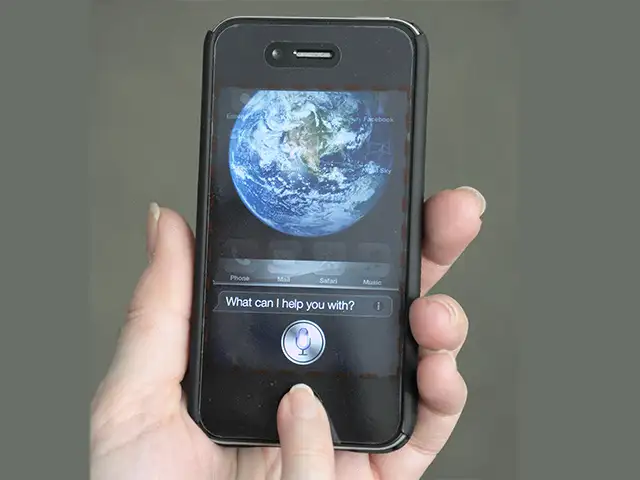
The big update you'll notice right away is that Apple has tuned Siri so that its voice sounds much more natural and less computer-like.
Siri can translate from English to Chinese, Spanish, French, German, or Italian at the start.
Second, you can dig into the General -> Accessibility settings and toggle a switch that lets you type to Siri instead of talking.
The big update you'll notice right away is that Apple has tuned Siri so that its voice sounds much more natural and less computer-like.
Siri can translate from English to Chinese, Spanish, French, G..
Read More
You'll be able to measure your room, sure, but you'll also be able to put a T. rex in it and play some incredible games on your coffee table.
It's much too early to know whether AR apps are going to be more than a fun trick to play around with for a few minutes before you forget about it — though that's been the way many AR and VR things have gone.
You'll be able to measure your room, sure, but you'll also be able to put a T. rex in it and play some incredible games on your coffee table.
It's much too early to know whether AR apps are going to..



 Specs stopped selling smartphones. Intelligence is the new benchmark - A breakdown of Google I/O and Apple’s WWDC 20262026-06-10T09:58:31Z

