Make video optional, think like a broadcaster: An introvert’s guide to remote meetings
In this era of nonstop video-conferencing, you are not alone in feeling like you have just run a marathon or been hit by a truck.
By Reuters |

iStock
NEW YORK: Jia Wertz may be a documentary filmmaker in New York City, but these days she feels like a full-time resident of Zoom world.
The director of the new documentary short 'Conviction' finds herself on a video chat every single day, often multiple times, since the pandemic has upended all our lives. As a self-described introvert, she is having a hard time getting a handle on the new medium.
“With Zoom calls, you’re ‘on’ 100% of the time, which is so mentally draining,” says Wertz, who juggles a scampering two-year-old at the same time.
In this era of nonstop video-conferencing, you are not alone in feeling like you have just run a marathon or been hit by a truck. Many employees and managers are reporting that online video-conferences seem particularly taxing – often more so than in-person meetings.
“I’m an introvert, and they totally drain me,” says Hannah Morgan, a job search strategist in Rochester, New York, and founder of Career Sherpa.
Why do Zoom meetings seem so fatiguing? Just think about all the information being processed: There might be five or 10 or 20 participants online at the same time, like a “Brady Bunch” title sequence from hell. Since much of communication is nonverbal – like facial expressions and body language – you are interpreting such signals for multiple colleagues simultaneously.
Meanwhile there are other issues to unravel, like tone, pitch as well as silences and their meaning. Plus, people often talk over one another.
For extroverts who thrive in that kind of buzzy cocktail party-like format, that communication style might not seem so foreign. But for introverts who are at their best one-on-one, in a quieter environment, Zoom can feel like an overload.
We are not just talking about one or two isolated employees: From one-third to one-half of the U.S. population can be considered introverts, according to Susan Cain, author of the bestselling book “Quiet.”
That being said, this New Normal is something we will all have to get used to. According to a survey by Wainhouse Research, 57% of companies are now using Zoom, compared to 30% before the pandemic – a growth spurt almost overnight.
And working from home doesn’t look like it will be going away anytime soon. The Society for Human Resource Management and Oxford Economics found that a whopping 64% of salaried and 49% of hourly employees now working from home most of the time, compared to only 3% and 2% back in January.
So how can introverts adapt to a Zoomified world, without harming their career prospects or having to morph into a completely different personality? Here are four ideas for employees and managers:
MAKE VIDEO OPTIONAL
Video chats can make you feel like you are constantly onstage. Hold occasional meetings that are audio-only, or where the camera can be directed away so you are not always onscreen.

DEVELOP THE SKILL SETS OF CHAT LEADERS
In any in-person meeting, there is a natural mix of quieter people and louder people. Now managers need to become adept at eliciting the participation of introverts without putting them on the spot. Use the chatbox feature, where you can enter thoughts by text that can then be taken up by the group.
LIMIT THE NUMBER OF MEETINGS
Near the beginning of the Covid-19 lockdowns, staffers may have felt obligated to participate in every single staff meeting, in order to feel connected and relevant. Being more selective now can preserve your energy, and improve your contributions for the ones you remain in.
For managers, consider: “Could this meeting have been an e-mail?” asks Brea Giffin, marketing director for Toronto-based corporate wellness platform Sprout, who also suggests scheduling buffer times between Zoom meetings. “Be conscious of how often you’re using the tool.”
THINK LIKE A BROADCASTER
The reality of the current situation is that elements of presentation like good lighting, a professional background, a decent microphone, camera angles, posture, voice projection – “all that stuff matters,” Morgan says. “With a few minor adjustments, you will come across much better on camera – and reduce your own anxiety about how you look."

The director of the new documentary short 'Conviction' finds herself on a video chat every single day, often multiple times, since the pandemic has upended all our lives. As a self-described introvert, she is having a hard time getting a handle on the new medium.
“With Zoom calls, you’re ‘on’ 100% of the time, which is so mentally draining,” says Wertz, who juggles a scampering two-year-old at the same time.
In this era of nonstop video-conferencing, you are not alone in feeling like you have just run a marathon or been hit by a truck. Many employees and managers are reporting that online video-conferences seem particularly taxing – often more so than in-person meetings.
“I’m an introvert, and they totally drain me,” says Hannah Morgan, a job search strategist in Rochester, New York, and founder of Career Sherpa.
Why do Zoom meetings seem so fatiguing? Just think about all the information being processed: There might be five or 10 or 20 participants online at the same time, like a “Brady Bunch” title sequence from hell. Since much of communication is nonverbal – like facial expressions and body language – you are interpreting such signals for multiple colleagues simultaneously.
ADVERTISEMENT
Meanwhile there are other issues to unravel, like tone, pitch as well as silences and their meaning. Plus, people often talk over one another.
For extroverts who thrive in that kind of buzzy cocktail party-like format, that communication style might not seem so foreign. But for introverts who are at their best one-on-one, in a quieter environment, Zoom can feel like an overload.
We are not just talking about one or two isolated employees: From one-third to one-half of the U.S. population can be considered introverts, according to Susan Cain, author of the bestselling book “Quiet.”
That being said, this New Normal is something we will all have to get used to. According to a survey by Wainhouse Research, 57% of companies are now using Zoom, compared to 30% before the pandemic – a growth spurt almost overnight.
ADVERTISEMENT
And working from home doesn’t look like it will be going away anytime soon. The Society for Human Resource Management and Oxford Economics found that a whopping 64% of salaried and 49% of hourly employees now working from home most of the time, compared to only 3% and 2% back in January.
So how can introverts adapt to a Zoomified world, without harming their career prospects or having to morph into a completely different personality? Here are four ideas for employees and managers:
ADVERTISEMENT
MAKE VIDEO OPTIONAL
Video chats can make you feel like you are constantly onstage. Hold occasional meetings that are audio-only, or where the camera can be directed away so you are not always onscreen.
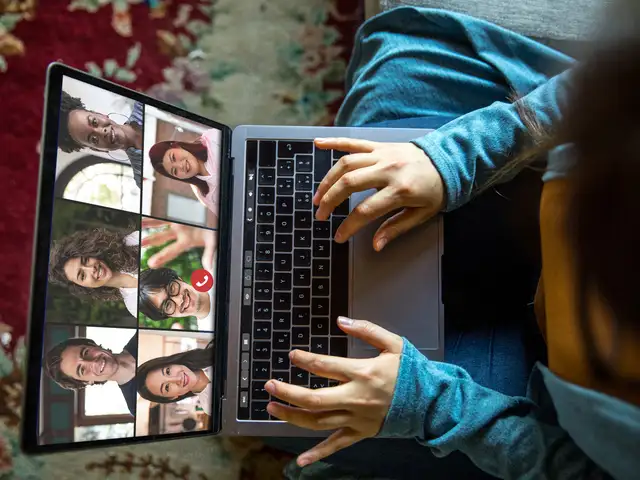
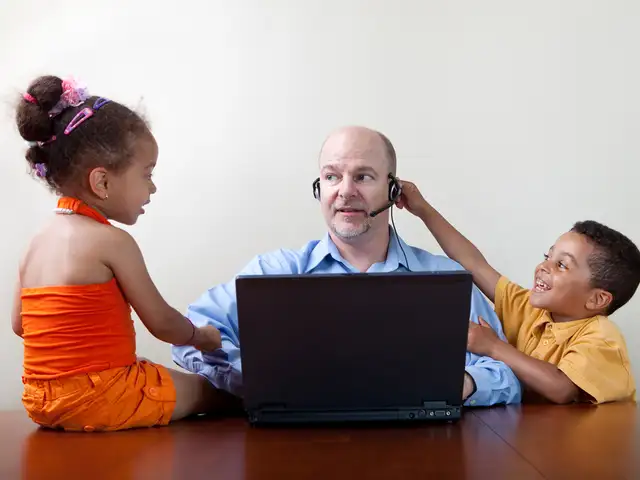
‘Can’t see you’. ‘Can you hear me?’ ‘What’s that noise in the background?’ In the days of social distancing, video calls and apps have exploded into our lives. Like social etiquette needs to be maintained at the workplace or when socialising, video-call etiquette too needs to be observed when you log on. Here are some pointers you should keep in mind before your next video call.




DEVELOP THE SKILL SETS OF CHAT LEADERS
In any in-person meeting, there is a natural mix of quieter people and louder people. Now managers need to become adept at eliciting the participation of introverts without putting them on the spot. Use the chatbox feature, where you can enter thoughts by text that can then be taken up by the group.
LIMIT THE NUMBER OF MEETINGS
Near the beginning of the Covid-19 lockdowns, staffers may have felt obligated to participate in every single staff meeting, in order to feel connected and relevant. Being more selective now can preserve your energy, and improve your contributions for the ones you remain in.
For managers, consider: “Could this meeting have been an e-mail?” asks Brea Giffin, marketing director for Toronto-based corporate wellness platform Sprout, who also suggests scheduling buffer times between Zoom meetings. “Be conscious of how often you’re using the tool.”
THINK LIKE A BROADCASTER
The reality of the current situation is that elements of presentation like good lighting, a professional background, a decent microphone, camera angles, posture, voice projection – “all that stuff matters,” Morgan says. “With a few minor adjustments, you will come across much better on camera – and reduce your own anxiety about how you look."
Remote working and the Covid-19 lockdown has completely reshaped the way companies operate or hire new talent. A lot of companies are opting for video or phone interviews in lieu of the traditional interview. So how does one impress a potential new boss when interviewing from home? Here are a few tips:





Download
The Economic Times Business News App for the Latest News in Business, Sensex, Stock Market Updates & More.
The Economic Times Business News App for the Latest News in Business, Sensex, Stock Market Updates & More.
ADVERTISEMENT


