Jivi launches three new smartphones under Rs 5,000
The cheapest Jivi JSP 29 is priced at Rs 2999 and features a 3.5 inch capacitive screen and 2 megapixel rear camera and a front VGA camera.
By ET Bureau | Updated:

NEW DELHI: Mobile handset vendor Jivi today launched a new range of smartphones to cater to the burgeoning market of affordable smartphones in India.
The new range comprises three smartphoness— Jivi JSP 47, Jivi JSP 38 and Jivi JSP 29.
“Buoyed by the phenomenal success of our lowest priced Android phone and the lowest priced quad-core Android phone, we intend to extend the benefits of technology to the masses at prices that don’t burn a hole in their pockets,” Pankaj Anand, CEO, Jivi Mobiles, said in a statement.
Priced at Rs 4199, the Jivi JSP 47 is powered by a dual core smartphone and 512 MB RAM and features a 4.5 inch full touch capacitive screen with an IPS Panel. In addition, it comes with a 5 megapixel camera on the rear for and a front camera along.
The Jivi JSP 38 is available for Rs 3299 and has a 4 inch full touch capacitive screen. It also comes with 5 megapixel camera on the rear and a VGA camera in front. The device is powered by a 1 GHz processor and 256 MB RAM. It features 512 MB memory and a battery of 1500 mAh.
The cheapest Jivi JSP 29 is priced at Rs 2999 and features a 3.5 inch capacitive screen and 2 megapixel rear camera and a front VGA camera. It is powered by a 1 GHz processor and 256 MB RAM and comes with 512MB memory and a 1450 mAh battery.
The new range comprises three smartphoness— Jivi JSP 47, Jivi JSP 38 and Jivi JSP 29.
“Buoyed by the phenomenal success of our lowest priced Android phone and the lowest priced quad-core Android phone, we intend to extend the benefits of technology to the masses at prices that don’t burn a hole in their pockets,” Pankaj Anand, CEO, Jivi Mobiles, said in a statement.
Priced at Rs 4199, the Jivi JSP 47 is powered by a dual core smartphone and 512 MB RAM and features a 4.5 inch full touch capacitive screen with an IPS Panel. In addition, it comes with a 5 megapixel camera on the rear for and a front camera along.
The Jivi JSP 38 is available for Rs 3299 and has a 4 inch full touch capacitive screen. It also comes with 5 megapixel camera on the rear and a VGA camera in front. The device is powered by a 1 GHz processor and 256 MB RAM. It features 512 MB memory and a battery of 1500 mAh.
The cheapest Jivi JSP 29 is priced at Rs 2999 and features a 3.5 inch capacitive screen and 2 megapixel rear camera and a front VGA camera. It is powered by a 1 GHz processor and 256 MB RAM and comes with 512MB memory and a 1450 mAh battery.
ADVERTISEMENT
Download
The Economic Times Business News App for the Latest News in Business, Sensex, Stock Market Updates & More.
The Economic Times Business News App for the Latest News in Business, Sensex, Stock Market Updates & More.
Related Articles
 Amazon working on new smartphone years after Fire Phone flop: Report2026-03-20T10:21:41Z
- Poco X8 Pro Price in India: Three new smartphones launched starting Rs 29,999. Check all details of X8 Pro, Pro Max and X8 Pro Iron Man Edition2026-03-17T14:07:14Z
- Google Pixel 10 series launched: Google spotlights AI over hardware upgrades in unveiling new smartphones2025-08-21T04:36:59Z
BusinessInsider.in
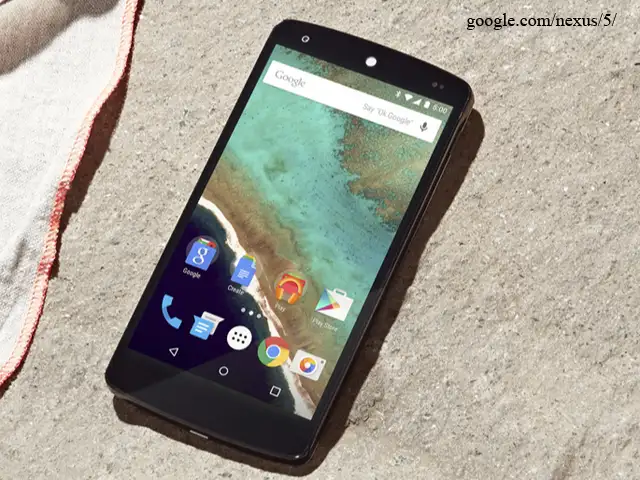
Most Android phones are already pretty easy to use, but there are some easy steps you can take to make them even more enjoyable and efficient.
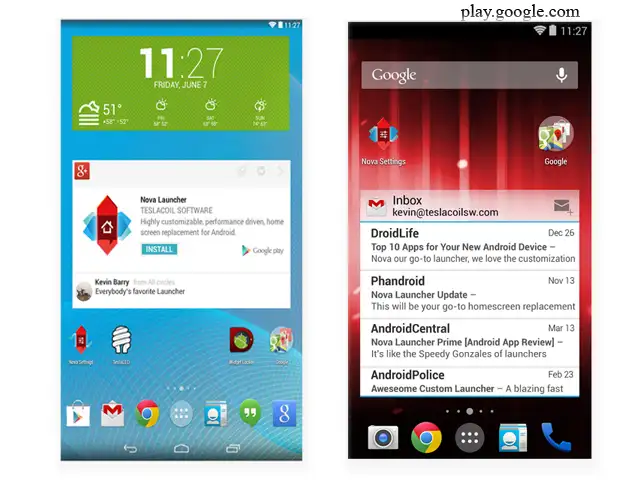
Since Android is an open platform, there's plenty of room for customization. Beyond personalizing your phone, there are a few easy practices that can keep your phone neat and organized with plenty of battery life to last all day.
Here are nine tips and tricks every Android user should know.
Most Android phones are already pretty easy to use, but there are some easy steps you can take to make them even more enjoyable and efficient.
Since Android is an open platform, there's plenty of room for customization. Beyond personalizing your phone, there are a few easy practices that can keep your phone neat and organized with plenty of battery life to last all day.
Here are nine tips and tricks every Android user should know.

ADVERTISEMENT


