There are a lot of things that Apple boasts about when it comes to its products and services. While some are exaggerated to an extent, there are some which are really the company’s strong points – especially compared to competition. An area where Apple stands out an is ahead of others is customer service.
It’s organised, the company is accessible even though it might not offer cheap solutions! Every time you purchase an Apple product it comes with an automatic one-year warranty.
Remember that it’s just restricted to hardware and repair coverage but doesn’t include accidental damage like screen crack or water damage.
Even though hardware failures in Apple products aren’t that common, here we tell you how to check your Apple device’s warranty status. A good thing about Apple is that you don’t need to make those annoying calls on automated IVR numbers or chat with bots. Simply follow the below-mentioned steps and get to know if your Apple product is still under warranty or not:
1. Go to Apple’s “Check Coverage” page on the company website.
2. Once you land on the page all you need to do is enter the device’s serial number. If you don’t know the serial number, Apple tells you how to find it on the device
ADVERTISEMENT
3. Enter the security or captcha code
4. After entering the code and serial number, you’ll come to a page where Apple tells you about the device’s warranty details.
ADVERTISEMENT
5. Here you will see three points: a) Valid Purchase Date, which tells you that Apple has a purchase date of your device on record;
ADVERTISEMENT
b) Telephone Technical Support: Apple gives all consumers 90 days of telephone support. If you don’t fall in the 90-day period you will see that it has “Expired”; and finally, c) Repairs and Service Coverage: if your Apple device is out of warranty, you will again see “Expired” against Repairs and Service Coverage.
So, just follow these steps and check if your iPhone, iPad or any other Apple device is still under warranty or not.
If not, then be prepared to fork out a lot of cash as it does cost quite a but to get Apple's products fixed.
WWDC 2018: Apple Unveils iOS 12, smarter Siri, & Group Facetime
1/3
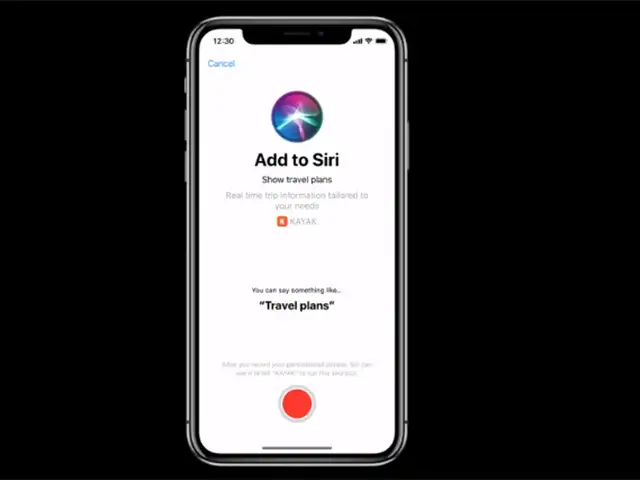
With the smarter Siri, you can now record custom phrases that it will understand. It also includes a new Shortcuts feature.
With the smarter Siri, you can now record custom phrases that it will understand. It also includes a new Shortcuts feature.
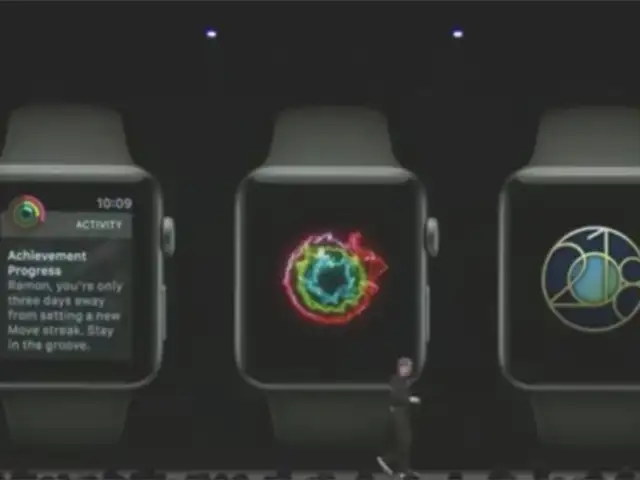
The latest version of WatchOS has some major changes and additions. These include more watch faces as well as improved health tracking features.
You now get to be more competitive with the new Competition mode on WatchOS 5. The mode lets you enter a seven day competition with friends, where you can track both your own and your friends progress, and the winner gets an Apple Watch award.
The new fitness modes on the WatchOS include a Yoga mode to track your activity via the heart rate monitor, and a Hiking mode to use your pace and elevation to better determine the number of calories burned.
A new watch-to-watch connection, which works over WiFi or cell signal, turns your Apple Watch into a walkie talkie.
The latest version of WatchOS has some major changes and additions. These include more watch faces as well as improved health tracking features.
You now get to be more competitive with the new Compe..
Read More
Apple announced exciting new features for its Apple TV set-top box. For the first time full Dolby Atmos support is coming to the Apple TV 4K. Extra features like bringing live sports and news to the TV app were also announced.
Apple TV 4K is the first (and only) streaming device to support both Dolby Atmos and Dolby Vision. ITunes Movies will start offering Dolby Atmos later this year, and any movies you already have purchased will get updated to Atmos for free.
Apple announced exciting new features for its Apple TV set-top box. For the first time full Dolby Atmos support is coming to the Apple TV 4K. Extra features like bringing live sports and news to the ..




 The most important Apple iOS 27 feature may be the one many users can't access2026-06-12T11:15:07Z

