Flybot Beat review: Ease of use, long battery life and decent audio quality make it worth the price
Flybot claims that the earbuds can deliver 4 hours of backup on a charge.
By Karan Bajaj, ET Bureau | Updated:

Agencies
Price: Rs 2,999
Rating: ****
Specifications: Stereo true wireless Bluetooth earbuds, Bluetooth 5.0, built-in mic, 40mAh battery (Earbud), 800mAh battery (charging case)
True Wireless earphones have been the trend since Apple launched the Airpods. Various prominent brands have launched their offerings in the space and we also see a number of new brands coming with their products. Flybot is one such new brand and they have entered with an entry-level true wireless earphone - the Flybot Beat.
The first thing you notice on the Flybot Beat is that the earbuds as well as the charging case are compact in size making them easy to carry around. The earbuds are rectangular in design and have control button on top plus an LED indicator. We liked the fit of the earbuds – even without any support hooks, the earbuds were secure in place and do not fall out during walking/running. Trouble is the control button – you have to press them hard for play/pause or call accept and double press to change tracks. When you press the button, you end up pushing the earbuds in your ear which becomes painful after 2-3 attempts.
Its charging case also has a matte finish and is lightweight. We were surprised that even at this price Flybot has managed to give magnet lock for the earbuds in the case – just place the earbuds on the case and it automatically snaps in the right position for storage. The case has a microUSB port for charging and two LED indicator lights for battery status.
Pairing with the Flybot Beat is easy – the earbuds first connect to each other and then you can pair them with your smartphone (works with iOS and Android both). After the first pairing, the headphones immediately connect to the paired device when taken out from the charging case. However, there is no support for connecting two devices simultaneously even though the earbuds use Bluetooth 5.0.
While the volume level could have been louder, we were surprised with the audio quality. We used the headphones with Moto One Vision and iPhone XS for music, movies and gaming. The vocals are clear making these great for videos and gaming voice chats. For music, the tight bass impressed us as the earbuds handled the lower mid-range frequency nicely and the higher mid-range – this makes them great for majority genres of music. Trouble is when it comes to treble and the high-range, this is where the earbuds did not feel up to the mark.
Flybot Beat’s biggest problem is its mics – they just failed to work 99% of the times. Even in a quiet room, we had to speak loudly to be audible on a voice call. Every time we received a voice call, we had to switch to the smartphones in-ear speaker – this defeats the purpose of using the Flybot Beat for any voice calls.
Overall, at the asking price, the Flybot Beat prove to be excellent value for money but only for entertainment purpose. We would not recommend these if you also want to use them for voice calls. In the same price range, you can also consider the Noise Shots Sports or the Zebronics Zeb Peace.
Rating: ****
Specifications: Stereo true wireless Bluetooth earbuds, Bluetooth 5.0, built-in mic, 40mAh battery (Earbud), 800mAh battery (charging case)
True Wireless earphones have been the trend since Apple launched the Airpods. Various prominent brands have launched their offerings in the space and we also see a number of new brands coming with their products. Flybot is one such new brand and they have entered with an entry-level true wireless earphone - the Flybot Beat.
The first thing you notice on the Flybot Beat is that the earbuds as well as the charging case are compact in size making them easy to carry around. The earbuds are rectangular in design and have control button on top plus an LED indicator. We liked the fit of the earbuds – even without any support hooks, the earbuds were secure in place and do not fall out during walking/running. Trouble is the control button – you have to press them hard for play/pause or call accept and double press to change tracks. When you press the button, you end up pushing the earbuds in your ear which becomes painful after 2-3 attempts.
Its charging case also has a matte finish and is lightweight. We were surprised that even at this price Flybot has managed to give magnet lock for the earbuds in the case – just place the earbuds on the case and it automatically snaps in the right position for storage. The case has a microUSB port for charging and two LED indicator lights for battery status.
ADVERTISEMENT
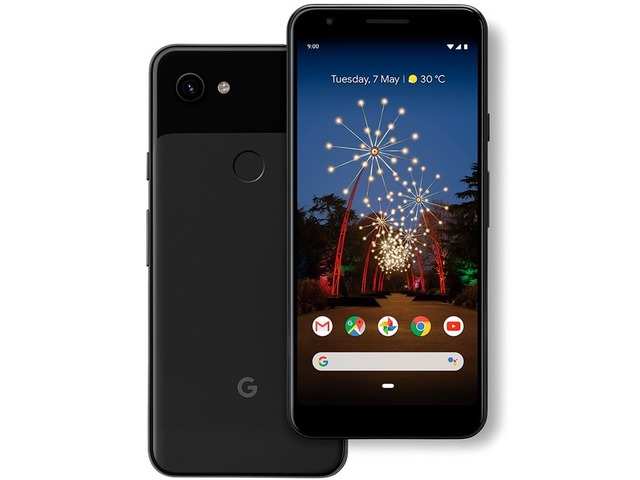
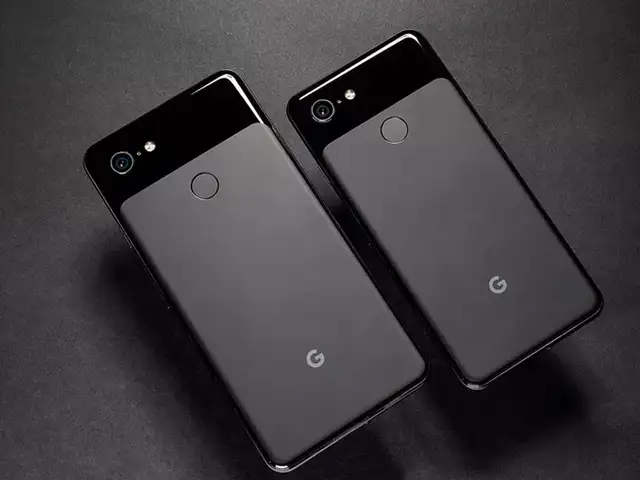
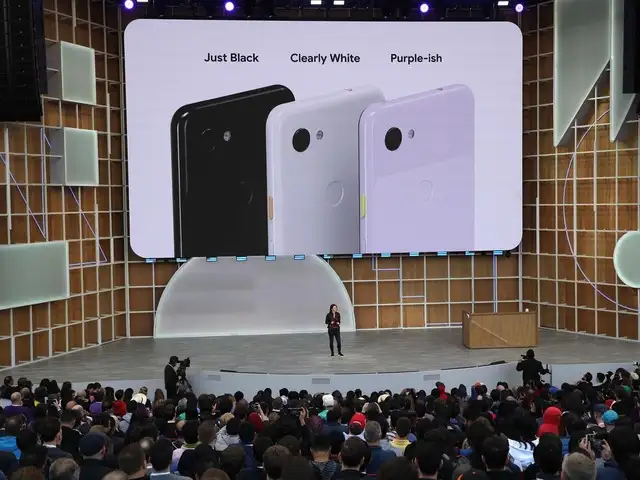
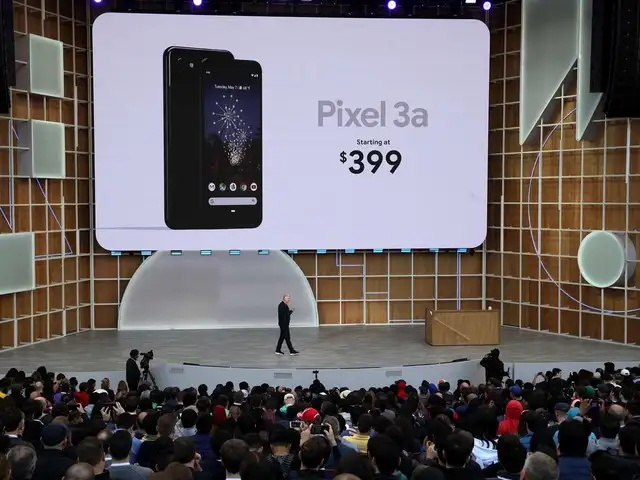
Pixel 3a was unveiled at the 2019 Google I/O event today. The Pixel 3a came with major upgrades from its predecessor. The new smartphone sports a better camera, a smarter Google Assistant and also has Digital well-being features.
Here's a sneak peak into the specifications of Google's Pixel 3a.







Pairing with the Flybot Beat is easy – the earbuds first connect to each other and then you can pair them with your smartphone (works with iOS and Android both). After the first pairing, the headphones immediately connect to the paired device when taken out from the charging case. However, there is no support for connecting two devices simultaneously even though the earbuds use Bluetooth 5.0.
While the volume level could have been louder, we were surprised with the audio quality. We used the headphones with Moto One Vision and iPhone XS for music, movies and gaming. The vocals are clear making these great for videos and gaming voice chats. For music, the tight bass impressed us as the earbuds handled the lower mid-range frequency nicely and the higher mid-range – this makes them great for majority genres of music. Trouble is when it comes to treble and the high-range, this is where the earbuds did not feel up to the mark.
Flybot Beat’s biggest problem is its mics – they just failed to work 99% of the times. Even in a quiet room, we had to speak loudly to be audible on a voice call. Every time we received a voice call, we had to switch to the smartphones in-ear speaker – this defeats the purpose of using the Flybot Beat for any voice calls.
ADVERTISEMENT
Battery life is the highlight – Flybot claims that the earbuds can deliver 4 hours of backup on a charge. Keeping the volume level at 80%, we got between 3 and 3.5 hours of backup. The charging case can charge the headphones up to 8 times as per Flybot. After the initial full charge of the case and the earbuds, we used them every day for 3-4 hours and only at the 7th day, the case and earbuds ran out of battery. Overall, at the asking price, the Flybot Beat prove to be excellent value for money but only for entertainment purpose. We would not recommend these if you also want to use them for voice calls. In the same price range, you can also consider the Noise Shots Sports or the Zebronics Zeb Peace.
Download
The Economic Times Business News App for the Latest News in Business, Sensex, Stock Market Updates & More.
The Economic Times Business News App for the Latest News in Business, Sensex, Stock Market Updates & More.
ADVERTISEMENT


