Find it hard to operate your smartphone with one hand? Here's how to make it simple
The most common issue with large screens is tougher phone navigation.
By Karan Bajaj, ET Bureau |

Getty Images
Smartphone screens have grown over the years. Some phones now have displays as large as 6.5 inches. Large screens are great to show you more at a glance but they also make the phone harder to use with one hand. Here are some tips on how to deal with these larger screens with one hand.
Switch to a Gesture-based Launcher
The most common issue with large screens is tougher phone navigation. Accessing notifications, opening the search bar, locking the screen or taking screenshots are some of the common functions for which you will end up using two hands. An easy way out is to use a third-party launcher that gives you customisable gestures. Microsoft Launcher for Android (ironic, isn’t it) is a great option. It’s a free app that lets you set custom actions for basic gestures like swipe up/down, double tap, double tap and swipe up and so on. You can choose from a range of actions for each gesture. Our favourite Nova Launcher also has powerful gesture control feature, but you need to purchase Nova Launcher Premium to access them (well worth the price we think).
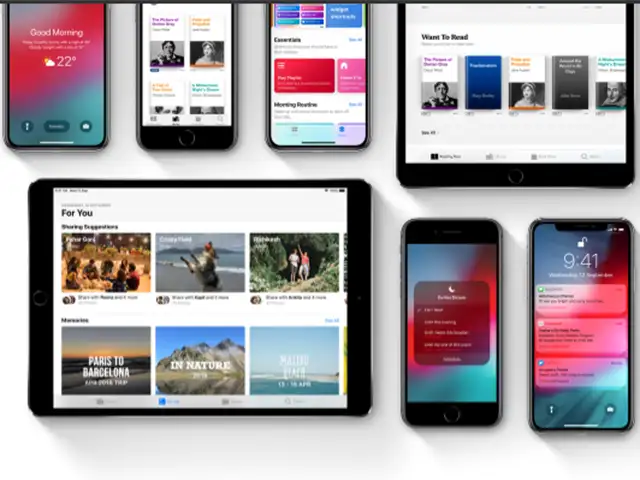
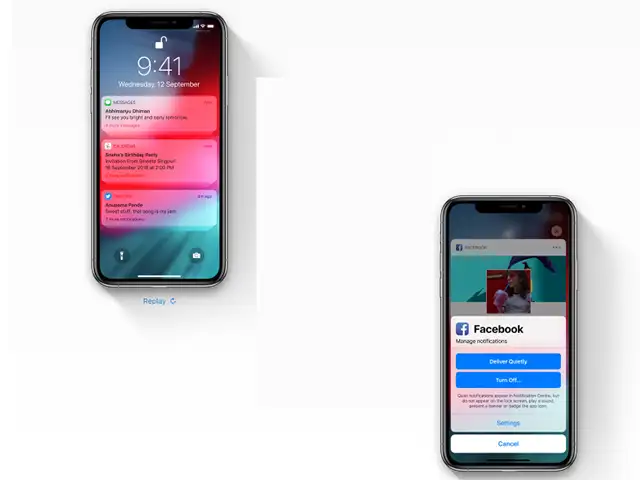
Apple's recently launched operating system is not a radical change from its predecessor, but it introduces new features that could change the way you use your smartphone.
Use Virtual Buttons
One of the best but seldom used features on iOS is called AssistiveTouch. It gives you a virtual on-screen button with shortcuts as well as gesture controls. You can enable this from Settings > General > Accessibility. Some Android phones also offers similar features (customised by the manufacturer). In case your Android smartphone doesn’t have this built in, you can install a third-party app called Assistive Touch for Android developed by Assistive Touch Team. The app adds a virtual floating button on your Android smartphone screen with customisable shortcuts as well as the option to assign commonly used function for one-touch access.
Apps Optimised For One Hand Use
Opera Touch
This web browser offers gesture-based navigation and a fast action button at the bottom for various functions.
Smooz
This is another browser which works primarily via gestures. You can even customize gestures for specific tasks.
Gboard
SwiftKey
If you don’t like Gboard, try SwiftKey. SwiftKey lets you resize the keyboard for ease of use on large screens.
Built-in One Hand Mode
For large iPhones (6 Plus, 7 Plus, 8 Plus, XR and XS Max), iOS includes with a built-in function called Reachability. First, you need to enable it from Settings > General > Accessibility. Once enabled, just swipe down from the bottom edge of the screen and the top portion of the screen will move downwards. On Android, different manufacturers offer different shortcuts for one hand mode. When enabled, the entire screen shrinks down to roughly 5-inches and it can be left or right aligned for easy access. In case your Android phone does not come with a built-in one hand mode, install an app called One-Handed Mode by XDA Developers. Setting it up is cumbersome and requires either a rooted phone or changing advanced system settings using USB debugging.
Install a Shortcut Bar
This is a good alternative if you do not want to install a third-party launcher. Various apps can add a sidebar with customisable shortcuts. Try apps like Swipe Master, ZSwipe and Circle SideBar. All of them add a floating menu which can be accessed anywhere with a simple swipe. In case of Swipe Master, you can add your favourite apps to the floating menu and it will auto-populate your last used apps too. Some apps offer the option to quickly access settings and tools like calculator and calendar. These floating sidebars make it easy to access various functions and apps without being obtrusive.
Switch to a Gesture-based Launcher
The most common issue with large screens is tougher phone navigation. Accessing notifications, opening the search bar, locking the screen or taking screenshots are some of the common functions for which you will end up using two hands. An easy way out is to use a third-party launcher that gives you customisable gestures. Microsoft Launcher for Android (ironic, isn’t it) is a great option. It’s a free app that lets you set custom actions for basic gestures like swipe up/down, double tap, double tap and swipe up and so on. You can choose from a range of actions for each gesture. Our favourite Nova Launcher also has powerful gesture control feature, but you need to purchase Nova Launcher Premium to access them (well worth the price we think).

Use Virtual Buttons
One of the best but seldom used features on iOS is called AssistiveTouch. It gives you a virtual on-screen button with shortcuts as well as gesture controls. You can enable this from Settings > General > Accessibility. Some Android phones also offers similar features (customised by the manufacturer). In case your Android smartphone doesn’t have this built in, you can install a third-party app called Assistive Touch for Android developed by Assistive Touch Team. The app adds a virtual floating button on your Android smartphone screen with customisable shortcuts as well as the option to assign commonly used function for one-touch access.
Apps Optimised For One Hand Use
ADVERTISEMENT
Opera Touch
This web browser offers gesture-based navigation and a fast action button at the bottom for various functions.
Smooz
This is another browser which works primarily via gestures. You can even customize gestures for specific tasks.
Gboard
ADVERTISEMENT
The official keyboard app from Google comes with a built-in one hand mode. You can pin the keyboard to left or right of screen depending on your comfort. SwiftKey
If you don’t like Gboard, try SwiftKey. SwiftKey lets you resize the keyboard for ease of use on large screens.
ADVERTISEMENT
Built-in One Hand Mode
For large iPhones (6 Plus, 7 Plus, 8 Plus, XR and XS Max), iOS includes with a built-in function called Reachability. First, you need to enable it from Settings > General > Accessibility. Once enabled, just swipe down from the bottom edge of the screen and the top portion of the screen will move downwards. On Android, different manufacturers offer different shortcuts for one hand mode. When enabled, the entire screen shrinks down to roughly 5-inches and it can be left or right aligned for easy access. In case your Android phone does not come with a built-in one hand mode, install an app called One-Handed Mode by XDA Developers. Setting it up is cumbersome and requires either a rooted phone or changing advanced system settings using USB debugging.
Install a Shortcut Bar
This is a good alternative if you do not want to install a third-party launcher. Various apps can add a sidebar with customisable shortcuts. Try apps like Swipe Master, ZSwipe and Circle SideBar. All of them add a floating menu which can be accessed anywhere with a simple swipe. In case of Swipe Master, you can add your favourite apps to the floating menu and it will auto-populate your last used apps too. Some apps offer the option to quickly access settings and tools like calculator and calendar. These floating sidebars make it easy to access various functions and apps without being obtrusive.
Download
The Economic Times Business News App for the Latest News in Business, Sensex, Stock Market Updates & More.
The Economic Times Business News App for the Latest News in Business, Sensex, Stock Market Updates & More.
ADVERTISEMENT


