Essential photo apps for your smartphone
If you have a click-happy finger, you might want to consider these free tools that will help you create collages, back up your images onto the cloud & share them with friends in albums.

If you have a click-happy finger, you might want to consider these free tools that will help you add pizzazz to your snapshots, create collages and slideshows, back up your images onto the cloud, share them with friends in neat little albums, and even hide your private memories from prying eyes.
PHOTO EDITOR BY AVIARY
Photo Editor by Aviary is a comprehensive image-editing tool with features such as one-tap auto enhance, effects and frames, stickers that let you add fun elements to your pictures, tools that allow you to tweak colours, draw over images, add text, and even create memes.
Using Photo Editor, you can crop, rotate and straighten your photos; adjust brightness, contrast, colour temperature and saturation; blur or sharpen subjects, and even use cosmetic tools to fix redeye, remove blemishes and whiten teeth.
The app, which supports hi-res output, comes with a few pre-packaged effects, but you also get the option to download extra packs.The good part? Create an Adobe account through its interface, and you can download nearly a 100 effects for free. This limited time offer is valid till February 20, 2015 and anything you download till then is free for you to use for life.
Available on Android, iOS, Kindle Fire, Windows Phone | Price: Free
SHIFT
Shift is for snappers who want more than pre-set filters. It consists of two sliders: one for hues and the other for intensity . What you also get are three `touch points' that appear on the photograph that's being edited.
Creating a new filter is as simple as playing with the sliders, while also moving the touch points to create an endless combination of textures, colours and blends.
If you like a particular effect, you can save it using the favourite button. Alternatively, you can use its “random“ button to try out automatic permutations. With Shift, you can create individual filters for each of your snapshots. If you're looking for something more than stock effects, then Shift must find a place in your digital dark room.
Available on Android, iOS | Price: Free
SCENE
Well, it's one thing to shoot pictures with your phones, but organizing all those snaps on your device and finding the exact picture you want while scrolling through hundreds of them can be quite something else. Scene to the rescue.
This app automatically displays all your images in chronological order, so you can jump back in time with its Calendar View and Smart Slider. You can even find any photo by its taken-on date.
It lets you create multiple albums, comprising up to 1,000 photos each with simple drag-and-drop. You can then add captions to the photos in your albums and share these privately with friends via e-mail and text messages.
Shared albums can be viewed on PCs--recipients do not require the Scene app--and friends can also help build albums by adding their own photos. In addition, you can now publish albums for the world to see via a photoblog, or post public albums to Facebook, Twitter, etc.
Available on Android, iOS | Price: Free
TRUNX
Like Scene, Trunx is a central repository for all your images. It backs up all the photos from your smartphone to its servers, and it even connects with your Facebook, Instagram and Dropbox accounts to import whatever you have uploaded there.
When you register with Trunx, you get 15GB of free storage space and the incentive to earn 2GB for every friend you invite to this service and there is no limit to the invites you can send out.
All your pictures are stored in the resolution they are shot at and there is no loss in quality while uploading to Trunx. These images appear in a timeline, and can be tagged to make browsing easier. You can also use its built-in camera to take pictures, videos and attach voice recordings to your captures.
You can even use Trunx to create custom albums and share them with friends and family (who will also need to have an account). If you don't want strangers browsing your pictures, you can use a PIN code feature to keep your photographs private.
Available on Android, iOS, Kindle Fire | Price: Free
PHOTO GRID
How about `Instagramming' a collage instead of a single photo? With Photo Grid, you can combine up to fifteen pictures, choose from multiple layouts, pick or create a custom aspect ratio like square, widescreen, etc add a frame, enter text, throw in some stickers and a whole lot more. Once you are done, you can save a hi-res version to your phone before sharing it via e-mail, WhatsApp, etc.
Moreover, if you already have pictures saved in Facebook, Flickr, Instagram and Dropbox, then you can connect to these accounts to create new photo montages. Apart from the nine grid layouts, you can download free templates, create a scrapbook, or stick them all together to form a long filmstrip.
The app also lets you create a short video slideshow of your snapshots, complete with transitions and a background soundtrack. And there's a selfie mode included too.
Available on Android, iOS, Kindle Fire | Price: Free
TIPS TO HIDE YOUR PHOTOS
If you do not want your personal albums to be visible to anybody who handles your smartphone, safeguard your privacy with an app that hides the pictures on your handset. This way, even if you lose your phone, your photos and videos will not be accessible. Here, you can try Hide Something for Android devices. Simply set a pattern lock for the content you want to hide.
Apple iPhone users can install Private Photo Vault. It has an alert mechanism that takes a snapshot, along with GPS coordinates, of anybody who tries to break into your secret gallery. You can also set a decoy passcode to let some friends “think“ they have access to your personal stash. In reality, this password will give access to a different set of pictures.
Then, there's Lock & Hide for Windows Phones, which encrypts the images before making them invisible to other users.
PHOTO EDITOR BY AVIARY
Photo Editor by Aviary is a comprehensive image-editing tool with features such as one-tap auto enhance, effects and frames, stickers that let you add fun elements to your pictures, tools that allow you to tweak colours, draw over images, add text, and even create memes.
Using Photo Editor, you can crop, rotate and straighten your photos; adjust brightness, contrast, colour temperature and saturation; blur or sharpen subjects, and even use cosmetic tools to fix redeye, remove blemishes and whiten teeth.
The app, which supports hi-res output, comes with a few pre-packaged effects, but you also get the option to download extra packs.The good part? Create an Adobe account through its interface, and you can download nearly a 100 effects for free. This limited time offer is valid till February 20, 2015 and anything you download till then is free for you to use for life.
Available on Android, iOS, Kindle Fire, Windows Phone | Price: Free
ADVERTISEMENT
SHIFT
Shift is for snappers who want more than pre-set filters. It consists of two sliders: one for hues and the other for intensity . What you also get are three `touch points' that appear on the photograph that's being edited.
Creating a new filter is as simple as playing with the sliders, while also moving the touch points to create an endless combination of textures, colours and blends.
If you like a particular effect, you can save it using the favourite button. Alternatively, you can use its “random“ button to try out automatic permutations. With Shift, you can create individual filters for each of your snapshots. If you're looking for something more than stock effects, then Shift must find a place in your digital dark room.
ADVERTISEMENT
Available on Android, iOS | Price: Free
SCENE
ADVERTISEMENT
Well, it's one thing to shoot pictures with your phones, but organizing all those snaps on your device and finding the exact picture you want while scrolling through hundreds of them can be quite something else. Scene to the rescue.
This app automatically displays all your images in chronological order, so you can jump back in time with its Calendar View and Smart Slider. You can even find any photo by its taken-on date.
It lets you create multiple albums, comprising up to 1,000 photos each with simple drag-and-drop. You can then add captions to the photos in your albums and share these privately with friends via e-mail and text messages.
Shared albums can be viewed on PCs--recipients do not require the Scene app--and friends can also help build albums by adding their own photos. In addition, you can now publish albums for the world to see via a photoblog, or post public albums to Facebook, Twitter, etc.
Available on Android, iOS | Price: Free
TRUNX
Like Scene, Trunx is a central repository for all your images. It backs up all the photos from your smartphone to its servers, and it even connects with your Facebook, Instagram and Dropbox accounts to import whatever you have uploaded there.
When you register with Trunx, you get 15GB of free storage space and the incentive to earn 2GB for every friend you invite to this service and there is no limit to the invites you can send out.
All your pictures are stored in the resolution they are shot at and there is no loss in quality while uploading to Trunx. These images appear in a timeline, and can be tagged to make browsing easier. You can also use its built-in camera to take pictures, videos and attach voice recordings to your captures.
You can even use Trunx to create custom albums and share them with friends and family (who will also need to have an account). If you don't want strangers browsing your pictures, you can use a PIN code feature to keep your photographs private.
Available on Android, iOS, Kindle Fire | Price: Free
PHOTO GRID
How about `Instagramming' a collage instead of a single photo? With Photo Grid, you can combine up to fifteen pictures, choose from multiple layouts, pick or create a custom aspect ratio like square, widescreen, etc add a frame, enter text, throw in some stickers and a whole lot more. Once you are done, you can save a hi-res version to your phone before sharing it via e-mail, WhatsApp, etc.
Moreover, if you already have pictures saved in Facebook, Flickr, Instagram and Dropbox, then you can connect to these accounts to create new photo montages. Apart from the nine grid layouts, you can download free templates, create a scrapbook, or stick them all together to form a long filmstrip.
The app also lets you create a short video slideshow of your snapshots, complete with transitions and a background soundtrack. And there's a selfie mode included too.
Available on Android, iOS, Kindle Fire | Price: Free
TIPS TO HIDE YOUR PHOTOS
If you do not want your personal albums to be visible to anybody who handles your smartphone, safeguard your privacy with an app that hides the pictures on your handset. This way, even if you lose your phone, your photos and videos will not be accessible. Here, you can try Hide Something for Android devices. Simply set a pattern lock for the content you want to hide.
Apple iPhone users can install Private Photo Vault. It has an alert mechanism that takes a snapshot, along with GPS coordinates, of anybody who tries to break into your secret gallery. You can also set a decoy passcode to let some friends “think“ they have access to your personal stash. In reality, this password will give access to a different set of pictures.
Then, there's Lock & Hide for Windows Phones, which encrypts the images before making them invisible to other users.
Download
The Economic Times Business News App for the Latest News in Business, Sensex, Stock Market Updates & More.
The Economic Times Business News App for the Latest News in Business, Sensex, Stock Market Updates & More.
Related Articles
 RCB and Nothing spark buzz over possible Royal Challengers Bengaluru-themed smartphone launch in India2026-06-10T13:34:55Z
- Specs stopped selling smartphones. Intelligence is the new benchmark - A breakdown of Google I/O and Apple’s WWDC 20262026-06-10T09:58:31Z
- Xiaomi 17T review: Value smartphone done right2026-06-08T13:35:04Z
Text: Karan Bajaj, ET Bureau
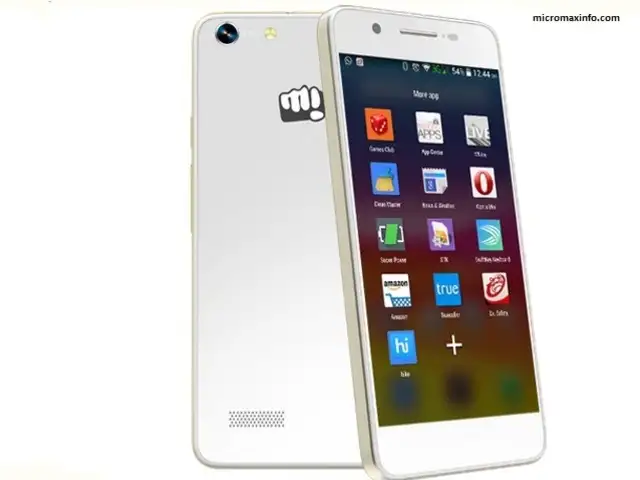
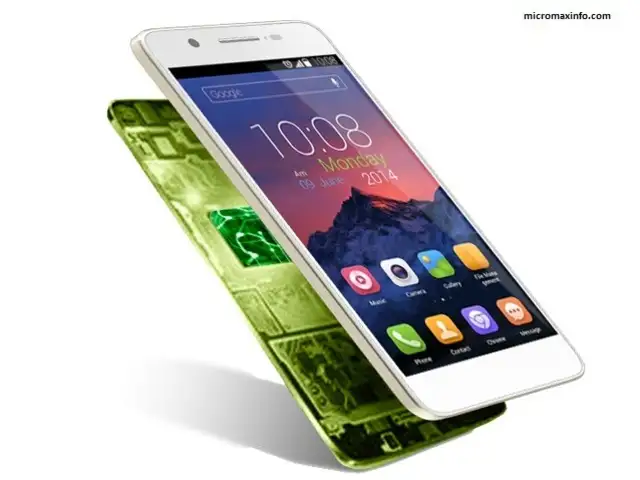
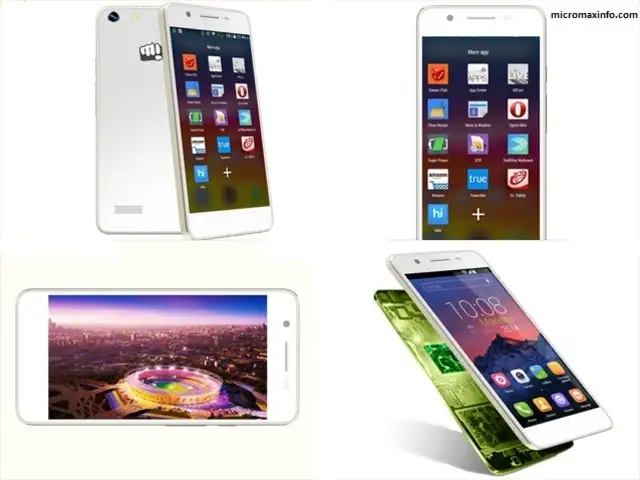
On first look, most people can easily confuse the Canvas Hue with the Apple iPhone.
It has the same rounded edges with a metal finish around the rim and remarkably similar overall look.
On first look, most people can easily confuse the Canvas Hue with the Apple iPhone.
It has the same rounded edges with a metal finish around the rim and remarkably similar overall look.