Eight technologies that will shape how we use smart devices
Technology evolution is constant, but only a few things will make a lasting impact.

Technology evolution is constant, but only a few things will make a lasting impact, explain Karan Bajaj & Hitesh Raj Bhagat. These are a few on the shortlist...
USB type C
Back in the nineties, before personal computers became the norm, the USB or universal serial bus standard was invented in a bid to standardise the connectors and protocols for connecting a peripheral to a computer.
Obviously, this was before the smartphone boom and before we got so many different USB devices. Back then, USB was needed to replace older ports (like serial and parallel port), it was smaller, easier to connect and more of them could be included in a smaller space because of the compact connectors.

Now, so many different iterations later, the fact that USB is still a onesided connector has become a flaw. Plus, we need faster speeds, higher power and the ability to transmit high-bitrate video – at the same time. Hence the USB Type C port which will soon become commonplace on all phones, tablets, chargers, cameras, computers, printers, external hard drives – basically everything you need to connect.
Touch-free Intuitive Gesture Control
As we start to do more with our devices, the way we do it needs to evolve too. Back in the eighties, when graphical user interfaces first started seeing the light of day, it was a natural, user-friendly evolution of the text-based interface on computers. It’s what gave computing accessibility.
Later on, pointing devices ceded a fair amount of control to touch-based systems and as you all know, touchscreens have also evolved tremendously. The next step is to control elements of an interface without touching anything.
Leap Motion is probably the most popular and accessible enabler right now. The $100 Leap Motion controller can connect to your Windows/MAC computer using USB and uses the air space between you and the computer to create 8 cubic feet of interactive space that you can manipulate with your hands and fingers. It’s how we will interact with machines well into the next decade.
Modular Phones, Laptops & Tablets
There’s a growing dissonance about shorter product life cycles and planned obsolescence that companies deviously mix into their strategy.
Couple that with increased awareness about environmental hazards of old hardware and you have a recipe that’s ready for modular technology. For a phone user, the argument is this - if you’ve been basically using a smartphone for the same thing for over a decade now, why do you need to keep changing it? Just keep upgrading the things you need.
Modular smartphones have been in development for a few years now and Project Ara, Puzzlephone and Fonkraft will likely be the first ones off the block. The same concept can be applied to tablet computers, with the added benefit that users can replace parts that break (like screens) without the need for sending the device in for repairs. For laptops, apart from modular upgrades to CPU, RAM and storage - components that you don’t need (like a graphics card for gaming), an additional larger battery or hard drive based storage could be removed at will in the interests of portability.
Screens Without Bezels
There’s a functional purpose to a bezel – the blank space that surrounds any display on all four sides. It’s an important structural component (especially in a smartphone) and typically hides some of the electronics such as the LED light source and other electronics.
Reducing the bezel size is an obvious way for companies to ‘display’ technological prowess and has become an important means of differentiation too. Now, a bunch of innovators are working to do away with the bezel altogether – at least on two sides of the screen. Apart from looking futuristic and super-cool, this also helps increase the size of the screen without increasing the size of the device. Sharp’s Aquos Crystal, ZTE’s Nubia Z9, LeTV and Oppo’s R7 are taking the lead on this.
It’ll be an exciting next few years for users of portable screens.
Solid State Storage
Standard hard drives used in computers today are slow and prone to failure. In comparison, Solid State drives not only have the advantage of being more durable, they also offer better performance (up to 100x faster at times). Using SSDs also has other advantages — overheating is a thing of the past, they are quieter since there are no moving parts and they are lighter too.
More and more manufacturers are now offering SSD storage by default or as an optional update. The issue right now with SSDs is that they are too expensive compared to hard drives. A 500GB hard drive costs Rs 3,500 while a 500GB SSD costs Rs 11,000.
This increases the cost of the computer by a significant amount. However, prices are on a downward spiral and capacities are being increased. The fall in prices is expected to continue and it will lead to SSDs becoming the primary storage for devices instead of the slower hard drives.
Flexible and Transparent Displays
Samsung and LG have both showcased prototypes of flexible and transparent displays. It might take a few years to get them ready for the mass market and get them into consumer devices though. However, once they become available, they are expected to change the day-to-day usage scenario for most devices. For instance, you can have smartwatch screens that bend around your wrist, displays that curve around walls and in the next phase, a large screen tablet that can be folded up and kept in your pocket.
A transparent phone or laptop will enable you to use the device while on the move without worrying of falling down or bumping into anything. Another use case demonstrated by Samsung (apart from commercial applications) was a transparent display mounted on a window — you still get to see the outside world, but at the same time, you can access content like the weather, news and social feeds when needed.
Affordable Virtual Reality
Virtual reality as a technology has been around for a few decades now. Atari had set up a virtual reality lab back in 1982 for research on the technology. Post that, there have been many developments in this field but none was able to make virtual reality accessible for consumers. Now with companies like Google, Sony, HTC and Oculus working on virtual reality headsets for multimedia and gaming, it is expected to be the next big revolution.
With connected virtual reality headsets, you will be able to enjoy multimedia seamlessly from any connected devices like a computer, phone or tablet. Gaming is another field that is expected to be a big avenue for virtual reality (thanks to the more immersive experience). Since virtual reality headsets work with a connected device, they could be developed to automatically switch sources as per location. When you reach home, it will offer the option of playing games or watching movies while in office it will show business reports with graphs and project demos.
Connected Homes & Appliances
The Internet of Things or IoT is one of the most trending topics. One way to explain it is a technology that enables devices to connect with each other physically or wirelessly and exchange information to work together. Once deployed, you can have a connected home with appliances and devices working in tandem. You can control security cameras, lights, appliances, power outlets, smart locks etc. over the Internet using your phone or computer.
In its current state, there are limited options when it comes to smart devices meant for the connected home. Most options available today are either too expensive or not available everywhere. However, there are a number of projects that are in development that can be viewed on crowdfunding platforms like Kickstarter and Indiegogo. Over the coming years, more and more devices will be available at affordable prices that will make it easier for everyone to create their own connected home.
USB type C
Back in the nineties, before personal computers became the norm, the USB or universal serial bus standard was invented in a bid to standardise the connectors and protocols for connecting a peripheral to a computer.
Obviously, this was before the smartphone boom and before we got so many different USB devices. Back then, USB was needed to replace older ports (like serial and parallel port), it was smaller, easier to connect and more of them could be included in a smaller space because of the compact connectors.
Now, so many different iterations later, the fact that USB is still a onesided connector has become a flaw. Plus, we need faster speeds, higher power and the ability to transmit high-bitrate video – at the same time. Hence the USB Type C port which will soon become commonplace on all phones, tablets, chargers, cameras, computers, printers, external hard drives – basically everything you need to connect.
ADVERTISEMENT
Touch-free Intuitive Gesture Control
As we start to do more with our devices, the way we do it needs to evolve too. Back in the eighties, when graphical user interfaces first started seeing the light of day, it was a natural, user-friendly evolution of the text-based interface on computers. It’s what gave computing accessibility.
Later on, pointing devices ceded a fair amount of control to touch-based systems and as you all know, touchscreens have also evolved tremendously. The next step is to control elements of an interface without touching anything.
ADVERTISEMENT
Leap Motion is probably the most popular and accessible enabler right now. The $100 Leap Motion controller can connect to your Windows/MAC computer using USB and uses the air space between you and the computer to create 8 cubic feet of interactive space that you can manipulate with your hands and fingers. It’s how we will interact with machines well into the next decade.
Modular Phones, Laptops & Tablets
ADVERTISEMENT
There’s a growing dissonance about shorter product life cycles and planned obsolescence that companies deviously mix into their strategy.
Couple that with increased awareness about environmental hazards of old hardware and you have a recipe that’s ready for modular technology. For a phone user, the argument is this - if you’ve been basically using a smartphone for the same thing for over a decade now, why do you need to keep changing it? Just keep upgrading the things you need.
Modular smartphones have been in development for a few years now and Project Ara, Puzzlephone and Fonkraft will likely be the first ones off the block. The same concept can be applied to tablet computers, with the added benefit that users can replace parts that break (like screens) without the need for sending the device in for repairs. For laptops, apart from modular upgrades to CPU, RAM and storage - components that you don’t need (like a graphics card for gaming), an additional larger battery or hard drive based storage could be removed at will in the interests of portability.Screens Without Bezels
There’s a functional purpose to a bezel – the blank space that surrounds any display on all four sides. It’s an important structural component (especially in a smartphone) and typically hides some of the electronics such as the LED light source and other electronics.
Reducing the bezel size is an obvious way for companies to ‘display’ technological prowess and has become an important means of differentiation too. Now, a bunch of innovators are working to do away with the bezel altogether – at least on two sides of the screen. Apart from looking futuristic and super-cool, this also helps increase the size of the screen without increasing the size of the device. Sharp’s Aquos Crystal, ZTE’s Nubia Z9, LeTV and Oppo’s R7 are taking the lead on this.
It’ll be an exciting next few years for users of portable screens.
Solid State Storage
Standard hard drives used in computers today are slow and prone to failure. In comparison, Solid State drives not only have the advantage of being more durable, they also offer better performance (up to 100x faster at times). Using SSDs also has other advantages — overheating is a thing of the past, they are quieter since there are no moving parts and they are lighter too.
More and more manufacturers are now offering SSD storage by default or as an optional update. The issue right now with SSDs is that they are too expensive compared to hard drives. A 500GB hard drive costs Rs 3,500 while a 500GB SSD costs Rs 11,000.
This increases the cost of the computer by a significant amount. However, prices are on a downward spiral and capacities are being increased. The fall in prices is expected to continue and it will lead to SSDs becoming the primary storage for devices instead of the slower hard drives.
Flexible and Transparent Displays
Samsung and LG have both showcased prototypes of flexible and transparent displays. It might take a few years to get them ready for the mass market and get them into consumer devices though. However, once they become available, they are expected to change the day-to-day usage scenario for most devices. For instance, you can have smartwatch screens that bend around your wrist, displays that curve around walls and in the next phase, a large screen tablet that can be folded up and kept in your pocket.
A transparent phone or laptop will enable you to use the device while on the move without worrying of falling down or bumping into anything. Another use case demonstrated by Samsung (apart from commercial applications) was a transparent display mounted on a window — you still get to see the outside world, but at the same time, you can access content like the weather, news and social feeds when needed.
Affordable Virtual Reality
Virtual reality as a technology has been around for a few decades now. Atari had set up a virtual reality lab back in 1982 for research on the technology. Post that, there have been many developments in this field but none was able to make virtual reality accessible for consumers.
Now with companies like Google, Sony, HTC and Oculus working on virtual reality headsets for multimedia and gaming, it is expected to be the next big revolution.With connected virtual reality headsets, you will be able to enjoy multimedia seamlessly from any connected devices like a computer, phone or tablet. Gaming is another field that is expected to be a big avenue for virtual reality (thanks to the more immersive experience). Since virtual reality headsets work with a connected device, they could be developed to automatically switch sources as per location. When you reach home, it will offer the option of playing games or watching movies while in office it will show business reports with graphs and project demos.
Connected Homes & Appliances
The Internet of Things or IoT is one of the most trending topics. One way to explain it is a technology that enables devices to connect with each other physically or wirelessly and exchange information to work together. Once deployed, you can have a connected home with appliances and devices working in tandem. You can control security cameras, lights, appliances, power outlets, smart locks etc. over the Internet using your phone or computer.
In its current state, there are limited options when it comes to smart devices meant for the connected home. Most options available today are either too expensive or not available everywhere. However, there are a number of projects that are in development that can be viewed on crowdfunding platforms like Kickstarter and Indiegogo. Over the coming years, more and more devices will be available at affordable prices that will make it easier for everyone to create their own connected home.
Download
The Economic Times Business News App for the Latest News in Business, Sensex, Stock Market Updates & More.
The Economic Times Business News App for the Latest News in Business, Sensex, Stock Market Updates & More.
Text: Karan Bajaj & Hitesh Raj Bhagat, ET Bureau
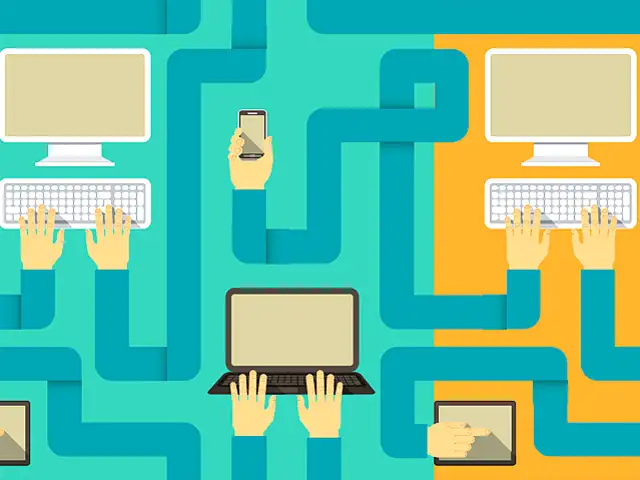
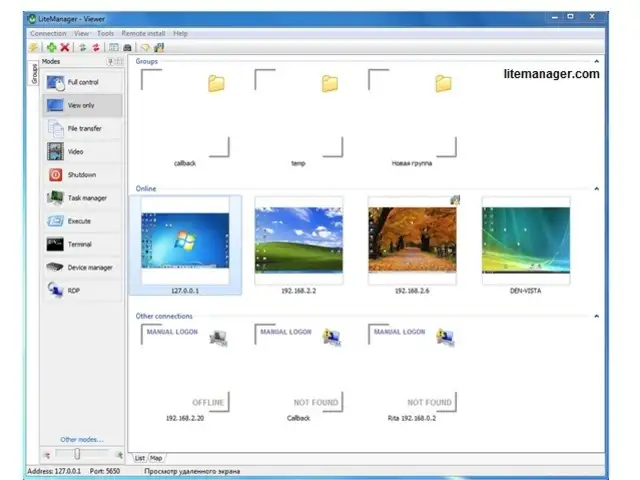
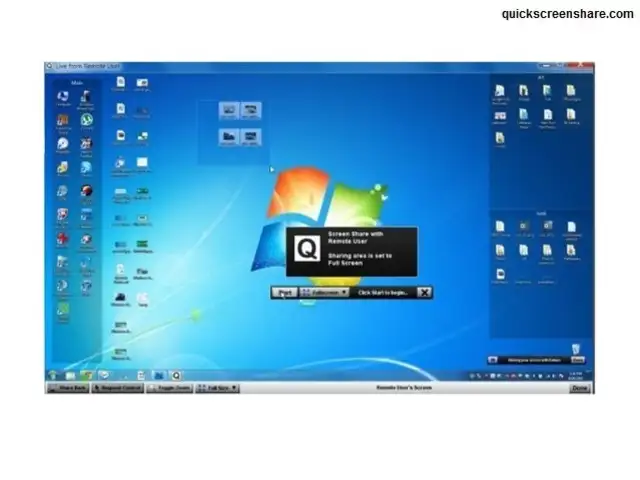
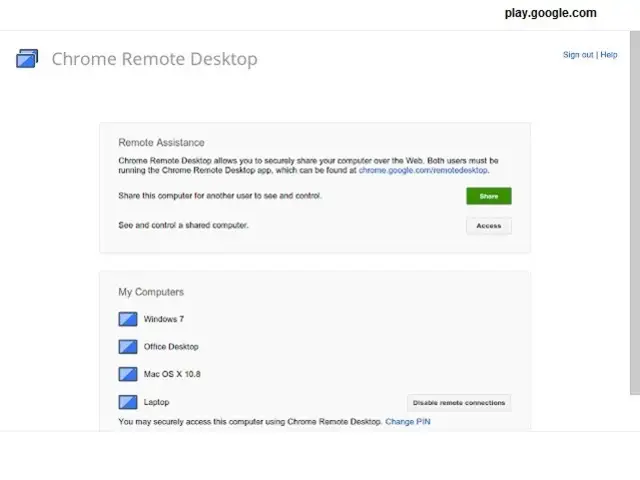
Many households and small offices have multiple computers and other computing devices (such as tablets & phones) — each with its own data and settings.
Karan Bajaj & Hitesh Raj Bhagat guide you how to keep your data and preferences synced across all these devices for easier access and sharing...
Many households and small offices have multiple computers and other computing devices (such as tablets & phones) — each with its own data and settings.
Karan Bajaj & Hitesh Raj Bhagat guide you how to keep your data and preferences synced across all these devices for easier access and sharing...




ADVERTISEMENT


