Pros: Small & lightweight for a full frame DSLR, excellent AF and IS performance, articulating touchscreen and OLED viewfinder, shoots 4K video, good value
Cons: Could do with a larger battery, limited native lens selection (requires adapter for standard Canon EF-S lenses), 4K video limited in some ways (crippled AF, crop factor and limited to 25fps) Cellphone cameras are getting good these days but they still can’t match the quality and expandability of a DSLR. And even within DSLRs, those with full frame sensors — like this EOS RP — occupy a hallowed space. Size matters, you see. Full frame sensors deliver better quality in general, more pleasing depth of field and are better in low light. Most consumer grade DSLRs have APS-C size sensors which are a fair bit smaller than full frame sensors. And full frame simply means that the imaging sensor is the same size as a single frame of 35mm film. But there’s a problem — a large sensor means that the body around the camera has to be much larger too. That’s why camera makers are dropping components (like the reflex mirror) to make the cameras smaller/lighter and adding features like smartphone connectivity (for remote control and quicker image sharing).
ADVERTISEMENT
Canon’s newest innovation for the enthusiast photographer is a camera that is among the smallest and lightest around with a full frame sensor. It also shoots 4K video and is incredibly easy to use for a new user — thanks to an image stabilisation (IS) system that smoothens out any shaky hands and a quick auto focus (AF) system that’s capable of working in low light in 0.05 seconds. In more technical terms, the IS system is capable of removing shake at five stops lower shutter speed and the AF has 4,779 selectable points. The camera can also do a fair amount of hand-holding if needed with the Feature Assistant. It also gets many features from the big guns like magnesium alloy chassis, dust/moisture resistance and eye detection AF.
It’s worth talking about the lens mount and IS system a bit more. The RF mount on this DSLR was introduced in the similar but more expensive EOS R. It was needed because the traditional mirror and AF system was done away with. Autofocus is handled by the sensor itself (about 88% of the sensor can do AF duties). The RF mount allows lenses to be smaller too which means the camera can offer better balance. We tested with an RF mount IS lens that’s been specifically designed for this mirrorless camera body. These lenses have dual gyroscopes built in to detect the smallest of movement. And the system just work brilliantly. If you have any existing Canon EF/EF-S lenses, you can use them on the EOS RP using an adapter but the ideal scenario is to use Canon’s native RF lenses. On the flip side, there aren’t too many of them and there are none available from third-party lens makers.
Image quality is the highlight here, with the camera keeping noise in check up to ISO 6400. It’s also fast enough, capturing 5 frames per second of in high speed mode (4fps with continuous autofocus) and it can keep capturing at this rate till your memory card fills up. It captures pleasing colours without any tinkering with settings though there are enough tweaks available to the advanced user to spice up the photos. In many ways, the EOS RP is like a slightly cut down version of the EOS 6D Mark II and it shares design with the EOS R. (EOS R and RP are the only full frame mirrorless cameras with articulating screens). The video recording is a bit limited because the full power of the Dual Pixel AF system is not available while shooting 4K (only in 1080p) and video frame rate is capped at 25fps. And the small body size means a smaller battery — so the 250 shot battery life is way less than larger DSLRs.
ADVERTISEMENT
All said and done, the EOS RP can be many things to many types of photographers. For a pro user, it can be a lightweight second camera body. For the enthusiast, it can be a lower price entry into the full frame big leagues. If you want something a lot smaller with great photos and 4K video as your main requirement, you can consider Sony’s A6500 Rs 1,16,990 with an 18-135mm lens).
Picture Perfect: Try Trick Photography With Your Smartphone
1/5
Your phone camera is a lot more capable than you think.
While it may not offer as much control as a DSLR yet, you can use you phone to capture photos with amazing trick effects.
ET tells you tips and apps to get unique captures using your phone camera.
Your phone camera is a lot more capable than you think.
While it may not offer as much control as a DSLR yet, you can use you phone to capture photos with amazing trick effects.
ET tells you tips a..
Read More
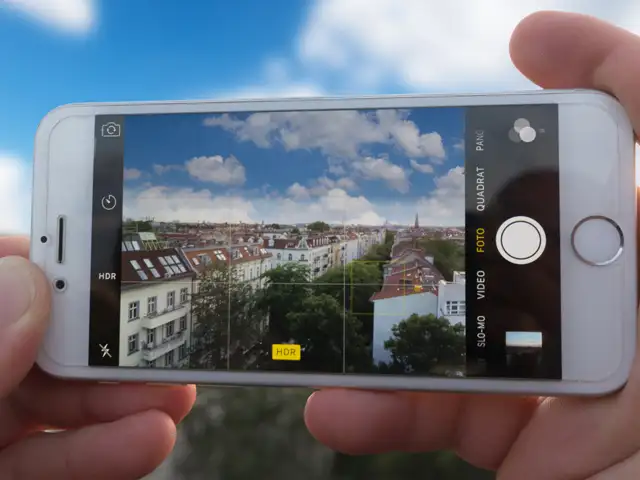
The idea behind HDR or High Dynamic Range is to enhance detail in an image (especially the shadows and darker areas) and make it appear more vibrant.
Typically, this is done by taking multiple photos with different exposure level and then combining them into one. On a majority of smartphones today, the HDR feature is built into the camera interface so you don’t need a separate app.
In case your smartphone does not have HDR feature, try an app called ‘A Better Camera’ by Almalence — it offers HDR for both stills and videos. iPhone users can enable or disable Auto HDR in the camera settings.
Head to Settings > Camera and you will see the option of Auto HDR along with the option to save the normal photo in addition.
The idea behind HDR or High Dynamic Range is to enhance detail in an image (especially the shadows and darker areas) and make it appear more vibrant.
Typically, this is done by taking multiple phot..
Read More
Tilt Shift lets you take miniature photos and is ideal for shooting cars or a cityscape from atop a building. It is important that you find the right place to shoot and make sure that the area you keep in focus has lots of bright colours to make it stand out.
Android users can try the Tilt-Shift Camera app by mrgnpza. This free app lets you adjust the focus area and lets you choose between linear or circular zones.
Various apps such as Instagram, Snapseed and Pixlr also offer the option to add the tilt-shift effect. If case you are an iOS users and want better control, you can get the Glass Tilt Shift app which costs US $2.99.
Tilt Shift lets you take miniature photos and is ideal for shooting cars or a cityscape from atop a building. It is important that you find the right place to shoot and make sure that the area you k..
Read More
You’ve probably seen photos with beautiful light trails or a photo of a waterfall/river in which the water appears to be in motion. This is done by a technique called long exposure which requires control over the shutter speed.
In auto mode, any camera (including a DSLR) will tend to keep the fastest shutter speed that freezes everything in place. You will need to slow the shutter down with a manual mode. The first thing to keep in mind is that your camera needs to be steady — placing on a flat surface or stand/tripod is best.
Android users can check if the smartphone has a Pro/Manual mode. If yes, then open it and increase the shutter speed (make it a second or more). Next, go to the ISO setting and select the lowest available value. That’s it, you just need to find a subject — you can use a highway, shoot stars or even do light painting by pointing a light towards camera and moving it around in the air.
You will need to experiement with different shutter speeds for different scenarios. In case your Android phone does not have a manual mode, you can use apps like Long Exposure Camera 2 or Camera FV-5 Lite.
iOS users can use the Live Photo feature to create long exposure photos. Just enable Live in the camera interface and take a photo. Head to the Gallery, tap the photo you have taken and swipe-up — you will see four options including long exposure. Select it and your photo will be converted to one with a long exposure.
This might not give you the best results each time as the shutter speed is not that long. Alternatively, you can try out third party apps such as LongExpo, Slow Shutter Insta and Ultra Slow Shutter Cam.
You’ve probably seen photos with beautiful light trails or a photo of a waterfall/river in which the water appears to be in motion. This is done by a technique called long exposure which requires co..
Read More
In a panorama sequence, you can take a wideangle panorama with your subject appearing multiple times in the frame for a cool looking shot. Since almost all smartphones today come with a panorama mode, you don’t need to install any extra app.
Start shooting a panorama from one corner with your subject standing in one pose. Once you have panned enough to have the subject out of the frame, stop moving and let your subject circle around behind you to a new position in the frame.
Repeat this process a few times in a single panorama photo and you will get a panorama sequence. Your subject will appear in different poses in a single panorama photo.
In a panorama sequence, you can take a wideangle panorama with your subject appearing multiple times in the frame for a cool looking shot. Since almost all smartphones today come with a panorama mod..