Apple iPad 9.7 inch (2018) review: Lot faster than laptops for less than Rs 30,000
It may not quite replace a laptop, but for a lot of people, this is everything.
By Hitesh Raj Bhagat, ET Bureau | Updated:

It’s easy to get confused with Apple’s iPad line-up and that’s primarily because they’ve been updated so often. As far as tablets go, the iPad gets the lion’s share of the market globally and all the associated advantages (the best accessory and app ecosystem for tablets).
Going forward, the iPad has been split into two broad camps: the basic iPad (which is this one) and the iPad Pro (available in 10.5 inch and 12.9 inch). This is the sixth generation iPad and it starts at a low price, catering to students and casual users. The Pro line-up is for advanced users and professionals who intend to use their iPad for work. Compared to the iPad, Pro has more of everything: more performance, more advanced screen, a smart connector for keyboards and better cameras. Not that you can’t use this iPad for work — it really depends on how much you want to spend and whether the Pro ‘extras’ are useful to you.

But this iPad is just the ideal place to start if you’re just getting your first iPad. It’s great for students or as a shared iPad for the home. It’s available in either 32GB or 128GB, in silver, gold or grey and in WiFi or WiFi + 4G variants. It has nice sounding speakers for video and dual microphones for audio/ video calls. Let’s say you want to play some games, watch video, surf the web, check email, video chat and so on — this iPad is more than you need. It even does multi-tasking.
Essentially, it has the same levels of performance as the iPhone 7 (the same 64-bit A10 Fusion chip, the same graphics and the same amount of RAM). Now that it supports the Apple Pencil, it opens up several new possibilities (drawing, sketching, notes, annotation etc). Pencil remains an additional purchase at Rs 7,600 but it’s the same one used on the iPad Pro. You can also share a Pencil between an iPad Pro and iPad — just plug it into the tablet’s Lightning port to pair/charge it.
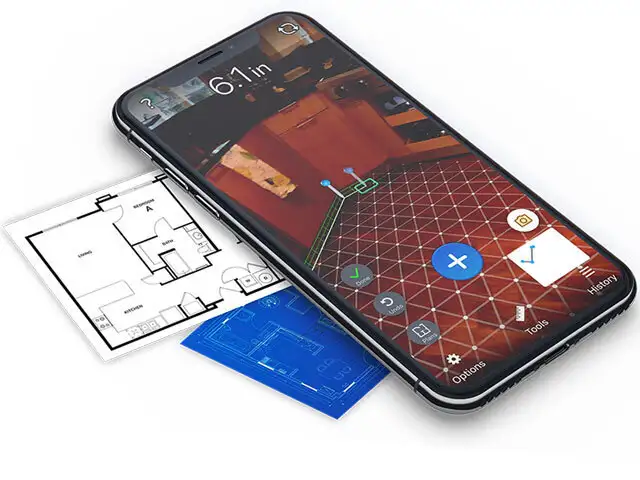
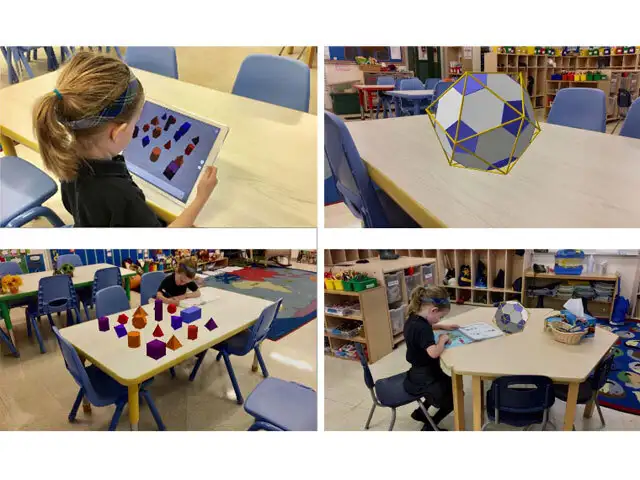
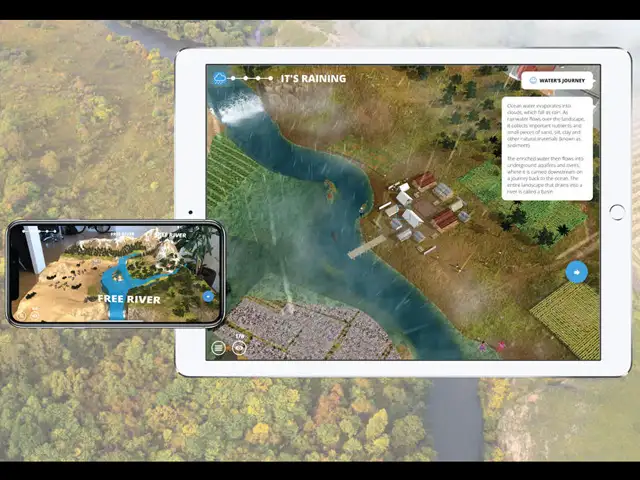
Ultimately, the core promise of this iPad remains the same: all-day battery life, great performance for all apps, a responsive and high-quality Retina display, fast wireless hardware and sturdy aluminium construction. In addition, this is an iPad that works really well with augmented reality (AR) apps. AR can overlay interactive content right into your view and there are several uses for this in education, gaming and travel.
Finally, let’s look at this from a value standpoint. At a starting price of less than Rs 30k, you’re getting something that will be a lot faster than similarly priced laptops. It also includes iOS and the iWork suite of apps, plus thousands of free apps and games. It may not quite replace a laptop but for a lot of people, this is everything and more they need in a computing device.
Going forward, the iPad has been split into two broad camps: the basic iPad (which is this one) and the iPad Pro (available in 10.5 inch and 12.9 inch). This is the sixth generation iPad and it starts at a low price, catering to students and casual users. The Pro line-up is for advanced users and professionals who intend to use their iPad for work. Compared to the iPad, Pro has more of everything: more performance, more advanced screen, a smart connector for keyboards and better cameras. Not that you can’t use this iPad for work — it really depends on how much you want to spend and whether the Pro ‘extras’ are useful to you.
But this iPad is just the ideal place to start if you’re just getting your first iPad. It’s great for students or as a shared iPad for the home. It’s available in either 32GB or 128GB, in silver, gold or grey and in WiFi or WiFi + 4G variants. It has nice sounding speakers for video and dual microphones for audio/ video calls. Let’s say you want to play some games, watch video, surf the web, check email, video chat and so on — this iPad is more than you need. It even does multi-tasking.
Essentially, it has the same levels of performance as the iPhone 7 (the same 64-bit A10 Fusion chip, the same graphics and the same amount of RAM). Now that it supports the Apple Pencil, it opens up several new possibilities (drawing, sketching, notes, annotation etc). Pencil remains an additional purchase at Rs 7,600 but it’s the same one used on the iPad Pro. You can also share a Pencil between an iPad Pro and iPad — just plug it into the tablet’s Lightning port to pair/charge it.
ADVERTISEMENT
Ultimately, the core promise of this iPad remains the same: all-day battery life, great performance for all apps, a responsive and high-quality Retina display, fast wireless hardware and sturdy aluminium construction. In addition, this is an iPad that works really well with augmented reality (AR) apps. AR can overlay interactive content right into your view and there are several uses for this in education, gaming and travel.
Finally, let’s look at this from a value standpoint. At a starting price of less than Rs 30k, you’re getting something that will be a lot faster than similarly priced laptops. It also includes iOS and the iWork suite of apps, plus thousands of free apps and games. It may not quite replace a laptop but for a lot of people, this is everything and more they need in a computing device.
Download
The Economic Times Business News App for the Latest News in Business, Sensex, Stock Market Updates & More.
The Economic Times Business News App for the Latest News in Business, Sensex, Stock Market Updates & More.





ADVERTISEMENT


